Travel connectivity guide
Sweimeh eSIM: Mobile Internet for Jordan Trips
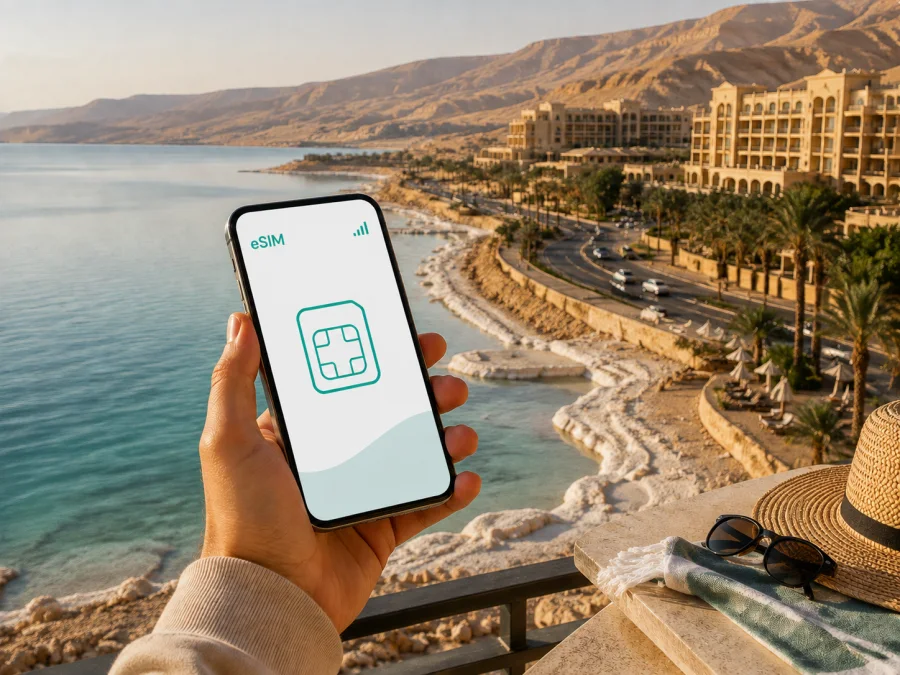
Sweimeh eSIM: mobile connection and internet for your Jordan trip
Sweimeh is a useful base for a Dead Sea stay in Jordan. Many visitors arrive by road from Queen Alia International Airport, check into a resort, spend time by the shore, and use the area as a starting point for a day trip. A mobile connection can help from the first transfer onwards: you may need a map, a booking message, a translation, a taxi contact, or a way to tell your hotel that you have arrived. An eSIM helps you prepare mobile internet without replacing your regular physical SIM card.
This guide focuses on the situations that make connectivity useful in Sweimeh: airport arrival, the hotel area, movement along the coast, short stopovers, business events, navigation, and onward travel. It also explains how to choose and activate an eSIM tariff for Jordan, what to check before purchase, and how to manage data.
Why mobile internet matters in Sweimeh
Sweimeh is associated with the northern Dead Sea resort zone. The hotel area, beaches, restaurants, spas, conference venues, and viewpoints can be separated by open land and stretches of road rather than a compact city centre. You may therefore want data while leaving the airport, waiting for a transfer, checking a pickup point, or travelling between a hotel and an excursion.
An eSIM is a digital SIM profile installed on a compatible device. For a visitor, its main use is mobile data during the trip. If your phone supports two lines, your regular SIM can remain available while the travel eSIM is selected for data. The exact result depends on the device, local network conditions, and the selected tariff.
| Situation in Sweimeh | What data can help you do |
|---|---|
| Arrival and transfer | Check a meeting point, contact the driver, or share your location. |
| Hotel check-in | Open the reservation, message reception, or translate a request. |
| Dead Sea shore | Keep maps, weather information, and plans available outside the room. |
| Activity or restaurant | Confirm details or send a message before setting out. |
| Day trip | Recheck the route and coordinate a return transfer. |
| Business stay | Exchange files, join a call, and keep work messages moving. |
This is not a promise of identical signal quality on every route. Buildings, terrain, traffic, network conditions, and the tariff can affect the experience. An eSIM is a way to prepare for mobile data, not a guarantee of performance in every location.
Arrival from Queen Alia International Airport
After landing at Queen Alia International Airport, your first online tasks may be finding the arranged transfer, opening a hotel message, checking a reservation, or telling someone that the flight has landed. The road journey to the Dead Sea hotel area takes time, so save a map and key details before leaving the airport where possible.
If the eSIM is installed before departure, keep its activation information accessible. A QR code may be in an email or in your account, and some phones cannot scan a code displayed on the same screen that is being configured. Use another screen or follow the manual details supplied with the profile. Do not delete your regular line while setting up the travel line: keeping both profiles visible makes it easier to identify the data connection.
Before leaving the airport, check that:
- The travel eSIM appears in the list of mobile plans.
- Your primary line and travel line have clear labels.
- Mobile data is assigned to the intended eSIM.
- The hotel address, driver contact, and booking confirmation are available.
A connection may take a few minutes after the profile is enabled. If data does not start immediately, confirm that the eSIM is active for data, review the mobile-network settings, and restart the phone if the instructions recommend it. Airport Wi-Fi can be a backup for completing setup, but preparation before the flight makes the transfer less dependent on finding a network.
The hotel area and first hours by the Dead Sea
Accommodation around Sweimeh includes resort properties and hotels near the shore. Some properties offer private beach access, pools, spas, restaurants, meeting rooms, or transfer arrangements; facilities vary, so confirm the details of your own booking. A mobile-data eSIM can be useful while you move between the airport, hotel entrance, lobby, and nearby facilities.
The first hours are usually a sequence of small tasks: finding reception, confirming meal times, checking beach access, arranging a taxi, or asking whether an excursion will collect guests at the lobby. Keep the hotel name and reservation details in an offline note. Hotel names can be similar, so a precise property name or pickup point is more useful than a vague landmark.
The Dead Sea environment also calls for care with a phone. Bright sun can make a screen hard to read, while water, mineral-rich mud, heat, and sand can damage electronics. Use a sealed pouch near the shore, avoid taking the phone into the water, and save essential information offline. Connectivity does not replace physical protection.
Moving around Sweimeh
Movement in Sweimeh is organised around accommodation, the coast road, planned activities, and transfers rather than a dense pedestrian grid. Depending on the journey, visitors may use a hotel shuttle, taxi, private driver, rental car, or organised tour. Ask the property or tour provider about pickup instructions and allow time for a driver to find the correct entrance.
Navigation data is particularly useful when leaving the hotel, when a route branches away from the coast, and when returning after dark. Downloading a general route before departure is worthwhile, but live data lets you recheck a change, send a location, or contact the person meeting you. If you drive, set the route before moving and use a secure phone mount. Never type while driving.
For longer routes, conserve battery by reducing screen brightness when safe, closing background applications, and carrying a power bank. A larger data allowance cannot solve a flat battery.
Choosing a tariff for a Sweimeh visit
Choose for the whole Jordan itinerary, not only for the nights at the Dead Sea. A resort stay may involve messages, maps, reservations, and occasional photos. A route combining Sweimeh with Amman, Madaba, Petra, or Wadi Rum may need a plan that remains valid for the full period and destinations covered by its terms.
Ask four questions:
- Is the destination listed as Jordan, and does the coverage area match your route?
- How many days must the eSIM remain active?
- Will you use data for maps, work, photos, video, or tethering?
- What happens when the included data is used, and are top-ups available under the tariff conditions?
Kaspersky eSIM Store is an app and website that helps you choose, arrange, and activate an eSIM tariff for mobile internet during an overseas trip. Review the options and conditions shown at the time of purchase. For a Sweimeh stay, choose an eSIM tariff for your Jordan trip after estimating the complete route rather than selecting only by the hotel's name.
Estimate your data use
The right amount depends on your habits. This comparison is a planning aid, not a promise about any specific tariff.
| Travel pattern | Likely use | Planning point |
|---|---|---|
| Light | Messages, occasional maps, email, booking pages | Keep backups and updates on Wi-Fi. |
| Sightseeing | Frequent navigation, translation, weather, social posts | Leave room for route changes and photos. |
| Work trip | Attachments, cloud documents, calls, hotspot use | Check whether tethering is permitted. |
| Shared travel | One phone coordinates several people or devices | Estimate group use and review hotspot terms. |
Video calls, cloud backups, automatic photo synchronisation, and video streaming can use much more data than text messages or map searches. Before departure, restrict updates over mobile data, limit photo backup to Wi-Fi if appropriate, and download large files in advance.
Installation before departure or after arrival
Installation places the eSIM profile on the device; activation and data use depend on the tariff conditions and network connection. Read the purchase details so you know when validity begins and whether the profile should be enabled before the flight or after arrival.
Before starting, check whether your device supports eSIM. The device must also be suitable for your intended use, and an operator lock may prevent another profile from working. Models can differ by country or region of sale, so check the exact variant.
A general setup sequence is:
- Confirm eSIM compatibility and operator-unlock status.
- Choose Jordan and a tariff that fits the full trip.
- Complete the purchase and keep the activation details accessible.
- Install the profile through mobile-network settings or the supplied QR code.
- Label the new line, such as “Jordan travel”.
- Select the travel eSIM for mobile data when you are ready to use it.
- Follow the tariff instructions about data roaming.
- Test a light task, such as opening a map or sending a message, and monitor usage.
For detailed device steps, use the Android installation instructions or the iOS installation instructions. Menu names differ by operating system and software version, so follow the screen on your own device. If the QR code is on the same phone, display it on another screen or use manual activation details when supplied.
Navigation, bookings, and communication
Keep these details easy to find on the phone:
- the exact hotel name and address;
- the reservation number and check-in details;
- the transfer provider and pickup contact;
- a saved map view of the hotel area and next destination;
- the meeting point for a tour or conference;
- accommodation and emergency contacts.
If you travel from Sweimeh to Madaba, Mount Nebo, the Baptism Site, or Wadi Mujib, confirm the day's route and return plan before leaving. These are distinct destinations with different access arrangements and opening conditions. The phone is a coordination tool: it helps you confirm where to meet, when to leave, and how to return to the hotel.
Remember that a data eSIM is not automatically a conventional telephone line. Unless the tariff specifically says otherwise, it is intended for mobile internet and does not include a separate number, ordinary voice calls, or SMS. Messaging applications can handle calls over data, while your normal line can remain available according to your home operator's terms.
Business trips, conferences, and stopovers
The Dead Sea hotel area also hosts meetings and business stays. A conference visitor may need an agenda, an attachment, a work call, a presentation, or a pickup message between sessions. Estimate work data separately from leisure data, and check tethering conditions before connecting a laptop or tablet. A short preparation checklist is: test installation, save key documents offline, pack a charger, label the travel line, and keep hotel and transfer details in a separate note.
For a one-night stopover, use data for arrival and departure coordination and monitor high-consumption apps. If Sweimeh is one stage of a longer Jordan route, make sure the tariff's validity and destination conditions cover the next stops.
Common problems and calm fixes
| What you notice | What to check first |
|---|---|
| The eSIM is not listed | Confirm that installation finished in mobile-plan settings. |
| The profile is present but data is unavailable | Select it for mobile data and review the required roaming setting. |
| The phone uses the home line | Turn off automatic data switching and recheck the selected line. |
| The QR code cannot be scanned | Display it on another screen or use manual details if supplied. |
| Data stops unexpectedly | Check allowance, validity, signal, and device settings. |
| A laptop will not connect | Review hotspot support and tethering conditions. |
| Calls or SMS do not work | Confirm whether the tariff includes them; data-only plans need messenger apps. |
Do not repeatedly delete and reinstall a profile before checking its conditions. Some eSIMs have installation or activation rules, and a profile may not be reusable after removal. If the supplied instructions do not resolve the issue, contact support with the device model, eSIM status, and exact step where the problem occurred.
Frequently asked questions
Will the eSIM include a Jordanian phone number?
Not necessarily. Unless the selected tariff states otherwise, the eSIM is for mobile internet rather than a separate number, ordinary calls, or SMS. Use internet messaging applications for calls and chats when appropriate.
Should I install it before flying to Jordan?
Installing before departure can make arrival easier, but the correct moment to enable the profile or begin using data depends on the tariff conditions. Read them carefully and keep the activation details accessible.
What should I do after leaving Sweimeh?
Keep the profile active if the tariff still covers the remaining Jordan itinerary and validity period. Before travelling onward, review data use, destination conditions, battery level, and the route to the next accommodation.
Get ready for Sweimeh
Review the Jordan tariff, validity period, data allowance, and activation instructions before your flight. Then install the eSIM at a convenient time and keep key travel details available offline. When you are ready, prepare your eSIM tariff for a trip to Jordan through Kaspersky eSIM Store. The app and website help you choose, arrange, and activate an eSIM for mobile internet during an overseas journey; the final conditions depend on the tariff you select.


