Travel connectivity guide
Swisscom eSIM in Switzerland: travel guide
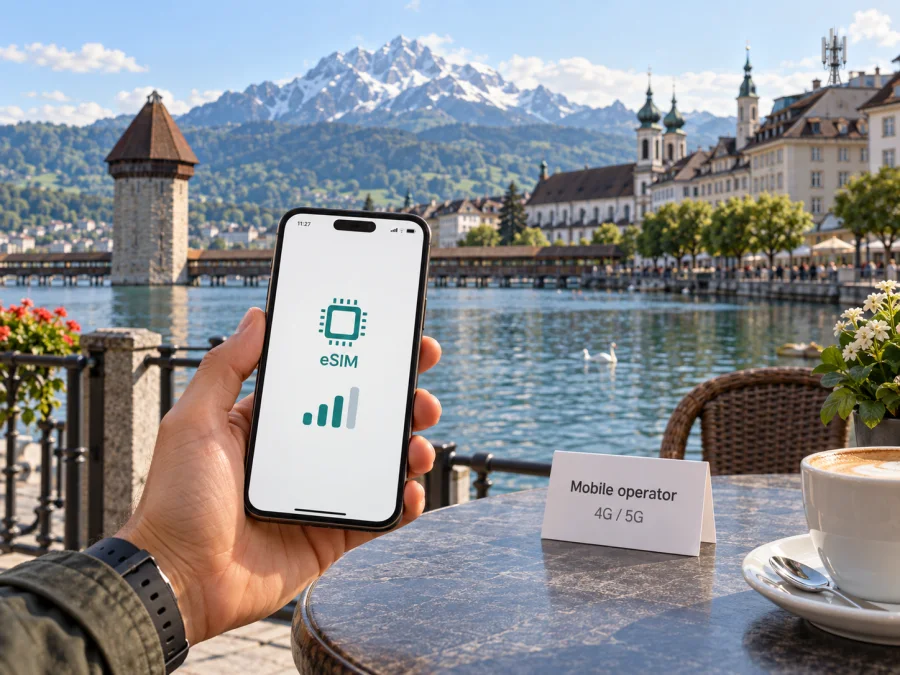
Swisscom eSIM in Switzerland: what travelers should know
Swisscom is a Swiss communications operator serving residents and visitors. For a trip to Switzerland, an eSIM can connect a compatible phone to a local mobile service without a removable SIM. The process differs for an existing customer, a prepaid user and a short-term visitor.
This guide covers Swisscom eSIM setup, visitor requirements, compatibility and coverage, along with the distinct role of a travel eSIM. Information was checked on 27 September 2026 against Swisscom’s public help, prepaid, tourist and network pages. Confirm current conditions before ordering.
Swisscom in the Swiss mobile market
Swisscom serves residential and business customers in Switzerland, with subscription and prepaid mobile service. A visitor may be replacing a SIM on an existing line or opening a new prepaid connection; those routes have different account and activation steps.
An eSIM is a digital profile installed on a supported device to identify a mobile line to the network. It avoids a removable card, but account, device and activation requirements still apply. It does not guarantee reception in every location or building.
Swisscom’s current public help page confirms eSIM use with both an existing mobile subscription and prepaid service. Existing customers can order a replacement profile through My Swisscom. For a new subscription, select eSIM during the order; the profile is then available in My Swisscom, commonly as a QR code. Some iPhone users can install through the app. The information appears on Swisscom Help under “Ordering, activating and transferring a Swisscom eSIM,” checked on 27 September 2026.
Swisscom confirms eSIM for mobile and prepaid services, but that does not mean every visitor can complete setup remotely or every device will accept the profile. Its tourist page also describes prepaid service with eSIM or a physical SIM, with activation after the eSIM connects to and is used on the Swisscom network. The page and activation FAQ were checked on 27 September 2026; verify current eligibility and process before relying on them.
Is Swisscom eSIM suitable for your trip?
Start with what you need the line to do. A Swisscom connection may suit you if you want a local operator, need a Swiss number or prefer to manage service through Swisscom. For a visitor prepaid option, read the current description, identity checks and conditions. Eligibility may depend on nationality, device or account situation.
A travel eSIM is arranged through an app or website for mobile data abroad. It may suit travelers who mainly need data, want to keep a home SIM active, or are visiting several destinations. Coverage depends on the travel service and destination, so check its details before choosing.
Kaspersky eSIM Store is an app and website that helps travelers choose, arrange and activate a travel eSIM for mobile internet abroad. It is not an operator, network owner or mobile internet provider. Its public Switzerland page includes a compatibility check and installation guidance (checked 27 September 2026). A travel eSIM may complement a home line, but it is separate from Swisscom. Kaspersky eSIM Store is not affiliated with Swisscom or its official partner or distributor.
The travel eSIM page for Switzerland shows the destination options; review device compatibility and the selected service’s terms. This does not indicate that Kaspersky eSIM Store uses Swisscom’s network.
How Swisscom eSIM ordering and activation work
The setup route depends on whether you already have a Swisscom line. Existing customers can order through My Swisscom. For a new subscription, select eSIM during the order; the profile becomes available in My Swisscom, commonly as a QR code. Some iPhone users can install through the app. Downloading the profile requires internet access.
Swisscom also confirms eSIM for prepaid. Its visitor page says a tourist prepaid service can be purchased before travel but activates after the eSIM connects to and is used on the Swisscom network. My Swisscom access may involve two-factor authentication, and activation before arrival may not work in some cases. Swisscom recommends trying after arrival and contacting a shop if needed. Prepare a backup connection for landing.
- Confirm that your exact phone model supports eSIM and is not carrier-locked.
- Decide whether you are changing an existing line or applying for a new prepaid service.
- Review current order and identity checks; confirm access to My Swisscom and any verification messages.
- Keep reliable internet available to download the profile and the QR code accessible on another screen if needed.
- Install and label the line, then select it for data after arrival and follow Swisscom’s activation steps.
These are general steps; screens and requirements can vary by device, account and service. Keep the QR code and sign-in details private. Do not delete a profile before confirming how to restore it, as replacement may require another account action.
Documents, account access and visitor restrictions
Swisscom’s visitor information confirms online sign-up but does not mean identity checks can be skipped. It notes that two-factor authentication may be required and remote activation may not work for every visitor. The pages reviewed do not establish one document rule for all cases. Keep a valid travel identity document available and confirm accepted documents and verification steps in the current order flow or with Swisscom support.
Before departure, make sure you can access your account email and receive verification messages on your primary number. If you cannot complete the process remotely, Swisscom points visitors to its shops; check current locations and hours rather than assuming a particular airport counter is open. Bring account credentials, a charged phone and a backup way to connect. With dual SIM, check which line handles mobile data and review your home operator’s roaming terms.
Device compatibility and setup checks
An eSIM-capable phone is not automatically compatible with every profile. Support can depend on the device variant, sales region, software version and carrier lock. Check the manufacturer’s specifications and look in settings for an option to add an eSIM. Ask Swisscom about your exact model if compatibility is unclear.
Update the operating system if appropriate, charge the phone and keep screen-lock credentials available. Depending on the device, a profile may be added through the camera, settings or a carrier app. Swisscom’s instructions for its profile take precedence. If installation uses a QR code, display it on a second screen or printout so the phone can scan it.
On iPhone, the usual route is Settings, then Mobile Service or Cellular, then Add eSIM. On Android, look under Settings and then Network & Internet, Connections or SIM Manager for an add eSIM option. Labels differ by version and manufacturer, so follow the on-screen instructions.
After installation, check which line is the default for calls, messages and data, and whether automatic data switching is enabled. If Swisscom’s instructions require data roaming on its eSIM, apply that setting to the intended line and review service conditions. A travel eSIM may be data-only and lack a conventional number or cellular SMS. If you need bank codes or calls to local numbers, verify this before choosing a data-focused service. If you want to explore a travel eSIM for the same destination, see eSIM options for Switzerland. Review device compatibility and the selected service’s terms. This does not indicate that Kaspersky eSIM Store uses Swisscom’s network.
Coverage and mobile technologies in Switzerland
Swisscom’s network information describes 4G/LTE and 5G and provides a map for checking its current 5G footprint. It notes that connection depends on a compatible device and location, and that a phone may not use 5G everywhere. The operator’s “New mobile opportunities with 5G” page also describes 4G/LTE and says its 2G service was phased out by the end of 2020. These public network details were checked on 27 September 2026.
A coverage map supports planning but cannot promise reception at every point. Terrain, buildings, tunnels, device bands and radio conditions affect service. If you are taking a rail route, hiking or staying outside a town, check relevant locations and save maps or travel information offline.
A phone’s 5G label does not mean it supports every Swiss band or will receive 5G throughout a journey. Confirm device support and check current coverage around your itinerary. When using a travel eSIM, check the network information given by that service; do not assume it connects through Swisscom. A country-level listing or network map is not a guarantee of indoor performance.
Local prepaid service and travel eSIM: practical differences
A local prepaid line is a direct relationship with a destination operator and may suit someone who needs local service features such as a Swiss number. A travel eSIM is arranged through an app or website, often for data abroad, without opening a local operator account. It may suit travelers who mainly need data or are visiting several destinations. Network, number availability and support vary; read the selected service’s terms.
| Travel question | Swisscom eSIM | Travel eSIM |
|---|---|---|
| Who arranges it? | Swisscom account or visitor sign-up | Travel eSIM app or website |
| Main preparation | My Swisscom access, service eligibility and compatible phone | Device compatibility and the service’s installation instructions |
| Activation | Follow Swisscom’s account and arrival guidance | Follow the timing stated by the selected travel service |
| Phone number | Depends on the selected Swisscom service | Often data-focused; confirm whether a number is included |
| Coverage reference | Swisscom’s map and service conditions | Destination and network details stated by the travel service |
This table is a general planning aid, not an offer comparison. Kaspersky eSIM Store helps users choose, arrange and activate a travel eSIM for mobile internet abroad. It is not an operator, network owner or internet provider, and it does not guarantee Swiss coverage. It is separate from and not affiliated with Swisscom.
A traveler’s checklist
Before departure:
- Confirm eSIM support for your exact phone and check for a carrier lock.
- Decide whether you need a Swiss number, data only, or both.
- Read Swisscom’s current sign-up and activation conditions.
- Check My Swisscom access and two-factor authentication from abroad.
- Keep identity documents available if registration requests verification.
- Install with reliable internet and save the instructions.
- Check coverage for your route; review which SIM is selected for data and roaming.
- Save tickets and essential maps offline; keep a backup way to connect.
If service does not start, check that the order is complete, the line is enabled and the phone has selected a network. Swisscom suggests restarting for some setup problems. Avoid removing the profile until you know how to reinstall it. Contact Swisscom or visit a shop if login or identity checks block activation.
Common traveler scenarios
You already have a Swisscom line. Use My Swisscom to replace or transfer the profile. Swisscom says automatic eSIM transfer is not supported by every device, so check whether a new profile is needed.
You are visiting and want local service. Swisscom describes tourist prepaid service with eSIM and physical SIM options. Read its visitor FAQ about pre-purchase, activation and account access. Since activation may wait until the profile connects to the network, plan a backup for arrival and confirm eligibility directly with Swisscom.
You mainly need mobile data. A travel eSIM may fit if your phone is compatible and the service covers your route. Review network information, activation timing and whether a number is included. Kaspersky eSIM Store helps arrange a travel eSIM but does not operate the Swiss network.
You need your home number or will travel outside cities. Check dual SIM defaults, home roaming terms and coverage for the route; save details offline.
Frequently asked questions
Does Swisscom support eSIM in Switzerland?
Yes. Its public help confirms eSIM for mobile subscriptions and prepaid service, and its visitor information describes prepaid eSIM. Ordering still depends on account access, compatibility and current conditions.
Can I activate a tourist eSIM before travel?
Swisscom says the visitor service may be purchased before travel but activates after connecting to and using its network. Two-factor authentication can prevent activation before arrival, so check current instructions and prepare a backup connection.
Will every eSIM-compatible phone work, and will it work everywhere?
No universal guarantee applies. Check the exact phone model, carrier lock and software. Reception depends on location, terrain, buildings and device support; consult Swisscom’s map for your route.
Is a travel eSIM the same as Swisscom?
No. It is a separate service for travel connectivity. Check its network, number availability and support details; it does not become a Swisscom subscription because you use it in Switzerland.
Final points
Swisscom confirms eSIM for mobile and prepaid service and describes a visitor route. Check account verification, device compatibility and activation timing before departure. Explore travel eSIM options for Switzerland through Kaspersky eSIM Store, a separate service not affiliated with Swisscom.


