
Travel connectivity guide
Sydney eSIM for mobile internet
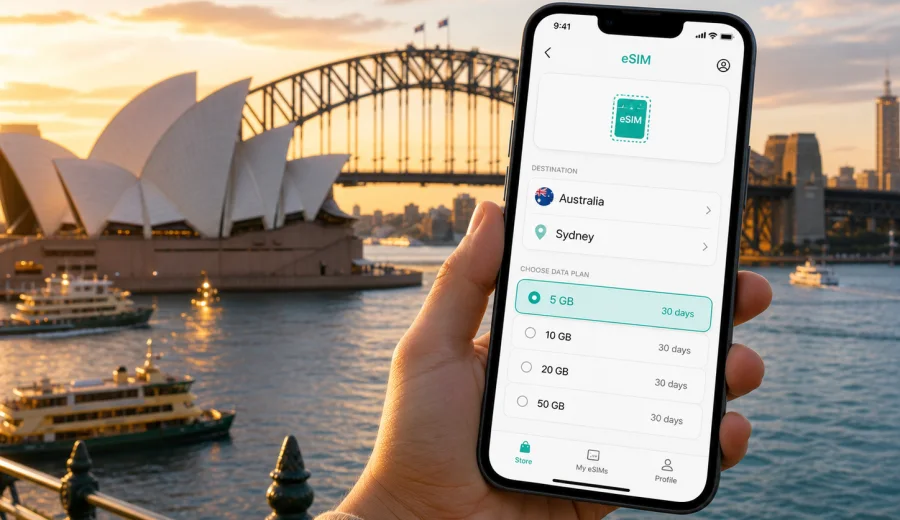
Sydney eSIM: mobile connection and internet for your trip
Sydney is a city where mobile internet becomes useful almost immediately. You may need a map at Sydney Airport, a rideshare app for the trip to your hotel, a message thread with family, a restaurant booking in Surry Hills, or live transport updates before taking the train to Circular Quay. An eSIM helps you prepare mobile data before you start moving around the city, without looking for a physical SIM card after a long flight.
For visitors, Sydney is rarely one single route. A first day may include the airport, the CBD, the harbour, and a hotel check-in. A business trip may move between Barangaroo, Martin Place, North Sydney, and a conference venue. A longer holiday may add Bondi, Manly, the Blue Mountains, or a coastal drive. In each scenario, the practical question is the same: how do you keep mobile internet ready for navigation, transport, bookings, and everyday travel tasks?
Kaspersky eSIM Store is an app and website where you can choose, arrange, and activate an eSIM with a suitable mobile data tariff for an international trip. It is useful when you want to prepare internet access before departure, see the data allowance and validity period in advance, and avoid relying only on airport Wi-Fi, hotel networks, or standard roaming.
Why mobile internet matters in Sydney
Sydney is easy to explore, but it is spread across the harbour, beaches, business districts, suburbs, ferry routes, and train lines. Many useful travel actions depend on mobile data:
- checking the route from Sydney Airport to the city;
- comparing train, light rail, ferry, bus, taxi, and rideshare options;
- opening hotel booking details at reception;
- using maps around Circular Quay, The Rocks, Darling Harbour, and Barangaroo;
- messaging a host, colleague, driver, or travel companion;
- checking weather before a coastal walk or ferry trip;
- managing tickets, restaurant reservations, and boarding passes;
- using translation, banking, and travel apps when needed.
Public Wi-Fi can help in some places, but it is not a complete travel plan. You may not want to search for Wi-Fi while standing outside a terminal, waiting for a car, or walking between platforms. A prepared eSIM gives you a more controlled way to use mobile data for the tasks that normally happen between fixed Wi-Fi points.
Arrival at Sydney Airport
Most international visitors arrive through Sydney Airport, also known as Kingsford Smith Airport. The first hour after landing is usually when mobile data feels most valuable. You may need to tell someone you have arrived, check immigration or baggage updates, find the right exit, book a ride, or follow directions to the Airport Link train.
With an eSIM installed on a compatible phone, you can be ready to activate mobile data after arrival according to the tariff instructions. This is especially useful if your hotel confirmation, meeting address, or transport plan is stored in apps rather than printed documents.
The airport-to-city route is also a good example of why a city article should not treat Australia as one broad destination. In Sydney, the key decision is often whether to take the train to Central, Wynyard, Circular Quay, or Town Hall, or use a car if you have luggage, children, late arrival, or a hotel away from the rail line. Each option is easier when maps and messages are available from the start.
Where eSIM helps during a Sydney stay
| Sydney scenario | Why mobile data helps | Practical eSIM use |
|---|---|---|
| Airport arrival | You need routes, messages, and booking details quickly | Activate data after landing and check your transfer |
| CBD hotel check-in | Addresses and reservation numbers may be in apps | Keep confirmations available without hotel Wi-Fi |
| Harbour sightseeing | Ferries, walking routes, and weather can change plans | Check maps and schedules while moving |
| Business meetings | Venues may be across the CBD and North Sydney | Use calendar, rideshare, and messaging apps |
| Beach trips | Bondi, Coogee, and Manly often involve route changes | Check transport, surf conditions, and return timing |
| Day trips | Blue Mountains or other routes may take you beyond the centre | Choose a data allowance that fits the whole itinerary |
Sydney rewards flexible movement. A day can start with coffee near Town Hall, continue by light rail to Circular Quay, cross the harbour by ferry, and end at a restaurant in Newtown or Surry Hills. Mobile internet supports the small decisions between those points: which platform, which exit, which ferry wharf, whether to walk, and where to meet.
Choosing data for a trip to Sydney
The right eSIM tariff depends less on the city name and more on how you travel. A weekend stopover in Sydney has different data needs from a two-week itinerary across New South Wales. Before choosing a tariff, estimate what you will do on mobile data instead of Wi-Fi.
Light use usually includes maps, messaging, occasional searches, email, and booking apps. Moderate use adds social media, photo uploads, cloud documents, and more frequent route planning. Heavy use may include video calls, remote work, large file transfers, streaming, or using your phone as a hotspot, if the selected tariff and device settings allow it.
For most visitors, the useful checks are simple:
1. How many days will you stay in Sydney?
2. Will you travel outside the city?
3. Do you need mobile data for work?
4. Will you use maps and rideshare apps often?
5. Will hotel or office Wi-Fi cover part of your usage?
6. Do you need a larger data allowance for uploads, calls, or hotspot use?
An eSIM tariff for Australia is the relevant option for a Sydney city trip. If your route includes another country, check whether a regional or global option is more suitable, but do not choose a wider tariff unless it matches your actual itinerary and conditions.
A practical Sydney data estimate
Exact consumption depends on apps, settings, background sync, and media quality, but these travel patterns can help you think clearly before choosing:
| Trip pattern | Typical mobile data needs | What to check before choosing |
|---|---|---|
| 1-2 day stopover | Maps, messaging, ride booking, boarding pass access | Short validity and enough data for arrival and departure |
| 3-5 day city break | Navigation, restaurant searches, photos, transport apps | Balance data allowance with hotel Wi-Fi availability |
| 1 week holiday | Daily maps, beach trips, ferry routes, social sharing | A larger allowance may be more comfortable |
| Business trip | Email, calendar, video calls, documents, rideshare | Allow for work apps and backup internet needs |
| Sydney plus regional travel | City routes plus day trips or onward travel | Check country coverage, validity period, and data volume |
Once your rough usage is clear, you can review the available options and choose an eSIM tariff for a trip to Sydney through the Australia page in Kaspersky eSIM Store. The important point is to match the tariff to your real travel days, route, and expected data use rather than selecting only by the smallest allowance.
Districts where connectivity is useful
Sydney visitors often move between several areas in one day. Around Circular Quay and The Rocks, mobile internet helps with ferry times, walking routes, harbour viewpoints, and restaurant bookings. Near Darling Harbour and Barangaroo, it helps when navigating between hotels, conference venues, waterfront restaurants, and evening plans.
In Surry Hills, Newtown, Chippendale, and Redfern, maps are useful for smaller venues and train stations that are close but not always obvious from street level. Around Bondi, Coogee, and Manly, mobile data helps with buses, coastal walk timing, weather changes, and return routes.
Hotels, work trips, and short stopovers
Hotel Wi-Fi is useful, but it does not cover the moments before check-in, after check-out, or between appointments. If you arrive early in Sydney, you may leave luggage at the hotel and start moving before your room is ready. Mobile data helps you keep booking details, maps, and messages available without waiting for a lobby connection.
Apartment stays create similar needs. You may need internet to open self-check-in instructions, contact the host, find the entrance, or read Wi-Fi details stored in a booking app. For business travel, mobile data is useful between offices, hotels, conference venues, and airport transfers, especially when a meeting location changes or a rideshare pickup point is unclear.
A Sydney stopover has its own rhythm. You may need live traffic, train timing, baggage storage details, boarding pass access, and airline alerts before deciding whether there is enough time to visit the harbour or return directly to the airport. Choose a tariff that fits the whole travel window, not only the few hours you expect to spend in the city.
An eSIM tariff usually focuses on mobile internet. It may not include a local phone number, voice calls, or SMS unless the specific tariff conditions say so. For calls and messages, many travellers use internet-based apps while keeping their main SIM active for essential number-based services.
How to install an eSIM before Sydney
The cleanest approach is to prepare your eSIM before departure, while you still have stable home Wi-Fi and time to check settings. After choosing a tariff, follow the instructions provided in the app, site, or email. Installation and activation can take a few minutes and depend on the device, operating system, and local network conditions.
A simple preparation flow:
1. Check that your phone supports eSIM and is not locked to another mobile carrier.
2. Choose Australia as the destination for your Sydney trip.
3. Select a tariff by data allowance and validity period.
4. Install the eSIM profile using the provided steps or QR code.
5. Name the eSIM line clearly, for example "Travel data".
6. Keep your primary SIM settings as needed for calls or SMS.
7. Activate mobile data for the eSIM when the tariff instructions tell you to do so.
For device-specific setup, use the official installation guide for Android or installation guide for iOS. Follow the steps for your device carefully, especially if you use dual SIM settings or need to keep your main number active during the trip.
Check device compatibility first
Not every phone supports eSIM, and some devices may be locked by a mobile carrier. Before paying for a tariff, check your device and confirm that it can install and use an eSIM profile. This is a small step, but it prevents the most frustrating kind of travel problem: having a data plan ready but no compatible device to run it.
Also check these details:
- your phone model supports eSIM in your region;
- the device is not carrier-locked;
- the operating system is up to date enough for eSIM setup;
- you can access Wi-Fi during installation if needed;
- you understand when the tariff validity period starts;
- you know whether data roaming must be enabled for the eSIM line.
On some devices, travel eSIM data works only when data roaming is enabled for the eSIM profile. This does not mean you should enable roaming for every line. Check the line labels carefully and apply the setting to the travel eSIM according to the instructions.
Transport and trips from Sydney
Sydney transport is usable without constant internet, but mobile data makes it easier to adjust. Trains, light rail, ferries, and buses can all be part of one day, and live route checks help when a platform changes, rain affects a beach plan, or a rideshare pickup point is unclear.
Many visitors use Sydney as a base for nearby trips. The Blue Mountains, Hunter Valley, Wollongong, Newcastle, Palm Beach, and coastal routes can all add mobile data needs beyond the central city. Maps, accommodation messages, weather, and transport updates remain useful once you leave the CBD.
Before a day trip, check:
- whether your chosen tariff covers Australia for the full route;
- how much data you have left;
- whether offline maps are saved for areas with weaker signal;
- whether your return tickets or booking confirmations are accessible;
- whether your phone battery can last through navigation and photos.
Coverage and speed depend on local network conditions, terrain, buildings, congestion, and the selected tariff. Prepare offline backups for essential routes, especially for scenic drives, mountain areas, or late returns.
Quick checklist before you fly to Sydney
- Confirm that your phone supports eSIM.
- Check that the phone is not locked to another carrier.
- Choose Australia as the destination for your Sydney trip.
- Select a data allowance that fits your route and length of stay.
- Install the eSIM while you have reliable Wi-Fi.
- Save the setup instructions in case you need them later.
- Label your travel eSIM clearly in phone settings.
- Turn off automatic downloads and cloud backups on mobile data.
- Keep essential addresses and booking details available offline.
- Check how your tariff handles validity, top-ups, and hotspot use.
Avoid the common mistakes: choosing a tariff before checking compatibility, installing too late, confusing your primary SIM and travel eSIM in settings, assuming a data-only tariff includes calls and SMS, or deleting an eSIM profile before confirming whether it can be reinstalled.
FAQ: eSIM and mobile internet in Sydney
Do I need an eSIM for Sydney if my hotel has Wi-Fi?
Hotel Wi-Fi helps inside the property, but it does not cover airport arrival, transport, restaurant searches, or messages while you are outside.
Is an Australia eSIM enough for Sydney?
For a Sydney-only trip, an Australia tariff is the relevant option. If your itinerary includes other countries, compare regional or global options.
Does an eSIM include phone calls and SMS?
Many travel eSIM tariffs focus on mobile data and do not include a regular phone number, voice calls, or SMS unless stated in the specific tariff conditions.
Should I install the eSIM before departure or after arrival?
Installing before departure is usually more convenient because you can use stable Wi-Fi and avoid setup pressure at the airport. Activation timing depends on the tariff instructions.
Prepare mobile internet for Sydney
Sydney is easier when your phone is ready for the practical parts of travel: airport transfer, hotel check-in, maps, ferry timing, rideshare pickup points, business messages, and day trips beyond the harbour. An eSIM helps you prepare mobile data before you depend on it.
Before you travel, check compatibility, choose a suitable data allowance, install the eSIM with reliable Wi-Fi, and keep the setup instructions available. In Kaspersky eSIM Store, you can choose an eSIM tariff for your trip to Sydney and prepare mobile internet for Australia in advance.