Travel connectivity guide
Sýn eSIM in Iceland: what to check
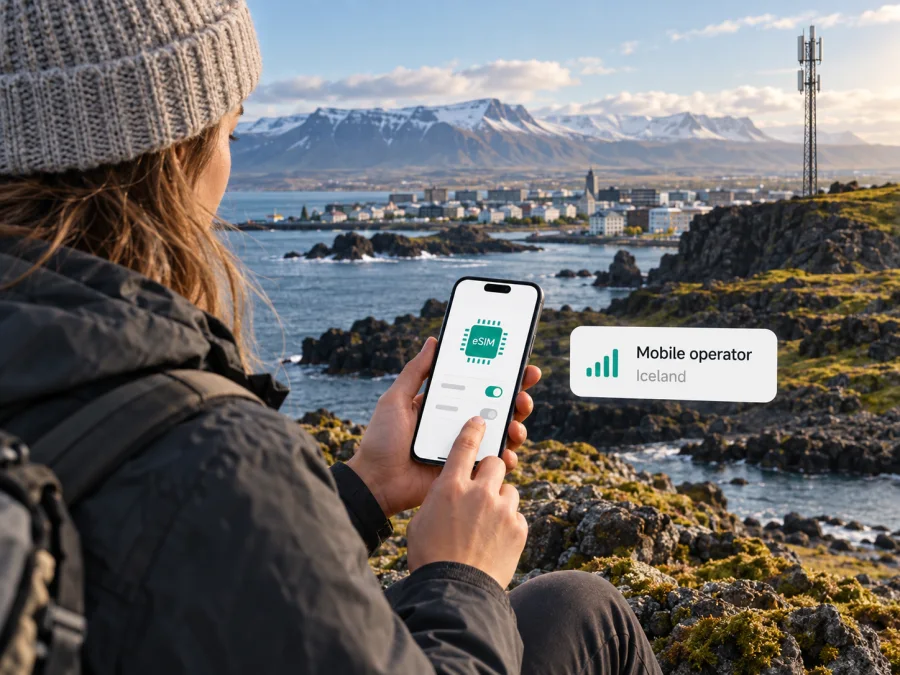
Sýn in Iceland: eSIM activation, coverage and travel considerations
Sýn is an Icelandic communications provider with mobile service alongside its other communications offerings. If you are visiting Iceland, its eSIM may be worth investigating when you want a local mobile connection without inserting a plastic SIM. The important distinction is that an eSIM is a way to store a mobile subscription in a compatible device; it does not by itself confirm that every Sýn mobile service, including prepaid service, can be started remotely by a short-term visitor.
Sýn’s official page “Eitt númer. Allsstaðar.”, in its “Hvað er þetta eSIM?” section, describes eSIM as a digital SIM embedded in compatible phones, watches and computers and says activation uses a QR code (checked 26 September 2026). That confirms general eSIM support by Sýn. The public page does not spell out every signup route or establish that a visitor can obtain a new Sýn eSIM online without an existing account. Check with Sýn before relying on a particular activation path, especially if you are arriving from abroad and do not already have service with the company.
Before relying on Sýn for a trip, confirm current signup rules and whether the service you need can be provisioned to your device. Offers and eligibility can change, so check with Sýn before installation.
What Sýn offers in Iceland
Sýn’s Icelandic website presents mobile service for individual and business customers. Its consumer pages distinguish subscriptions from prepaid mobile service, and its prepaid top-up information describes adding credit (Sýn, pages checked 26 September 2026). This means prepaid mobile service is generally available from Sýn. It does not, by itself, establish that a visitor can activate prepaid service as an eSIM or that a tourist-specific eSIM is offered. The public eSIM information reviewed for this article does not confirm those details, so ask Sýn whether a new customer can register a prepaid eSIM and what identification, payment method, address or account information is required.
Roaming outside Iceland depends on the service terms and partner arrangements. Check conditions with Sýn before using its line abroad, and check with your home provider if you keep a home SIM active. A local Sýn line should not be assumed to include international use on the same terms as use in Iceland.
eSIM availability and what it confirms
Sýn confirms general eSIM support and QR-code activation. This does not guarantee that every device, customer type or mobile service is eligible. Its public information does not specify whether new visitors can order remotely, whether prepaid service can be provisioned as eSIM, or which identity checks apply. If you already have a Sýn number, ask whether it can be converted; if you are new, ask whether signup requires local registration or an in-person step.
Follow Sýn’s instructions for adding the QR-code profile. The phone’s settings and menu names vary by operating system. Keep the code private and ask whether it can be reused before deleting an installed profile or moving it to another phone. If setup fails, do not repeatedly remove and reinstall it; contact Sýn to confirm whether the profile can be restored or needs to be reissued.
Prepare your phone before the trip
Before selecting a local eSIM, check that your device supports eSIM and is not locked to a different mobile provider. Support can vary by exact model number, country of purchase and software version, even when two phones have the same retail name. Look up the device’s eSIM settings and confirm that it can add a mobile plan. If you use a tablet, watch or laptop rather than a phone, confirm separately that Sýn supports the specific product and service combination you intend to use; generic eSIM hardware capability is not proof of operator compatibility.
Sýn states that it has shut down 2G and 3G and advises customers to use 4G/5G-capable devices. Its notice also cautions that older devices may have difficulty making emergency calls. Confirm voice and emergency-call support for your exact device with Sýn and its manufacturer; “eSIM compatible” alone is not enough.
A stable Wi-Fi connection is useful for downloading an eSIM profile. Check when the service starts, as installation and activation can be separate. If your home SIM remains active, use the phone’s line settings to choose which SIM handles data, calls and messages. Roaming charges may still apply to the home line under its provider’s terms.
A simple pre-departure checklist
- Confirm the exact phone model supports eSIM and is unlocked for another provider.
- Update the phone’s operating system and check that 4G or 5G is enabled and supported.
- Ask Sýn whether a new visitor can obtain the relevant mobile service as an eSIM.
- Confirm which identification and registration details are required, if any.
- Ask whether setup can be completed outside Iceland and when the service becomes active.
- Keep the QR code and Sýn’s instructions private, and do not delete a working profile without guidance.
- Decide which line should handle mobile data, calls and messages, and check roaming controls.
- Save account and customer-support details somewhere accessible offline.
For general device support, see the eSIM compatibility guide. If you are considering a digital connection specifically for your stay, you can also review eSIM options for Iceland and check that the chosen option matches your device and travel needs.
Coverage and mobile technology
Coverage depends on location, terrain, buildings, device and network conditions. Iceland’s towns, coastlines, valleys and highland routes are different radio environments. A map can help with planning but cannot guarantee service at every point along a road or trail.
Sýn’s official “Þjónustusvæði” service-area map describes displayed reach as an estimate and notes that surroundings and data inaccuracies may affect what a customer experiences (checked 26 September 2026). Check the towns and routes on your itinerary, especially rural and highland areas, and download offline maps and key travel details before leaving reliable Wi-Fi.
Sýn’s notice “Sýn hefur lokað 2G og 3G farsímakerfum um land allt” says the operator has shut down its 2G and 3G mobile networks across Iceland and directs customers toward 4G/5G-capable devices (checked 26 September 2026). Check that your exact phone model supports eSIM as well as the current mobile technologies used by Sýn. The public eSIM page does not provide an exhaustive compatibility or frequency-band list; ask Sýn or your device manufacturer if a particular model is uncertain. eSIM capability and network compatibility are separate checks.
A practical coverage plan
- Check Sýn’s current map for overnight locations and long drives.
- Download offline maps, bookings and essential travel details.
- Keep a charged phone and a backup way to consult route information.
- Recheck current coverage information before departure.
These steps reflect the estimated nature of coverage maps; they do not imply a specific Sýn coverage gap. For a precise location, consult Sýn’s map and customer service.
Activation: what a visitor should expect
If Sýn confirms that you are eligible, use its instructions for your account and phone. Generally, you add an eSIM from the mobile or cellular settings and scan the QR code. Follow the on-screen prompts; setup differs across Android and iOS versions. Sýn’s public page confirms QR-code activation but does not establish a visitor signup route or whether activation can be scheduled, so ask before travel if timing matters.
Once installed, check that the line is enabled and selected for the task you want. If your home SIM remains active, label the lines clearly and choose which one handles mobile data, calls and messages. Whether data roaming should be enabled depends on the service instructions. Your home provider may charge for roaming activity on its line.
If registration fails, confirm the phone has internet during setup, restart it once, and check that the line is switched on. Do not delete the profile before contacting Sýn; a QR code may not be reusable. Save instructions and support details somewhere accessible without mobile data.
Local Sýn service or travel eSIM?
A local Sýn line is part of Sýn’s Icelandic mobile service and may suit someone seeking a local subscription or number, subject to the account and registration requirements Sýn confirms. Calls, messages, roaming and prepaid access depend on the service terms. Do not assume a visitor can get every Sýn service as eSIM.
A travel eSIM is arranged for connectivity during a trip and is commonly used for mobile data. It may be useful if you want to prepare a connection digitally, but its features depend on the provider and option selected. Confirm whether calls or ordinary SMS are supported. A travel eSIM may work alongside a home SIM, depending on your device and home-provider settings.
Kaspersky eSIM Store is a website and app that helps travelers select, arrange and activate an eSIM with a plan for mobile internet abroad (as described in Kaspersky’s travel eSIM guide, checked 26 September 2026). Its Iceland destination page describes travel eSIM availability through local telecommunications providers (page checked 26 September 2026). Kaspersky eSIM Store is not a mobile network operator, network owner or internet provider. Check the current device requirements and service terms before ordering.
| Question | Local Sýn eSIM | Travel eSIM |
|---|---|---|
| Main purpose | Sýn mobile service in Iceland, subject to eligibility | Mobile internet arranged for a trip |
| New visitor setup | Confirm availability and registration with Sýn | Follow the provider’s online instructions |
| Phone requirement | eSIM and current network compatibility | eSIM and compatibility with the selected service |
| Calls and SMS | Confirm the specific service features | Check whether they are supported |
| Network reach | Check Sýn’s current service-area map | Check the destination coverage shown |
This is a general reference, not a comparison of particular offers. Service conditions can change; review current terms and device compatibility before activation.
Prepaid and tourist options
Sýn’s prepaid mobile information confirms prepaid service and top-ups (pages checked 26 September 2026). It does not clearly confirm that prepaid service can be ordered as an eSIM by a tourist or that Sýn has a dedicated tourist eSIM offer. Ask whether a new customer can register prepaid eSIM, which identification or local details are required, and whether setup can happen before arrival.
A prepaid label does not by itself explain registration, continued number access, roaming or payment conditions. Confirm the rules directly with Sýn. For a visitor who mainly needs mobile data, a travel eSIM is another option to investigate; check its activation timing, data-only limitations, roaming settings and customer support arrangements.
Frequently asked questions
Does Sýn support eSIM?
Yes. Sýn’s official eSIM page describes QR-code activation for compatible devices. This confirms general eSIM support as of 26 September 2026, but not every service type or visitor signup route.
Can a tourist buy a Sýn eSIM online?
The public information reviewed does not clearly confirm a visitor-specific online signup route. Ask Sýn about remote registration, required identification and the service available to a new customer.
Can prepaid service be activated as a Sýn eSIM?
Sýn confirms prepaid service and, separately, general eSIM support. Its public pages do not clearly establish that a new visitor can combine the two. Confirm this with Sýn before relying on it.
How is a Sýn eSIM activated?
Sýn describes QR-code activation. Follow the instructions for your account and phone, and ask whether the code can be reused before changing devices or deleting a profile.
Does my phone need 4G or 5G?
Sýn says its 2G and 3G networks have shut down and advises use of 4G/5G-capable devices. Check eSIM, network and voice compatibility for your exact phone.
Will coverage work everywhere in Iceland?
No map guarantees service everywhere. Sýn’s map shows estimated coverage and notes that local conditions can affect the signal. Check your route and plan offline access.
Do I need identification to register?
The eSIM page reviewed does not list requirements for a new visitor. Ask Sýn whether it requires a passport, local identity number, address or other details.
Before choosing
As of 26 September 2026, Sýn’s public information confirms eSIM support with QR activation, prepaid mobile service in general, a coverage map and the shutdown of 2G and 3G. It does not clearly confirm whether a new traveler can buy a prepaid eSIM online, which identification is accepted, or whether setup can be completed before arrival. Ask Sýn before depending on a local line.
Check your phone’s eSIM and 4G/5G compatibility, review coverage for your route, and decide whether you need a local number or mainly data. Kaspersky eSIM Store may help you arrange a travel eSIM online; review current terms and device requirements. You can review eSIM options for Iceland.
This independent article is not affiliated with, endorsed by or sponsored by Sýn. Confirm current conditions with the operator before purchase or activation.


