Travel connectivity guide
T-Mobile eSIM in the United States: traveler guide
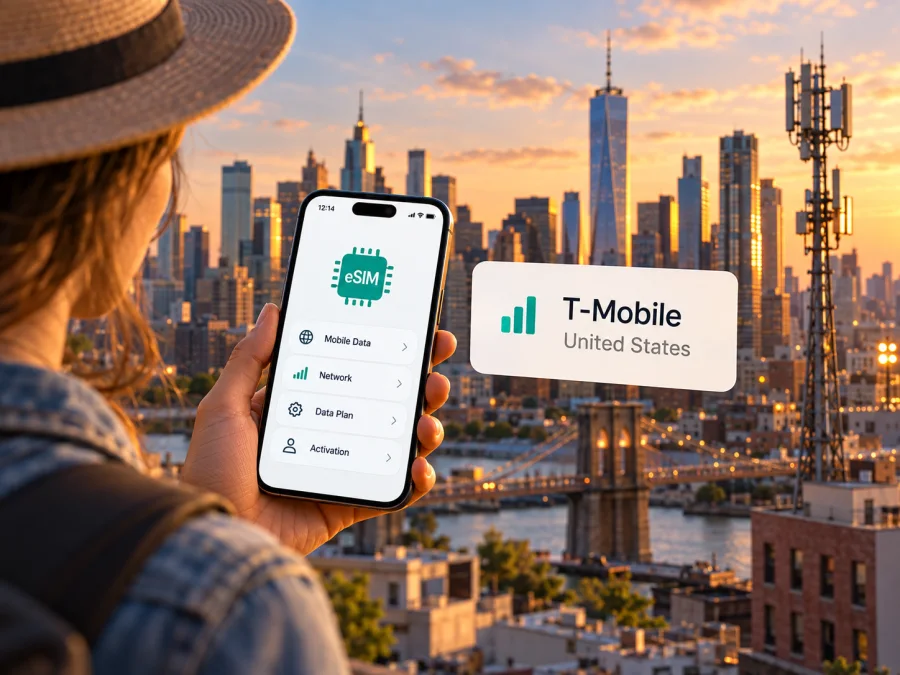
T-Mobile eSIM in the United States: what travelers should know
Planning to use a T-Mobile eSIM in the United States? Your setup depends on whether you already have a T-Mobile line or need prepaid service as a visitor. T-Mobile supports digital SIM activation and publishes a visitor eSIM option, but device compatibility, unlock status, and the place where activation is allowed all matter.
This guide covers T-Mobile’s U.S. service specifically. It does not treat Canada, Mexico, U.S. territories, or other markets as interchangeable with the 50 states and the District of Columbia. Coverage and eligibility may differ by destination and service. Information was checked on October 17, 2026 against T-Mobile’s U.S. Support pages “SIM card & eSIM” and “T-Mobile Prepaid eSIM app,” its visitor eSIM information page, its “Bring your own device” guide, and its 4G/5G coverage map. T-Mobile and related marks belong to their owners. Kaspersky eSIM Store is not affiliated with, endorsed by, or an official partner of T-Mobile.
T-Mobile eSIM at a glance
T-Mobile is a U.S. mobile network operator. Its support pages explain eSIM setup for existing service and its prepaid eSIM process; a separate visitor page describes prepaid service for people traveling to the United States. These pages confirm eSIM availability in the U.S. market, but do not mean every device, account, or location qualifies for every activation route.
| Topic | What to check |
|---|---|
| eSIM support | T-Mobile publishes setup and troubleshooting instructions. Confirm support for your exact device variant. |
| Visitor service | T-Mobile has a prepaid eSIM path for visitors to the United States. Review current requirements with the carrier. |
| Activation location | T-Mobile says visitor purchase and activation must take place in the United States. |
| Device condition | The phone must support eSIM and be compatible; a phone from another carrier may need to be unlocked. |
| Coverage | T-Mobile’s map shows 4G LTE and 5G availability by location. Check your actual stops. |
This is a summary of general requirements, not a plan comparison. Service details and onboarding steps can change; the current terms and prompts from T-Mobile govern a particular activation.
Choose the right T-Mobile eSIM route
If you already use T-Mobile in the United States, eSIM may be used when setting up a compatible phone or moving an existing line. T-Mobile’s support instructions describe customer account and device steps, and some SIM changes involve extra security checks. Follow the instructions for your account type rather than assuming the visitor setup applies.
If you are visiting and do not have a T-Mobile line, the carrier’s prepaid eSIM information is intended for travelers and other customers seeking prepaid service. The process is managed through T-Mobile’s app or website. As of October 17, 2026, T-Mobile says visitor purchase and activation must happen while you are in the United States. The phone also needs an internet connection for setup. Prepare your device before departure, but do not rely on completing an activation in advance if the carrier restricts it to the U.S.
T-Mobile distinguishes prepaid activation from eSIM setup for postpaid accounts. A visitor process should not be assumed to transfer an existing number or replace the steps for managing a current account. T-Mobile’s visitor information says no identification is required for that route; confirm the current onboarding screen and terms before relying on this, since requirements can change.
Before choosing a route:
- Decide whether you are activating a new prepaid line or changing an existing T-Mobile line.
- Confirm the exact phone model supports eSIM and is unlocked if purchased through another carrier.
- Check the supported bands and device compatibility with T-Mobile.
- Verify whether activation must occur in the United States and have Wi-Fi or another internet connection available.
- Review the latest service conditions directly with T-Mobile.
Device compatibility: the model variant matters
A phone may include eSIM hardware and still be incompatible with a particular network. Support depends on its precise model number and regional version, software, carrier lock, and radio bands. Some phones sold in one market lack eSIM support or use different bands from a similar model sold elsewhere. Check the identifier in the phone settings or on the packaging, then compare it with manufacturer specifications and T-Mobile’s compatibility guidance.
For a device bought through another carrier, ask that carrier to confirm the phone is unlocked. T-Mobile’s BYOD guidance says a device must be unlocked to be compatible and notes that coverage and access are not guaranteed everywhere. An eSIM profile cannot override a carrier lock. On a dual-SIM device, also check which line handles mobile data, calls, and messages; menu names vary by operating system and version.
Kaspersky eSIM Store also recommends checking device compatibility before selecting a travel eSIM. The device compatibility guide can help with that check. Compatibility with a travel eSIM and eligibility for a T-Mobile line are separate questions, so verify both independently.
Coverage and mobile technology
T-Mobile’s coverage map lets users search an address or ZIP code for 4G LTE and 5G availability. Its support information describes network technologies and device-frequency compatibility. A broad map view is not a promise of uninterrupted service at every point: reception can vary with location, terrain, buildings, congestion, and the phone’s supported bands. T-Mobile also notes that service is not available in some areas.
Check your lodging, airport, transit stops, event venues, and destinations outside major cities individually. For a route across several states, check the route as well as the destination. Indoor reception, underground stations, highways, and remote areas may differ from outdoor coverage shown on a map. A 5G-capable device is required to use 5G where available; a phone that lacks the relevant bands may connect differently. Map data and network conditions can change, so recheck close to travel.
Keep the geographic scope clear. This article concerns T-Mobile’s U.S. service. Do not infer that domestic coverage applies in Puerto Rico, other U.S. territories, Canada, Mexico, or an onward destination. Check each location and the terms of the particular service separately. International roaming, where available, is different from domestic U.S. coverage.
How activation generally works
T-Mobile describes eSIM downloads over Wi-Fi. Visitor activation is handled through its app or website, and the carrier says purchase and activation must occur in the United States. Use current on-screen instructions for your account and device.
Prepare the phone
- Check compatibility. Confirm eSIM support, the exact model’s network compatibility, and unlock status.
- Connect to the internet. Keep Wi-Fi or another connection available until the eSIM profile finishes downloading.
- Select the correct route. Use account instructions for an existing line, or the current prepaid visitor process for a new line.
- Check activation location. If the visitor route requires U.S. presence, wait until you are in the permitted location.
- Review current terms. Confirm eligibility and service details before you complete the transaction.
Install on iPhone
Open Settings, then Cellular or Mobile Service, and choose the option to add an eSIM. Follow the T-Mobile app or activation method shown on screen, and stay connected to Wi-Fi during installation. Afterward, label the line and select the intended SIM for mobile data. The wording can vary by iOS version and region.
Install on Android
Open Settings and find the SIM, network, or mobile-network section. Choose the option to add or download an eSIM, then complete the T-Mobile app or activation steps. Android menus vary by manufacturer, device, software version, and region. Keep Wi-Fi on until the profile is installed, then review which line is selected for calls, messages, and mobile data.
After installation
Wait for the phone to register and show the line as active. If it does not connect, check that the eSIM line is enabled, the intended SIM is selected for data, and you are in a location where the service is permitted and coverage is available. Follow T-Mobile’s troubleshooting instructions before deleting a profile or repeating activation. If the issue remains, contact T-Mobile support and keep any error message available.
Calls, texts, and mobile data
An eSIM provisions a subscriber profile, but does not by itself specify the services included. If you need a U.S. number, traditional calls or texts, hotspot use, or service outside the United States, confirm those details with T-Mobile before activation.
Many dual-SIM phones can keep a primary SIM installed while using a second line for data, but settings and simultaneous use vary by model and service. Decide which line handles data and whether data roaming should be enabled. Roaming can have billing consequences under your home carrier’s terms. Messaging and calling apps use an internet connection and do not automatically provide ordinary SMS or a phone number. Check how you will receive account verification codes before changing SIM settings.
Local T-Mobile service and travel eSIMs
A local T-Mobile connection may suit someone who wants a U.S. mobile line or is already a customer managing service with the carrier. It follows T-Mobile’s account, eligibility, device, and activation rules. The visitor prepaid route is another local option, with activation conditions published by T-Mobile.
A travel eSIM is intended to help prepare mobile data for a trip and may be selected before arrival, subject to its own activation rules. Kaspersky eSIM Store is an app and website where travelers can select, arrange, and activate an eSIM plan for mobile internet abroad. It helps with travel preparation and eSIM setup; it is not a mobile operator, does not own a network, and does not itself provide mobile internet coverage. Network access is delivered through the service associated with the selected eSIM, under that service’s terms.
Compare options according to your needs: where activation is allowed, whether you need a local number, whether your device is compatible and unlocked, how much of the trip is in one country, and which destinations are covered. Review data, validity, calling, messaging, roaming, and hotspot conditions for any particular service. Do not infer these details from the general term “eSIM.”
For a trip to the United States, you can explore eSIM options for the United States through Kaspersky eSIM Store. Review the current destination information before selecting an option. This is a travel alternative to consider, not a T-Mobile plan; the two services are not affiliated.
Frequently asked questions
Does T-Mobile support eSIM in the United States?
Yes. T-Mobile’s U.S. Support page “SIM card & eSIM” explains eSIM setup, and its prepaid eSIM support and visitor pages describe prepaid activation. A particular user still needs an eligible device and must meet the applicable account and location conditions.
Can I activate a visitor eSIM before flying to the United States?
T-Mobile’s visitor eSIM information says purchase and activation must happen in the United States. Check the current official instructions before travel, and prepare your device ahead of time without relying on an activation that the carrier restricts by location.
Will an international phone work?
Possibly. Check the exact regional model for eSIM support and T-Mobile network compatibility, verify that it is unlocked, and compare supported bands. Ask the original carrier or manufacturer if its status is unclear.
Is coverage the same everywhere in the United States?
No. T-Mobile’s map lets you check LTE and 5G availability by location, and the carrier notes that service may not be available in some areas. Indoor and outdoor reception may also differ.
Will the eSIM work in Canada, Mexico, or a U.S. territory?
Do not assume so based on U.S. service. Verify coverage, eligibility, and terms for each destination with T-Mobile before crossing a border or visiting a territory.
Is a travel eSIM the same as a T-Mobile line?
No. A T-Mobile line is the operator’s service and follows its account and activation rules. Kaspersky eSIM Store helps travelers select and set up an eSIM plan for mobile internet; coverage and included functions depend on the selected service’s terms.
Before you travel
- Confirm eSIM support and network compatibility for the exact phone variant.
- Ask the original carrier to verify that the phone is unlocked.
- Choose the route that matches your situation: an existing line or new visitor prepaid service.
- Review T-Mobile’s current activation location and eligibility requirements.
- Check coverage for each U.S. destination and separately verify any territory or international stop.
- Keep an internet connection available during installation and save essential trip information offline.
- Review the selected service’s current conditions for data, voice, messages, roaming, and any other feature you need.
T-Mobile eSIM can suit eligible users who want service through the operator’s U.S. network, including visitors using its prepaid process. Confirm the activation route, your device’s regional variant and unlock status, and the places where you expect to use service. For a trip-focused alternative, Kaspersky eSIM Store helps you choose and set up a travel eSIM plan; check the current destination information before deciding.


