
Travel connectivity guide
Tafuna eSIM for mobile internet
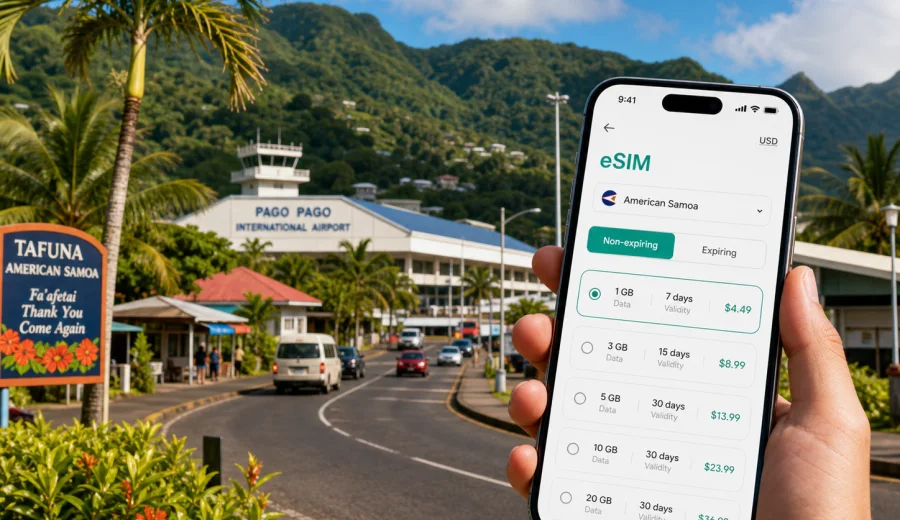
Tafuna eSIM: mobile connection and internet for a trip to American Samoa
Tafuna is often the first practical stop in American Samoa. Many travelers arrive through Pago Pago International Airport, collect luggage, confirm a ride, then move between the airport area, nearby hotels, Nu'uuli, Ili'ili, Leone, or Pago Pago Harbor. In those first hours, mobile internet is not a luxury. It helps you open maps, message your host, check a booking, share your arrival time, and decide whether to continue across Tutuila right away or settle near Tafuna first.
An eSIM can make that routine easier because it lets you prepare mobile data for the trip without looking for a physical SIM card after landing. You still need a compatible device, a suitable tariff, and a few minutes for setup, but the main idea is simple: choose a data package for American Samoa before you travel or once you have Wi-Fi, install the eSIM on your phone, and use mobile data for the everyday tasks that make a small-island trip run smoothly.
This guide focuses on Tafuna, not on American Samoa in general. It looks at the moments when a data connection matters most: airport arrival, local movement, navigation on Tutuila, hotel check-ins, business visits, family trips, stopovers, and short drives from Tafuna to other parts of the island.
Why mobile internet matters in Tafuna
Tafuna is not a huge city with a dense metro system or long-distance rail network. Its travel logic is different: airport roads, car rides, local pickups, hotel transfers, family visits, government or business appointments, and drives along the island's main roads. That makes mobile data useful in a very practical way.
With a working internet connection, you can:
- confirm where your driver is waiting at the airport;
- send your hotel or host an updated arrival time;
- open offline or online maps before leaving the terminal area;
- check the address of a meeting, clinic, school, church, store, or office;
- keep messaging apps available when plans change;
- compare routes between Tafuna, Pago Pago, Nu'uuli, Pava'ia'i, Ili'ili, Leone, and the harbor area;
- translate short notes or instructions when needed;
- use mobile boarding passes and email during a stopover.
The benefit is not only speed. It is control. When you land in a place where transport may depend on a pickup, a rental car, a taxi arrangement, or local knowledge, having data on your own phone reduces the need to rely on airport Wi-Fi or someone else's hotspot.
Tafuna arrival scenarios where eSIM helps
Most eSIM use in Tafuna starts with arrival. If you are flying in, the airport area is your first test: can you message, navigate, check plans, and move on without delay?
| Travel moment in Tafuna | Why mobile data helps | What to prepare |
|---|---|---|
| Landing at Pago Pago International Airport | You may need to contact a driver, hotel, colleague, or family member | Install the eSIM before departure or while connected to airport Wi-Fi |
| Waiting for pickup | Messaging apps and live location sharing are useful | Keep your main number active for calls if needed and use eSIM for data |
| Moving to a hotel near Tafuna | Maps, booking details, and address checks reduce confusion | Save the hotel address and confirmation offline as a backup |
| Continuing to Pago Pago | The route crosses several settlements and coastal sections | Check the route before leaving the airport area |
| Short stopover | Email, boarding updates, and messages may be enough | Choose a smaller data package if the stay is brief |
For a short arrival, you may not need a large data allowance. For a longer stay, the main question is how much you expect to use maps, messaging, video calls, work apps, cloud files, and mobile hotspot. A traveler who only needs navigation and messaging will use data differently from someone joining daily video meetings from a hotel.
What an eSIM does and does not do
An eSIM is a digital SIM profile installed on a compatible smartphone or tablet. For travel, it is commonly used for mobile data in the destination country. You do not insert a plastic card. You install the eSIM profile, select it for mobile data, and follow the tariff conditions shown before purchase.
For Tafuna, this can be useful because you can prepare before you arrive in American Samoa. You can keep your regular SIM in the phone for calls or SMS if your home operator supports them abroad, while using the eSIM for data. Actual behavior depends on your device, your home operator, and the eSIM tariff you choose.
It is also important to be precise. Travel eSIM tariffs usually focus on mobile internet. They do not automatically include a local phone number, standard voice calls, or SMS unless the selected tariff says so. For calls and messages, many travelers use internet-based apps over mobile data.
Practical data planning for Tafuna
Use this simple estimate before choosing a tariff:
| Use case | Typical data pressure | Tafuna example |
|---|---|---|
| Messaging and maps | Low | Airport pickup, hotel check-in, route checks |
| Photos, social posts, browsing | Medium | Sharing arrival photos, looking up restaurants or shops |
| Video calls | High | Family calls from the hotel or work calls before meetings |
| Hotspot for a laptop | High to very high | Remote work from a room or office |
| Streaming video | Very high | Best kept for Wi-Fi when possible |
You do not need exact arithmetic for every megabyte. The point is to avoid choosing a tariff only by price or only by size. Check the destination, data allowance, validity period, activation rules, and whether top-up is available. If your trip may extend, choose a plan that gives you room to manage the final days without rushing.
Before you install an eSIM
Before paying for any travel eSIM, check your device. The phone or tablet must support eSIM, and it should not be locked in a way that prevents adding another mobile profile. This matters especially if your phone was bought through a carrier contract.
Use this checklist:
- confirm that your exact phone model supports eSIM;
- check that the device is not carrier-locked;
- make sure the operating system is updated enough for eSIM setup;
- keep a stable Wi-Fi connection available during installation;
- save the QR code or installation details where you can access them;
- decide which SIM will handle mobile data after arrival;
- keep your regular SIM active only for the services you still need.
If you are unsure, check your device before choosing a tariff. This step is worth doing before the airport because it is much easier to fix compatibility questions at home than while standing with luggage in Tafuna.
When to install: before departure or after arrival
For Tafuna, installing before departure is usually the calmer option. You can complete the setup on a reliable home Wi-Fi connection, check that the eSIM profile appears on the phone, and leave activation or data switching for the right moment according to the tariff instructions.
Installing after arrival can also work if you have stable Wi-Fi at the airport, hotel, or another safe connection. The risk is timing. If your pickup is waiting, your luggage is delayed, or your flight arrives late, you may not want to troubleshoot phone settings in the terminal.
The practical approach is:
1. Check that your device supports eSIM.
2. Choose a tariff for American Samoa that fits your Tafuna stay.
3. Install the eSIM while you have stable Wi-Fi.
4. Keep the eSIM turned off for data until the correct moment if the tariff instructions require it.
5. On arrival, select the eSIM for mobile data and confirm that data roaming settings match the instructions.
For detailed setup steps, use the Android installation guide or the iOS installation guide. The exact menu names may vary by device model and operating system version, so follow the on-screen instructions carefully.
Where the first connection matters most
The first connection in Tafuna is often about coordination. You may be trying to find a person, a vehicle, or a place rather than browsing casually.
At the airport, data helps you send a message such as "I have landed" or "I am outside arrivals." On the way to your hotel, it helps you confirm the address and estimated route. If you are heading straight to Pago Pago, it helps you keep the route visible and notify someone if you are delayed.
This is also why public Wi-Fi is not a complete substitute. Wi-Fi can be useful for installing the eSIM or handling heavy downloads, but it may not follow you from the terminal to the road, from the hotel lobby to a meeting, or from one side of Tutuila to another.
After you have checked compatibility and decided how much data you need, you can choose an eSIM tariff for a trip to Tafuna and American Samoa through Kaspersky eSIM Store. The site and app help you review available data packages for the destination, compare allowance and validity, and prepare the eSIM for a compatible device.
Getting around Tafuna with mobile data
Tafuna travel is often local and practical. You may move between the airport, shops, schools, offices, homes, churches, sports facilities, hotels, and neighboring villages. Even when distances look short, mobile data helps because addresses, pickup points, and route descriptions can be informal.
Use mobile internet for:
- checking a route before leaving the airport or hotel;
- saving important pins in your map app;
- sharing your live location with a host or colleague;
- confirming opening hours or appointment times when available;
- messaging when a driver or family member changes the pickup point;
- keeping digital copies of bookings, forms, and travel documents reachable.
If you plan to drive, download offline maps as a backup before the trip. Mobile data is still useful for live updates and messaging, but offline maps reduce stress if you pass through an area where the signal is weaker or your phone is slow to reconnect.
How to reduce unnecessary data use
An eSIM helps you stay online, but good habits help the tariff last longer.
- Download offline maps for Tutuila before arrival.
- Save hotel, meeting, and family addresses in notes.
- Turn off automatic app updates on mobile data.
- Disable cloud photo backup until Wi-Fi is available.
- Use lower video quality for calls when the connection is limited.
- Avoid using hotspot for streaming or large downloads.
- Check data usage in your phone settings during the trip.
These steps are especially useful if you are staying several days or sharing a connection with a laptop. They also make it easier to choose a sensible tariff instead of overbuying data because of avoidable background traffic.
What to check in the tariff details
Before choosing a data package for Tafuna, read the tariff conditions carefully. Pay attention to:
- destination coverage: it should include American Samoa for a Tafuna trip;
- data volume: enough for your likely use;
- validity period: long enough for arrival, stay, and departure;
- activation timing: when the validity period starts;
- top-up options: whether you can add more data if needed;
- hotspot rules: useful if you plan to connect a laptop;
- support path: where to get help if installation or activation is unclear.
Avoid assuming that every eSIM tariff behaves the same way. Some start counting validity after installation, some after first network connection, and some have specific activation conditions. Follow the details shown for the selected tariff.
FAQ: eSIM for Tafuna
Is Tafuna a good place to use a travel eSIM?
Yes, if your device supports eSIM and you choose a tariff that includes American Samoa. It is especially useful for airport arrival, maps, messaging, hotel coordination, and trips across Tutuila.
Do I get a local phone number?
Not necessarily. Many travel eSIM tariffs are designed for mobile data. Voice calls and SMS are included only if the specific tariff says so. You can use messaging and calling apps over mobile data.
Should I install the eSIM before I arrive?
For most travelers, yes. Installing before departure on stable Wi-Fi is more convenient. Then, on arrival in Tafuna, you can select the eSIM for mobile data according to the tariff instructions.
What if my trip includes Pago Pago as well as Tafuna?
Choose the tariff by country coverage, not by neighborhood. For a city article, Tafuna is the practical focus, but the relevant destination for the tariff is American Samoa.
What should I do if the eSIM does not connect immediately?
Check that the eSIM is selected for mobile data, data roaming is set according to the instructions, airplane mode is off, and the device has had a few minutes to register on a local network. If the issue remains, contact support through the site or app.
Prepare mobile internet for Tafuna
Tafuna is a place where small travel details matter: the pickup point at the airport, the route to a hotel, the message to a host, the meeting address, the drive toward Pago Pago, or the family plan that changes during the day. A prepared eSIM helps keep those details manageable because your phone can stay useful as you move.
Before you travel, check device compatibility, choose a data allowance that fits your stay, install the eSIM on stable Wi-Fi, and save the setup instructions. When you are ready to prepare mobile internet for the trip, you can select an eSIM tariff for American Samoa in Kaspersky eSIM Store and set it up on a compatible device before or during your Tafuna journey.