Travel connectivity guide
Tahoua eSIM: Mobile Internet in Niger
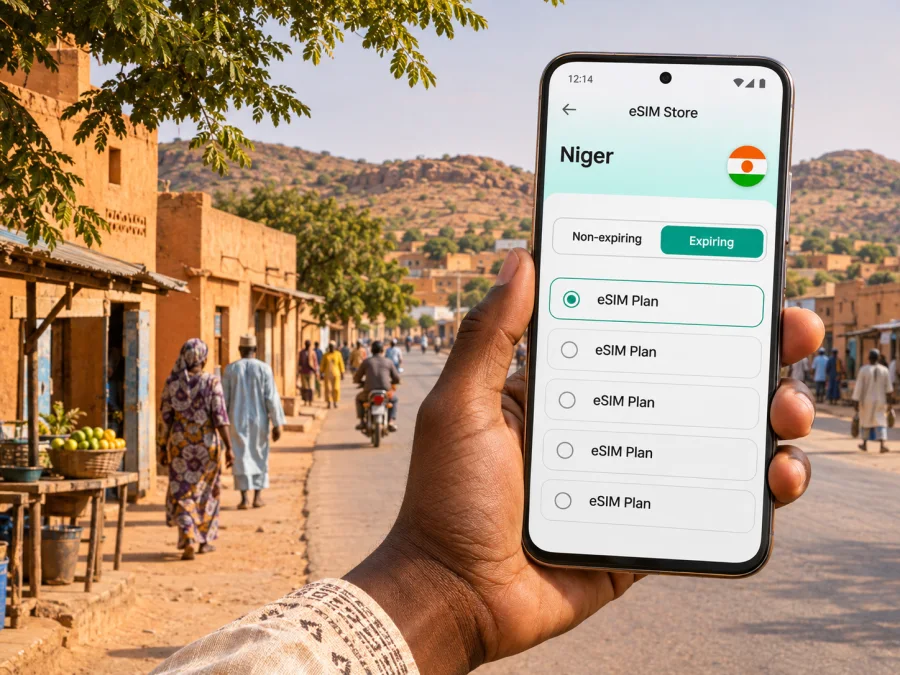
Tahoua eSIM: Mobile Connection and Internet for Your Trip
Tahoua is the administrative centre of Niger’s Tahoua Region, in the country’s central Sahel. If a journey there is appropriate under current travel advice, an eSIM can help you plan mobile data without swapping a physical SIM card: use it for maps, messages, booking details and coordination after arrival. A working plan still depends on device compatibility, the selected tariff’s terms and local network availability, so prepare a backup before you travel.
Check current travel advice before making or continuing a trip. As of 15 October 2026, the Government of Canada advises against all travel to Niger because of political instability and the risks of terrorism and kidnapping. Its notice specifically warns about remote areas around Tahoua and advises limiting movement and avoiding travel after dark. Guidance varies by nationality and can change quickly; consult your own government’s latest notices and follow local authorities. This article is practical connectivity information, not a recommendation to travel.
Tahoua at a glance
Tahoua is both a city and the name of a larger administrative region. It is not Niger’s capital: that is Niamey. This distinction matters when selecting an eSIM tariff. A city name in a search or itinerary does not mean a plan covers only the city; check that the tariff’s stated country or regional footprint includes Niger and the places on your route.
The official aeronautical information for Tahoua Aerodrome places it about 1.55 km south of the city. It lists taxis, rental cars and motorcycle taxis among the transport options in town, and hotels and medical services in the city. These details help with planning, but do not confirm current flight schedules, availability, prices, operating hours or service quality. Verify arrangements with your airline, accommodation and trusted local contacts before departure.
Why mobile data can matter in Tahoua
Travel around a less familiar city involves many small coordination tasks. A data connection can make it easier to check a saved address, message a driver, share a meeting point, confirm a hotel booking or contact a host. It is useful to have those details available even when you are not actively navigating.
| Situation | What mobile data can help with | Keep in mind |
|---|---|---|
| Arrival at Tahoua Aerodrome | Open an itinerary, contact a pre-arranged driver, or confirm a pickup point | Arrange transport in advance where possible; do not assume that a vehicle will be available on demand |
| Check-in | Retrieve a reservation and message your host if arrival timing changes | Save the address and booking details offline as well |
| Meetings in town | Share a location pin, check a calendar, or send a short update | Confirm the meeting point in writing; place names and map pins may not be precise |
| Essential messages | Use internet-based messaging where the recipient has access | An eSIM data plan does not normally provide a local phone number, voice minutes or SMS unless the chosen plan explicitly says so |
| Route changes | Review information and contact your local coordinator | Check local instructions before moving; navigation apps do not assess security conditions |
Plan for the first hour
Before travelling, decide who will meet you, what you will do if plans change and how you will contact that person. Save their number in international format if you have one, and keep the accommodation name and address in a note that is available offline. Ask your contact which form of address is most useful locally; a precise landmark or a shared pin can be more helpful than a street name alone.
At the aerodrome, follow staff and local authority instructions. The current aeronautical publication describes the aerodrome as close to town, but that short distance is not a recommendation to walk or to choose an unplanned ride. Use transport arrangements that have been checked with trusted contacts. Keep your phone charged and out of sight when you are not using it, and do not let a map prompt you into an unfamiliar route.
Choosing an eSIM plan for Tahoua
Start with the full route, not only the city. If you will stay in Tahoua, look for a tariff whose current terms explicitly include Niger. If your itinerary includes another country, check whether the plan covers each country or whether separate plans would be needed. A regional label alone is not enough: read the included destinations and exclusions before paying.
Next, estimate the way you will use data. Map checks and short messages usually require less data than video calls, streaming or repeatedly uploading large files. Hotel Wi-Fi may be available, but do not assume it is reliable or suitable for every task. For a work trip, estimate data for essential communication first and use video only when necessary. If the plan permits top-ups, review the stated process and price before you depend on it.
Check the plan’s validity and activation rules. Confirm how long the data remains available, when the validity period begins, whether the eSIM must be installed before travel, and what action starts data use. These conditions vary by plan. An early installation can be convenient, but only follow the provider’s instructions about when to enable the profile or data roaming. Do not remove an eSIM to troubleshoot unless support or the plan instructions tell you to; some profiles cannot simply be installed again.
A useful comparison is not just “how many gigabytes?” Review these points together:
- Destination: Does the plan explicitly include Niger, and does it include every other country on your route?
- Validity: Does the stated duration match the dates you need data, including any arrival or departure buffer?
- Data allowance: Is it enough for maps and messages, or will you also need regular calls, uploads or video?
- Network conditions: Does the plan describe limitations, fair-use rules or a speed threshold? Do not infer coverage from a plan being listed for a country.
- Activation: When does validity begin, and must data roaming be enabled for the eSIM?
- Device: Is the phone compatible with eSIM and free of a carrier lock?
- Support and recovery: How can you contact support, and what connection will you use if the eSIM does not connect?
There is no single data amount that fits every trip. For a short stay with occasional map checks and messaging, a smaller allowance may be enough; frequent video meetings, large attachments or hotspot use can consume considerably more. Choose based on your own expected use, and check how data consumption is measured in the plan terms. Turn off automatic app updates, cloud photo uploads and background downloads over mobile data if you want to preserve an allowance.
Device compatibility and regional variants
An eSIM-capable product family does not mean every handset sold under the same model name supports eSIM. Hardware can differ by country or carrier, and a device may also be locked to its original operator. Before buying, check the exact model number and sales region in the manufacturer’s settings or documentation, and confirm that the device can add an eSIM profile. Check whether your device supports eSIM.
Before departure, note which line will be used for mobile data. If you keep your home SIM active for calls or one-time codes, review its roaming settings and charges with your home operator. Set the travel eSIM as the data line only when you intend to use it. Depending on the device and plan, data roaming may need to be enabled for the eSIM itself. Follow the selected plan’s instructions and avoid enabling roaming on your home line unless you understand the cost.
Kaspersky eSIM Store is a website and app where you can choose, purchase and activate an eSIM with a suitable plan for mobile internet on an international trip. The Niger plan page is the country-level place to review current options and their stated conditions. It is not a Tahoua-specific coverage map or a guarantee that service will be available at a particular address. Check the plan details before purchase and confirm that they fit the whole itinerary.
Installing and activating your eSIM
Install only when you have a stable internet connection and enough time to follow the on-screen steps. Some providers let you install before departure; the point at which the plan becomes active depends on its terms. Keep the QR code or manual activation details accessible on another screen or printed securely if needed. Do not share the code: it may be used to add the profile to a device.
- Check that the phone is compatible with eSIM and is not carrier-locked.
- Review the destination, data amount, validity period and activation conditions for the selected plan.
- Connect the phone to reliable Wi-Fi, then use the provider’s setup instructions to add the eSIM profile.
- Label the profile clearly, such as “Travel data”, so it is easy to distinguish from your regular SIM.
- Before using mobile data, select the intended line in cellular or mobile-network settings. Enable data roaming for that profile only if the plan instructions require it.
- After arrival, check the network indicator and open a simple webpage or messaging app. If it does not connect, wait briefly, check the selected data line and follow the plan’s troubleshooting steps.
For step-by-step help, use the Android eSIM installation instructions or the iPhone eSIM installation instructions. Device menus vary by software version, so the wording on your screen may differ. Never delete a profile just because it has not connected immediately; first check the plan’s setup guidance and contact support if needed.
Moving around Tahoua: practical planning
Tahoua’s urban layout and travel routines may be unfamiliar to visitors. Use mobile maps as a reference and confirm each destination with the person expecting you. If a driver is arranged, agree on a recognizable meeting point and confirm who will identify whom. The aerodrome information lists taxis, rental vehicles and motorcycle taxis as options in the city; it does not establish current availability, licensing, fares or suitability for your needs. Make those checks locally through trusted contacts.
For a meeting, send a concise message before you set off: the time, a place name, a pin if useful, and a contact number. If the pin is uncertain, ask the host to confirm a landmark or entrance. Download or screenshot what you need in advance, but verify any route change with a local contact. Avoid displaying a phone for longer than necessary in public, and do not let navigation distract you while walking or riding.
Short visit, work visit or onward journey?
| Trip pattern | Useful preparation | Data planning |
|---|---|---|
| Short, pre-arranged visit | Keep pickup and accommodation details offline; identify one local contact | Prioritize messaging, booking access and occasional map checks |
| Several meetings in town | Confirm every venue and schedule with hosts; leave room for changes | Account for calendar, email and essential calls over internet apps |
| Remote work | Ask the host about power and Wi-Fi before arrival; prepare offline files | Estimate video and upload use separately; avoid assuming a mobile plan will support continuous calls |
| Regional onward travel | Re-check advice, permissions, route, daylight and transport with trusted local sources | Verify that the tariff covers each destination; service can vary outside a city |
| Transit or delayed arrival | Have a confirmed contact and a way to notify them if plans change | Keep enough data and battery for essential coordination rather than entertainment |
If mobile data does not work
Do not assume the problem is your location or immediately delete the eSIM. Check the following in order:
- Confirm that the eSIM profile is installed and switched on.
- Confirm that the eSIM, rather than your home SIM, is selected for mobile data.
- Review whether the plan requires data roaming on that profile.
- Check the plan’s destination and validity conditions, including the activation trigger.
- Toggle airplane mode once, then allow the phone time to register; follow the provider’s instructions if the issue continues.
- Try a manual network selection only if the plan instructions recommend it.
- Use Wi-Fi or another agreed contact route to reach support, and keep your saved itinerary available offline.
These steps can identify a settings issue, but they cannot create coverage where a local network is unavailable. The selected plan’s terms and support instructions take precedence. If the phone is needed for an urgent situation, use the local emergency and assistance procedures available to you rather than waiting for an eSIM troubleshooting process.
Questions travellers often ask
Is Tahoua the capital of Niger?
No. Tahoua is the capital and administrative centre of Tahoua Region. Niamey is Niger’s national capital. A tariff should be checked against Niger as a destination, not assumed to be city-specific.
Is there an airport in Tahoua?
The current aeronautical information lists Tahoua Aerodrome south of the city, about 1.55 km from it. This does not confirm that a commercial flight operates on your dates. Check schedules and arrangements directly with your carrier and local contact.
Will an eSIM work everywhere in Tahoua?
No plan can be assumed to work at every location. Availability depends on the local network used by the plan, device compatibility, surroundings and current network conditions. Read the plan details and treat online coverage information as indicative rather than a guarantee for a building or route.
Can I make ordinary phone calls with a data eSIM?
A data eSIM does not normally include a local phone number, regular voice calls or SMS unless the specific plan explicitly lists them. Internet-based messaging and calls may work when data service is available and both parties can use the relevant app. Keep your existing number available if you need calls or verification messages, and check roaming costs with your home operator.
Should I install the eSIM before travelling?
That depends on the plan’s rules and your phone. If pre-installation is allowed, using reliable Wi-Fi before departure can make setup easier. Check when validity begins and when to enable the line; installing a profile and starting data service are not necessarily the same event.
What if I travel beyond Tahoua?
Check the route and security advice before departure, then check that the tariff explicitly includes every country or region you will visit. Neither a country page nor a regional label guarantees local connectivity at every stop. Confirm transport, permissions and current conditions with trusted local sources.
A careful checklist before you go
- [ ] Read your government’s latest Niger travel advice and any regional or movement restrictions.
- [ ] Confirm with trusted local contacts that the planned visit and route are appropriate.
- [ ] Arrange arrival transport, accommodation and a backup contact method.
- [ ] Save essential addresses, booking details and phone numbers offline.
- [ ] Confirm the exact phone variant supports eSIM and is not carrier-locked.
- [ ] Check that the plan covers Niger and all other destinations on your itinerary.
- [ ] Review the plan’s data allowance, validity, activation trigger and roaming instructions.
- [ ] Install or activate only as instructed; keep the QR code and account access secure.
- [ ] Decide which SIM line will handle data and review home-line roaming charges.
- [ ] Carry a charging option and keep a second way to reach your contact.
Tahoua’s role as a regional centre can make mobile data useful for arrival coordination, bookings and communication, but connectivity is only one part of a responsible travel plan. Verify the situation, route and local arrangements first. If travel is appropriate for you and a current plan meets your needs, use the Niger eSIM options to review the available country-level terms, then install and activate the selected eSIM according to its instructions.


