Travel connectivity guide
Taichung eSIM: Mobile Internet for Your Trip
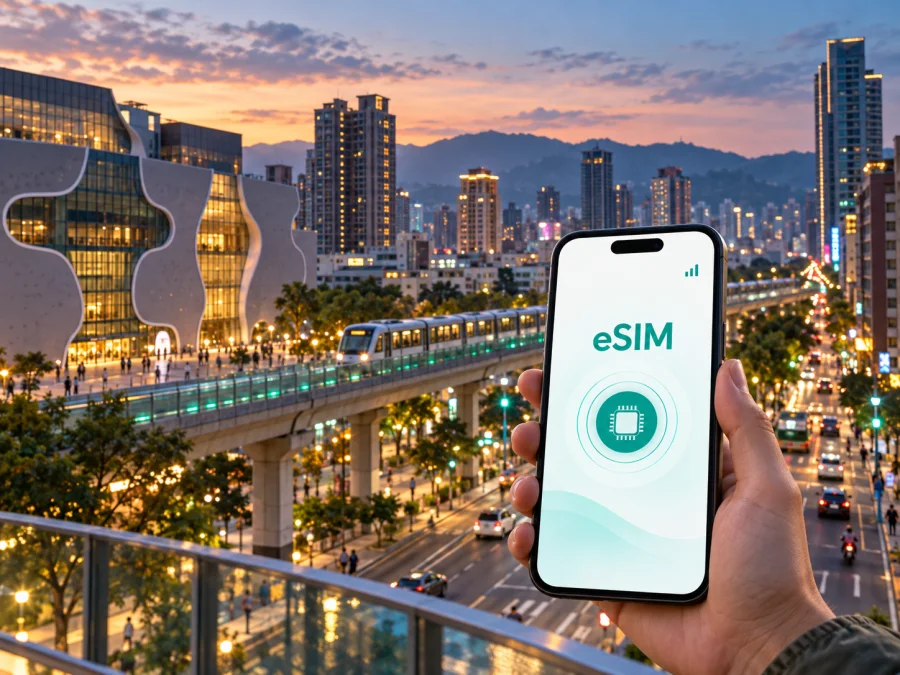
Taichung eSIM: mobile connection and internet for your trip
Taichung rewards travellers who move between very different parts of the city. You may arrive through Wuri, stay near the old railway station, work from Xitun and finish the day by the coast. A dependable mobile connection helps you switch between those plans without carrying a physical SIM card.
An eSIM is a digital SIM that can be installed on a compatible phone. For a visit to Taichung, it can provide mobile internet for maps, transport information, hotel messages, translation, bookings and communication through internet-based apps. Kaspersky eSIM Store is an app and website where you can choose, arrange and activate an eSIM with a suitable plan for mobile internet during an overseas trip. The service is not a mobile operator: the terms, network and coverage depend on the selected plan and its underlying local operator arrangements.
Why mobile internet matters in Taichung
Taichung is spread across a wide urban area rather than being a city that can be covered on foot from one central square. The practical question is often not whether a place is interesting, but how to connect several places in one day. You may need a route from your hotel to a railway station, a bus stop, a restaurant, a meeting venue or a coastal district. Online access makes each change easier to manage.
The first hours after arrival
The first task is usually to reach your accommodation with your luggage and the right address. Mobile internet lets you check the destination in a map, compare the route options shown on your phone, message a hotel about arrival and keep a translation tool available when a sign or check-in instruction is unfamiliar. It also gives you a way to retrieve a booking confirmation without searching for public Wi-Fi.
If you arrive at Taiwan High Speed Rail Taichung Station, remember that the station is in Wuri District, outside the older central core. The Taichung MRT Green Line connects the high-speed rail area with stations along the Wenxin corridor and toward Beitun. Depending on your hotel and luggage, you may combine MRT, Taiwan Railways, a city bus or a taxi. Having the destination, station name and route available on your own connection is useful before you start changing modes.
Getting around a large city
Taichung travel often involves a mix of transport:
| Situation | What you may need online | Why it helps |
|---|---|---|
| Leaving the high-speed rail station | A map, hotel address and route options | You can confirm whether the next leg is MRT, railway, bus or taxi. |
| Exploring Central or West District | Walking directions and opening information | Short streets and cultural stops are easier to join into one route. |
| Reaching Xitun or a night market | A saved destination and a live route | You can adjust the plan when traffic or waiting time changes. |
| Travelling toward the coast | Transfer details and a map for the last kilometre | Coastal attractions may require more than one transport leg. |
| Attending a meeting | Messages, calendar details and ride information | You can coordinate a precise entrance without leaving the venue. |
The Taichung MRT Green Line is useful along its corridor, while buses, taxis and Taiwan Railways extend the journey beyond it. Check the current route before leaving rather than relying on memory.
Taichung districts and connection scenarios
Choosing a plan becomes easier when you think in terms of your actual days in the city. Taichung has several distinct travel patterns, and each one uses mobile data differently.
Central District and the old station area
The old Taichung Railway Station area works well for a first city stay: historic streets, food, markets and rail connections are close enough to combine in one day. Save your hotel address in English and the local format, then keep a map available for the return route. Walking uses little data, but active navigation, photo uploads and frequent calls can change the allowance you need.
West District and the museum route
West District combines cafés, cultural venues, shopping streets and the Calligraphy Greenway area. The National Taiwan Museum of Fine Arts and the National Museum of Natural Science are useful examples of stops that should be joined with a map rather than treated as one compact landmark zone. Online access helps with current venue information, route changes and meeting points.
North District, Yizhong and evening plans
The Yizhong area has busy food and shopping streets. Crowds make a saved hotel pin and a live map useful when you are meeting someone or returning to transport. Night markets also encourage more phone use than expected: menus, translation, reservations, photos and messages all add to the day’s data consumption.
Xitun, Nantun and Beitun
Xitun is a practical base for modern hotels, events and the Fengjia area, while Nantun and Beitun connect with the MRT corridor and other city transport. For a business trip, size the plan for email, authentication, cloud documents, route checks and calls, not only sightseeing. Pin the exact entrance of a large office, hotel or venue and check hotspot rules if a laptop will depend on the phone.
Wuri, the coast and wider routes
Wuri is important for high-speed rail arrivals and departures. The coast, including Qingshui and Wuqi, requires more route planning than a central walking day; Gaomei Wetlands is one example of a destination where the return route matters. If you continue toward Houli, Fengyuan or another Taiwan city, choose a plan for the full itinerary and confirm its country or regional scope.
How to choose an eSIM plan for Taichung
The right plan depends on how you use your phone, how long you will be away and where the itinerary goes. A useful choice process is more reliable than choosing by price alone.
- Define the route. Note your arrival point, hotel areas, day trips and departure station or airport. For Taichung, include Wuri, the central districts and any coastal or regional destinations you genuinely plan to visit.
- Check the coverage area. Make sure the plan applies to Taiwan or the region required by your itinerary. If you are combining Taiwan with another country, confirm the scope instead of assuming one destination covers the whole trip.
- Estimate your data pattern. Light use may include maps, messages and occasional searches. Medium use may add social media, photos, music and frequent route checks. Heavy use can include remote work, video meetings, cloud files, tethering or video streaming.
- Match the validity period. Choose a duration that covers the days you need mobile data. Review when validity starts, because installation and activation are separate actions and the selected plan determines the applicable conditions.
- Read the usage conditions. Check the data allowance, speed policy if stated, hotspot rules, top-up options, expiry terms and refund conditions. These details can differ between plans.
- Confirm device readiness. Your phone must support eSIM and must not be restricted by an operator. Some models vary by region, so check the exact device rather than relying only on the product family name.
A simple decision table
| Your Taichung trip | A sensible starting point | Pay attention to |
|---|---|---|
| One or two days of walking in central areas | A shorter plan with enough data for maps and messages | Hotel Wi-Fi may cover some use, but do not depend on it for arrival. |
| Several days with museums, markets and evening routes | A plan with a comfortable data allowance | Photos, navigation and social apps can use more data than expected. |
| Business meetings in Xitun or across districts | A plan sized for maps, messaging and work tools | Check hotspot rules and keep a second route to the venue. |
| A short layover between rail connections | A plan that matches the transfer window | Prepare the profile in advance and keep tickets available offline. |
Kaspersky eSIM Store helps you review destination, plan conditions and activation steps in one place. To prepare ahead of your departure, choose an eSIM plan for Taiwan and compare the option with your dates, route and expected data use. The selected plan remains the important reference for its own price, allowance, validity and conditions.
Install and activate an eSIM for Taichung
Install the profile with a stable internet connection and enough battery. If the plan provides a QR code, keep it visible on another screen when possible. Do not delete an eSIM profile simply because it is not active yet; removal and reinstallation may be restricted by the plan.
Before departure
- Check that the phone supports eSIM and is not carrier-locked. Check your device compatibility before completing the purchase.
- Confirm that the plan applies to Taiwan and that its validity matches your dates.
- Make sure you can access the purchase email or profile in the app and have reliable Wi-Fi for installation if possible.
- Save your hotel address, rail details and first route so that the arrival process does not depend on one screen.
For detailed device steps, use the Android eSIM installation guide or the iOS eSIM installation guide. Menu names can vary by operating-system version, but the sequence is usually similar.
Five practical steps
- Open the mobile-network or cellular settings on your phone.
- Select the option to add a mobile plan or add an eSIM.
- Scan the QR code or follow the profile instructions supplied after the purchase.
- Label the new line clearly, then choose it for mobile data when you want to use it in Taiwan.
- When you arrive, enable the eSIM line and data roaming if the plan instructions require it. Give the device a few minutes to register, then test a map search or message.
Keep your primary line available for calls and SMS if you need it, but review its data-roaming setting to avoid unintended charges. The eSIM is generally intended for mobile internet; it does not automatically include a regular phone number, voice calls or SMS unless the chosen plan says otherwise. Internet calling and messaging apps can work over data when their own accounts and settings are ready.
A practical arrival checklist
Use this short checklist at the station, airport or hotel:
- [ ] The phone has charge and the eSIM line is visible in mobile settings.
- [ ] Mobile data is assigned to the intended eSIM, not accidentally to the primary line.
- [ ] Data roaming is enabled only where the plan instructions call for it.
- [ ] A map search works for the hotel or first meeting point.
- [ ] The exact destination, rail ticket and reservation details are saved.
- [ ] A backup route is ready if a bus, MRT connection or taxi wait changes.
If the connection does not appear immediately, check that the eSIM is switched on, the correct line is selected for data and the device has a network signal. A restart may help. Also check the plan’s activation instructions before changing settings repeatedly. If the issue remains, contact support with the device model, the eSIM status and the steps already completed.
Taichung travel scenarios
Weekend in the centre
For a stay near the old railway station, combine Central District, a museum route and an evening in North District. Your main data needs are maps, translation, food searches, reservations and messages. Save the hotel pin and return route before leaving each morning.
Business trip in Xitun
Install and test the eSIM before departure. Store the office address, building name and contact person, then use mobile data for transport updates, authentication and the exact venue entrance. Confirm hotspot rules before planning to connect a laptop.
Rail, coast or stopover
For a route through Wuri, the city centre and the coast, choose a plan that covers the entire Taiwan itinerary. Keep tickets and the first hotel address offline, check the return connection before visiting a coastal district, and have the eSIM profile ready if your time in Taichung is brief.
Common questions
Is an eSIM useful if I am staying only in Taichung?
Yes, it can be useful when you need maps, transport information, hotel messages and internet-based communication during the stay. Choose a plan that covers Taiwan, check its validity and size it for your actual phone use. A Taichung trip may include Wuri, central districts and the coast, so consider the whole route rather than the hotel address alone.
Can I use an eSIM for regular calls?
Usually not, unless voice and SMS are specifically included in the selected plan. The eSIM scenario described here is mobile internet. You can use messaging or calling apps over data, while keeping your primary SIM for ordinary calls if your operator’s roaming settings and charges are acceptable.
Should I install the eSIM before arriving in Taichung?
Installing before departure can simplify the first hours after arrival, provided your plan’s conditions allow that sequence. You can keep the line inactive until you need it, then follow the activation instructions. Read the validity and start conditions carefully, because they vary by plan.
Prepare your Taichung connection
Taichung is easier to explore when the hotel address is saved, the rail connection is clear, the device is compatible and the data plan matches the route.
Review the destination, validity, data allowance, device requirements and activation instructions. Then choose a Taiwan eSIM plan for your Taichung trip, install it on the compatible device and activate it when your travel plan calls for mobile internet.


