Travel connectivity guide
Taipa eSIM: Mobile Internet for Your Macao Trip
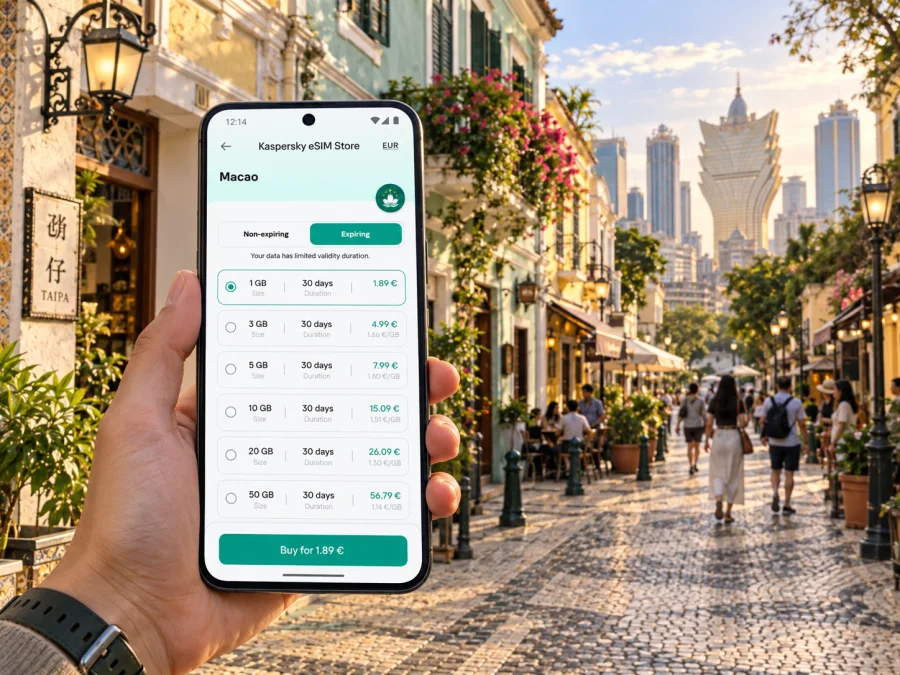
Taipa eSIM: mobile connection and internet for your trip
Taipa is often the first part of Macao visitors see: Macau International Airport is on the island, the Taipa Ferry Terminal sits on its eastern side, and the Light Rapid Transit (LRT) runs through local neighborhoods before continuing towards Cotai and the Macao Peninsula. A working mobile data connection helps you move between these arrival points, your hotel, Taipa Village and the wider region without having to plan every step around Wi-Fi.
An eSIM can provide mobile data for maps, ride coordination, translations, booking details and messaging apps. It is a digital SIM profile installed on a compatible, unlocked device. It does not automatically include a regular phone number, voice calls or SMS; check the individual plan terms, and keep your usual SIM available if you need those services.
Taipa is an island in Macao, not a separate destination market
Taipa is one of the islands that make up the Macao Special Administrative Region (SAR) of China. It is linked to the Macao Peninsula by bridges, and the reclaimed Cotai area joins Taipa with Coloane. This matters when you plan a route: a map may show Taipa, Cotai, Coloane and the peninsula as nearby, but they are different places and some journeys cross bridges or pass through a border checkpoint.
For a trip focused on Taipa, choose a plan whose destination terms explicitly include Macao. A plan for mainland China or Hong Kong is not automatically a Macao plan, and a regional plan may have its own country and territory list. If your itinerary includes more than one market, such as Macao and Hong Kong, check that each is covered in the plan details before you travel. Do not infer coverage from a destination’s proximity or political relationship.
Where mobile data helps around Taipa
Taipa has several distinct settings, and each creates a different reason to keep maps and travel information close at hand:
| Part of the trip | How mobile data can help |
|---|---|
| Macau International Airport | Find your hotel transfer, check the route to the LRT Airport Station, and retrieve reservation details after landing. |
| Taipa Ferry Terminal | Confirm the next leg after arriving by sea, coordinate a pickup, or navigate from the terminal to a hotel. |
| Taipa Village | Follow walking directions through the older lanes, look up opening details, and share your location with your group. |
| Jockey Club, Stadium and Pai Kok areas | Compare the nearest station or bus stop with the exact entrance to a hotel, venue or local destination. |
| Cotai edge of Taipa | Check a route carefully: a venue described as “Taipa” may be in the reclaimed Cotai area, not in the older village. |
| Taipa Grande and Taipa Pequena | Save the trailhead and return route before a walk, especially if you expect to spend time away from busy streets. |
These are practical uses, not a promise of identical reception in every building or outdoor location. Mobile performance depends on the local network, the specific plan, device bands, congestion and surroundings. Keep important hotel addresses and tickets available offline as a backup.
Arriving at Macau International Airport
The airport is on Taipa, so you are already on the island when you land. Before leaving the terminal, check your hotel’s exact address and choose between the LRT, bus, taxi or an arranged hotel transfer. The airport has an LRT station on the Taipa Line, which also serves Taipa Ferry Terminal.
Compare the station with your hotel entrance instead of assuming the nearest stop is right beside it. Large resorts and road layouts can make the final approach less obvious than the map suggests. If you take a taxi or pickup, keep the address in writing; English spellings of place names can vary.
A simple arrival sequence:
- Save your hotel address and booking confirmation offline.
- Install the eSIM on reliable internet, following the plan’s activation instructions.
- After landing, select the travel line for data and enable roaming if the instructions require it.
- Compare the route options for your arrival time and luggage.
- Test a simple page or map before relying on the connection for transport.
Do not delete an installed eSIM if it does not connect immediately. Check line selection, plan validity and the instructed network settings first; some profiles cannot be reinstalled or transferred after activation.
Getting around by LRT, bus and on foot
The Taipa Line is the backbone of rail travel on the island. The operator describes it as serving central Taipa communities, Taipa Village and tourist areas, as well as linking important sea, land and air ports. The line now extends beyond Taipa to Barra on the Macao Peninsula. The network also has connections to the Seac Pai Van and Hengqin lines. Station names can therefore be useful search terms when checking directions: Airport, Taipa Ferry Terminal, MUST, Cotai East, East Asian Games, Cotai West, Pai Kok, Stadium, Jockey Club, Ocean and Barra.
Use the operator’s current route map and service notices on the day you travel. Timetables, operating arrangements and station access can change. A route planner may show a rail connection, but the shortest option is not always the easiest with luggage, a stroller or limited mobility. Check lifts and station facilities when those affect your journey, and allow extra time to reach a platform from a large airport or resort complex.
Buses reach areas beyond the rail corridor and can be more convenient for some hotel entrances, residential streets and attractions. A data connection is useful for comparing routes and reading stop names, but do not rely on a single live map instruction while boarding. Confirm the destination shown on the bus, note the stop name, and keep enough battery for the return trip. If the route is unfamiliar, save a screenshot or pin your destination before you leave Wi-Fi.
Walking is often the most direct way to explore the compact lanes of Taipa Village. It is also where a phone’s map can be less straightforward: a narrow lane, stairway, covered passage or one-way street may not match the visual route you expected. Use the map as a guide, then follow local signs and pedestrian crossings. In hot, rainy or typhoon-affected weather, choose a sheltered route and check official transport updates rather than pressing on because navigation still shows a path.
Taipa Village: leave room for unplanned turns
The older village offers a different pace from nearby resorts and event venues. Save a few places you want to visit, plus a recognizable meeting point. Mobile internet can help check opening details, translate a menu or share a location when friends arrive separately. Search by exact venue name and address: “Taipa” alone can return results across the island and Cotai.
The village is a network of lanes connected to residential streets and uphill routes, not a single attraction with one entrance. Follow pedestrian crossings and local signs when a map suggests a shortcut. Save an offline map if available, and treat walking-time estimates as flexible in heat or rain.
Hotels, Cotai and the island’s changing scale
A booking labelled Taipa can refer to a small guesthouse in the older village, a hotel near a rail station, or a large property close to the reclaimed Cotai area. These settings are not interchangeable. Before booking transport, look at the address and nearby station or stop, then check the walking route from that exact point. Some resort complexes have long indoor approaches between a road, lobby, shopping area and room tower; your map pin may mark the property rather than the entrance you need.
Cotai is the reclaimed zone between Taipa and Coloane, with major entertainment, retail and hotel complexes. A Taipa itinerary can easily include it, but plan it as a distinct leg. Check the relevant LRT station—such as Cotai East or Cotai West—or compare bus and taxi options for your destination. When returning late, verify the transport schedule and pickup arrangements rather than assuming a service will still be running.
For a multi-stop day, group places by area: village and nearby sites together, then Cotai venues, then a separate trip to Coloane or the peninsula if desired. This cuts down on repeated crossings and makes it easier to estimate data use. A map and messaging generally use modest amounts of data, while video calls, cloud photo uploads and streaming can consume much more.
Choose a data plan around your actual itinerary
The right allowance depends on how you use your phone, not simply on the number of days away. A visitor who mainly checks maps and messages will use data differently from someone who uploads video, joins work calls or streams entertainment while moving between venues.
You can review eSIM options for a trip to Macao in Kaspersky eSIM Store. The app and website help you choose, arrange and activate an eSIM with a suitable travel data plan; the mobile network that carries the service depends on the plan and its local network arrangements.
| Your pattern | What to consider when reviewing plan terms |
|---|---|
| Short city break, mostly maps and chat | Check the validity period, destination coverage and whether the allowance fits light daily use. |
| Several days with frequent navigation and searches | Estimate daily map, browsing and messaging use, then leave a margin for changes of plan. |
| Work trip with calls over apps and file access | Confirm hotspot/tethering rules and remember that video meetings can use data quickly. |
| Trip combining Macao with other destinations | Confirm every destination by name in the same plan terms, or plan separate eSIM arrangements. |
| Long stay or heavy streaming | Compare the stated data allowance, validity, top-up availability and any speed or fair-use conditions. |
Before choosing, read the exact plan details: destination, data amount, validity, activation conditions, top-up options and network or device requirements. Availability and terms can change. A plan described broadly as “Asia” or “regional” should not be assumed to include Macao until the destination list confirms it.
Device compatibility: regional versions matter
An eSIM-ready name on a product page is not enough to confirm that your particular phone can install a travel eSIM. Support may vary by model number, the market where the device was sold, carrier lock status and software configuration. Some regional variants use two physical nano-SIMs instead of eSIM. Apple, for example, notes that certain iPhone models sold in Hong Kong and Macao use two nano-SIM cards, while eSIM support and model availability differ by market. Android devices also vary by exact model and region.
Before buying a plan, check the manufacturer’s specification for your exact model, then confirm that your phone is not locked to a carrier. You can check whether your device supports eSIM. If you are unsure, find the model number in the phone settings or on its original packaging rather than relying only on a retail family name.
Keep in mind that device compatibility and destination coverage are separate questions. A phone may support eSIM but not a specific radio band or network profile; a plan may include Macao but not another stop on your itinerary. Verify both before departure.
Install before the trip, activate with care
Installing a travel eSIM usually requires an internet connection, so it is convenient to complete setup before boarding or while connected to trusted Wi-Fi. Follow the plan-specific instructions because QR installation, in-app installation and activation steps can differ. Do not scan a QR code more than once unless the instructions say it is safe to do so.
- Confirm your device model, eSIM support and carrier-unlock status.
- Choose a plan whose destination list includes Macao and whose data and validity fit your stay.
- Read when validity begins: installation, first connection, or another event stated in the plan terms.
- Add the eSIM using the provider’s setup steps and label the line clearly, such as “Travel data.”
- Before departure, leave your primary number configured as you prefer for calls and messages, and choose the travel line for data when appropriate.
- On arrival, enable the travel line and follow the provider’s network and roaming instructions.
- Test a simple page or map before relying on the connection for transport.
For step-by-step setup, use the Android eSIM installation guide or the iPhone and iPad eSIM installation guide. The exact menu names may differ between operating system versions. Avoid deleting the profile unless support or the plan instructions tell you to do so.
Keep data use predictable
Download maps and hotel documents over Wi-Fi, disable automatic video playback, and pause large photo backups if your allowance is limited. Keep data available for navigation and transport, and restrict background refresh for apps that can wait.
Before a full day out, check that the travel eSIM is selected for data, roaming is set as instructed, your home SIM preferences are correct, and you have offline addresses and enough battery. If data stops working, confirm that the plan includes Macao and is valid, then check the travel line, data selection and required roaming setting. If the issue persists, contact the plan’s support channel rather than changing several settings at once.
Common Taipa travel scenarios
- Late arrival: Keep your hotel address offline. Compare public transport with a taxi or arranged transfer based on arrival time.
- Taipa Village from a Cotai hotel: Save the specific village destination and confirm the closest station or bus stop. Agree on a meeting point for the return.
- Ferry connection: Check the terminal name on your ticket. Taipa Ferry Terminal and Outer Harbour Ferry Terminal are different places.
- Trip to the peninsula: The LRT connects Taipa with Barra; buses and taxis also cross the bridges. Check current service information and the plan’s coverage for every destination on a multi-market itinerary.
- Walk in the hills: Save the route in advance, check weather notices, carry water and keep battery for the return.
Short checklist before leaving for Taipa
- [ ] The plan’s destination terms explicitly include Macao.
- [ ] The exact phone model supports eSIM and is not carrier-locked.
- [ ] You understand when plan validity starts and what its data allowance covers.
- [ ] eSIM installation is complete, and the profile has not been accidentally removed.
- [ ] Hotel, airport, ferry and meeting addresses are saved offline.
- [ ] Your arrival route reflects the time of day and current transit information.
- [ ] Your primary SIM settings for calls and messages are intentional.
- [ ] You have a fallback for low battery or a temporary connection issue.
Frequently asked questions
Is Taipa a separate country or eSIM destination?
No. Taipa is an island within the Macao Special Administrative Region. Check that your plan explicitly lists Macao; mainland China or Hong Kong coverage does not automatically include it.
Does an eSIM guarantee service everywhere on Taipa?
No. Reception can vary by building, location, network arrangements and device. Keep essential addresses and tickets available offline.
Will a travel eSIM include a local number?
Many travel plans are data-only. Calls and SMS are included only if the plan terms say so; messaging and internet calls may work over data.
Can I use an iPhone bought in Hong Kong or Macao?
It depends on the exact model. Some regional iPhone variants use two physical nano-SIMs rather than eSIM. Check the model number and manufacturer specifications.
Should I install the eSIM before arrival?
That is often convenient because setup needs internet. Check whether validity starts at installation or first connection, and follow the plan’s instructions.
Will it work on the LRT or inside resorts?
Service may vary indoors, underground or in crowded areas. Save essential information offline and use station signs if a map temporarily loses connection.
Set up your connection before the first ride
A little preparation makes Taipa easier to navigate: save the correct address, identify the nearest station or stop, and confirm that your travel plan covers Macao specifically. Kaspersky eSIM Store is an app and website that helps you choose, arrange and activate an eSIM data plan for an international trip. Check your device and the plan terms, then choose an eSIM option for Macao before you travel.


