Travel connectivity guide
Taipei eSIM: Mobile Data and Travel Guide
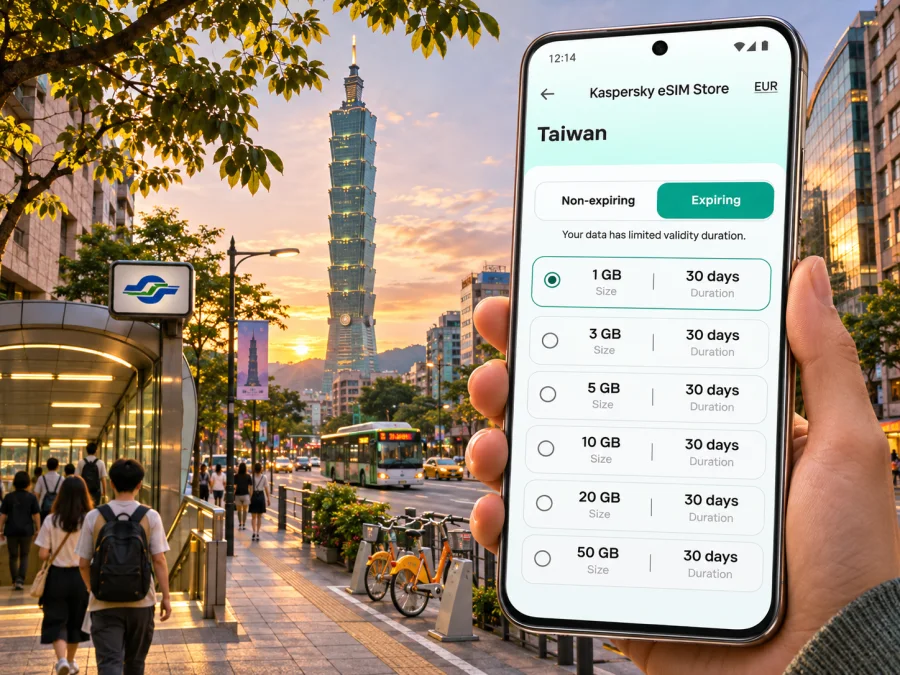
Taipei eSIM: mobile connection and internet for your trip
Taipei is a city where a working phone can make everyday travel simpler: check a station exit, translate a menu, confirm a meeting address, or find the way back through a busy night market. An eSIM can provide mobile data without replacing the physical SIM already in your phone. The useful choice depends on your itinerary, the exact device variant you carry, and the terms of the specific plan.
This guide focuses on getting connected around Taipei, from the airport and Taipei Main Station to Xinyi, Ximending, Beitou, and day trips beyond the city. It explains what to check before choosing a plan, how to prepare an eSIM, and what to do if mobile data does not start as expected.
Taipei connectivity at a glance
Taipei has a dense urban core with a metro network, buses, rail connections, busy commercial districts, and indoor stations and malls. Mobile data is helpful for navigation and changing plans, but a connection should not be treated as guaranteed in every building, underground space, or outlying area. Network performance can vary with the local provider, congestion, the phone’s supported bands, building materials, and the particular plan.
| Travel moment | Why mobile data helps | Useful preparation |
|---|---|---|
| Arrival at Taoyuan International Airport | Confirm the route into Taipei, message your hotel, or check onward transport | Save your hotel address and arrival details offline before flying |
| Arrival at Taipei Songshan Airport | Navigate from an airport located within Taipei’s urban area | Check the route to your accommodation and have its name in Chinese if available |
| Taipei Main Station transfer | Find the correct rail, metro, or bus connection across a large interchange | Allow time to follow signs and verify the station name on your route |
| City sightseeing | Recheck opening information, walking routes, and transit changes | Keep a screenshot or offline map for places you plan to visit |
| Evening markets and side streets | Find a meeting point or return route when streets are crowded | Agree on a precise landmark rather than a broad district name |
Taipei and New Taipei are separate municipal areas that form a closely connected urban region. Some destinations marketed as “Taipei” may be outside Taipei City. Check the municipality and transport route when booking accommodation or planning an excursion; the city name alone does not tell you whether a stop is within the city boundary.
First, know which airport you are using
Taiwan’s main international gateway for many visitors is Taoyuan International Airport. It is in Taoyuan, outside Taipei City. The Airport MRT connects the airport with Taipei Main Station; airport transport information identifies both express and commuter trains. The exact operating hours, departure intervals, and route should be checked for your arrival date, especially for a late flight. The airport also has buses and other transport options, so a data connection can help compare the route with your hotel’s location.
Taipei Songshan Airport is within Taipei City. Its location can make the onward journey shorter for some city destinations, but the best route still depends on your arrival time and accommodation. Do not follow instructions for Taoyuan if your flight lands at Songshan, or the reverse. Confirm the airport code and terminal on your ticket before you travel.
After landing, use airport signs and official transport information to reach the correct station, bus area, or taxi queue. If you need to contact a driver or hotel, connect to a trusted network or use your eSIM once its service is active. Keep the accommodation address available offline in case installation or activation takes longer than expected.
A practical arrival sequence
- Confirm whether your flight arrives at Taoyuan or Songshan.
- Check the onward route to your actual hotel address, not just “Taipei.”
- If using Taoyuan Airport MRT, follow the airport signs to the station and verify the train type and destination before boarding.
- If using a taxi, show the address in a saved note or booking confirmation. Do not rely on being able to load it after arrival.
- Once settled, test mobile data with a simple webpage or map request before depending on it for a longer journey.
Use the connection to move around Taipei
Taipei Metro is a convenient backbone for many visitor routes, and buses reach areas beyond the stations. Taipei Main Station is a major transfer point for metro, railway, high-speed rail, coaches, and buses. The interchange is large, so use your map to confirm which station entrance or exit is closest to the next part of your journey. A route that looks short on a screen can still involve a long indoor walk between platforms.
For each trip, check the full route rather than only the destination station. One station name may have multiple exits, and the nearest exit can matter when you are carrying luggage or meeting someone. In the rain, a route with covered walkways or an underground passage may be more comfortable than a shorter outdoor walk. If mobile data is weak underground, follow station signs and use a saved map when possible.
Buses are useful for places not close to a metro stop and for direct trips between neighborhoods. Routes can have different boarding and alighting payment procedures. Read the fare and boarding information displayed at the stop or onboard, and check whether you need to tap when leaving. Do not assume that a transport payment card or eSIM are interchangeable: the eSIM supplies mobile data under its plan terms; it does not automatically pay fares.
Choose data for the shape of your trip
A one-day visit built around a few fixed attractions usually needs less data than a longer stay involving frequent video calls, cloud backups, or uploading large files. Estimate based on your habits, not on a generic “traveler” profile.
| Your use pattern | What to consider |
|---|---|
| Maps, messaging, transit lookups | A modest data allowance may be sufficient if you avoid automatic photo uploads and video playback |
| Work calls and frequent navigation | Check the allowance, validity period, tethering terms, and whether the plan supports the apps you need |
| Several days with light use | Compare the plan’s validity with the number of travel days and the time activation begins |
| Day trips outside central Taipei | Check that the plan’s destination and coverage terms match the full route, not only the city |
| Keeping a home SIM active | Confirm how the phone handles default data, roaming, calls, and SMS for each SIM line |
The best match is the plan whose destination, data amount, validity, and restrictions fit your route. Do not choose by data size alone. Check whether validity begins at purchase, installation, or first network connection; the terms can differ. Review hotspot use, top-ups, speed limits, and supported service before paying. If the listing does not answer a question that matters to your trip, ask support before relying on that feature.
Treat Taiwan as the destination named in the plan terms. Do not infer that a plan labeled mainland China, Hong Kong, or Asia includes Taiwan, or that a Taiwan plan includes those destinations. Check the covered locations and the network access stated for the individual plan; the operator and roaming arrangement can differ by product.
When the destination and conditions are clear, you can review eSIM options for Taiwan and compare the terms shown for the plan you are considering. This is a country-level destination page, not a promise of a city-specific tariff or coverage at every Taipei location.
Taipei areas: plan around where you will actually spend time
Taipei’s districts have different travel patterns. A plan that works well for central sightseeing may need to be considered differently if your days include a convention venue, a mountain-side excursion, or travel across the metropolitan area. The following suggestions are about navigation needs, not a guarantee of local signal.
- Taipei Main Station and Zhongzheng: A practical base for rail connections, buses, museums, and onward travel. Save your hotel’s street address and note whether it is nearer a particular station exit.
- Ximending and Wanhua: Busy pedestrian streets, shops, and attractions bring crowds and many intersecting lanes. Use a saved meeting point such as a station exit or named landmark instead of trying to describe a storefront by memory.
- Zhongshan and Datong: Cafés, shopping streets, and historic areas are easier to combine when you save the next stop in advance. Navigation is especially useful for finding a small lane or a specific entrance.
- Xinyi: Offices, shopping complexes, and Taipei 101 are spread across a large district. Check walking time between buildings; the closest metro station may not be the nearest entrance to your destination.
- Da’an and Yongkang Street: A mix of residential streets, restaurants, and small businesses. Use mobile maps for the final turns, and keep the address or place name in a note for a taxi or ride pickup.
- Shilin and Beitou: Northern city destinations can mean a longer ride and additional walking. Check the final leg from the metro station, particularly if visiting a hot spring area or heading beyond the urban center.
- Nangang: Exhibition venues and business destinations can be large. Save the building name, hall, and entrance details, not just the district or station.
If you are visiting a night market, crowded event, or large station, make a plan for meeting again if your group gets separated. Share a pinned location while the connection is available and agree on a visible landmark. Keep your phone charged: navigation, camera use, translation, and hotspot sharing can drain the battery faster than expected.
eSIM compatibility: check the exact device variant
The name printed on a phone box is not always enough to confirm eSIM support. Availability can depend on the precise model number, the country or region where that variant was sold, the device’s software, and whether it is carrier-locked. A phone that supports eSIM in one market may differ from a similarly named model sold elsewhere. Do not assume compatibility based only on the brand, product family, or a general online list.
Before selecting a plan:
- Find the exact model or model number in the phone settings or device documentation.
- Check the manufacturer’s specifications for that exact regional variant.
- Confirm that the phone is unlocked for use with another provider.
- Make sure you can access the email, QR code, or installation details needed to add the eSIM.
- If your device has two active SIM lines, check how it handles data switching and roaming.
You can check whether your device is compatible with eSIM before purchase. If the result is unclear, confirm with the phone manufacturer or the organization that sold or manages the device. A work-managed phone may have restrictions even when the hardware itself supports eSIM.
Set up your eSIM before you need it
If possible, read the plan’s installation and activation instructions before departure. Installation may require a stable internet connection, and some plans start their validity only after connecting to a supported network. Follow the terms for the specific plan rather than assuming all eSIMs activate in the same way.
A straightforward preparation sequence is:
- Select a plan whose destination, data allowance, validity, and conditions fit the whole trip.
- Confirm compatibility and remove any carrier lock or account restriction that could prevent activation.
- Install the eSIM using the method provided in your order. Avoid deleting the profile if activation fails; some profiles cannot be installed again after removal.
- Label the new line clearly, such as “Taiwan data,” so it is easy to identify beside your home SIM.
- Decide which line should handle mobile data and which should remain the default for calls or messages.
- Follow the plan instructions on when to turn on data roaming for the eSIM. Do not enable roaming on another line unless you understand its charges and terms.
- Test the connection and check the plan’s data balance or usage controls before relying on it for navigation.
For step-by-step help, use the Android eSIM installation guide or the iPhone eSIM installation guide. Menu labels and steps vary by software version, so follow the prompts on your own device and the instructions supplied for the selected plan.
An eSIM plan is generally intended for mobile data unless its terms specifically say otherwise. Do not assume it includes a local phone number, conventional voice calls, or SMS. Internet messaging and voice apps may work over data, but they depend on the app, recipient, and connection. Keep your home number available for verification messages if you need it, and check what your home carrier charges for calls, texts, and roaming.
Use cases around the city
- Short layover: Save boarding, hotel, and return-route details before landing. Leave enough time for airport procedures and the journey back.
- Business visit: Keep the venue, building, floor, and entrance in a note. Check hotspot terms and data allowance before a video call.
- Night market or busy station: Share a pinned meeting point while online and agree on a visible landmark. Keep your phone charged.
- Day trip beyond central Taipei: Check that the plan covers the full route; city-level expectations do not guarantee service in tunnels, mountains, or rural areas.
- Longer stay: Track data use early and review top-up terms before you need more. Do not assume a new package extends the current validity.
If mobile data does not work
A connection problem can come from the device, settings, plan status, or local network conditions. Work through these checks in order:
- Confirm that the eSIM line is enabled and selected for mobile data.
- Check that the plan is active and that its validity period has started.
- Follow the plan’s instructions for data roaming and access point settings, if any.
- Turn airplane mode on briefly and then off, or restart the phone once it is safe to do so.
- Move to an open area or another location; indoor coverage and congestion can vary.
- Check that the phone has not selected a disabled line or reached a data limit.
- Use Wi-Fi temporarily to review the plan details or contact support if the issue continues.
Avoid deleting the eSIM profile as a first troubleshooting step. If a QR code or one-time installation link has already been used, removal may make reinstallation difficult or impossible under the plan conditions. Keep order details and any error message available when asking for assistance.
A simple pre-departure checklist
- [ ] Confirm the airport: Taoyuan International Airport or Taipei Songshan Airport.
- [ ] Save your accommodation name, full address, and a map pin offline.
- [ ] Check the route from the correct airport and note a backup option.
- [ ] Confirm the phone’s exact regional variant supports eSIM and is unlocked.
- [ ] Compare the plan’s destination, data allowance, validity, activation trigger, and restrictions.
- [ ] Install the profile when you have reliable Wi-Fi and can follow the plan instructions.
- [ ] Choose which SIM handles data, calls, and SMS; check home-carrier roaming terms.
- [ ] Carry a charger or power bank and keep key bookings accessible offline.
Frequently asked questions
Is Taipei the same as Taiwan for choosing an eSIM?
Taipei is a city in Taiwan, while eSIM destinations are commonly listed at country or region level. Choose a plan whose stated destination includes Taiwan and check the terms for your complete route. A country-level plan page does not mean every plan serves every place or guarantees a particular signal in every building.
Will the eSIM work as soon as I land?
Not necessarily. Timing depends on the plan’s activation rules, installation status, device settings, and local network availability. Read the plan terms, follow its setup steps, and test service before you depend on it. If your flight arrives late, keep offline directions and contact details ready.
Does a data eSIM include calls and texts?
Do not assume that it does. Check the plan description for voice, SMS, and a local number. If the plan is data-only, internet calling and messaging apps may be an option when both parties can use them over a working connection.
Which airport is closer to central Taipei?
Songshan Airport is within Taipei City. Taoyuan International Airport is in Taoyuan, outside the city, and connects to Taipei by Airport MRT and other transport. Your actual travel time depends on the destination, schedule, traffic, and transfer route.
Prepare your Taipei connection
Before you travel, check your device, route, and plan conditions together. Kaspersky eSIM Store is an app and website where you can choose, arrange, and activate an eSIM with a suitable data plan for an international trip. Review the destination and the current terms carefully, then browse eSIM options for Taiwan and choose a plan that fits your time in Taipei and any onward travel.


