Travel connectivity guide
Taitung eSIM for Mobile Internet in Taiwan
Taitung eSIM: mobile connection and internet for your trip
Taitung is a compact city with a wide-ranging hinterland. You may arrive by rail, fly into Taitung Airport, walk around the old station district, then head toward the coast, hot springs, or the East Rift Valley. Each leg asks something different of your phone: a train platform lookup, a bus timetable, a map, a message to your accommodation, or a translation while ordering food. Preparing mobile internet before setting out can make those small transitions easier.
An eSIM is a digital SIM profile that you can install on a compatible, unlocked device. A travel eSIM plan is generally intended for mobile data; do not assume it includes a local phone number, ordinary calls, or SMS unless its terms say so. Your existing SIM can often remain available for calls and verification messages while you select the eSIM for mobile data, but the exact options depend on the phone and its settings.
This guide focuses on Taitung City and the journeys that commonly begin there. Taitung County is much larger: a plan that includes Taiwan may have different practical performance in the city, on a mountain road, at a harbor, or on an offshore island. Check the plan terms and allow for local coverage conditions instead of treating a city itinerary as a coverage guarantee.
What mobile internet helps you do in Taitung
Taitung is a good place to leave room for an unplanned stop, but spontaneous travel still benefits from a few reliable basics on your phone. Mobile data can help you:
- check the latest rail, bus, or flight information before leaving your hotel;
- find the correct station exit, bus stop, restaurant, or accommodation entrance;
- message a host if your arrival time changes;
- translate a menu or read opening details when you are away from the city center;
- save a route and confirm how to return after an evening out;
- keep tickets, reservations, and travel notes accessible while moving between places.
Internet access does not replace checking schedules or confirming bookings. Rural services may be less frequent, and routes can change. Save key confirmations, addresses, and maps offline.
Know the city layout before choosing a plan
Taitung’s main rail station is outside the old urban core. The station is a transport interchange, with rail services, bus connections, visitor information, bicycle rental, and rental-car options nearby. The former station area, around Tiehua Road, is a separate cultural and evening destination in the center. If your accommodation is near the old station district, do not assume the new railway station is just around the corner; check the address and estimate the transfer before you arrive.
Check your hotel’s location against the bus station, old station district, waterfront, and airport. For a short stay, lodging near your activities can reduce transfers.
| Place or arrival point | What to plan for | When mobile data is useful |
|---|---|---|
| Taitung Railway Station | It is a regional rail hub beyond the old city center; confirm how you will continue into town. | Checking a bus, shuttle, taxi, rental, or accommodation pickup plan. |
| Taitung Airport | It serves the city and regional destinations; verify your flight and onward transport details. | Messaging your host, reviewing an address, or checking ground transport. |
| Old Station District / Tiehua area | A cultural and dining area in central Taitung, not the current railway station. | Finding an entrance, checking local opening information, and arranging an evening ride. |
| Fugang Fishing Harbor | A departure point for some island trips, reached from the city by road. | Confirming the route and keeping ferry or flight details accessible. |
| Zhiben and other county destinations | Outside the central city; travel time and transport options vary by destination. | Checking the return leg, pickup point, and current route information. |
Save an important destination in English and Chinese where possible; a screenshot can help with directions if data is temporarily unavailable.
Arriving by train, plane, or road
At Taitung Railway Station
The current Taitung Railway Station is the main rail gateway for the city and the wider region. The official Taitung visitor information describes buses, long-distance coaches, Taiwan Tourist Shuttle services, YouBike, and rental services around the station. Which one suits you depends on your destination, luggage, arrival time, and onward itinerary. Check current routes and operating times close to travel; a route that is useful in daylight may not fit a late arrival.
Save your hotel address and map pin before boarding. At Taitung, confirm the boarding point and direction with current route information, and leave time to find the stop with luggage.
At Taitung Airport
Taitung Airport is near the city compared with the region’s more distant attractions, but your onward trip still depends on the specific address and available transport at that time. Keep your accommodation contact details available before landing. If you are arranging a pickup, agree on a clear meeting point and share your flight number and expected arrival time in advance.
Install over Wi-Fi before departure where possible, or save arrival details offline. After landing, check the selected data line and follow the plan’s activation instructions; registration time depends on the device, plan, and local network.
If Taitung is a stop on a longer Taiwan trip
If Taitung is one stop on a longer Taiwan trip, verify the current departure, arrival station, and transfer window. Save tickets and addresses offline in case a delay, platform change, weak signal, or low battery complicates the connection.
Getting around town and planning day trips
Local buses connect the station, airport, central areas, and selected destinations. Tourist shuttles also serve parts of the East Rift Valley and coast. Routes and departures are limited, so check current timetables, ticket arrangements, and return service before a day trip.
For a bus outing, pin the destination and boarding stop, check the current timetable and reservation rules, note the last return departure, and carry enough battery for navigation and messages.
For a rental car or scooter, confirm eligibility and terms with the provider. Set routes while parked, and download a map as a backup; it may not reflect closures or changing road conditions.
City walks and evening plans
For an afternoon or evening around the old station district, Tiehua, nearby food streets, or the waterfront, save your lodging location and the route back before leaving. Keep a meeting point and your accommodation name available offline in case data drops.
A short-looking distance may still require a bus, taxi, or longer walk. Check the route, weather, and return option, especially after dinner when daytime bus frequency may not continue.
Coast, valley, hot springs, and islands
The coast, valley, hot spring areas, and offshore islands are outside the city center. A trip may require a bus or train, road transfer, ferry, or small aircraft. Check each leg, check-in rules, and the return plan. For an island trip via Fugang Fishing Harbor, save departure details and accommodation contacts offline; weather, availability, local transport, and coverage vary. A Taiwan plan listing does not guarantee continuous service at every remote stop.
Choosing an eSIM plan for a Taitung itinerary
Choose based on your itinerary and usage. Confirm the plan applies to Taiwan, then review its data allowance, validity, activation rules, and relevant limits. Maps and messages use data differently from frequent video calls or streaming.
| Travel pattern | Questions to ask before choosing |
|---|---|
| Short city break | How many days does the plan cover, and will you mainly use maps, messaging, and search? |
| Work trip | Will you need regular video meetings, file transfers, or a separate hotspot connection? Check plan and device terms. |
| City plus county day trips | Does the plan cover the places on your route, and what offline information should you save? |
| Multi-region Taiwan itinerary | Does one plan suit the full route, or should you compare plans by destination and validity? |
| Longer stay | Is the data allowance appropriate for your use, and what are the plan’s expiry and top-up rules? |
Estimate use realistically: maps and messages differ from video calls and streaming. Background photo backup, updates, and autoplay can also use data, so review those settings before travel.
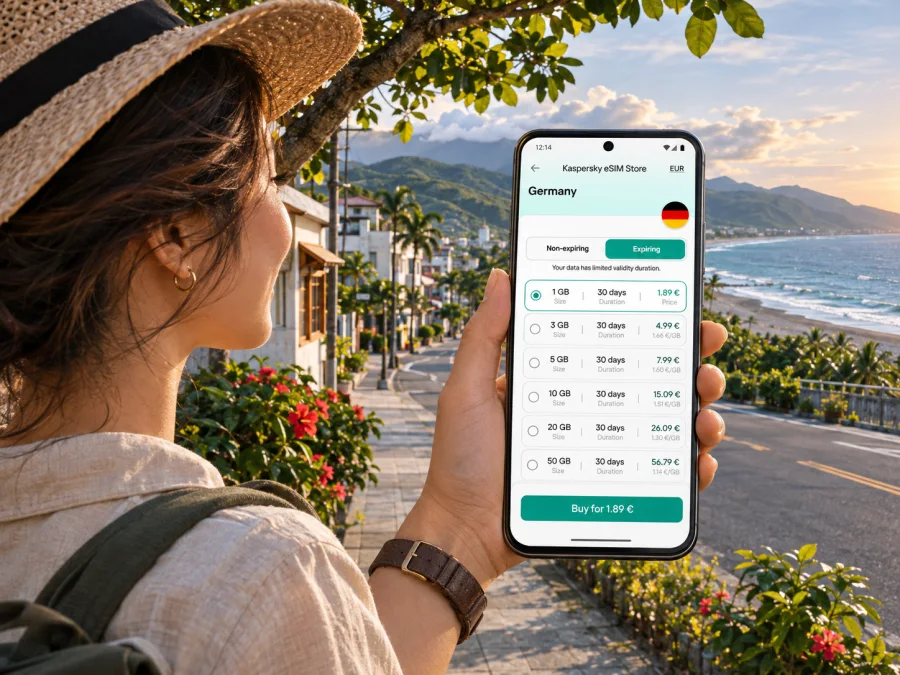
Kaspersky eSIM Store is an app and website where you can choose, arrange, and activate an eSIM with a suitable plan for mobile internet during an overseas trip. You can review the available Taiwan options for your itinerary and compare the displayed plan details before deciding. A country page is for browsing the available options; it is not a guarantee of a particular connection at a specific Taitung address or on an island route.
A short pre-purchase check
- Confirm that the plan is for Taiwan and includes the dates you need.
- Compare data allowance and validity with your expected use.
- Read when validity starts: installation, activation, or another event may apply under the plan terms.
- Check whether tethering or hotspot use is permitted if you need it.
- Confirm whether the plan is data-only; do not expect a local number unless the terms explicitly include one.
- Review the refund, transfer, and top-up conditions before payment.
Device compatibility and travel setup
Check that your exact device supports eSIM and is not carrier-locked. Support can vary by model name, hardware variant, and the market where the device was sold, so a similar-looking phone in a manufacturer’s product family is not enough to confirm compatibility. Check whether your device supports eSIM before you purchase. Also make sure you can access your account and the installation instructions while you have a reliable internet connection.
You may be able to keep a physical home SIM active while selecting the eSIM for data. Settings vary; decide which line handles data, calls, and messages, and check your home carrier’s roaming terms.
Install before the journey when practical
- Connect to reliable Wi-Fi and open the eSIM purchase or installation details.
- Add the eSIM profile by following the on-screen steps for your device. Keep the installation page or QR code available on another screen if your phone requires scanning.
- Label the new line clearly, such as “Taiwan data,” so you can identify it in settings.
- Choose the intended mobile-data line. Avoid changing your primary number’s settings unless you understand the effect.
- Follow the selected plan’s activation instructions. If activation should wait until arrival, leave the profile installed but follow the plan’s stated timing.
- After arrival, turn on the eSIM line and data roaming only if the plan instructions require it. Allow time for the phone to register, then test a simple webpage or message.
For device-specific steps, see the Android eSIM installation guide or the iPhone eSIM installation guide. The menus and wording may vary across operating-system versions, and the plan’s own instructions take priority where they differ.
If the eSIM does not connect, check that its line is enabled, it is selected for data, airplane mode is off, and the plan has started. Do not delete the profile before checking the instructions or contacting support; some profiles cannot be reinstalled.
Staying prepared when a connection is uncertain
Coverage can vary with terrain, buildings, device, network conditions, and plan arrangements, especially outside the city. Keep important information available offline:
- download a map area and save the hotel and transport addresses;
- keep tickets and reservation confirmations accessible offline;
- write down your accommodation’s phone number or address;
- carry a power bank for a long day outside the city;
- tell a companion your route if you are traveling into a remote area;
- check weather and transport updates before departing.
If the eSIM does not connect, check coverage and activation terms, then confirm the data line and device settings. Contact the relevant support channel with your device model, location, and troubleshooting steps. Never share passwords or one-time codes.
Common Taitung travel scenarios
Late arrival: Save the address in English and Chinese, confirm late check-in with your host, and agree on a pickup point. Keep the address available offline in case your data is not ready.
One day outside the city: Choose one direction, check outbound and return services, and note any reservation requirement. Download the map and confirm the next service before changing plans.
Working remotely: Check accommodation Wi-Fi and whether your eSIM plan allows hotspot use. Avoid relying on mobile data for a critical call during a long transfer or in a remote location.
Short connection: Save your onward ticket, verify the transfer point, and allow time for delays and finding the stop. A map cannot compensate for an unrealistic timetable.
A practical checklist before leaving for Taitung
Before departure
- Confirm your train or flight and save the booking details offline.
- Check your accommodation’s exact address, check-in time, and preferred arrival instructions.
- Verify device eSIM compatibility and carrier-unlock status.
- Compare the plan’s Taiwan coverage wording, data allowance, validity, and activation terms.
- Install the eSIM over Wi-Fi if the instructions allow it, and keep the QR code or activation details safe.
- Download maps and save important Chinese-language place names.
At arrival
- Check that the eSIM line is on and selected for mobile data.
- Use data roaming only as directed by the plan instructions.
- Confirm the correct bus stop, shuttle, pickup point, or rental location.
- Keep your home SIM’s roaming settings in mind if it remains active.
Before a day trip
- Check the latest outbound and return transport information.
- Save tickets, addresses, and maps offline.
- Carry water and a charged phone; bring a battery pack for a long day.
- Share your plan with someone if you are heading to a remote area.
- Recheck weather and any ferry or flight notices for island travel.
Frequently asked questions
Is Taitung the name of a city or a county?
Both names are used, but they describe different geographic areas. Taitung City is the urban base discussed in this guide; Taitung County includes a much wider area with coastal, valley, mountain, hot spring, and offshore destinations. A city stay and a county itinerary can involve very different travel distances.
Is an eSIM useful if I am only staying in central Taitung?
It can be useful if you want mobile data for maps, transport checks, messages, and reservations. Whether it is right for you depends on your usage, plan terms, device support, and alternatives such as Wi-Fi or your home carrier’s roaming service.
Can I use a Taiwan eSIM on Green Island or Orchid Island?
Do not assume continuous service on either island. Check the plan conditions and the local network situation for your exact destination, and keep important information offline. Ferry or flight availability and local coverage are separate questions from whether a plan lists Taiwan.
Does a travel eSIM give me a Taiwanese phone number?
Not necessarily. Many travel eSIM plans are data-only. Review the selected plan’s details if you need ordinary voice calls or SMS. Internet calling and messaging apps may work over data, subject to the app, network, and your account setup.
Should I install the eSIM before I arrive?
Often it is convenient to install before departure over Wi-Fi, provided the plan instructions permit it. Activation timing varies, so follow the specific plan’s directions and do not turn on or select a profile earlier than instructed if that could start its validity period.
What if my phone cannot use eSIM?
You can check your home carrier’s roaming options, arrange another compatible device, or consider a local physical SIM where available and appropriate. Do not purchase a plan until you have confirmed that the exact device variant supports eSIM and is unlocked.
Make the first day easier
A smoother Taitung arrival starts with the correct station or airport, a saved lodging address, a realistic onward route, and a plan whose terms fit your trip. Check county and island journeys separately and keep offline backups.
Before you travel, choose a Taiwan eSIM plan that fits your Taitung itinerary, review its conditions, and install it on a compatible device according to the instructions. Kaspersky eSIM Store helps you choose, arrange, and activate an eSIM for mobile internet during an overseas trip. A little setup at home can leave more attention for the coast, the food, and the slower pace of eastern Taiwan.


