
Travel connectivity guide
eSIM for Taiwan: mobile internet guide
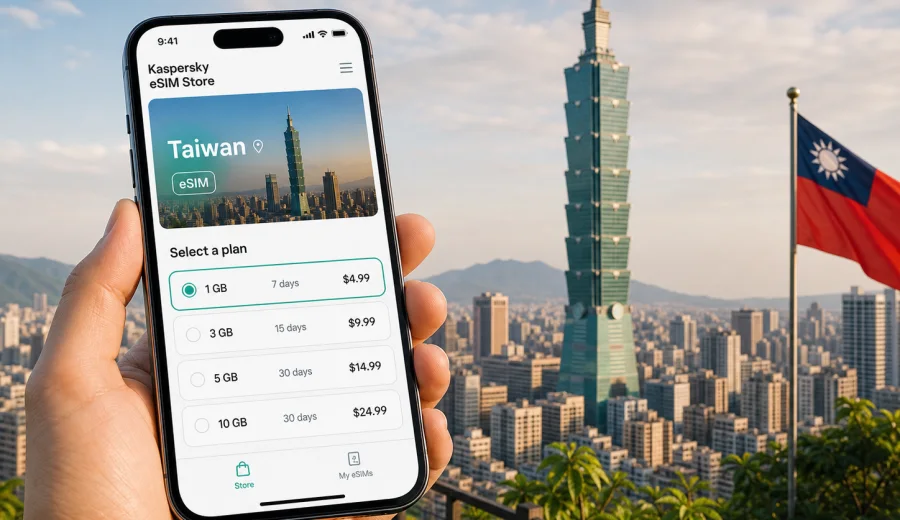
eSIM for Taiwan: mobile connection and internet for your trip
Taiwan is a country where mobile internet quickly becomes part of the travel plan. You may need maps after landing, railway tickets between Taipei and Kaohsiung, taxi apps, hotel messages, restaurant bookings, translation tools, and quick updates from family or colleagues. An eSIM can help you prepare that connection before you start searching for a physical SIM card after arrival.
For a trip to Taiwan, eSIM is useful because it lets you use mobile data on a compatible phone without changing the physical SIM in your device. You choose a data plan for the destination, install the eSIM profile, and use it for internet access during the trip. Kaspersky eSIM Store is an app and website where you can quickly choose, arrange, and activate an eSIM with a suitable plan for mobile internet in an international trip.
This guide focuses on the practical details: when eSIM makes sense in Taiwan, how much data to consider, what to check before purchase, how to install and activate the profile, and how to avoid common mistakes during travel.
Why eSIM is useful in Taiwan
Taiwan is easy to travel in, but many everyday actions are smoother when your phone is online from the first hour. You may arrive at Taiwan Taoyuan International Airport, take the Airport MRT into Taipei, continue by high-speed rail, or move between cities by bus and local train. In each case, mobile data helps with routes, tickets, translation, and time-sensitive notifications.
An eSIM is especially practical if you want to:
- keep your home SIM in the phone for banking codes or incoming messages;
- avoid looking for a local SIM counter after a long flight;
- choose a data amount and validity period before the trip;
- use maps and messaging without relying only on airport or hotel Wi-Fi;
- manage the eSIM profile through your phone settings;
- travel onward to another destination and compare country or regional options in advance.
The main point is simple: eSIM is not a separate phone number by default. In most travel scenarios, it is a data connection. Calls and SMS are not included unless a specific plan says otherwise. For calls, many travelers use messengers over mobile internet.
What mobile internet helps with during a Taiwan trip
Taiwan is compact, but the itinerary can change quickly. A traveler might spend two days in Taipei, take a day trip to Jiufen, continue to Hualien or Taitung, then finish in Tainan or Kaohsiung. Mobile data is useful not because the route is complicated, but because the phone becomes the control panel for the trip.
| Travel moment | Why mobile internet matters |
|---|---|
| Arrival at the airport | Check transport routes, hotel address, and messages from the accommodation. |
| Moving around Taipei | Use maps, metro directions, taxi apps, and attraction opening times. |
| Intercity travel | Check train platforms, ticket confirmations, and route changes. |
| Food and payments | Look up restaurants, menus, reviews, and payment instructions. |
| Work trip | Join calls, use email, receive documents, and share updates. |
| Outdoor routes | Navigate coastal areas, mountain towns, and bus connections more confidently. |
Public Wi-Fi can be helpful, but it is not always available at the exact moment you need it. A prepared eSIM reduces dependence on Wi-Fi in airports, cafes, stations, and hotels. It also keeps the travel flow simpler: your phone can stay online when you leave a building, change transport, or need to confirm a booking on the move.
eSIM, local SIM, roaming, or Wi-Fi: what to choose?
There is no single answer for every traveler. The right option depends on trip length, device compatibility, data use, and how much setup you want to do after arrival.
| Option | Best fit | Main check |
|---|---|---|
| eSIM | Prepared mobile data on a compatible phone. | Device support and plan conditions. |
| Physical local SIM | Longer stays or users who prefer buying after arrival. | SIM slot, counter time, and setup steps. |
| Home roaming | Keeping familiar operator settings. | Costs and data limits from your home operator. |
| Public Wi-Fi | Light use in fixed places. | Availability outside airports, cafes, and hotels. |
If your phone supports eSIM, the main advantage is preparation. You can install the eSIM before leaving home, keep your physical SIM in place, and select the eSIM for mobile data when you are ready to use it.
How much data do you need in Taiwan?
Data use depends more on habits than on the country. A traveler who mainly uses maps and messaging may need far less data than someone who streams video, uploads photos, or works from a laptop through mobile hotspot. Before choosing a plan, estimate what your phone will actually do during the trip.
Approximate daily data use can look like this:
| Usage style | Typical activities | Practical data approach |
|---|---|---|
| Light | Messaging, maps, email, simple searches. | A smaller data package may be enough for a short stay. |
| Medium | Maps, social media, restaurant search, occasional photo uploads. | Choose more data if you travel between cities and use apps often. |
| Heavy | Video calls, large uploads, streaming, hotspot for a laptop. | Consider a larger package and watch background app activity. |
Useful habits help any plan last longer:
- download offline maps for Taipei and other cities before departure;
- update apps over home Wi-Fi before the trip;
- disable automatic photo and video backups on mobile data;
- use hotel Wi-Fi for large files when it is available and trusted;
- check which apps are allowed to use mobile data in the background;
- monitor data usage in your phone settings during the trip.
For a long weekend in Taipei, many travelers need only a moderate amount of data. For a two-week itinerary across Taipei, Taichung, Tainan, Kaohsiung, and the east coast, it is safer to choose a plan with more allowance or a validity period that fits the full route.
What to check before choosing an eSIM plan
Before you choose any eSIM plan for Taiwan, check three things: your device, your route, and the plan conditions. This prevents most setup problems.
First, confirm that your phone supports eSIM. Some models differ by country or region of sale, and some carrier-locked devices may not allow another mobile profile. If you are not sure, check your device before choosing a plan.
Second, check your route. A Taiwan-focused plan is usually the clearest option for a trip inside the country. If Taiwan is part of a longer route through several Asian destinations, compare whether a regional plan is more suitable for the full itinerary. Do not choose only by headline data volume; the country list and validity period matter just as much.
Third, read the plan details. Look at:
- data allowance;
- validity period;
- destination coverage;
- when the validity period begins;
- whether top-up is available;
- whether hotspot use is allowed under the selected plan;
- whether the plan is data-only;
- refund and support conditions.
If you want to prepare before departure, install the eSIM while you still have a stable internet connection. Then wait to use mobile data from that eSIM until the right moment, depending on the plan instructions.
Practical scenarios for Taiwan
Different trips need different mobile internet behavior. Use these scenarios as a quick way to choose a plan size and setup approach.
Weekend in Taipei
For a short Taipei trip, mobile data is mostly used for metro navigation, maps, restaurant searches, ticket confirmations, and messaging. A smaller or medium plan may be enough if you avoid streaming and large uploads.
Business trip
For a business trip, you may need email, calendar updates, document access, ride-hailing, and video calls. Choose a plan with enough data for work apps. If you use a laptop hotspot, allow extra data.
Island route with several cities
If your route includes Taipei, Taichung, Sun Moon Lake, Tainan, Kaohsiung, Hualien, or Taitung, choose a plan that fits the whole trip length. Long travel days can use more data because of maps, transport apps, translation, and photo sharing.
Taiwan plus another destination
If Taiwan is one part of a wider Asia itinerary, compare a country plan with a regional option. The country plan may be clearer for a Taiwan-only visit, while a regional plan may be more convenient for multi-country travel.
Choosing a Taiwan eSIM plan through Kaspersky eSIM Store
Once you know your trip length and expected data use, you can compare available options and choose an eSIM plan for Taiwan before you travel or after you arrive. Kaspersky eSIM Store helps you select the destination, review the data amount and validity period, and arrange activation on a compatible device.
The safest way to choose is to start from your itinerary rather than from the largest number on the screen. Ask yourself:
- How many full travel days need mobile data?
- Will I use video calls or mostly maps and messaging?
- Do I need hotspot for a laptop or tablet?
- Will I cross into another country during the same trip?
- Can I install the eSIM before departure over a stable connection?
- Do I understand when the validity period starts?
For many travelers, the right plan is not the biggest one. It is the plan whose data allowance, validity period, and destination coverage match the real trip.
How to install and activate eSIM for Taiwan
Installation is usually straightforward, but it is worth doing calmly. You need a compatible phone, internet access for setup, and the eSIM details provided after arranging the plan. If you want a device-specific walkthrough, use the Android installation guide or the iOS installation guide.
A typical setup flow looks like this:
1. Check that your device supports eSIM and is not locked to one carrier.
2. Choose Taiwan or the relevant travel destination in Kaspersky eSIM Store.
3. Review the data allowance, validity period, and plan details.
4. Arrange the selected plan and open the eSIM details in your profile, app, or email.
5. Add the eSIM profile on your phone using the QR code or manual details.
6. Label the new line clearly, for example “Taiwan travel”.
7. Keep your primary SIM for calls or messages if needed.
8. Select the eSIM line for mobile data when you are ready to use it.
9. If the instructions require it, enable data roaming for the eSIM profile.
10. Wait a few minutes for connection; timing can depend on device settings and the local network.
Do not delete the eSIM profile unless you are sure you no longer need it. Some profiles cannot be transferred or reinstalled after removal, depending on the plan conditions and device behavior.
Taiwan travel checklist for mobile internet
Use this checklist a few days before departure:
- Confirm that your phone supports eSIM.
- Check that the device is not carrier-locked.
- Choose whether you need a Taiwan-only plan or a regional option.
- Match the plan validity to the full trip, including arrival and departure days.
- Estimate data use for maps, messaging, work, and uploads.
- Install the eSIM while you still have reliable internet access.
- Save important booking details offline.
- Download offline maps for your first city.
- Learn where to switch mobile data lines in your phone settings.
- Keep the eSIM details available in your email or profile.
On arrival, switch mobile data to the Taiwan eSIM profile, enable data roaming for that profile if required, test maps or messaging, and monitor data use during the first day.
FAQ
Can I use eSIM in Taiwan without a physical SIM card?
Yes, if your phone supports eSIM and the selected plan covers Taiwan. The eSIM works as a digital profile for mobile data, so you do not need to insert a separate physical SIM for that data plan.
Does an eSIM plan include calls and SMS?
Usually no, unless the plan conditions state otherwise. Travel eSIM plans are commonly used for mobile internet. For calls and messages, many travelers use internet-based apps.
Should I install the eSIM before flying to Taiwan?
It is often more convenient to install it before departure while you have stable Wi-Fi. You can then select the eSIM for mobile data when you are ready to use it, following the plan instructions.
Can I keep my normal SIM active?
Yes, many phones allow you to keep your usual SIM active for calls or messages while using the eSIM for mobile data. Check your phone settings so the correct line is selected for each function.
What if mobile data does not start immediately?
Check that the eSIM profile is selected for mobile data, confirm whether data roaming must be enabled for that profile, restart mobile data, and wait a few minutes. If the issue continues, contact support and include your device model and destination.
Is eSIM better than airport Wi-Fi?
It depends on the situation. Airport Wi-Fi may help at the terminal, but eSIM can be more convenient once you leave the airport, move between cities, or need maps and messages outside Wi-Fi coverage.
Prepare mobile internet for Taiwan before you travel
A Taiwan trip is easier when your phone is ready for maps, transport, messages, and booking details from the start. eSIM helps you prepare mobile internet without replacing your physical SIM, as long as your device is compatible and the selected plan matches your route.
Before departure, review your data needs, check your device, install the profile over a stable connection, and keep the setup instructions close. When you are ready to arrange the mobile data part of the trip, you can choose an eSIM plan for your Taiwan trip through Kaspersky eSIM Store and activate it on a compatible device.