Travel connectivity guide
Taiz eSIM: Mobile Data and Connectivity Guide
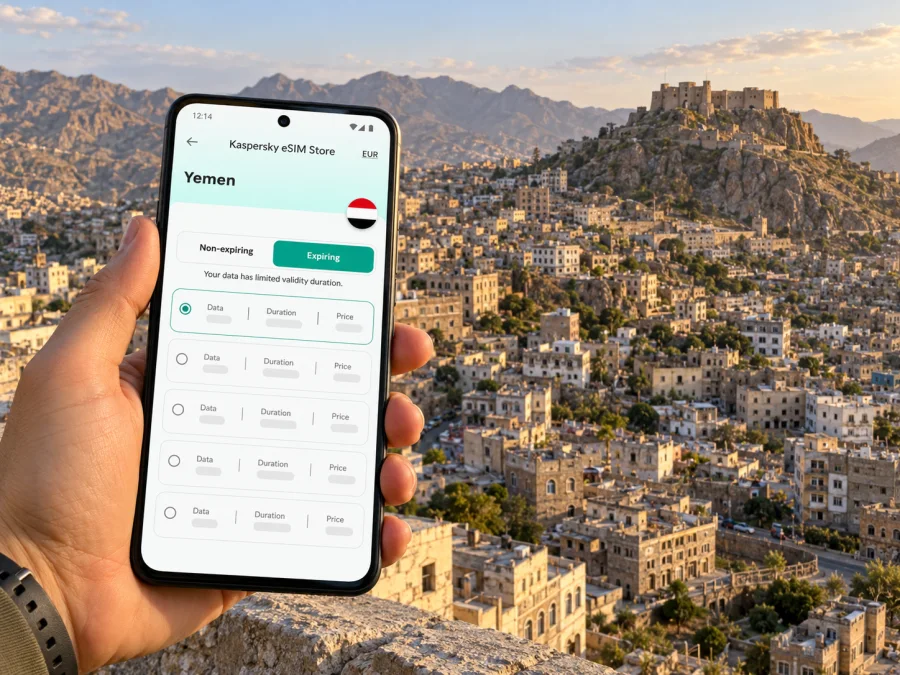
Taiz eSIM: mobile connection and internet planning for Yemen
Taiz is a city in southwestern Yemen, set among steep hills and dense urban neighborhoods. For a visitor, mobile data could help with maps, translation, messages and coordination. But a plan, an eSIM or a phone signal cannot make travel to Taiz safe or guarantee that a network is available. As of 1 November 2026, the UK Foreign, Commonwealth & Development Office advises against all travel to Yemen, and the United States Department of State also says not to travel. A United Nations statement on 20 October reported road closures and insecurity preventing supplies from reaching Taiz. Check your own government’s current advice and qualified local security guidance before making any decision; postpone non-essential travel.
This guide is for people already in Taiz, those with an independently cleared essential journey, or future planning after conditions change. It covers eSIM checks and basic offline communication if service fails.
What matters about connectivity in Taiz
Taiz is the capital of Taiz Governorate. UN-Habitat’s city profile describes the city as including the districts of Al Mudhaffar, Al Qahirah and Salah. These names help orient a map, but they should not be treated as a current safe-travel itinerary: access, local control, road status and services can change, sometimes quickly. Taiz’s built-up area lies in mountainous terrain, so a route that looks short on a screen may involve steep roads, checkpoints, closures or conditions that a map cannot show.
Mobile internet is useful for specific tasks: confirming a pickup, sending a location to a trusted contact, checking a saved map, or receiving a message while moving between a hotel, workplace and meeting point. It is a supporting tool, not an emergency response system. A handset may show no signal, data may be delayed, a road may be blocked, or electricity and charging may be unavailable. Do not set out on the assumption that navigation, calls over messaging apps, or an eSIM will work continuously.
A practical distinction: the city is not the coverage map
A country-level plan page may show that a data package is offered for Yemen. That does not establish that the package works in every part of Taiz, that a particular provider is currently reachable, or that mobile service will continue along the road into or out of the city. Service depends on the eSIM package’s listed network partner, compatible local infrastructure, local power and network conditions, and the route you actually take.
The current Yemen page displays MTN as the local provider. Yemen’s former MTN operator adopted the YOU brand in 2022, so confirm with support which network actually supplies the package today and whether it is reachable in Taiz. A country-level answer is not a neighborhood guarantee. If the network details cannot be confirmed, assume data may not connect and keep another way to communicate.
| Need in Taiz | What mobile data can help with | What it cannot confirm |
|---|---|---|
| Reaching a meeting point | Sharing a pin or sending a message, if data is available | Whether the route is open or safe |
| Moving around hillside districts | Loading a map or checking a saved place | Current checkpoints, closures or local conditions |
| Staying in touch | Internet messaging when both sides can connect | Ordinary cellular voice calls or SMS on a data-only plan |
| Arriving in Yemen | Checking a plan account or setup details | Current flight operations, airport access or onward transport |
| Leaving the city | Reviewing information before departure | Whether a road will remain passable during the journey |
Before making any journey
First ask whether the journey is necessary and independently assessed as safe. Follow your government’s current advice, your organization’s security lead and qualified local guidance. A map, hotel message or coverage map is not a security assessment. If an official advisory says not to travel, postpone non-essential plans.
For a journey that has already been authorized for essential reasons, agree on a communications plan before departure. Keep it simple enough to use if mobile data fails:
- Name a primary and a backup contact. Agree who checks in, by what method, and at what times. Share the plan directly rather than posting movements publicly.
- Set a missed-check-in procedure. Decide who will call whom, how long to wait, and which trusted person has permission to escalate. A messaging app’s “last seen” status is not proof of safety.
- Save essential details offline. Keep addresses, meeting points, names and phone numbers in a secure offline note. Store an offline map for the relevant area, but remember that it will not show fresh closures or security developments.
- Check the route close to departure. Ask a qualified local contact about access and road conditions on the same day. A route that was open earlier may no longer be usable.
- Carry a power plan. Charge devices and power banks in advance, keep the phone’s battery for essential communication, and do not assume that a hotel or public charging point will be available.
- Keep a second way to communicate where appropriate. Depending on your role and local rules, this might mean a separate local SIM, a second handset, or an organization-approved communications device. Confirm legality and operation before carrying or using any equipment.
Choosing an eSIM for Taiz: questions to answer first
Kaspersky eSIM Store is an app and website where you can select, arrange and activate an eSIM with a suitable data plan for an international trip. Its Yemen page is country-level: it is a place to review the current displayed package terms, not a Taiz-specific coverage map. A Yemen package should only be considered if its current terms match your device and intended use, and if its network details can be verified for the place you need. The service’s presence on a country page is not proof of local availability.
Before selecting a plan, check these items on the live offer and with support if anything is unclear:
- Destination and service area: Does the plan explicitly include Yemen? Does the provider confirm use in Taiz, rather than only naming the country?
- Network partner: Which local network is listed today? Can the provider confirm that it is operating and reachable in the city at the time of your trip?
- Data allowance and validity: How much data is included, when does validity begin, and can unused data expire? Match the allowance to messages and maps rather than assuming that video or large downloads will be practical.
- Data-only limits: The eSIM plan may provide data without a Yemeni phone number, regular calls or SMS. Check the terms. Keep a separate way to make ordinary calls if your safety plan requires it.
- Device requirements: Confirm that your exact phone variant supports eSIM and is unlocked for another provider. Regional versions of the same device can differ. Check whether your device is compatible.
- Installation and activation: Find out whether the profile can be installed before travel, when data use begins, whether the QR code is single-use, and what steps the provider recommends if activation fails.
- Support and payment: Save the support method and purchase details offline. Confirm that you can access your account and any required payment method when away from your usual network.
If you want to review the current Yemen destination page, you can check the displayed eSIM options for Yemen. Read the provider and validity terms immediately before purchasing. The offer is for the country; it does not promise coverage in Taiz or guarantee a working connection at a particular address.
Arrival, accommodation and city movement
Do not assume that an international flight, a local airport, a transit connection or a particular road into Taiz is operating. Confirm every leg with the relevant carrier or authority and a trusted local contact shortly before departure. An itinerary shown online can become outdated; a ticket or booking confirmation does not prove that the onward route is open. Keep contact details for your host and transport coordinator in an offline note, and agree where to meet if messages do not arrive.
If you are already in the city, use data for orientation only after you have checked that moving is appropriate. A map can help distinguish a destination from a similarly named street or facility, but satellite imagery and pins do not reliably indicate current access. In the older central areas and on steep roads, local names and transliterations can vary. Save both the name as your host writes it and a map pin, and confirm the destination before getting into a vehicle.
For accommodation, ask the host directly about current access, power, water, and whether they can communicate if mobile networks are unavailable. Do not infer that a hotel is accessible or operating because its listing is visible online. Share the address and check-in plan with one trusted person, but avoid public posts that reveal your location or routine.
Navigation habits that work better offline
- Download an offline map before you leave a trusted internet connection; test that it opens in airplane mode.
- Save the destination pin and a written description supplied by your local host. Keep the spelling in Arabic if you have it, plus a transliteration you can read.
- Keep a paper note with the address and contact number as a backup. Do not photograph or share sensitive documents unless necessary.
- Ask your local coordinator to confirm the route shortly before movement. Navigation software can calculate a route through a road that is closed or unsuitable.
- Avoid making route decisions while driving. If you lose connectivity, stop only in a location your security plan considers appropriate and contact your designated person using the agreed fallback.
- Do not photograph checkpoints, security positions, infrastructure or people without clear permission. A connected phone can still create personal and legal risks through location history, automatic backups and public posts.
Work, short stays and onward trips
For essential work, keep host, vehicle, document and return details in an offline itinerary with a time window. Tell a colleague what to do if you miss a check-in, and do not let an appointment override a change in security conditions.
For an overnight stay, agree how colleagues or hosts will reach you if data fails. Follow your organization’s device rules, and avoid syncing confidential files over an unknown hotspot.
A short layover or same-day transit through Yemen should not be treated as low-risk simply because the stay is brief. Confirm the exact arrival point, border and transit requirements, onward transport, and whether the connection is actually available. Keep enough time and resources for disruption, and do not assume you can safely wait at an airport or continue overland if a flight changes.
An onward trip from Taiz toward another city or the coast requires a fresh assessment for that specific route. Distance on a map is not a measure of travel time or safety. Roadblocks, fuel shortages, changing conditions and local access decisions may affect travel. Downloading a route or buying a country data package cannot resolve any of those issues. If a responsible local security contact cannot confirm the movement, do not treat a mapped route as permission to go.
Install and prepare the eSIM before relying on it
If an eSIM is appropriate, install it over stable Wi-Fi and follow your device and plan instructions. These guides explain the process for Android and iOS.
A preparation sequence:
- Check that the exact device model and regional variant support eSIM, and confirm that it is not carrier-locked. Keep your primary SIM active if you need its number for calls or account verification.
- Review the package’s provider, destination, allowance, validity and activation rules. Save a copy of the instructions and support details somewhere available offline.
- Install the eSIM over reliable Wi-Fi. Do not delete an installed profile as a troubleshooting shortcut unless support tells you to; some activation codes cannot be used again.
- Label the travel line clearly. Check which line is selected for mobile data and whether the plan requires data roaming. Follow the package instructions rather than changing settings at random.
- Before departure, confirm that the profile appears in settings and that you know how to switch data lines. If possible, test the profile only in a way allowed by its terms; installing it does not mean the Yemen network is reachable from your current location.
- At destination, enable the travel line only when your security plan allows it. If it does not connect, note the error and contact support when a reliable connection is available. Keep your offline fallback in use.
A successful installation confirms that a profile is on the phone; it does not confirm that a local network is available, that data will work in Taiz, or that calls and SMS are included. A data-only eSIM is not a replacement for a local emergency number or a separately arranged voice service.
Troubleshooting without taking unnecessary risks
If mobile data does not work, troubleshoot from a safe and stable place. Do not move to an unfamiliar area just to search for signal or follow an online forum’s suggestion to visit a shop.
- Check that the eSIM line is enabled and selected for mobile data.
- Confirm that the package is active and that the allowance remains available.
- Review the provider’s instructions for roaming and APN settings; do not enter guessed values.
- Restart the handset once if appropriate, then allow it to reconnect. Avoid repeated profile deletion and reinstallation.
- If a network appears but data does not pass, save the time, location at a broad level, and error message. Send these details to the provider’s support team when you can do so safely.
- Switch to the agreed backup: a trusted Wi-Fi connection, a separate SIM or device, or the communications method arranged by your organization.
Keep check-ins independent of continuous data; a “delivered” or “read” indicator is not direct confirmation that someone is safe.
Frequently asked questions
Is Taiz currently a normal leisure destination?
No. As of 1 November 2026, current government advisories include advice against travel to Yemen, and the United Nations has recently reported road closures and insecurity affecting Taiz. This article is not a recommendation to visit. Recheck official advice before any future plans and postpone non-essential travel.
Does a Yemen eSIM guarantee mobile internet in Taiz?
No. A country-level plan listing cannot guarantee service in a particular city, district, building or road. Confirm the current provider and Taiz-specific availability with the service provider, and prepare for no connection.
Can I use an eSIM for regular calls and SMS?
Do not assume so. Many travel eSIM packages are data-only and do not include a local number, ordinary voice service or SMS. Check the terms of the specific package and keep another way to contact people if required.
Should I install the eSIM before arrival?
If you have decided to use one and its terms allow it, installing over reliable Wi-Fi before travel can make setup easier. Read when validity starts, and keep the installation instructions offline. Installation does not prove the network will be available at the destination.
What if the phone is eSIM-capable in one country but not another?
Device support can vary by model, carrier lock and regional variant. Check the exact device rather than relying only on the product family name, and confirm that the phone is unlocked for another provider. Keep a physical-SIM or other communications fallback if your plan depends on staying reachable.
Is offline navigation enough for moving around Taiz?
No. Offline maps can help identify places when data is unavailable, but they do not show current road closures, checkpoints or security conditions. Ask a qualified local contact to assess any essential movement immediately before departure.
A careful connectivity plan
For Taiz, think in layers: first assess whether travel or movement should happen at all; then agree on trusted contacts and an offline check-in plan; then verify what a specific eSIM package actually includes. Save maps and key details before departure, protect your battery, and assume service can fail. The goal is not to be online every minute, but to avoid relying on one phone, one route or one network for decisions that affect your safety.
If a Yemen data package suits your confirmed requirements, review the current eSIM options for Yemen in Kaspersky eSIM Store, compare the displayed allowance and validity, and verify provider details and Taiz access before choosing. Install only after checking device compatibility and activation rules. Do not purchase on the assumption of citywide coverage, and postpone non-essential travel while official advice remains against it.


