Travel connectivity guide
Tamarin eSIM: Mobile Internet for Mauritius
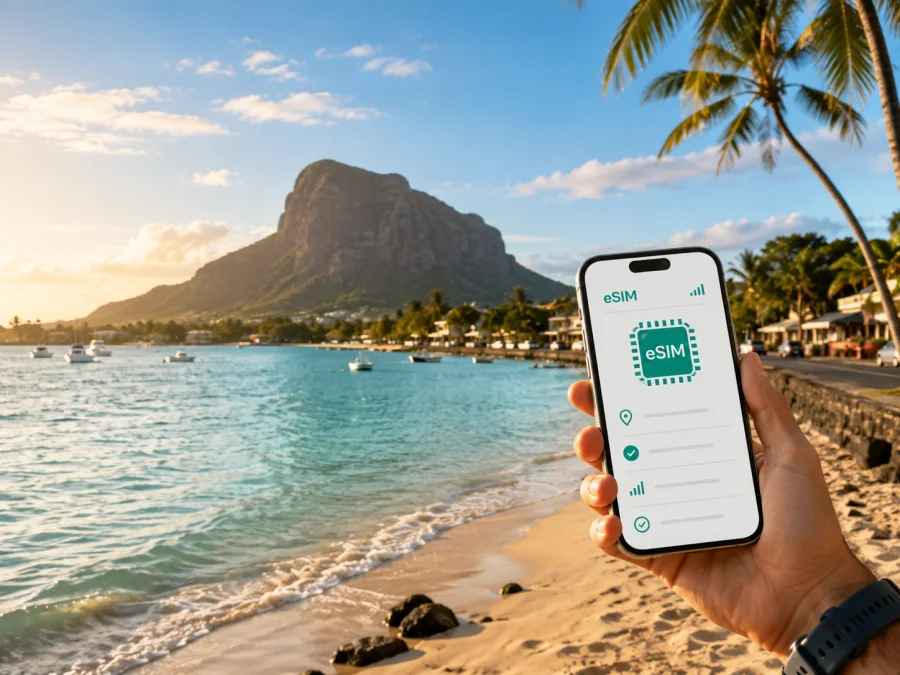
Tamarin eSIM: mobile connection and internet for a trip to Mauritius
Tamarin is a practical west-coast base for a Mauritius trip: the village sits beside Tamarin Bay, close to the Black River area, with beaches, restaurants, surf and boat excursions in one direction and mountain, forest and Le Morne routes in the other. That mix is why a dependable mobile connection matters. A day here can move from a hotel lobby to a beach, a taxi pickup point, a viewpoint or a trailhead.
An eSIM, or digital SIM, can keep mobile internet planning separate from your everyday number. You can prepare a data tariff for Mauritius before departure, leave your primary SIM available for calls or messages if you need it, and use mobile data for maps, transport coordination, translations, reservations and messages in apps. The right setup depends on your device, your travel length and how much time you will spend moving around Tamarin rather than staying at one property.
Why mobile internet is useful in Tamarin
Tamarin is easy to enjoy at a relaxed pace, but its useful places are spread along roads rather than arranged around one compact pedestrian centre. A connection helps with small decisions:
- checking the location of a meeting point for a dolphin or lagoon excursion;
- sharing your arrival details with a hotel, driver or travel companion;
- confirming a reservation when plans change;
- using a map while driving on unfamiliar roads;
- checking weather conditions before a boat trip or a walk in the hills.
Arriving in Tamarin from Mauritius airport
Most international visitors arrive at Sir Seewoosagur Ramgoolam International Airport in the southeast of Mauritius, while Tamarin is on the west coast. The transfer is an island journey, and its duration can vary with traffic, weather, roadworks and the type of transfer.
Prepare before leaving the terminal
Before the flight, save the following in an accessible note or screenshot:
- The full name and address of your accommodation in Tamarin.
- The name and phone or messaging contact of your driver, if a transfer is arranged.
- Your booking reference and check-in instructions.
- An offline map covering the airport, the west coast and Tamarin.
If you install your eSIM before departure, keep your primary line available until the travel line is working. If you install it after landing, keep the details offline.
Taxi, rental car or bus?
For a direct transfer with luggage, a pre-arranged car or taxi is often the simplest option. Confirm the exact address, waiting time and any additional stops, especially for a villa or property away from the main road. A live connection lets you send a pin and check the correct entrance.
A rental car gives more independence for a west-coast itinerary that combines Tamarin with Black River Gorges National Park, Chamarel or Le Morne. Mauritius drives on the left, so adjust carefully, set navigation while parked and use a passenger or voice guidance.
Public buses also pass through Tamarin toward Grande Rivière Noire and Le Morne. Stops and timetables can change, so check current information locally and identify the nearest stop to your accommodation.
Tamarin areas and routes where a connection helps
Tamarin is best understood as a set of connected places with different travel rhythms. The exact boundaries are less important than knowing what kind of navigation each area requires.
| Area or direction | What you may do there | Why data is useful |
|---|---|---|
| Tamarin Bay and village | Walk, eat, arrange an excursion or watch evening light | Find meeting points and return transport |
| Tamarin Salt Pans | See a distinctive local landscape near the village | Orient yourself around smaller roads and confirm access |
| Black River and Grande Rivière Noire | Visit marinas, shops or start a boat outing | Coordinate with operators and the route back |
| La Preneuse and Flic en Flac | Add beaches, food or a slower coastal drive | Keep navigation available when stops are spontaneous |
| Le Morne direction | Plan a beach, mountain view or water activity | Share the pickup point and check conditions |
| Inland routes | Travel toward Black River Gorges or Chamarel | Use maps for winding roads |
Choosing an eSIM tariff for your Tamarin itinerary
Think about your trip in terms of use, not only the number of days. A guest based at one property may need less data than someone driving across the island and navigating several times a day. Always compare the allowance with the validity period.
| Travel pattern | Typical data activity | What to compare before choosing |
|---|---|---|
| Quiet stay in Tamarin | Messaging, occasional maps, bookings and light browsing | A modest data allowance and a validity period covering the whole visit |
| Beach and excursion holiday | Maps, ride coordination, weather checks and photos | Enough data for repeated navigation between outings |
| Road trip from the west coast | Frequent maps, route changes, searches and travel messages | A larger allowance, start conditions and the tariff’s validity |
| Business trip | Calls in messengers, email, documents, maps and hotspot needs | Data volume, hotspot rules and a clear separation from your work line |
| Short stopover | Airport transfer, accommodation message and one or two routes | Conditions that fit the short validity window |
The Kaspersky eSIM Store app and website help you review the destination and the conditions of available eSIM tariffs before you commit. Look at the destination, data volume, validity, activation details, price and any restrictions shown for the specific option. For a trip centred on Tamarin, select Mauritius as the destination: Tamarin is the city focus of your itinerary, while the country tariff is the relevant travel direction. You can choose an eSIM tariff for your trip to Tamarin and review the current terms before purchase.
A simple decision rule
Use this sequence when comparing options:
- Estimate the number of days from arrival in Mauritius to departure.
- List data-heavy activities such as navigation, work, video, uploads and hotspot use.
- Add a sensible margin for longer days away from Tamarin.
- Check when validity begins and whether the tariff is data-focused if you need mobile internet rather than a regular phone number.
Choose conditions that match your itinerary and monitor the remaining balance. If top-ups are available, check how they work before travelling inland.
Installing and activating eSIM before the trip
Installation is easier with a charged phone and reliable Wi-Fi.
Before buying, check that your smartphone supports eSIM and is not restricted by a carrier lock. If you are unsure, check your device compatibility before selecting a tariff. Also check how many eSIM profiles the phone can store and whether it can keep the travel eSIM and your primary line available at the same time.
Preparation checklist
- Charge the phone and update the operating system if convenient.
- Keep the purchase confirmation and installation details accessible.
- Have Wi-Fi available for the installation step.
- Decide which line will handle mobile data after arrival.
- Turn off data switching if your phone could automatically move data back to the primary SIM.
- Leave the primary line on only if you understand its roaming settings.
- Save the accommodation address and first route offline.
Installation steps
- Open the eSIM section in device settings and choose the option to add a mobile or cellular plan.
- Scan the QR code or follow the activation method provided after your purchase.
- Give the new line a clear name such as “Mauritius trip”.
- Select the eSIM for mobile data when you are ready to use it. Keep your main line for calls or messages if required.
- Follow the tariff instructions about data roaming for the eSIM. Some devices require this setting for a travel eSIM to access mobile data.
- After arrival, turn off airplane mode, wait for registration and test a map or short message.
For device-specific guidance, use the Android installation instructions or the iOS installation instructions. Do not delete the profile while troubleshooting unless the applicable instructions tell you to do so; an eSIM profile may not be reusable on another device or after removal, depending on its terms.
A quick arrival test
At the airport or accommodation, make sure the travel eSIM is enabled, assigned to mobile data and configured for data roaming when required. Turn Wi-Fi off and load a map or send a short message. If it fails, wait briefly, recheck the selected data line and follow the tariff instructions before contacting support with your order details.
Tamarin by travel scenario
A beach and sunset day
Keep the phone in a waterproof pouch and download anything essential before leaving. Use data for the meeting point, a return ride or a message to your group; coordinate the journey back after the light fades and keep the rest of the day screen-light.
A boat excursion
Ask the operator for the exact departure point and what to do if weather changes. Save the details, share them with your group and keep enough battery for the return. Between Tamarin and Grande Rivière Noire, navigation and messages matter more than open browser tabs.
A driving day toward the south-west
Tamarin is a useful starting point for Le Morne, the south-west coast or inland scenery. Build in time for stops, use a passenger for navigation and verify the return route before leaving a low-traffic area. Check access instructions and weather before a walk or hike; a visible trail is not automatically a casual stroll.
A business stay
For work, label the travel eSIM separately from the primary number. Download documents, save the venue address and test meeting apps. If a laptop needs internet, confirm hotspot conditions and monitor the allowance; hotel Wi-Fi may suit a long call, while the eSIM covers directions and changes of venue.
A short stopover in Tamarin
With one night, prioritise reaching the accommodation, contacting the host, finding dinner and confirming the next transfer. Choose conditions that fit the short window, and do not activate long before the stopover if validity starts at activation.
Managing data during a Mauritius stay
Background activity can use more data than one map search. Review photo backup, app updates, video autoplay and social uploads before travel. Set a data warning and restrict background data for selected apps if your phone allows it.
For Tamarin, this approach is practical:
| Need | Lower-data habit | When to use more data |
|---|---|---|
| Navigation | Download map areas and search the route before leaving | When traffic or a meeting point changes |
| Communication | Use short messages and one clear location | When coordinating a group or driver |
| Photos | Delay automatic cloud backup | When Wi-Fi is available |
| Work | Download documents and use hotel Wi-Fi for long calls | When a venue changes or a hotspot is needed |
Remember that an eSIM tariff for mobile internet does not automatically replace a normal telephone service. Calls and SMS may not be included unless the specific terms say otherwise. Messaging apps can be used over data, but make sure important contacts know which number remains active for ordinary calls.
FAQ about eSIM and Tamarin travel
Is an eSIM useful if I stay only in Tamarin?
Yes, if you need maps, messages, reservations or ride coordination away from hotel Wi-Fi. A short stay can use a smaller tariff if its conditions fit your dates.
Can I keep my regular SIM in the phone?
Many compatible dual-SIM phones allow both lines, but behaviour depends on the device. Choose the travel eSIM for data and review data-switching settings.
Will eSIM give me a regular Mauritius phone number?
Not necessarily. Travel tariffs are generally intended for mobile internet; ordinary calls or SMS are included only when the specific terms say so. Use messaging apps over data when appropriate.
What if I travel from Tamarin to Le Morne or Black River Gorges?
The same Mauritius travel tariff can be relevant, but check its destination and conditions. Prepare offline maps, confirm meeting points and allow for changing road and weather conditions.
What should I do if mobile data does not work after landing?
Check that the travel eSIM is enabled, selected for data and configured according to its instructions. Turn Wi-Fi off for the test, and contact support through the app or website if the problem continues.
Final checklist before leaving for Tamarin
- [ ] Mauritius is the selected destination and the tariff conditions match your dates.
- [ ] Your phone supports eSIM, is not carrier-locked and passes the device compatibility check.
- [ ] The installation details are saved and the device is charged.
- [ ] Your accommodation address, airport transfer and first route are saved offline.
- [ ] Mobile data switching is configured deliberately.
- [ ] You know whether your plan includes only data or additional services.
- [ ] Maps, reservations and key contacts are accessible offline.
- [ ] You have a backup battery for road days, boat trips and walks.
Once these details are ready, the eSIM becomes a quiet part of the trip: a practical way to keep maps, messages and travel information available while you explore Tamarin, its bay and the west-coast routes beyond it. Prepare an eSIM for your Mauritius trip by reviewing the available tariff, checking its conditions, installing it on your phone and activating it when your itinerary begins.


