Travel connectivity guide
Tambacounda eSIM: Mobile Internet for Your Trip
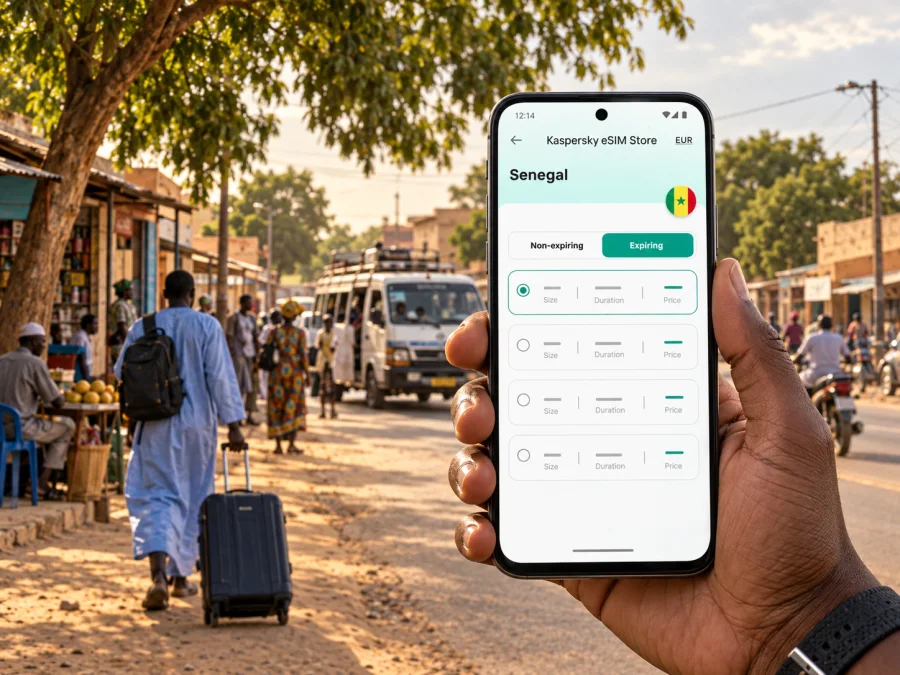
Tambacounda eSIM: Mobile Connection and Internet for Your Trip
Tambacounda is a practical stop in eastern Senegal: a place to arrive, settle in, handle local errands, and organise the next leg of a longer journey. Mobile internet can help you check an address, message your host, or confirm a pickup point. An eSIM lets you prepare mobile data for the trip without looking for a physical SIM card after arrival.
This guide focuses on using a phone in Tambacounda: arrival, local movement, accommodation, work, stopovers, and onward travel. Senegal provides the country context, but the advice is shaped around the city’s role as a regional centre and a road junction.
What mobile internet is useful for
Use a connection to solve practical travel questions: locate an address, message a host about your arrival, check a route, or tell colleagues that a meeting time has changed. It can also keep booking details, translation tools, and everyday searches at hand.
| Moment | Useful phone task |
|---|---|
| Before leaving your room | Review the route and message the person you are meeting. |
| At a pickup point | Confirm where to meet and share your location if useful. |
| Moving across town | Check a map and compare it with visible landmarks. |
| Working between appointments | Send a status update or open a document. |
| Preparing to leave | Recheck departure details and save the next address. |
Treat a map as a planning aid. Place names may be written in different ways, and a pin may not show the entrance you need. Keep an address in writing and confirm the final approach with your host or driver.
Arriving and getting oriented
Many visitors reach Tambacounda as part of a longer overland itinerary. Dakar Dem Dikk lists intercity service between Dakar and Tambacounda, but schedules, departure points, and operating days can change. Confirm the current details before setting out. Local transport or a private transfer may also be arranged through your accommodation or travel contacts; ask about the options for your arrival time.
Before travelling, save your accommodation’s name and location, a contact for your host, and the address or description of your onward departure point. Keep a screenshot or written note available offline. If someone is meeting you, agree on one clear point and a fallback rather than assuming a broad place name will mean the same thing to both of you.
After a long journey, confirm your destination and transport arrangement before leaving the vehicle. Message your contact, then follow their advice about the final route. A charged phone and power bank can be more useful than trying to solve several logistics questions at once.
Arrival checklist
- Save the accommodation address, booking, and host contact offline.
- Confirm the pickup point and how you will recognise it.
- Check that mobile data is assigned to the intended SIM or eSIM.
- Keep enough battery for navigation and messages.
- If the map is unclear, ask for a landmark-based description.
Moving around Tambacounda
Tambacounda is a working regional city, so a visitor’s day may include accommodation, shops, offices, transport points, and meals rather than a single sightseeing route. Walking may suit a short journey when the route and conditions are comfortable. For longer distances or with luggage, ask your host about practical local transport. Confirm the destination and fare with a driver before leaving where that is the local practice.
Use navigation in short steps. Search for the immediate destination, check that the result is in Tambacounda, and compare the route with signs or landmarks. For a market, station, hotel, or office, give the driver the destination name as well as the map pin. A pin can identify a large area without showing the right entrance.
The central market and Quartier Dépôt are among the city references travellers may encounter. Medina Coura is another useful name in transport information: Dakar Dem Dikk lists a Tambacounda departure point there, opposite Église Jean XXIII. Confirm the exact location and current arrangements before travelling; a neighbourhood label alone may not be precise enough for a pickup.
A practical navigation routine
- Search for the full destination and include the city name.
- Save the route before leaving; download an offline map if your app supports it.
- Zoom in near the destination and check for an entrance or landmark.
- Share the written address with the person meeting you.
- Update the route if a meeting or pickup point changes.
Check directions while stopped rather than watching a screen while walking or riding. This leaves you more aware of traffic and your surroundings.
Choose an eSIM plan around your itinerary
The suitable plan depends on how long you will be in Senegal, your data habits, and whether Tambacounda is your final stop. A brief stopover may need a different allowance from several days of maps, messages, browsing, and remote work. Compare the offer’s data, validity, and country coverage with your dates instead of judging by the word “travel”.
Kaspersky eSIM Store is an app and website where you can choose, purchase, and activate an eSIM with a plan for mobile internet on an overseas trip. The mobile service is provided by the network associated with the selected plan. Review the plan details for Senegal and make sure they fit the full itinerary, including any onward journey beyond Tambacounda.
Before choosing, ask:
- How many days will you need data? Count the full period from activation to the end of the trip.
- What will you use most? Maps and messaging differ from video uploads or frequent remote meetings.
- Will you travel beyond the city? Check the stated coverage for each destination.
- When does validity begin? It may start at purchase, installation, or first connection; check the terms.
- Are calls or SMS included? Check the offer; travel eSIM plans are commonly for data.
If your trip includes Dakar, Tambacounda, and another stop in Senegal, assess the route as a whole. You can review eSIM options for Senegal and compare current data allowances and validity with your dates and expected use.
Estimate data needs without overbuying
List the tasks that must work away from Wi-Fi: maps, messages, email, booking details, and any work calls. Then set aside heavier use, such as video uploads or photo backups, for Wi-Fi when possible. App settings, background syncing, and screen time all affect consumption, so treat any estimate as a guide rather than a promise.
| Travel pattern | What to consider |
|---|---|
| One-night stopover | Validity period and whether it starts at purchase, installation, or first use |
| Several days in town | Data allowance for daily maps, browsing, and messages |
| Business visit | Whether the allowance suits work tasks and whether meeting venues have Wi-Fi |
| Overland itinerary | Coverage terms for each destination after Tambacounda |
Staying in a hotel or guesthouse
Choose accommodation around your arrival or departure point and the places you need to visit. If you have an early departure or meetings across town, ask the property about arranging transport and how to describe the route to a driver. Confirm Wi-Fi availability, where it works in the property, and whether staff can help with a transfer; these are details to ask about, not features to assume.
Keep essential contact information and booking details available offline. A useful setup is mobile data for navigation and messages while moving, accommodation Wi-Fi for larger downloads, and a written note with your next address in case the phone battery or connection fails.
Stopovers and onward travel
Some visitors use Tambacounda as a pause between longer road journeys; others continue towards Niokolo-Koba National Park or destinations farther east or south. Before leaving the city, confirm transport, timing, accommodation, and any local arrangements with a current contact. A map estimate cannot account for every road condition or stop.
Save the destination and the next accommodation details before departure. If a driver or guide is meeting you, exchange a contact number and agree on a time and place. Download a route or map while connected, while remembering that a map may not include every local track or explain the final approach. Ask your host for the place name and a nearby landmark.
If the itinerary crosses a border, check that the chosen plan includes the next country. Senegal coverage does not automatically include neighbouring destinations. Arrange a way to contact your next host before leaving Tambacounda.
Business visits and remote work
Ask meeting hosts to send the address in writing, confirm a nearby landmark, and provide a contact number for the day. Keep calendar details and working files available offline. If a call matters, test audio and data beforehand and agree on a backup plan with colleagues.
Mobile data may support email, cloud services, and calls depending on the plan and local conditions. Do not assume it will replace venue Wi-Fi for a high-stakes video meeting. Choose a quiet place, avoid large uploads just before the call, and keep messages available if bandwidth is limited. If colleagues travel together, remember that a hotspot can use data and battery quickly; check the plan terms before relying on it.
Check your phone and prepare the eSIM
Before choosing a plan, confirm that your phone supports eSIM and is not carrier-locked in a way that prevents adding another profile. Support varies by model and market. Check whether your device supports eSIM if you are unsure.
Install the eSIM while you have a dependable internet connection and time to follow the steps. Keep the QR code or activation details accessible on another screen or in a printed copy if needed. Do not delete an installed profile unless the instructions say to; some eSIMs cannot be installed again after removal.
Basic installation and activation steps
- Confirm compatibility and review the plan’s country, data, and validity terms.
- Select and purchase a suitable plan through the Kaspersky eSIM Store app or website.
- Follow the supplied installation details. Use the Android installation instructions or iOS installation instructions for device-specific guidance.
- Label the travel profile in mobile settings and select it for mobile data.
- Enable the profile when the plan instructions recommend. If you want to use it later, wait to turn on the travel line until the appropriate time.
- Allow a few minutes for connection. If it does not connect, check the selected data line and plan instructions, including whether a data-roaming setting is required.
A travel eSIM is for mobile data unless its offer says otherwise. It does not automatically include a separate number, standard voice calls, or SMS. Internet-based calls and messages may work through apps when available and supported by your data connection.
Common travel situations
Finding your accommodation: Open the saved address and message the host with your arrival estimate. If the pin covers a broad area, ask for a landmark and confirm the final approach with the driver.
Meeting near a transport point: Share a written meeting description as well as a map pin. Agree on a nearby fallback point if the first location is crowded or unclear.
Leaving early: Confirm the departure time and pickup details with the transport provider or host the day before. Save those details offline and agree how you will reach the starting point.
Continuing to a regional destination: Confirm the vehicle, guide, timing, and accommodation directly. Save contacts and route details, and check plan coverage before leaving town.
Frequently asked questions
Is Tambacounda useful for arranging mobile data for a wider trip?
Yes. If it is one stop on a longer itinerary, compare the plan’s validity and coverage with the full route and check the current terms before purchase.
Does a travel eSIM include ordinary calls and text messages?
Usually not unless the specific offer says so. Review the plan details; travel eSIMs are commonly intended for mobile data.
Can I install an eSIM before arriving?
Yes, if your phone supports eSIM and the plan instructions permit it. Check when validity begins before enabling the profile.
Will mobile data work at every stop outside the city?
Coverage depends on the plan and local network conditions. Check the stated coverage for the full route and keep directions offline for areas where service may be limited.
Is there a regular passenger train between Dakar and Tambacounda?
Do not assume there is a regular service. Rail rehabilitation has been discussed, while published intercity bus information lists a Dakar–Tambacounda service. Confirm current transport options and schedules before travel.
What if a map pin is unclear?
Ask your host, driver, or contact for a landmark-based description. Keep the written address and destination name together, then confirm the final turn locally.
Prepare your connection before the next leg
Before you leave Tambacounda, keep the next address, a working contact, a clear pickup point, and transport details ready. Use maps for orientation, confirm arrangements directly, and save important information offline in case data or battery is unavailable.
Check eSIM support on your phone, review the Senegal plan’s allowance and validity, and install the profile using the supplied instructions. When ready, choose an eSIM plan for your trip to Senegal through Kaspersky eSIM Store, then follow the activation directions at the time that suits your itinerary.


