Travel connectivity guide
Tampa eSIM: Mobile Internet for Your City Trip
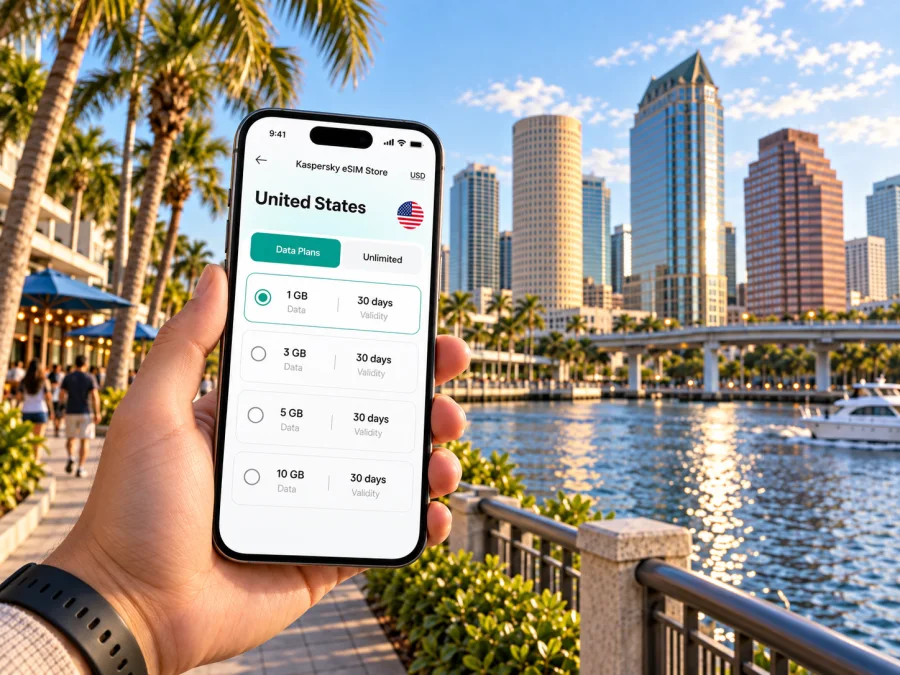
Tampa eSIM: mobile connection and internet for your city trip
Tampa is a spread-out city on Florida’s Gulf Coast. A visit may take you from Tampa International Airport to a downtown hotel, a meeting near Westshore, a walk along the Riverwalk, dinner in Ybor City, or a day planned around a game or event. Mobile data is useful at each transition: to check a hotel address, compare a route, message a host, or adjust plans when traffic changes.
An eSIM can make that planning easier without replacing your physical SIM card. You install a digital SIM profile on a compatible, unlocked device and use its data plan for the trip. Before choosing one, think about where you will go in Tampa, how long you will stay, and whether your accommodation or venue already offers Wi-Fi. That small bit of preparation helps you arrive with a practical connection plan instead of trying to solve everything in the airport.
Why mobile data helps in Tampa
Tampa’s main destinations are spread across several districts, and the best way to move between them depends on your schedule. A hotel in Downtown puts you near the Riverwalk, the convention center, and the Channel District. A stay in Westshore can be convenient for airport access and business meetings. Historic Ybor City has a different feel and is connected to downtown by the TECO Line Streetcar. A map app helps you see those relationships before you commit to a route.
Mobile data is useful for everyday trip decisions:
- Confirming an address, entrance, or pickup point.
- Checking routes, opening hours, and reservations.
- Messaging someone or finding a nearby place to stop.
Many Tampa itineraries involve driving, though Downtown and nearby districts can also be explored on foot, by transit, or by ride. Save addresses and reservations before leaving Wi-Fi. Offline maps can help with orientation, while live traffic and refreshed search results need data.
From Tampa International Airport to your first stop
Tampa International Airport (TPA) is west of Downtown. After landing, first check the exact address and entrance for your hotel or appointment. “Tampa” on a booking confirmation may refer to locations in different districts, so verify the street, neighborhood, and any check-in instructions before choosing transportation.
Options include rental cars, taxis, app-based rides, and public transit. The airport’s SkyConnect links the Main Terminal and Rental Car Center; HART routes serving the airport board near the center. Follow airport signs and check current timetables on your travel day.
For a ride, use the signed pickup area and match the vehicle details in the app. Keep the destination address available even if you plan to navigate with your phone; a saved copy is useful if the battery is low.
| Arrival task | Useful preparation |
|---|---|
| Find the right hotel | Save its full street address, district, and check-in note. |
| Choose how to leave TPA | Compare rental car, taxi, rideshare, and transit for your destination and arrival time. |
| Meet a driver | Use the airport’s signed pickup area and confirm the vehicle in the app. |
| Board a bus | Check the current HART route and stop location before walking to the Rental Car Center area. |
| Keep plans accessible | Save confirmations and essential addresses for offline viewing. |
Getting around: choose a route for the day
The best option depends on the district and time of day. Downtown has walking, bus, streetcar, and ride options; longer cross-city trips may be easier by car. Compare the full journey, including waits, transfers, and parking.
Downtown, the Riverwalk, and the Channel District
Downtown suits trips with meetings, performances, events, or waterfront plans. The Tampa Riverwalk connects central attractions and public spaces near the convention center and Channel District. Check exact locations: “downtown” venues can still be several blocks apart.
The Channel District lies east of the central business district, around the waterfront and arena area. For an event, check entry instructions and allow time for crowds and transport. Keep the ticket accessible, with a screenshot if permitted.
Group nearby stops into one walking route. A map helps estimate distances and locate crossings, while a planned indoor break can be useful in heat or rain.
Ybor City and the TECO Line Streetcar
Historic Ybor City is known for brick-lined streets, historic buildings, and Cuban, Spanish, and Italian heritage. The TECO Line Streetcar connects it with Downtown and the Channel District, a useful option when combining these areas.
Check the current schedule and service notices. Once in Ybor, use a map to locate your destination and return stop. If you plan to stay late, decide how you will get back rather than assuming service will still be running.
Mobile data helps with restaurant details and meetups. Follow street signs and posted transit information if a stop or route changes.
Westshore, Hyde Park, and other stays
Westshore is a major business and hotel area near the airport, while Hyde Park offers shops, restaurants, and residential streets south of Downtown. They serve different trip styles: a Westshore hotel may suit an early flight or meetings on that side of town; Downtown may reduce the distance to central venues; Hyde Park may fit an itinerary centered on its own neighborhood and nearby waterfront areas. These are planning considerations, not guarantees of journey time. Traffic, event schedules, and the location of a particular hotel matter.
Before booking, pin the hotel and the places you expect to visit. Estimate the trip for the likely time of day, and check whether you would be comfortable using a car, transit, or rides for those legs. If your itinerary includes several districts, mobile data can make it easier to compare a changed route on the spot. It is still sensible to keep a rough plan for the day and allow extra time for transfers or parking.
Choose an eSIM plan around your Tampa itinerary
A city visit rarely follows a perfectly fixed schedule. You might use data heavily on arrival, then spend a long meeting day mostly on office Wi-Fi, followed by navigation and messaging in the evening. For a longer stay, day trips and repeated rides can add more map use. Estimate your needs from the activities you actually expect rather than selecting a plan based only on the number of days.
A useful comparison starts with three details:
- Trip length. Check how long the plan remains valid and when that period begins. Activation rules vary by plan, so read the displayed conditions before purchase.
- Expected data use. Maps, messaging, browsing, and ride apps usually need less data than repeated video calls, streaming, or uploading large files. Download entertainment and work documents over Wi-Fi when practical.
- Route beyond Tampa. If you will continue elsewhere in the United States, check that the selected destination and plan conditions match the entire route. Do not assume that a city-focused search or a plan for one destination automatically covers every place you may visit.
Kaspersky eSIM Store is an app and website where you can choose, arrange, and activate an eSIM with a suitable plan for mobile internet on an international trip. Review the plan’s destination, data allowance, validity, and activation conditions before completing the purchase. To compare options for this trip, choose an eSIM plan for travel in the United States.
Prepare your phone before leaving
Before arranging an eSIM, check that your phone supports eSIM and is not restricted to a different carrier. You can check whether your device is compatible. Also confirm that you can access the email address or account where the eSIM details will arrive, and keep your device connected to Wi-Fi during setup if possible.
A practical setup sequence is:
- Choose the destination and review the plan’s data, validity, and activation details.
- Complete the order while you have a reliable connection and keep the confirmation available.
- Install the eSIM by following the on-screen instructions. For step-by-step help, use the Android eSIM installation guide or the iOS eSIM installation guide.
- Give the new line a clear label, such as “Travel data,” so it is easy to identify beside your regular line.
- Before departure, check which line is selected for mobile data and review the plan’s activation instructions. Avoid deleting an installed eSIM profile unless the plan instructions or support team tell you to do so.
- After arrival, enable the travel line and data settings required by the plan. If data does not start, check the line selection, the plan conditions, and the device’s data settings before reinstalling anything.
Menus vary by phone model and operating-system version, so follow the on-screen instructions and order details. Some travel eSIMs are data-only; check whether calls or SMS are included, and keep your regular number configured as needed.
Common Tampa scenarios
Late arrival at TPA
Save your hotel address and check-in details before the flight. At TPA, compare transport for the destination and follow signs to the correct pickup or transit area. Once underway, send an arrival update. Check the street address rather than choosing a route from the broad label “Tampa.”
A day between meetings
Pin the hotel, meeting, and meal locations, then check which districts they are in. Pick transport for each leg and allow time for traffic, transfers, or parking. Mobile data helps with route changes; saved addresses and calendar details are useful if reception drops.
Downtown and Ybor City in one evening
Check TECO Line Streetcar operating information, including the return trip, before leaving. Confirm the address of each stop instead of relying on a broad map pin. If dinner or an event may run late, have another way back to your hotel in mind.
Driving beyond Tampa
Save the route on Wi-Fi and set navigation before moving. Keep the phone mounted and do not handle it while driving. If you continue to another city, verify that your plan covers that destination too.
A short checklist for the day of arrival
- [ ] The eSIM profile is installed and the plan conditions are saved.
- [ ] The phone supports eSIM and is unlocked for use with another line.
- [ ] The correct line is selected for mobile data when you are ready to use it.
- [ ] Hotel, meeting, and pickup addresses are saved in full.
- [ ] You have checked current airport, bus, or streetcar information for the route you intend to take.
- [ ] Tickets, reservations, and essential confirmations are available offline where possible.
- [ ] Your regular number remains configured as intended for calls and messages.
- [ ] You know how to view data use and where to find the plan’s support information.
Tampa eSIM questions
Will an eSIM help me navigate around Tampa?
A travel eSIM plan can provide data for maps, search, messaging, and route updates, subject to its conditions and local service. Offline maps are a backup; live traffic requires data.
Is an eSIM useful if my hotel has Wi-Fi?
It can help with directions, pickup coordination, and schedule changes while you are away from the hotel. Whether a plan is useful depends on your itinerary and usage habits.
Can I use the same eSIM for Tampa and another US destination?
Check the plan’s destination and terms against your full route and travel dates. Available service and features depend on the plan and local network conditions.
Does a travel eSIM include a phone number?
Many travel eSIM plans are data-focused and do not include a number, standard calls, or SMS unless stated. You can keep your regular SIM for calls and use messaging apps over data; check home-carrier roaming settings and charges.
When should I install it?
You can prepare the eSIM before travel when you have a stable internet connection, but follow the plan’s activation instructions carefully. Installation and activation are not always the same step. Check when validity begins so you can time setup appropriately, and do not remove the profile after installation unless instructed.
Make the first Tampa day easier
Save your hotel address, plan how to leave TPA, and group nearby stops. The Riverwalk and Downtown work well as a central cluster; consider the streetcar for Ybor City and check current routes for Westshore or other districts.
Before you go, review your device, expected data use, destination, and plan validity. Kaspersky eSIM Store can help you choose, arrange, and activate an eSIM plan for an international trip. Prepare your eSIM plan for travel in the United States before you leave, then follow the activation instructions when it is time to connect.


