Travel connectivity guide
Tamuning eSIM: Mobile Internet in Guam
Tamuning eSIM: mobile connection and internet for your Guam trip
Tamuning is more than a place to sleep near the airport. This village on Guam includes Tumon, the island’s main visitor district, as well as commercial areas, hotels and everyday services. A working mobile data connection can help you coordinate an airport pickup, check a route, contact your accommodation and find your way between the coast and inland parts of town. An eSIM can be a practical option if your phone supports it and the plan you choose explicitly covers Guam.
This guide focuses on the real travel rhythm of Tamuning: arriving at A.B. Won Pat International Airport, reaching Tumon or another hotel, moving around town, and deciding whether a local outing calls for a car or a ride. It also explains what a travel eSIM can and cannot do, what to check before you pay, and how to prepare for gaps in data access.
First, place Tamuning on the map
Guam is an island in the western Pacific and an unincorporated territory of the United States. Tamuning is one of its villages, not a separate country or an independent island destination. The airport is located in both Tamuning and neighboring Barrigada; the resort and beach district of Tumon is part of the wider Tamuning–Tumon–Harmon area. Guam’s visitor information describes Tumon as the island’s tourism center and Tamuning as a major commercial and residential area.
That distinction matters when choosing connectivity. A destination listed specifically as Guam is the relevant starting point for a stay in Tamuning. Do not infer that a plan labeled only “United States” includes Guam, or that a Guam plan includes every U.S. state or nearby island. Check the destination and the plan terms shown at checkout. Coverage, partner network, speed, hotspot rules, validity and activation conditions depend on the particular tariff and can change.
Arrival: make your first connection useful
After landing, most visitors have a short list of practical jobs: find the hotel transfer, message someone waiting, check in, and confirm where to meet a rental-car representative. Downloading a map or opening a ride service may be easier with data already available, but an eSIM is only one possible way to get online. Airport Wi‑Fi, a home carrier’s roaming service, or a local SIM may also fit your situation.
The airport authority lists a taxi counter outside the West Arrival terminal and car-rental and tour-group counters outside baggage claim. Confirm current pickup points and operating arrangements when you travel; counters and transport options can change. If you have a prearranged transfer, save the provider’s instructions, phone number, hotel address and booking reference offline before departure. This is useful even when your eSIM is installed because installation does not guarantee that the plan is active or that mobile data is available at every moment.
Before the flight, save your hotel address, transfer details and an offline map. If you plan to use an eSIM, check device compatibility, activation timing and installation instructions while you still have reliable internet. After landing, select it for data only when the plan is ready; keep your primary line for calls if needed and check your home carrier’s roaming charges. If data does not start, use Wi‑Fi to check the plan status and contact support rather than deleting the profile.
Get around Tamuning with a map and a backup
Tumon’s hotels, restaurants, shops and beach access are concentrated along the coast. Some parts of this visitor area can be explored on foot, while other destinations are spread out. A map is particularly helpful when a hotel entrance is set back from the main road, a pickup point has a similar name to another, or your plans change because of weather. Keep the address written down as well as saved in a map app: mobile data can be interrupted, a battery can run low, and GPS location alone may not identify a hotel entrance.
For journeys beyond the central visitor area, choose transport for the specific trip rather than assuming that every attraction is a short walk away. Taxis, hotel-arranged rides, rental cars and bus services can be relevant depending on your schedule. The airport provides taxi information and car-rental contacts; check with your accommodation or the transport operator about current pickup arrangements and fares. If you rent a car, download or save directions before setting off, and do not interact with your phone while driving.
Guam’s visitor information describes public mass transit as a network connecting villages, but published route details, hours and fares may not reflect the latest service. Verify the current timetable and stop locations before relying on a bus for an airport connection or a time-sensitive appointment. A travel data plan can help you look up directions and send updates while you are out, but it does not replace checking the actual service schedule.
Save an address and pickup instructions for the airport transfer, download a map for Tumon, and check transport and return arrangements before an island outing. For a work appointment, confirm the venue and Wi‑Fi arrangements in advance. These preparations remain useful if indoor reception, local network conditions or your device affect the connection; mobile data is never a guarantee of signal at a particular place.
Choose a plan for the trip you are actually taking
There is no single data allowance that suits every visit. A traveler who mainly checks messages and directions uses data differently from someone who frequently uploads video, joins calls away from Wi‑Fi or shares a connection with other devices. Estimate your habits and trip length, then compare the Guam plan’s actual data allowance, validity, price, top-up options and restrictions. Read whether the allowance is capped or subject to fair-use limits, and whether tethering is permitted, before purchasing.
For a short stay based in Tumon, consider how often you will be away from hotel or café Wi‑Fi and whether you need maps, messaging, translation, bookings and ride coordination throughout the day. For a longer visit or a work trip, allow for video calls, file transfers and hotspot use only if the plan explicitly supports them. Wi‑Fi can reduce mobile data use, but public networks may be unsuitable for sensitive tasks; use your own judgment and the relevant service’s security advice.
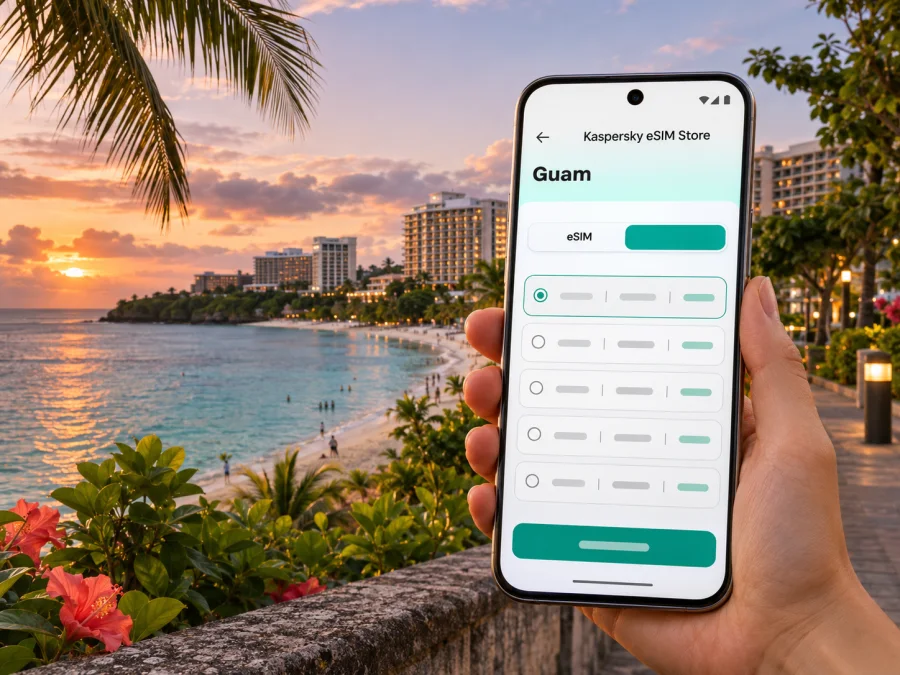
Kaspersky eSIM Store is an app and website where you can choose, purchase and activate an eSIM tariff for mobile internet during an international trip. You can review the Guam options and their current conditions before deciding. This is the Guam destination page, not a promise that a specific tariff uses a particular local network or will work in every part of Tamuning. Check the information displayed for the selected tariff, including the destination, validity, data amount, activation instructions and any restrictions.
Compare plans by destination, validity, activation timing, allowance, speed terms and total price. A large allowance may be unnecessary for a short stay, while a small one can run out quickly if video and cloud backups remain enabled. Confirm hotspot permission, top-up rules and any fees displayed at checkout. Ask support about unclear terms rather than guessing.
Check your phone before you buy
The word “eSIM” on a phone’s marketing page is not enough to establish that a specific device variant will work. Support can depend on the exact model, regional variant, carrier lock and software configuration. Confirm compatibility for your own device and make sure it is not locked to a carrier that prevents adding another profile. Check whether your device supports eSIM before purchasing.
Also make sure you can access the email or app account used for the order, have a stable connection for installation, and know how to reach device settings. If your phone has two active lines, identify which one will handle mobile data. Keep the primary line available for calls or bank verification if needed, while checking your carrier’s roaming fees; having two SIM profiles does not prevent charges by itself.
Before-purchase checklist
- [ ] My exact phone model and regional variant support eSIM.
- [ ] The device is unlocked and can add a travel profile.
- [ ] The plan explicitly lists Guam as a covered destination.
- [ ] Its data allowance, validity and activation timing match my itinerary.
- [ ] I understand whether calls, SMS, hotspot use and top-ups are included or excluded.
- [ ] I know which line will be used for mobile data and how to avoid unwanted home-carrier roaming.
- [ ] I have saved my hotel address and essential travel details offline.
Install and activate with a little time to spare
Installation and activation are not always the same event. Some plans begin their validity when installed; others begin on first connection or under another stated condition. Read the selected tariff instructions and follow them exactly. If it offers a QR code, open it on another screen or use the app flow described by the provider. Do not scan repeatedly or delete the eSIM as a troubleshooting shortcut: a profile may have limited installation attempts or may not be transferable.
Use the Android eSIM installation guide or iPhone eSIM installation guide for the relevant device steps. Menu names differ by operating-system version and manufacturer. Install while connected to dependable Wi‑Fi, and keep the purchase confirmation and activation instructions accessible. If you prefer to wait until Guam, make sure you have a dependable way to get online after arrival and understand whether the plan’s validity could be affected by installing it early.
When you are ready to use the plan:
- Open cellular or SIM settings and confirm that the travel profile is enabled.
- Select it as the mobile-data line if that is what the tariff instructions require.
- Turn on data roaming for that profile only if the instructions specify it. This setting can be required for some travel eSIMs, but it should not be enabled indiscriminately on your primary line.
- Wait briefly for network registration, then check the plan status and the troubleshooting steps supplied with it.
- If there is still no connection, toggle airplane mode once or restart the phone, and contact support over Wi‑Fi if the issue continues.
An eSIM for travel data generally should not be treated as a replacement for a regular phone number. Calls and SMS may remain on your main SIM, with charges governed by your home carrier. Internet calling and messaging apps can work over data when the app and recipient support them, but they do not turn a data-only plan into conventional voice service.
Make the data last and troubleshoot carefully
Navigation, messaging and short searches are easier to budget for than streaming, large downloads or cloud backups. Download maps, boarding passes and reservations in advance, and review which apps can use mobile data in the background. If your allowance runs low, follow the plan’s stated top-up process; do not assume unused data rolls over or a refill extends validity. Tethering and speed limits are tariff-specific.
If the profile is installed but data does not work, confirm activation, destination coverage, the selected data line and any roaming setting required by the instructions. If the connection is slow, try another location and check the tariff’s speed terms; performance varies with network conditions. Use Wi‑Fi to contact support if needed. Do not delete the profile or reset settings before checking the provider’s guidance, since reinstalling may not be possible. Keep your order reference handy, but never share passwords or one-time codes.
Frequently asked questions
Is Tamuning a separate country from Guam?
No. Tamuning is a village on Guam, a U.S. unincorporated territory. Use the Guam destination for a stay here; do not assume a mainland U.S. tariff includes it unless stated.
Is an eSIM necessary for a visit to Tumon?
No. Roaming, a local SIM or Wi‑Fi may also suit you. Compare terms and expected use, and save essential details offline.
Will a Guam eSIM work everywhere on the island?
No. Availability depends on the tariff’s partner network, local conditions, your phone and location. Review the terms and keep offline maps and another way to contact your accommodation.
Can I use the eSIM for ordinary calls and texts?
Check the tariff: a travel data eSIM may not include a phone number, voice calls or SMS. Your existing SIM may handle them subject to its settings and charges.
Should I install it before the flight?
It can be convenient because installation needs internet access, but first check when validity begins. Follow the tariff instructions and retain Wi‑Fi access for troubleshooting.
What if I am also visiting another island or country?
Check each destination separately. Do not infer that a Guam tariff includes nearby islands, the U.S. mainland or another country. A regional tariff is suitable only if the listed destinations and conditions match the full route.
A calm connectivity plan for Tamuning
For a smooth start, save hotel and transfer details offline, confirm current transport information, and check routes before leaving. If you choose a travel eSIM, verify device compatibility, confirm that the tariff names Guam, and match its allowance and validity to your stay. Follow the installation instructions and keep your home SIM’s roaming settings in mind.
When you are ready, choose a Guam eSIM tariff for your Tamuning trip in Kaspersky eSIM Store and review the current conditions before checkout. With the setup prepared and a fallback saved, you can spend less time solving connection logistics and more time getting where you planned to go.


