Travel connectivity guide
Tanna eSIM: Mobile Internet in Vanuatu
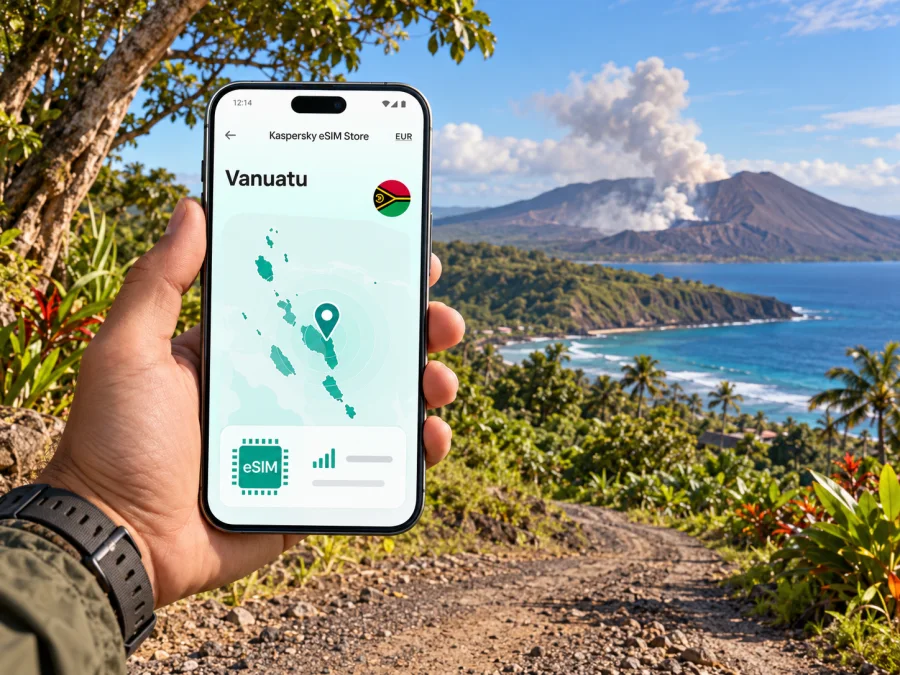
Tanna eSIM: mobile connection and internet for an island journey
Tanna is often described as a destination, but it is first of all an island in Vanuatu’s southern Tafea Province. Lenakel, the island’s largest village, and nearby Isangel form its main service and administrative area. The distinction matters when planning mobile internet: you may arrive at Whitegrass Airport, stay in a rural guesthouse, travel across the island to Mount Yasur, and pass through small communities where service and road conditions can differ from one place to another.
An eSIM can be a useful way to prepare mobile data for the trip, provided the selected plan actually covers Vanuatu and your phone supports eSIM. It does not guarantee reception at every stop. On Tanna, practical preparation means checking the plan’s country, validity and activation rules, saving essential information offline, and confirming local transport and activity arrangements before leaving a reliable connection.
What to know before you travel
Tanna is not a dense city with continuous urban coverage and a large public transport network. It is a volcanic island with settlements spread across a substantial rural area. Lenakel and Isangel sit close together on the southwest coast; Whitegrass Airport is farther north, and Mount Yasur is toward the southeast. Your travel day may involve long stretches between these points, a pre-arranged vehicle, and a guide or accommodation host who knows local conditions.
The official Vanuatu tourism service lists Tanna among the islands of Tafea and identifies Mount Yasur as a leading attraction. The provincial government describes Lenakel as the largest village and Isangel as the provincial capital, both on the southwest coast. These details explain why a guide focused on Tanna should cover more than a town centre: the island’s useful reference points are separated by rural roads and coastlines.
| Place or leg | Why it matters for your connection plan |
|---|---|
| Whitegrass Airport (Tanna) | Arrival point for many air journeys; arrange pickup before landing and keep the accommodation address available offline. |
| Lenakel and Isangel | Main service area on the southwest coast; a practical place to confirm onward arrangements and find essential services. |
| Mount Yasur | A major visitor destination in the southeast; check the current access and safety situation with your host or tour operator. |
| Rural accommodation and villages | Signal may vary by location and terrain; do not rely on continuous data for maps, messaging, or bookings. |
Treat that table as a planning framework, not a coverage map. A mobile signal depends on the local network, terrain, weather, device, and the roaming arrangements behind the specific eSIM plan. A plan listing Vanuatu as a destination does not by itself prove that every village, road, or viewpoint is covered.
Arrival at Whitegrass Airport
Before the flight, download your accommodation details, pickup contact, booking confirmation, and an offline map of the area you expect to visit. Keep copies on your phone and, if the arrival is important, in a second place such as a travel companion’s device. Share your arrival time with the host in advance. At a small island airport, a pre-agreed pickup is more dependable than assuming you can hail a car or arrange a last-minute transfer over mobile data.
When you land, check whether your phone has registered on a network and whether mobile data is enabled for the eSIM. If it has not connected, avoid repeatedly changing settings while moving between areas. First compare the phone settings with the plan’s instructions: which line is selected for data, whether data roaming must be enabled for that eSIM, and whether the plan’s activation period has begun. If there is no service, move to a safe place and ask your host or local representative for help rather than relying on an online map to solve the problem.
The airport is not Lenakel. Allow time for a road transfer, and confirm where the driver will meet you. Keep the destination name written clearly, since some lodging names may be unfamiliar to a driver or may have similar spellings. A screenshot of the booking and a pin saved in advance can help even when live navigation is unavailable.
First-hour checklist
- Confirm the pickup location and the name or description of the person meeting you.
- Save your accommodation address, phone number, and check-in instructions offline.
- Check that the correct SIM or eSIM line is selected for mobile data.
- Send a short arrival message while you have a connection, then keep the driver’s details available offline.
- Carry a battery reserve; navigation, photos, and searching for signal can drain a phone faster than expected.
Coverage expectations on an island
The strongest practical assumption is that mobile data may be useful in settled areas but can become intermittent along rural roads, around hills, and at remote visitor sites. Do not interpret a destination appearing in a plan as a promise of full island coverage. The specific network access for a travel eSIM is defined by that plan’s current terms, and the signal you experience also depends on terrain, device radio support, congestion, and local conditions.
The Vanuatu Meteorology and Geo-Hazards Department monitors Mount Yasur and publishes an alert level. A volcano visit is a separate safety decision from having a phone signal: follow current official advisories and the instructions of authorized local guides. Never assume mobile internet will be available at a crater, on a trail, or during an emergency. A charged phone and a usable offline map are helpful, but they are not substitutes for local guidance or safety procedures.
For navigation, download the map tiles for the airport, your lodging, Lenakel, Isangel, and planned activity areas before setting out. Pin the meeting point and route, but remember that a saved road line does not confirm that a track is open, suitable for your vehicle, or safe in current weather. Ask your host which route is normally used and whether any road work affects the journey. Infrastructure projects on Tanna can change conditions; the Ministry of Infrastructure has reported rehabilitation work on routes near Whitegrass Airport and toward the volcano, with works extending into 2026.
Use mobile data where it helps most
- Check messages and reconfirm pickup times before leaving the airport or accommodation.
- Load directions and the next stop while you have a stable connection.
- Use text instead of repeated calls when a data connection is weak; send concise details and wait for delivery confirmation.
- Delay large photo backups and app updates until Wi-Fi is available or you have checked your remaining allowance.
- Keep an offline list of emergency contacts, accommodation details, and any tour meeting instructions.
Getting around Tanna and Lenakel
Do not plan island travel as if you can rely on continuous street-by-street navigation. Public transport information and operating patterns can be limited or change locally. Ask the accommodation host or tour operator to arrange a transfer, explain the expected journey, and tell you what happens if a flight arrives late. For a Mount Yasur visit, clarify the departure time, return arrangements, what is included, and how the operator will contact you if plans change.
Lenakel’s central area can be useful for local errands, but most visitors will not simply walk from the airport or town to their accommodation and attractions. Distances, road surfaces, rain, and the type of vehicle all affect travel time. Agree the fare and destination with the driver in advance where applicable, and carry enough local payment options for the journey. Do not depend on an online payment method that requires a working data connection at the moment you need it.
A simple travel routine reduces friction:
- Before leaving: confirm the next stop, driver, pickup time, and any payment arrangement.
- While connected: open the route, save the location, and send your expected arrival time.
- On the road: keep the phone charged and avoid staring at the screen on uneven tracks.
- At the destination: tell your host or guide when you arrive if that was part of the agreed plan.
- Before returning: confirm the pickup point and time directly; do not assume that a map pin is enough.
For a short trip to Lenakel or Isangel, mobile data can help you coordinate a meeting or check a saved route. For an island crossing, prepare for an offline portion. In both cases, a local driver’s knowledge is more useful than a map estimate when a track is rough, a road has changed, or a route depends on weather.
Choosing an eSIM for Tanna
Start with the country and route, not the marketing name of a package. Tanna is part of Vanuatu, so a relevant plan must explicitly include Vanuatu. A regional plan may include several Pacific destinations, but regional wording alone does not confirm that this country is covered. Read the actual destination list and the conditions shown at checkout before paying.
Kaspersky eSIM Store is an app and website where travellers can choose, purchase, and activate an eSIM with a data plan for an international trip. To review the current Vanuatu options and their stated conditions, browse eSIM plans for travel in Vanuatu. Treat the displayed plan details as the source for current allowance, validity, price, activation timing, and any restrictions; those details can change and should not be inferred from a general travel article.
A sensible plan is one whose validity covers the days you expect to use it and whose data allowance reflects your habits. Maps, text messages, and checking schedules generally use less data than video calls, streaming, photo uploads, or cloud backups. If you plan to share large files or work remotely, estimate that use separately. At a destination where access can vary, buying extra data is not a substitute for saving key information offline.
| Check before purchase | What to look for |
|---|---|
| Destination | Vanuatu appears in the eligible country list. |
| Data allowance | The amount suits maps, messaging, browsing, and any work tasks you expect to do. |
| Validity | The validity period covers the days you intend to use the plan. Check when the clock starts. |
| Network and speed notes | Read any listed network, roaming, speed, or fair-use conditions without assuming identical service across the island. |
| Device and lock status | Your phone supports eSIM and is not restricted to another carrier. Check whether your device is compatible. |
| Calls and messages | Confirm whether the plan is data-only. Do not assume it includes a local number, ordinary calls, or SMS. |
| Installation and activation | Understand whether installation can happen before departure and what action starts the plan. |
If the plan is data-only, internet-based messaging and calling apps may work when you have data and the other person can receive messages through the same service. Keep your usual number active if you need bank verification codes or regular calls, and review your home carrier’s roaming settings and costs. A travel eSIM does not automatically replace your primary line for every purpose.
eSIM setup before departure
Set up the eSIM while you have a dependable internet connection and enough time to read the instructions. First verify device compatibility and carrier-unlock status. The exact menus differ by handset and operating-system version; follow the on-screen setup flow and the plan’s own instructions. Keep the confirmation details until the eSIM is working.
Kaspersky eSIM Store provides setup guidance for both major mobile platforms: follow the Android eSIM installation instructions or the iOS eSIM installation instructions. A phone may let you install a profile before the trip while the plan becomes usable only under the activation conditions shown for that plan. Check whether activation occurs at installation, on first network connection, or after another specified step.
Before travel, take these steps:
- Check the handset model and regional variant. Some device families have different hardware or software support depending on the market where they were sold.
- Confirm the phone is not carrier-locked and can add an eSIM profile.
- Read the plan’s Vanuatu destination, data, validity, and activation information.
- Install the eSIM over a reliable connection if the plan instructions allow it; retain the QR code or confirmation details as directed.
- Label the line clearly, such as “Vanuatu data,” so it is easy to identify later.
- Decide which line should handle mobile data and which should handle your regular calls and messages.
- Download offline maps, reservations, and essential contact details.
Avoid deleting an eSIM profile just because data does not connect immediately. Some profiles cannot be reinstalled after removal, depending on their terms. First check the plan instructions, the selected data line, roaming settings, and the current local signal. If you still cannot connect, contact the relevant support channel using your saved order details and explain your location and device settings.
What to do if the eSIM does not connect
Troubleshoot in a calm order while stationary and safe. Confirm that the eSIM profile is enabled, selected for mobile data, and configured according to its instructions. Check whether data roaming must be enabled for that eSIM. Toggle airplane mode once or restart the phone if the instructions recommend it. Then allow time for network registration and compare your current location with the plan’s coverage terms.
If you remain offline, move to a place where you can ask your accommodation host, driver, or another trusted local contact for practical help. Keep the order confirmation available and contact support when you can access Wi-Fi or another connection. Include the phone model and variant, operating-system version, approximate location, and what you have already checked. Avoid sharing security codes or account passwords.
Frequently asked questions
Is Tanna a city?
Tanna is an island in Vanuatu’s Tafea Province. Lenakel is the island’s largest village, and Isangel is the provincial capital nearby. This guide uses the requested destination name while distinguishing the island from its principal settlement.
Will an eSIM work everywhere on Tanna?
No plan should be assumed to work everywhere. Check that Vanuatu is included in the selected plan and review its network and roaming terms. Reception can vary with the network, terrain, device, and local conditions, especially away from settled areas.
Can I rely on mobile internet around Mount Yasur?
Do not rely on it for navigation, emergency contact, or access decisions. Download information in advance, travel with an authorized local guide, and follow current official volcano advisories and local instructions.
Do I need to install the eSIM before arriving?
Follow the selected plan’s instructions. Installing before departure can make setup easier when you have reliable internet, but the plan may define a separate activation event or start date. Read those conditions carefully and keep the installation information available.
Does a data eSIM include a phone number?
Not necessarily. Many travel plans provide mobile data only. Check the plan details for voice calls, SMS, or a local number, and keep your regular line if you need services tied to it.
What should I download before travelling?
Save offline maps for your arrival point, lodging, Lenakel, Isangel, and planned activities. Keep bookings, pickup instructions, contact details, and essential travel documents accessible without a connection.
Prepare your connection for the trip
Before departure, verify device compatibility, confirm that the plan explicitly covers Vanuatu, review its data allowance and activation rules, and save the information you will need offline. Arrange transport and activity details directly with your accommodation or local operator, particularly for journeys beyond Lenakel and Isangel. Expect mobile service to vary across the island and keep safety decisions grounded in local guidance.
When you are ready, use Kaspersky eSIM Store to review the current conditions and choose an eSIM plan for your trip to Vanuatu. Install and activate it according to the plan instructions, then travel with offline maps and confirmed local arrangements as a backup.


