Travel connectivity guide
TashiCell eSIM in Bhutan: traveler guide
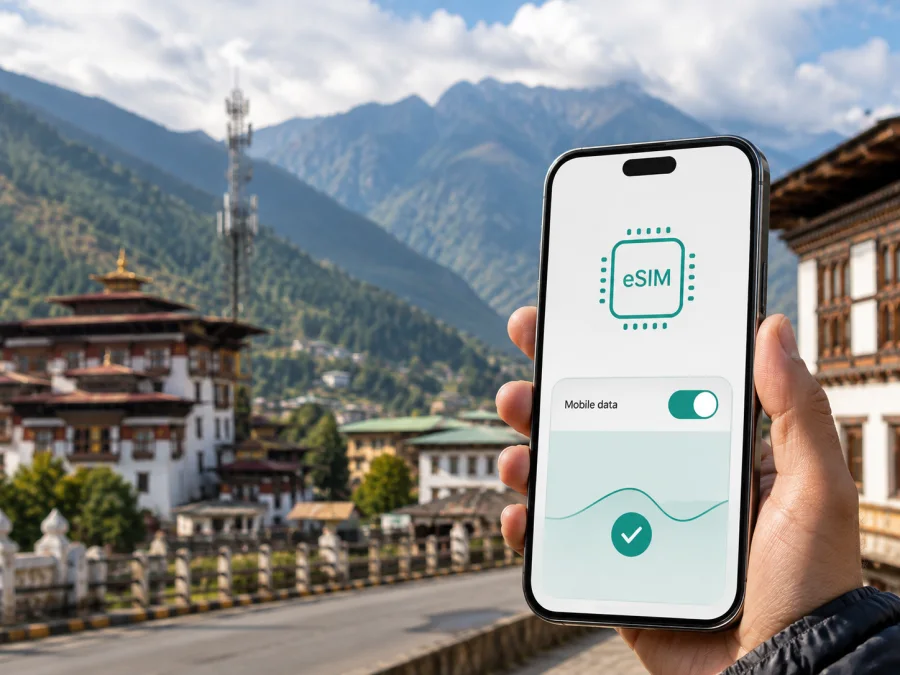
TashiCell eSIM in Bhutan: a practical guide for travelers
If you are preparing for a trip to Bhutan, mobile data can help with maps, bookings, messages, and contact after landing. TashiCell is a local option that currently presents eSIM as part of its mobile-service journey. A local operator eSIM and a travel eSIM solve related, but not identical, problems.
This guide explains what current public information says about TashiCell eSIM in Bhutan, how the application flow works, what a visitor should prepare, and how to check compatibility and coverage. Confirm the latest requirements directly with TashiCell on the day you apply.
Quick answer
TashiCell is a Bhutan-based private cellular company and the country’s second mobile operator. Its official website has an online service for getting a prepaid SIM in physical or eSIM form, and a separate eSIM-conversion flow. That is current public confirmation that TashiCell supports eSIM as a service route. The operator also publishes a Tourist SIM category, but the tourist page does not by itself confirm that every tourist offer can be issued as an eSIM. If you specifically want a tourist eSIM, ask TashiCell to confirm the format before you travel.
The official process is not an anonymous instant-download promise. The online form asks for personal details, identity verification, contact information, and address information. The eSIM flow requires a compatible device and an internet connection to receive and scan the activation QR code. A traveler should separate two questions: does the phone support eSIM, and can TashiCell issue the requested connection under its current registration rules?
Is TashiCell eSIM available?
Yes, TashiCell’s current public pages support a general eSIM availability statement. The home page links to “Get a Prepaid SIM (Physical SIM/eSIM)” and to “Convert Physical SIM to eSIM.” The eSIM-conversion page describes moving a physical SIM or an existing eSIM profile to eSIM. The linked booking interface includes an eSIM preference and an eSIM-compatibility check. These are direct operator pages, checked on September 5, 2026, rather than a reseller description.
The qualification is important: those pages confirm an eSIM service path, not that every device, customer type, tourist document, or local offer will be eligible. TashiCell can change its onboarding sequence or ask for additional verification. The booking interface currently includes required identity fields and says that the successful booking may be followed by collection at a specified location with an identity card for verification. A visitor should treat the online form as an application and reservation workflow, not as a guarantee that the profile will be issued before arrival.
The tourist section confirms that prepaid tourist offerings are part of TashiCell’s public product structure. However, its current page presents the tourist category generally and does not establish that all such connections use eSIM. If your priority is to avoid a physical SIM, use the operator’s support channel to ask about a tourist eSIM specifically, including where the QR code is delivered, whether pickup is still required, and which travel documents are accepted. Do this before relying on the connection for airport transfers or a remote part of your route.
What a traveler may need for registration
Registration requirements are one of the clearest differences between a local operator connection and a travel eSIM prepared online. TashiCell’s current booking interface requests personal details, document type and number, a document upload, expiry information, a selfie, email and mobile contact, and permanent and current address fields. The exact fields may vary by applicant, but the practical message is simple: have your identity and travel details available and expect verification.
The operator’s tourist registration form uses a passport or route permit and asks for an address in Bhutan. Documents and procedures can change, so do not assume that a passport scan alone is enough or that an online application removes in-person checks. Keep the original document available and ask whether the eSIM must be collected or can be delivered digitally.
The following reference table summarizes what to clarify. It intentionally contains no commercial plan information.
| Question before applying | Why it matters |
|---|---|
| Is the phone eSIM-compatible and carrier-unlocked? | The profile cannot be installed if the device lacks eSIM support or is restricted to another carrier. |
| Which document is accepted for a visitor? | The public tourist form refers to a passport or route permit; the online flow shows broader identity-verification fields. |
| Is a selfie or document upload required? | The current online booking interface includes both types of verification input. |
| Will the QR code be sent by email? | The eSIM flow uses email for the activation code or QR-code step. |
| Is pickup at a TashiCell location required? | The booking confirmation text tells the applicant to collect the SIM and bring identification for verification. |
| Is the connection a tourist eSIM or another eSIM route? | The tourist category and the general eSIM service are not presented as the same thing on every page. |
If a requirement is unclear, contact TashiCell before submitting duplicate applications. The operator’s website currently displays customer support through its published contact channels, including the short support number 7700. Keep any confirmation message and the email used for the application until the connection is working.
How the TashiCell eSIM activation flow works
The exact screens can change, but the public eSIM-conversion instructions describe a clear sequence: confirm eSIM support, connect to the internet, receive the QR code through the email step, add a mobile plan in the SIM settings, scan the code, and select the new profile. Follow any on-screen activation instruction.
The QR code is sensitive activation information. Do not forward it, reuse it after it has been consumed, or photograph it in public. TashiCell says that a QR code should not be used by others or used again. If you replace the phone or delete the profile, recovery may require operator assistance, so check the device first and keep support details available.
Before installation
Check eSIM support in the phone’s exact regional version, confirm that it is not carrier-locked, connect to stable Wi-Fi, and have the required identity and travel documents ready. Ask whether the TashiCell profile should be installed before collection or at a service location.
You can also use the device compatibility check when considering a travel eSIM option. Compatibility is a property of the phone and its software, not of the country name alone.
Android outline
On many Android phones, open Settings, choose Network and internet or Connections, open SIMs or Mobile network, and select the option to add an eSIM or mobile plan. Scan the QR code supplied by TashiCell, confirm the download, and wait for the profile to appear. Menu names vary between manufacturers and software versions. If the QR code is displayed on the same phone, use the manual activation details only if TashiCell provides them; do not invent an access code from a screenshot.
iPhone outline
On a compatible iPhone, open Settings, choose Mobile Service or Cellular, select Add eSIM, and use the QR-code option. Review the line label carefully so you can identify the TashiCell profile later. If you keep your home SIM active, decide which line handles mobile data and whether data switching is allowed. Do not delete your primary line just to make room before checking how many profiles and active lines your particular device supports.
After installation
Leave the new profile turned off until you are ready to use it if TashiCell or the issued connection begins service at activation. On arrival, select the intended line for mobile data, enable data roaming only when the operator’s instructions require it, and temporarily disable data on the home line if you want to avoid accidental roaming. A short delay while the phone registers on a network can be normal. If it does not connect, toggle airplane mode once, restart the phone, and check the selected data line before contacting support.
Network technologies and coverage
TashiCell’s official about page states that its mobile network is based on GSM and WCDMA/HSPA+ technologies. The same page describes nationwide 2G coverage, nationwide 3G coverage, and 4G service at all 20 Dzongkhag headquarters as milestones in the company’s network development. These statements describe the operator’s published network footprint; they should not be read as a promise of the same experience on every road, inside every building, or in every mountain valley.
The operator also publishes 5G information. Its network page identifies band N78 and lists urban or administrative coverage areas, while the current 5G FAQ describes availability in Thromdes and Dzongkhag headquarters with exceptions. The two pages are not a substitute for a live location check, and the listed availability is not a blanket statement that a traveler will have 5G throughout Bhutan. A compatible handset, local software support, a suitable SIM profile, and the operator’s activation conditions may all matter.
For a trip, 4G compatibility is often a more useful first check than a 5G label. Look for the bands supported by your exact device model, not just its family name. TashiCell’s 5G pages refer to N78 and compatible handset support. Phones purchased in another market can behave differently. If 5G matters, ask TashiCell to verify the model; otherwise plan around the technologies and places it publicly lists.
Coverage is affected by terrain, buildings, maintenance, and distance between settlements. Even an official coverage area can contain signal gaps. Before a trek or long drive, download essential maps and save booking references offline.
Kaspersky eSIM Store as an alternative for travel data
Kaspersky eSIM Store is an app and website that helps a traveler choose, arrange, and activate an eSIM data option for an overseas trip. It is not a Bhutanese operator, does not own TashiCell’s network, and does not provide network coverage. Check destination availability and current conditions before relying on it.
For Bhutan, the workflow is straightforward: check the phone, choose the destination, review the displayed conditions, complete the purchase, install the eSIM, and activate it when appropriate for the journey. The Kaspersky product page explains that installation requires an internet connection and that the phone may need data roaming enabled for the travel eSIM. It also explains that these eSIMs are intended for mobile data rather than ordinary voice calls. Messaging and internet calling can work through data, but a data eSIM should not be presented as a replacement for a local phone number.
If you want to review the current Bhutan option, see eSIM choices for Bhutan. The page is a starting point for checking current availability, not a promise about TashiCell’s local registration process or the performance of a particular network location.
Common questions
Can I get a TashiCell eSIM in Bhutan?
Yes, TashiCell’s current official website provides a general prepaid physical-SIM/eSIM route and an eSIM-conversion route. Eligibility and the exact way a visitor receives the profile still depend on the current application and registration process. Confirm the tourist format and any collection step before relying on it.
Do I need internet to install the eSIM?
Yes. The TashiCell eSIM instructions say that the device should be connected to the internet to scan the QR code. Install while connected to reliable Wi-Fi or another dependable connection, and keep the QR code private.
Will any eSIM phone work on TashiCell?
No. The phone must support eSIM, and the exact model and software can affect network compatibility. If 5G is important, TashiCell’s public information also refers to N78 and compatible handset support. Check the exact device before applying.
Final checklist
- Your phone supports eSIM and is not carrier-locked.
- You know whether you need a local number or data only.
- You have checked the current TashiCell visitor-document requirements.
- You have confirmed whether a TashiCell tourist connection can be issued as eSIM.
- You know whether a QR code is emailed and whether pickup or in-person verification applies.
- You have checked the route rather than assuming nationwide high-speed coverage.
- You have installed any travel eSIM over reliable internet and know when to activate it.
- You have set the correct line for mobile data and reviewed roaming on your home line.
TashiCell eSIM in Bhutan is a local-service route supported by current operator pages, but the practical details depend on eligibility, documents, device compatibility, and the exact connection being requested. TashiCell’s general eSIM service, its tourist category, and its published network information should be checked separately. If you prefer to prepare mobile data before departure, review the current Bhutan eSIM option and verify every condition shown at the time of purchase.
Kaspersky eSIM Store and TashiCell are independent services. This article is not sponsored by, endorsed by, or affiliated with TashiCell. Operator requirements, coverage, device support, activation procedures, and travel-eSIM conditions can change; verify them with the relevant provider on the date of your trip.


