Travel connectivity guide
Tashkent eSIM: mobile internet for your trip
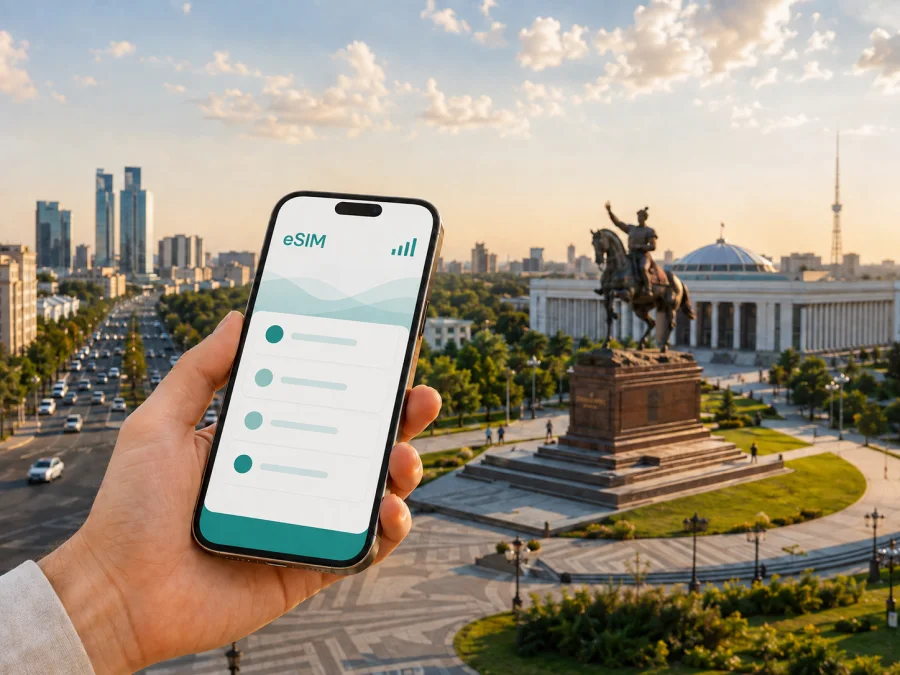
Tashkent eSIM for mobile connection and internet: a practical city guide
Arriving in Tashkent is easier when your phone is ready for the first practical tasks of the trip. You may need to find the right airport exit, message a driver, open a map, confirm a hotel address, translate a menu, or tell someone that your flight has landed. An eSIM, or digital SIM, can help you prepare mobile internet for Uzbekistan without removing the physical SIM card from your phone.
For a city break, business visit, or stopover in Tashkent, the useful question is not simply whether you need “an eSIM”. It is which destination, validity period, and data allowance match the way you will move through the city. This guide explains how to plan that choice, where mobile data matters most in Tashkent, and what to check before you install a profile.
Why mobile internet matters in Tashkent
Tashkent is a large, spread-out capital. A hotel in the city center, a meeting in the business districts, a market in the old part of the city, and an evening restaurant can all be separate stops rather than one compact walking route. Mobile data makes the transitions between those stops more manageable.
The first hours after landing
At Tashkent International Airport, a working data connection is useful before you have settled into the city. It can help you:
- check the exact address and entrance of your accommodation;
- send your arrival details to a host, colleague, or driver;
- compare the route to the hotel with the time of day and your luggage;
- keep your booking details available on the phone;
- contact your travel party if the group separates in the terminal or on the way out.
The airport is only the start of the journey. Once you leave it, you may be navigating wide avenues, unfamiliar side streets, and different spellings of the same place name. Saving a screenshot is sensible, but live access to a map and messages gives you more flexibility when the plan changes.
Moving between districts
Tashkent’s neighborhoods have different rhythms. The area around Amir Temur Square and the central avenues is convenient for first-time orientation. Mirabad is associated with hotels, restaurants, and routes close to the airport. Yunusabad is a common base for visitors with business appointments or longer stays. The old city around Chorsu and Hast Imam has a different character, while Chilanzar and other residential areas may appear on a meeting address or a local recommendation.
These are not labels to use as a substitute for checking the exact address. A venue can be described by a nearby landmark, a metro station, or a district name, and the final approach may still require a short walk. Mobile internet lets you switch between the address, a map, a translation, and a message without searching for a new Wi‑Fi network at every stage.
An eSIM is practical when you want to keep your regular physical SIM in the phone. Your usual number can remain available for important messages, while the eSIM is selected for mobile data according to the device settings and chosen tariff.
Tashkent travel scenarios and the right connection plan
Your data needs depend more on your itinerary than on the city’s name. A traveler who spends most of a weekend at one hotel has a different pattern from a consultant moving between meetings or a photographer uploading large files during the day.
| Tashkent scenario | What mobile data is used for | Planning approach |
|---|---|---|
| Short stopover | Airport messages, a route, a hotel address, and occasional calls in messengers | Prioritize an easy arrival and leave the profile ready before takeoff |
| City weekend | Maps, bookings, translation, transport coordination, and photos | Choose a modest allowance if hotel Wi‑Fi will handle larger downloads |
| Business trip | Meeting locations, email, calendars, messaging, and occasional hotspot use | Allow room for work traffic and check whether tethering is permitted |
| Extended stay | Daily navigation, communication, media, and possible day trips | Compare validity and data together instead of choosing by allowance alone |
| Multi-city itinerary | Tashkent plus other destinations in Uzbekistan | Confirm whether the tariff covers the complete route or only the selected country |
This table is a planning aid, not a promise of a particular package. Available allowances, validity, and conditions depend on the destination and the tariff shown at the time of selection. Before payment, read the details for Uzbekistan and make sure they fit the days when you expect to use mobile data.
How to choose an eSIM tariff for Tashkent
Start with the route. If Tashkent is the only destination, a country tariff for Uzbekistan may be the relevant choice. If you will continue to Samarkand, Bukhara, the Fergana Valley, or another country, check the geographic scope rather than assuming that a city name determines coverage. The city article helps you plan the urban part of the trip; the tariff conditions determine where the profile can be used.
1. Match the validity to the actual trip
Count the period from the day you expect to use data, not only the number of hotel nights. An early arrival, a late departure, or a night spent in transit can change the practical length of the trip. Read when validity begins: depending on the tariff, activation or the first connection may affect the start of the period.
For a short Tashkent visit, include an overnight connection, the journey to the airport, and any buffer before your first meeting when you consider validity. If plans may move, leave time to resolve an installation question before you need the connection.
2. Estimate the data you will really use
Maps and messages are usually lighter tasks than video calls, photo backups, or streaming. Consider your habits:
- Low use: maps, text messages, translation, email, and occasional searches.
- Medium use: regular navigation, social feeds, ride coordination, photos, and short calls.
- High use: video meetings, cloud work, tethering, large uploads, or frequent media use.
You can reduce unnecessary traffic by downloading documents before departure, postponing automatic photo backups, and using hotel Wi‑Fi for operating-system updates. These steps do not remove the need for a suitable allowance, but they make it easier to keep the tariff aligned with the trip.
3. Read the conditions before selecting
Check the following points on the tariff screen:
- country or regional scope;
- data allowance and validity;
- whether the profile is data-only;
- when the validity period begins;
- whether top-up is available and under what conditions;
- whether hotspot use is supported;
- refund or cancellation conditions;
- any activation requirements shown for your device.
An eSIM tariff for mobile internet normally does not replace a regular phone number. Unless the selected conditions say otherwise, ordinary voice calls and SMS are not included. You can use messengers over data for calls and messages, while keeping expectations clear about calls to regular telephone numbers.
When you are ready to prepare the data connection for your trip, you can choose an eSIM tariff for travel in Uzbekistan and review the available destination options, allowances, and validity conditions.
Tashkent routes where data is most useful
The airport transfer, a metro journey, and the final walk to a hotel or meeting are separate navigation tasks. Keep the accommodation address and contact details ready, confirm a driver’s destination, and save an offline note with the route back to the hotel. Live data is then available for the changes that cannot be planned in advance.
The Tashkent Metro can simplify movement through parts of the city, while buses, taxis, and walking complete the route. Search by a venue, landmark, or shared location pin when a street name appears in another transliteration. Around Chorsu Bazaar and the old city, leave room for an unplanned stop; a connected phone can help with translation, messages, and the way back to a main road.
For central evenings, combine a square or park with a café or restaurant and keep enough battery for the return journey. Maps, location services, and photos use power, so a power bank and a saved hotel address are sensible additions to a Tashkent day bag.
A practical setup plan before departure
The easiest installation is the one you do when you have time, a charged phone, and another way to view the QR code or activation details. Do not wait until you are standing outside the airport with luggage if you can prepare earlier.
Before leaving home
- Check that the device supports eSIM and is not restricted by an operator. Some models differ by market or region of sale; check your device compatibility before selecting a tariff.
- Select Uzbekistan, compare allowance and validity with your Tashkent itinerary, and complete the purchase.
- Keep the QR code or activation details available, then install the profile on a reliable internet connection.
- Label the new line clearly, leave your regular line available if needed, and set the eSIM as the line for mobile data when appropriate.
For device-specific details, use the Android eSIM installation instructions or the iOS eSIM installation instructions. The names of menus can differ between manufacturers and operating-system versions.
After landing in Tashkent
If you installed the profile before departure, select it for mobile data when you are ready to use the tariff. Depending on the device and conditions, data roaming for the eSIM may need to be enabled. Keep data roaming off for your home line if you want to avoid unintended charges, and verify the selected data line.
If you install after arrival, use the airport or hotel connection to open the purchase details and complete setup. Allow a few minutes for registration, then test a simple page or message. If it does not connect, review the tariff and settings before deleting the profile.
What to check before you buy
Compatibility is the first checkpoint, not a final troubleshooting step. An eSIM-capable phone can still be locked to an operator, and regional versions of a model may have different capabilities. Check both the manufacturer’s specifications for your exact model and the phone’s own mobile-network settings.
Use this short checklist:
- [ ] eSIM support is confirmed for the exact phone model and sales region.
- [ ] The device is not operator-locked.
- [ ] The phone can connect to the internet during installation.
- [ ] You know whether the tariff starts on installation, activation, or first data use.
- [ ] The tariff is valid in Uzbekistan and matches any onward destinations.
- [ ] The allowance covers navigation, communication, and work needs.
- [ ] You know which line will be used for mobile data after activation.
- [ ] You have retained the installation details and support route.
The last two checks prevent a common avoidable mistake: installing a profile successfully but leaving the original line selected for data, or enabling data on the travel line without understanding when its validity begins.
Common questions about using eSIM in Tashkent
Is an eSIM useful for a short Tashkent stopover?
Yes, if you need maps, arrival messages, transport coordination, or a hotel address without changing the physical SIM card. Choose a validity period that covers the actual stopover and verify when the tariff begins.
Can I keep my regular number active?
Usually, a compatible dual-line device can keep the physical SIM and eSIM profile available at the same time. Select the data line carefully and review your home operator’s roaming conditions.
Does an eSIM include ordinary calls and SMS?
Not normally. The eSIM scenario described here is for mobile internet, and a separate phone number, voice calls, or SMS are not included unless the selected tariff explicitly says so. Messengers can be used over the data connection.
Do I need Wi‑Fi in Tashkent to use an eSIM?
You need an internet connection for installation if the profile has not already been downloaded. After activation, the eSIM is intended for mobile data under the conditions of the chosen tariff, so you are less dependent on finding Wi‑Fi at each café, hotel, or transport stop.
Can I use one eSIM for Tashkent and other cities?
That depends on the geographic scope of the selected tariff. If the journey includes Samarkand, Bukhara, or another country, check the destination list and conditions before purchase rather than assuming that a Tashkent-focused plan applies to every leg.
A simple decision rule
Define the route, estimate daily data, check compatibility, choose a tariff for Uzbekistan, and install the eSIM with time to review the settings. Keep the hotel address offline, but use data for flexible tasks such as a changed route or message to a driver.
Kaspersky eSIM Store is an app and website that helps you choose, arrange, and activate an eSIM with a suitable tariff for mobile internet during an international trip. Check the device, route, validity, and allowance before purchase.
Prepare your Tashkent connection
Before your flight, check compatibility, select a suitable Uzbekistan tariff, and install the eSIM with the Android instructions or iOS instructions. When you are ready, choose an eSIM tariff for your trip to Tashkent and arrive with the key setup steps already under control.


