Travel connectivity guide
Tasiilaq eSIM: Mobile Internet in East Greenland
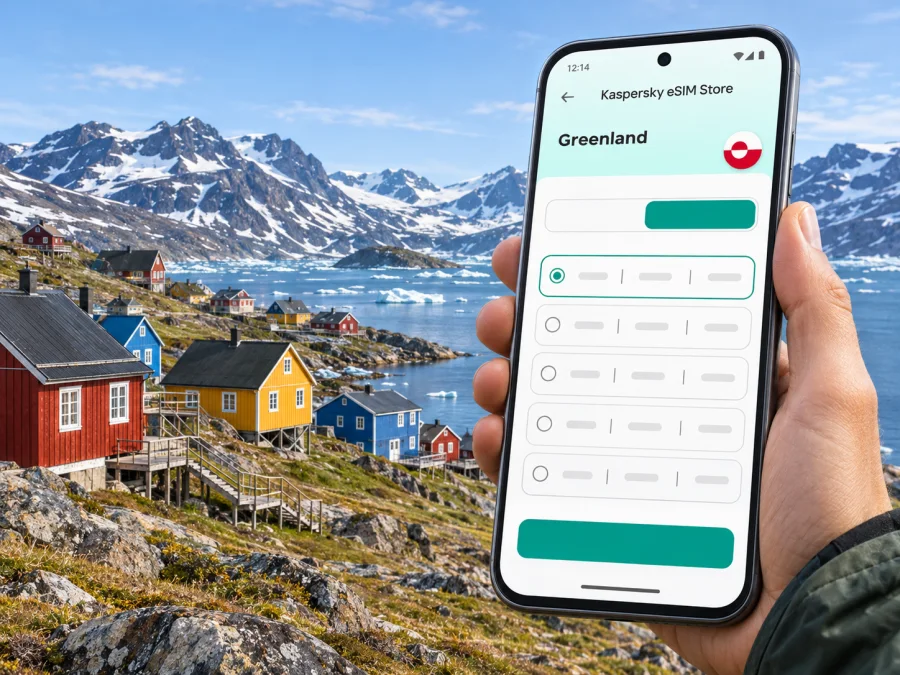
Tasiilaq eSIM: Mobile Connection and Internet in East Greenland
Tasiilaq is a small, remote town on the east coast of Greenland, where a phone is useful for checking travel updates, contacting a host, finding your way on foot and sharing plans before heading out of town. Mobile internet can help with those everyday tasks, but a trip here needs a little more preparation than a city break with frequent flights and road connections. The town is reached through Kulusuk, weather can affect onward travel, and reception outside settled areas should never be assumed.
An eSIM can provide mobile data without replacing your physical SIM if your phone supports it and the plan is valid for Greenland and its local network. This guide covers the checks and offline backups useful in Tasiilaq.
What to know about mobile internet in Tasiilaq
Tasiilaq is the largest town in East Greenland, on Ammassalik Island. Greenland is a self-governing territory within the Kingdom of Denmark, rather than an independent sovereign state. For a traveller, the practical point is that “Greenland” is the destination and network market to check when choosing a plan; Tasiilaq is the town within it. A city name in a search or map does not guarantee that a plan is sold specifically for Tasiilaq.
The locally relevant network context matters. Tusass is Greenland’s established telecommunications company and its own website describes a tourist eSIM product called Hello Greenland. Separately, the current Greenland destination page in Kaspersky eSIM Store identifies the local provider with the label “TELE.” These are distinct offers and sources: the Tusass tourist product does not establish which network a Kaspersky eSIM plan will use, and the provider label by itself does not confirm signal in every street, building or excursion area around Tasiilaq. Check the operator and coverage information shown for the exact plan before you rely on it.
Tusass’s published 5G city list names ten towns in Greenland and does not include Tasiilaq. That is a statement about the locations listed for Tusass 5G, not proof that all mobile data is unavailable in Tasiilaq or that another plan will have the same radio access. Do not select a plan on the assumption of 5G. For this remote destination, treat coverage as something to verify locally and prepare offline maps and essential information in advance.
A useful rule of thumb: use mobile data as a practical connection in town when the selected network is available, and plan for interruptions or no signal once you leave the settlement. A fjord, mountain route, boat transfer or winter excursion is not the same as a street in town. Ask your accommodation or tour provider what communication arrangements are appropriate for the route and season.
Getting to Tasiilaq: plan for the Kulusuk connection
There are no direct flights to Tasiilaq. Visitors first arrive at Kulusuk Airport, then continue to Tasiilaq by helicopter or, in summer, by boat. Visit Greenland describes the helicopter transfer as operating year-round and the boat transfer as a summer option; its published typical journey times are about 15 minutes by helicopter and 30–45 minutes by boat. These are planning references, not a guarantee for a particular departure. Confirm current schedules, transfers, weather arrangements and luggage rules with your airline, accommodation or tour operator.
Before leaving Kulusuk, save your booking details, accommodation contact and transfer instructions offline. If a flight or transfer changes, you may need to reach a local host or confirm a new meeting point; do not keep the only copy of a booking or address online.
| Journey stage | What the phone can help with | Backup to prepare |
|---|---|---|
| Arrival in Greenland | Check airline messages and retrieve bookings | Save confirmation emails or PDFs offline |
| Kulusuk Airport | Contact your transfer provider and confirm where to meet | Write down the host’s number and meeting instructions |
| Transfer to Tasiilaq | Check changes if a connection is delayed | Keep enough battery for calls or messages |
| Arrival in town | Navigate to your lodging and contact the host | Save the address and a map area for offline use |
| Excursion beyond town | Share plans before departure, when a connection is available | Follow the guide’s safety and communications instructions |
Leave room in your itinerary for schedule changes. The airline, transfer operator and accommodation may be different organisations, so save each contact separately.
Moving around town and finding your bearings
Most visitors get around central Tasiilaq on foot. The town is hilly, so a short distance on a map can involve a steep climb, uneven ground or changing weather. A map app can help orient you, but it cannot tell you whether a particular path is suitable in current conditions. Save your lodging location, the harbor, the heliport meeting point and any confirmed venue before setting out.
Confirm the pickup point and payment details for any taxi or arranged transfer. Do not assume that ride-hailing or frequent buses are available. Tour transport can vary by season; ask your hotel or guide whether a transfer is included and who will meet you.
The local museum, distinctive church and Stunk artisan workshop are among the town’s landmarks. Save directions and check opening details before setting out.
For a day on foot, use this simple preparation list:
- Save the starting point and return route while connected.
- Check the day’s weather and ask locally about trail conditions.
- Carry the address and contact details for your accommodation.
- Keep your phone warm and protected from moisture; cold can reduce battery life.
- Tell someone where you plan to go and when you expect to return.
- Do not treat a map pin or a visible path as confirmation that a route is safe.
Self-guided hiking around Tasiilaq has specific risks. Visit Greenland notes the possibility of polar bears and identifies certain safer walking options, including the bay-side route and Flower Valley. Ask a local host or qualified guide about current conditions before leaving town. Mobile coverage is not a substitute for local advice, appropriate equipment or a guided plan.
When a connection is most useful
In Tasiilaq, data is most valuable for practical coordination rather than constant streaming. You may use it to check transfer messages, contact a host, view an online map, translate a short message, confirm a tour meeting place, or send a note to family. Download the information you can before travelling so these tasks do not depend on a strong signal at the moment you need them.
A compact travel setup could include:
- Offline map: Download the relevant area and save your accommodation and meeting points. Offline maps can still have limits: they may not show safe walking routes, seasonal access or current local advice.
- Travel documents: Keep booking confirmations, flight details and insurance information available without mobile data.
- Messaging: Make sure you can sign in to the messaging apps you use before departure. An internet-only eSIM plan may not include a Greenland phone number, normal voice calls or SMS; check the exact plan terms.
- Power: Bring a suitable charger and power bank, and protect the phone from cold. Avoid relying on a single device for navigation and bookings.
- Local contacts: Save your accommodation, transfer provider and tour operator in your contacts in international format where possible.
If your trip continues to another settlement, ask the local operator about transport and communications for that route. Do not assume road access or continuous mobile service.
Choosing an eSIM plan for Greenland
Start with the destination market, then inspect the plan details. Kaspersky eSIM Store is an app and website where you can choose, arrange and activate an eSIM with a suitable plan for mobile internet on an international trip. It is not a mobile operator, and the local network, coverage, price, data allowance and validity depend on the selected plan and its provider.
You can review the current Greenland eSIM options for your trip. The destination page is the place to check what is currently offered; it is not a guarantee of service at every point in Tasiilaq or beyond town. Before choosing, look for the destination, named local provider, available network generation if stated, data allowance, validity period, activation timing, tethering rules and any restrictions. If the information does not answer whether your route is covered, contact support or ask your local host about the area rather than inferring coverage from a country label.
| Check before purchase | Why it matters in Tasiilaq |
|---|---|
| Greenland is included as the destination | City-level searches may not correspond to a separate plan |
| The provider or network is stated clearly | A label should be checked against current local coverage information |
| Data amount and validity fit your itinerary | Transfers and weather changes can extend a stay |
| Activation rules are clear | Some plans begin validity or data use at different points |
| Hotspot use is allowed if you need it | A laptop or travel companion may rely on tethering |
| Device is unlocked and eSIM-capable | A compatible device is needed to install a digital SIM |
Do not judge a plan only by its advertised network generation or a national coverage statement. Tasiilaq lies in East Greenland, far from the country’s larger population centres. The current operator documentation and exact plan terms are more useful than a general promise about Greenland as a whole.
Check your phone before you travel
Confirm that the exact device variant supports eSIM. Some product families have regional differences, and a model name alone may not settle compatibility. Also check that the phone is not locked to a home operator. You can check whether your device is compatible with eSIM before making a purchase.
Keep your regular SIM active if you still need its phone number for calls, bank verification or account recovery. Set the eSIM as the mobile-data line only when you are ready to use the travel plan, and review your home operator’s roaming settings so the wrong SIM does not incur unexpected charges. The exact menu names vary by device and operating-system version.
Before departure, also check whether the phone can install an eSIM while connected to Wi‑Fi, whether you have access to the account or QR code after purchase, and whether you know how to switch mobile data between SIMs. A second phone or tablet can have different eSIM capabilities even if it is from the same manufacturer.
Installing and activating your eSIM
Install the profile while you have a reliable internet connection and enough battery. Follow the plan’s stated activation instructions: some profiles can be installed before departure, while when the plan starts depends on its terms. Keep the QR code or in-app installation flow available until setup is complete. Avoid deleting an installed profile unless support or the plan instructions tell you to do so; a QR code may be single-use.
For device-specific steps, use the Android eSIM installation guide or the iOS eSIM installation guide. In general, the process is:
- Connect to Wi‑Fi and open the mobile-network settings.
- Choose the option to add a mobile plan or eSIM.
- Follow the app instructions or scan the supplied QR code.
- Label the new line so you can identify it during the trip.
- Select the eSIM for mobile data when you intend to use the plan.
- Turn on data roaming for that eSIM only if the plan’s instructions require it.
- After arriving, allow the device time to register and check the plan status before troubleshooting.
A successful installation does not mean that a usable signal is available everywhere. If the eSIM does not connect, check that the plan is active, the correct line is selected for mobile data, airplane mode is off, and the device settings match the instructions. Restarting may help in some cases. If the problem continues, use Wi‑Fi where available and contact support with the device model, plan name and a short description of what you see.
Plan for weak signal and low battery
Remote travel calls for simple fallbacks. Save routes and confirmations offline, carry a power bank, and agree on a meeting point before splitting up. In a group, do not make a single person’s phone the only source of directions or booking details. Tell your guide or accommodation if a connection problem could affect a pickup.
A phone battery can drain faster in cold weather. Keep it in an inside pocket when outdoors, use a protective case, reduce screen brightness and switch off features you do not need. These steps help preserve power; they do not improve network coverage. If you are going beyond town, ask the tour operator what equipment and communication plan are appropriate. Do not rely on a mobile data plan as an emergency communication system in areas without coverage.
For a short stopover, the same preparation still helps. Save the next flight or transfer information, keep a contact for the person meeting you, and avoid starting a large download on a connection that may be limited. A plan intended for mobile data supports online maps and messaging where available, but it should not be treated as a conventional local phone subscription unless its terms explicitly say that calls or a number are included.
Frequently asked questions
Is there an airport in Tasiilaq?
No direct flights serve Tasiilaq. Visitors arrive through Kulusuk Airport and continue by helicopter or a seasonal boat transfer. Verify current schedules and transfer arrangements before travel.
Can I use eSIM in Tasiilaq?
Possibly, if your phone supports eSIM and the selected Greenland plan is compatible with the local network serving the area. The country destination alone does not confirm reception at a particular address or on an excursion. Check the exact plan details and local coverage before relying on it.
Does Tasiilaq have 5G?
Tusass’s published list of towns with 5G does not include Tasiilaq. That list concerns Tusass’s 5G service and does not establish the capabilities of every plan or prove that mobile data is unavailable. Check current operator information for the exact service you intend to use.
Does a travel eSIM give me a Greenland phone number?
Not necessarily. Many travel eSIM plans are for data only and do not include a local number, regular voice calls or SMS. Read the selected plan’s terms. Internet messaging and calling apps may work over data when the other conditions of those apps are met.
Should I install the eSIM before arrival?
Usually it is practical to install it before you travel, while connected to Wi‑Fi, if the plan’s instructions allow this. Check when validity starts and whether activation begins on purchase, installation or first connection. Keep the QR code or in-app profile available until installation is confirmed.
Will mobile internet work outside Tasiilaq?
Do not assume so. Coverage can vary by location and provider, and remote fjords, settlements and routes may have little or no mobile service. Ask your guide about communications for the specific excursion and prepare offline information.
Prepare your connection before setting out
For a Tasiilaq trip, a good mobile setup is one part of a wider travel plan: confirm the Kulusuk transfer, save accommodation and tour details, download maps, check the exact eSIM and network conditions, and keep a power backup. Coverage and transport can vary with location, provider, weather and schedule, so retain offline copies and ask local operators about route-specific arrangements.
When you are ready, use Kaspersky eSIM Store to review and choose a suitable option for Greenland. Check the current destination, local provider, data allowance, validity and activation terms, then prepare an eSIM plan for your Greenland trip. Install it on a compatible, unlocked device and keep offline directions for Tasiilaq and the Kulusuk connection.


