Travel connectivity guide
Taupo eSIM: Mobile Internet & Connection Guide
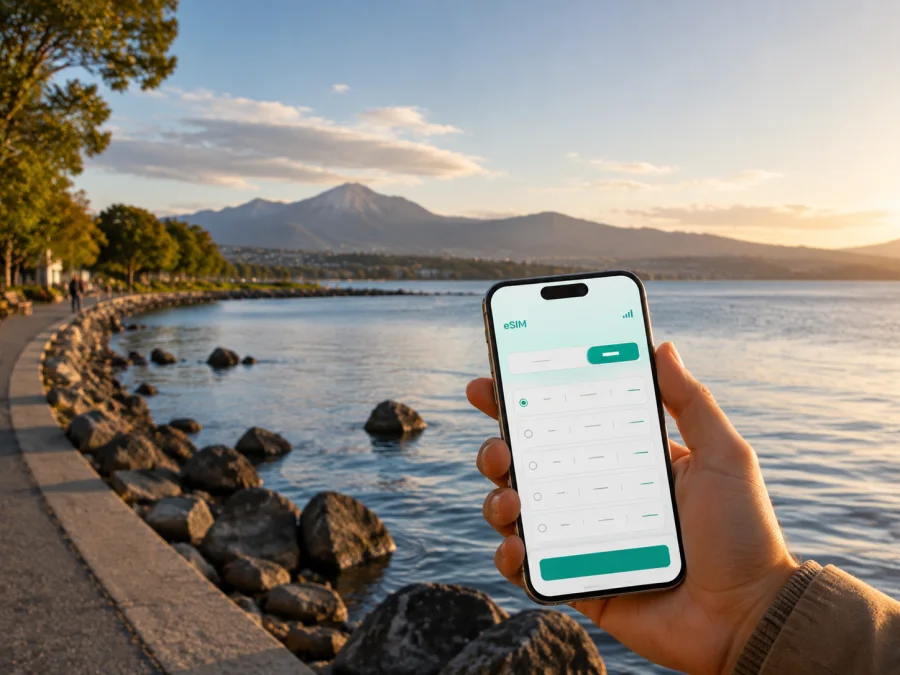
Taupo eSIM: mobile connection and internet for your New Zealand trip
Taupo is a practical base for a trip through the centre of New Zealand’s North Island. You may arrive through Taupo Airport, pick up a rental car, stay near the lakefront, work from a hotel, or pause in town between longer drives. In each case, mobile internet helps with the next small decision: finding your accommodation, checking a route, confirming a booking, ordering a ride, or sending a message after landing.
An eSIM, or virtual SIM card, can provide mobile data without replacing the physical SIM in your phone. For Taupo, it lets you prepare New Zealand data before departure or set it up after arrival. Kaspersky eSIM Store is an app and website where you can choose and activate an eSIM with a suitable tariff for mobile internet during an international trip. Connection depends on tariff, network, device, and conditions.
Quick answer: is an eSIM useful in Taupo?
Yes, an eSIM can be useful for a trip to Taupo if your phone supports eSIM and is not locked to an operator. Check whether your device supports eSIM before choosing a tariff. It can help you use mobile data without looking for physical SIM at the airport.
The most useful Taupo scenarios are:
- checking the route from Taupo Airport to the town centre or your accommodation;
- using navigation while driving around Lake Taupo or continuing to another North Island destination;
- receiving booking messages and opening maps during a lakefront walk;
- coordinating a transfer, rental-car collection, meeting, or outdoor activity;
- working from a hotel or café when the Wi‑Fi is busy or unavailable;
- staying reachable during a short stopover without changing the main SIM in your phone.
An eSIM tariff is generally intended for mobile internet. It may not include a regular phone number, voice calls, or SMS unless the specific conditions say otherwise. You can use internet-based messaging and calling apps over the data connection, while keeping your usual SIM available for other functions if your device supports dual SIM use.
Why the Taupo arrival scenario matters
Taupo Airport is about eight kilometres south of town and serves as a gateway to the Central North Island. After landing, data can help you find the pickup point, compare a route, contact your host, or check a change in your plan.
Before leaving home, save the accommodation address and booking details in an accessible form. Set up the eSIM on stable internet, or keep the activation information ready for arrival. Do not remove your everyday SIM unless you are sure you no longer need it. A dual-SIM phone can often keep the physical SIM for calls and use the travel eSIM for mobile data, subject to its settings and tariff conditions.
A simple first-hour checklist
- Keep your accommodation name, address, and check-in instructions available offline.
- Confirm how you will leave Taupo Airport: transfer, rental car, taxi, or public transport.
- Check that the eSIM profile is installed but do not activate mobile data on the wrong line.
- Select the travel eSIM for mobile data when you are ready to use it.
- Turn on data roaming for the eSIM only if the tariff instructions require it.
- Open navigation and verify that the route starts from the correct airport or pickup point.
- Test a message before driving away or walking into an area with weaker reception.
If the eSIM does not connect, avoid deleting the profile. Check the selected data line, mobile-data settings, and the chosen tariff instructions first. Connection time can depend on the device and local network.
Staying connected around the lakefront and town centre
The town centre covers cafés, shopping, meals, and practical errands, while Lake Terrace and the lakefront lead to walks, views, swimming areas, and the southern side of town. Ferry Road and the beginning of the Waikato River are useful orientation points. A map helps you choose whether to walk, drive, cycle, or arrange a ride, and a mobile connection keeps booking messages and route changes accessible.
The Taupo Lakefront Reserve stretches along the shore from near the Waikato River through Lake Terrace towards Two Mile Bay. Parts of the Great Lake Pathway are mostly flat and suitable for walking and biking. A modest connection is useful for maps, messages, reservations, and checking a return route; save key information before leaving the hotel if you plan to spend time away from the centre.
Before leaving the built-up centre, identify the exact destination pin, the nearest access point, a return route, and the accommodation’s opening instructions. Use the map as a planning aid rather than a substitute for local signs, weather awareness, daylight, parking, or road conditions.
Choosing an eSIM tariff for a Taupo itinerary
The right tariff depends less on the city name than on how you will use your phone. A visitor staying in central Taupo for a weekend has a different pattern from someone using the town as a base for several drives, a remote-work week, or a multi-city route through New Zealand.
When comparing options, look at four things:
| Question | Why it matters in Taupo |
|---|---|
| Where is the tariff valid? | Taupo is in New Zealand, but your route may also include Auckland, Wellington, Rotorua, or other parts of the country. |
| How long will you need it? | A short stopover, a week around the lake, and a longer road trip require different validity periods. |
| How much data will you use? | Navigation, messaging, email, and occasional browsing use less data than video calls, uploads, or hotspot use. |
| When does validity begin? | Some tariffs may start on activation or under other stated conditions. Read the selected tariff details before installation. |
Estimate by activity rather than guesswork. Navigation and text messages are lighter tasks than video streaming or frequent photo uploads. A business traveller joining video calls needs more capacity than someone checking maps a few times per day. If several people will use a hotspot, confirm that tethering is supported.
Once you know your route and expected use, you can choose an eSIM tariff for a New Zealand trip and compare the displayed data allowance, validity period, destination, and price. The New Zealand page is the relevant country destination for Taupo; there is no need to search for a separate city tariff. Conditions can vary, so use the information shown for the option you select rather than assuming that every tariff has the same start date or features.
Three common Taupo data profiles
Short stopover. You arrive, spend one night or a day in Taupo, and continue by road or air. Prioritise enough data for maps, messages, booking details, and transport coordination. Install before the trip if you want fewer tasks after landing.
Lake and town stay. You stay several nights, walk around the centre and lakefront, use maps, make reservations, and share photos. Choose a validity period that covers the complete stay, including travel days, and keep a little capacity for route changes.
Taupo as a working base. You need email, cloud documents, two-factor authentication, calls through work apps, and perhaps a hotspot. Check the tariff conditions and your employer’s security requirements. Consider how much data a video meeting consumes and whether the accommodation has a reliable backup connection.
These are planning patterns, not fixed packages. Let the tariff details, journey length, and role of your phone guide the final choice.
Installation before departure or after arrival
Install the eSIM on a compatible, unlocked phone with internet access. You will normally need the profile or QR code supplied after the chosen tariff is arranged. The menu names differ between manufacturers, so follow the instructions for your operating system: Android eSIM installation instructions or iOS eSIM installation instructions.
Before you buy or install anything, check whether your device supports eSIM. Regional versions of the same phone model may differ, and an operator-locked device may not accept a travel profile. Compatibility is not the same as network availability: the phone must support eSIM, the tariff must be valid for New Zealand, and the local network must be available under the selected conditions.
Installation checklist
- Check eSIM support and confirm that the phone is not operator-locked.
- Connect to Wi‑Fi or another working internet connection.
- Open mobile-network settings and choose the option to add an eSIM or mobile plan.
- Scan the supplied QR code or use the activation details in your profile.
- Label the new line, then select it for mobile data when you are ready.
- Enable data roaming for that eSIM only if the tariff instructions require it.
- Check the data indicator and send a short message through an internet app.
Installing before departure can make airport arrival simpler, but understand when the tariff begins and when data starts to be consumed. If activation after arrival is more suitable, keep the QR code and account access ready. Do not scan an activation code repeatedly without checking the instructions.
Getting around Taupo without losing the thread of your route
Mobile internet helps with the handoffs between these modes: check a pickup message, confirm a car-park entrance, compare a walking route with a drive, or tell a host that your arrival time has changed. Live schedules, availability, roadworks, and weather can change, so check current details rather than relying on an old screenshot.
In the town centre, signs and temporary traffic arrangements can change how a vehicle reaches the lakefront. If you are driving, use navigation as support and allow time to read signs before turning. If you are travelling in a motorhome, campervan, caravan, or with a trailer, plan parking in advance because vehicle size affects which spaces are practical.
Before each move, check the destination name, save the next address and any entry code, and tell your accommodation or meeting contact if the arrival time changes. This is especially helpful when Taupo is one stop in a larger North Island itinerary. A country tariff may suit a route beyond the town, while a shorter stay may need less data.
Accommodation, work, and business travel
Taupo accommodation ranges from central hotels and motels to holiday parks, lodges, and stays farther from the town centre. The exact address affects your arrival route, parking, walkability, and reliance on mobile data. Save the check-in procedure before you set out, especially for a key safe or late arrival.
Work-trip preparation list
- Confirm the hotel or meeting address in Taupo and save it offline.
- Install the travel eSIM while you have a stable connection.
- Decide which line carries mobile data and test a short call through your approved work application.
- Carry a charger or power bank.
An eSIM can reduce the need to search for a physical SIM after landing, but it does not replace good travel preparation. Data availability, signal quality, and performance depend on the local network and the conditions of the chosen tariff.
Stopovers and trips from Taupo
Taupo often works as a pause between larger parts of a New Zealand route. You may arrive from another city, continue towards Rotorua, drive south towards Tongariro and other Central North Island destinations, or make a loop around Lake Taupo. Ask not only “How much data do I need in Taupo?” but “Where will I use my phone during the full route?”
For a short stopover, prepare the next address, transport plan, and booking messages before leaving the airport. For a lake loop or day trip, charge the phone, keep an offline backup of key details, and do not assume that a live map will always be available. For a longer road trip, check the tariff’s country validity and duration for the rest of the itinerary.
Lake weather can change, paths can be busy, and a route that looks short on a map may take longer on foot or by bicycle. Use mobile data for updates and coordination while following local signs and safety advice.
Taupo eSIM FAQ
Can I install an eSIM before flying to Taupo?
Yes, if your device is compatible, unlocked, and connected to the internet during installation. Check device compatibility and when validity and data use begin. You can install before departure and enable the travel line after landing if the conditions allow.
What should I check before choosing a tariff?
Check device compatibility, operator lock status, destination coverage, data allowance, validity period, activation rules, hotspot conditions, and roaming-data instructions. Decide whether you need the connection for one night in Taupo or the full itinerary.
Prepare your mobile internet for Taupo
The most reliable setup is simple: identify your route, check your phone, read the tariff conditions, install the eSIM with internet access, and select the correct data line when you are ready. Taupo’s airport, town centre, lakefront, accommodation areas, and day-trip roads each create different moments when a map or message matters. Preparing that connection before the first transfer gives you more time to focus on the journey.
When your device is compatible—check device compatibility—choose an eSIM tariff for New Zealand through Kaspersky eSIM Store, review the displayed conditions, and follow the installation instructions for your phone. Keep the setup details available until the eSIM is working, and use the support route if you need help with activation.


