Travel connectivity guide
Tauranga eSIM: Mobile Internet for Travel
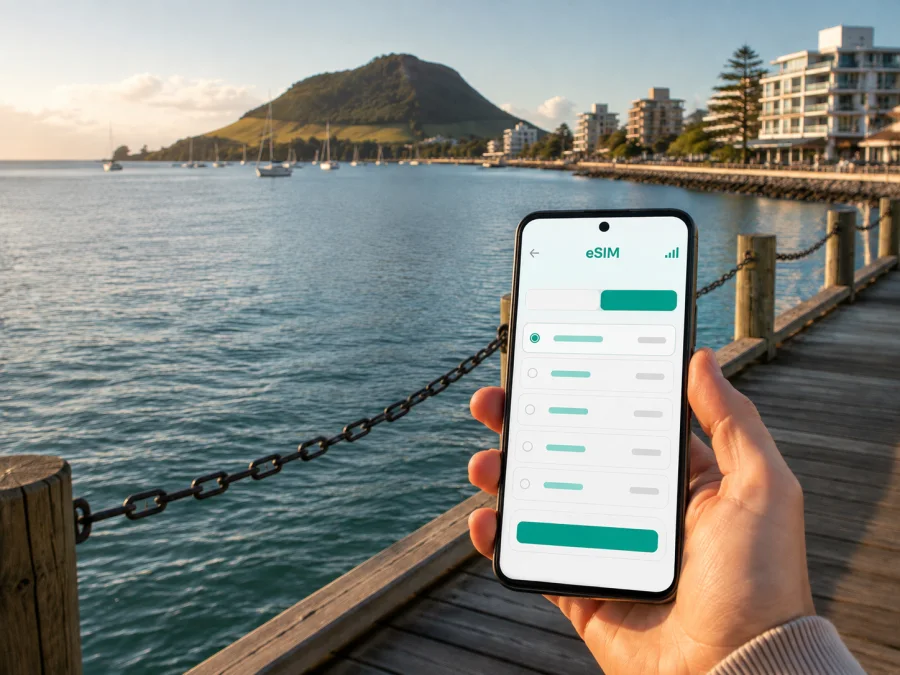
Tauranga eSIM: mobile connection and internet for your New Zealand trip
Tauranga is a practical base for exploring the Bay of Plenty: you may arrive for a few days beside the harbour, stay near Mount Maunganui, visit friends in Pāpāmoa, or combine a meeting in the city with a longer route through New Zealand. In each case, mobile internet is part of the journey. You need it for the first transfer, a map to your accommodation, a message to a host, a change in plans, and the small decisions that make an unfamiliar city easier to navigate.
An eSIM, or digital SIM, can help you prepare that connection without buying a physical SIM card after landing. With Kaspersky eSIM Store, you can use the app or website to choose, arrange and activate an eSIM with a suitable tariff for mobile internet on an overseas trip. The tariff is for data use; it is not automatically a replacement for your regular number, voice calls or SMS. Those services depend on your existing line and on the conditions of the selected tariff.
Why mobile internet matters in Tauranga
Tauranga is easy to approach as a collection of connected but distinct travel areas. The central waterfront, the residential streets around the city, Mount Maunganui across the harbour, and the spread towards Pāpāmoa do not feel like one compact hotel district. Your day may include a walk on The Strand, a bus to a meeting, a booking near the beach and an evening return to accommodation elsewhere. A working data connection keeps those transitions visible.
For a visitor, the most useful tasks are usually simple:
- checking the route from Tauranga Airport or a regional arrival point to your accommodation;
- opening a map while walking between the city centre, The Strand and nearby restaurants;
- checking a bus departure, stop change or transfer before leaving your hotel;
- confirming a reservation, sending your arrival time or translating a short message;
- sending an arrival message, checking a booking or joining a short work call from your accommodation.
Arrival: the first hour in the city
The arrival routine in Tauranga changes according to where you are staying. A hotel in the central area creates one set of walking and bus decisions; accommodation around Mount Maunganui or Pāpāmoa creates another. If you are meeting someone, the exact pickup point matters more than a broad district name. Keep the accommodation address, booking details and contact number available offline as a backup, then use mobile data to check the live route when you are ready to travel.
Before the flight, save the essentials in your phone:
- The full accommodation address, including the suburb or beach area.
- The name of the person or business receiving you.
- The planned airport transfer or public transport option.
- Your booking reference and check-in instructions.
If you install the eSIM before departure, you can leave your main line available for calls while selecting the travel eSIM for mobile data after arrival. If you install it after reaching New Zealand, use a trusted Wi‑Fi network and keep the QR code or profile details accessible.
Tauranga areas and the data you may use there
Thinking in districts helps you estimate how much data your Tauranga itinerary may use.
| Area or scenario | What you may use mobile data for | Planning note |
|---|---|---|
| Central Tauranga and The Strand | Walking directions, restaurant bookings, messages and quick searches | Short walks can still involve several turns, so keep the map ready before setting out |
| Mount Maunganui | Beach-area navigation, meeting points, bookings and transport between the coast and the city | Confirm whether your accommodation is on the Mount side or farther along the coast |
| Pāpāmoa | Directions, local errands, accommodation communication and plans to reach Tauranga | Add extra route context when your day crosses several suburbs |
| Port-related business travel | Meeting details, calendar updates, maps and messaging | Share the exact office or visitor entrance rather than only “the port” |
| Regional road trip | Route changes, weather checks, reservations and messages between stops | A regional tariff can be relevant if the itinerary continues beyond Tauranga |
The names on a map are not a substitute for the actual address. A booking may be in Mount Maunganui, Pāpāmoa, Bethlehem, Otūmoetai or another part of the wider city, so check the full route before choosing a New Zealand tariff.
Moving between the city, Mount Maunganui and Pāpāmoa
Many Tauranga itineraries alternate between the urban centre and the coast. You may start with a meeting in the city, go to Mount Maunganui for a walk, and continue towards Pāpāmoa for dinner or a beach stay. A map application is useful not just for distance but for understanding which side of the harbour you are on, where a stop is located and whether a planned connection requires a change.
Baybus services connect parts of the Tauranga urban area, including routes towards Mount Maunganui and Pāpāmoa. Routes, timetables, fares and payment arrangements can change, so check the current journey details before leaving. A Bee Card or cash may be required depending on the service and your situation; a phone with data helps you confirm the latest information, but it does not replace the payment method required for the ride.
Use a simple transport routine:
- Search from the exact address, not from the name of the suburb alone.
- Check the stop on the correct side of the road and allow time to reach it.
- Read the destination shown for the vehicle, especially when several routes use a central stop.
- Save the next connection before boarding if you know you will transfer.
- Keep a little offline information in case a tunnel, crowded area or weak signal interrupts the map.
A practical eSIM choice for a Tauranga itinerary
The right tariff is determined by your trip pattern, not by the city name alone. A visitor who only needs directions and messages for a weekend will use data differently from someone working remotely, uploading media or travelling onward through the North Island.
Compare the following points in the tariff information:
1. Territory
Confirm that the tariff covers New Zealand and that the coverage area matches your route. If Tauranga is one stop in a wider itinerary, read the conditions for the other destinations before deciding. A city article can help you plan the Tauranga portion, but the tariff must match the complete journey you intend to take.
2. Allowance
Estimate your likely use from the tasks you actually perform. Maps, messages and email are lighter than video calls, cloud backups, high-resolution uploads or repeated streaming. Review automatic backups and app updates over mobile data.
3. Validity
Check how long the tariff remains active and when its validity begins. The start condition can depend on activation or on the first connection, according to the selected offer. Do not assume that installing a profile and using its data are the same event; read the tariff terms and plan the timing around your arrival.
4. Top-up and account controls
If you may stay longer in Tauranga or extend a road trip, check how balance management and top-ups work under the selected tariff.
5. Your communication needs
Travel eSIM tariffs are generally designed around mobile internet. They may not include a local phone number, ordinary calls or SMS unless the individual terms say otherwise. Keep your regular line for the services you need, and use internet-based messengers when appropriate.
At the point where you have checked the destination, data allowance and validity, you can choose an eSIM plan for a trip to New Zealand and continue with the setup that suits your Tauranga itinerary.
How to prepare your phone before departure
Preparation is easier at home, when your phone is charged and you have time to read each prompt. Before buying, check whether your device supports eSIM. Also confirm that the phone is not locked to an operator. Device support can vary by model, region and software configuration, so do not rely only on the name of the phone.
Use this preparation checklist:
- [ ] The phone supports eSIM and is not operator-locked.
- [ ] You know which line will remain your default for voice calls and SMS.
- [ ] You know which line will be used for mobile data in New Zealand.
- [ ] The QR code or installation information can be opened when needed.
- [ ] Important addresses and booking details are also saved for offline use.
Saved addresses and accessible installation details reduce the number of decisions you have to make in the airport pickup area.
Installing and activating an eSIM
The exact menu names vary between phones, but the sequence is broadly the same. Have an internet connection available for installation, keep the purchase details nearby and follow the instructions for your operating system. For a fuller walkthrough, use the Android installation instructions or the iOS installation instructions.
Before you start
Make sure you have a compatible, unlocked device, a charged phone and the QR code or profile information. If you install before departure, use the travel profile on arrival only as permitted by the tariff conditions. If you install after arrival, use a trusted internet connection and keep your regular line in place.
Step-by-step sequence
- Open mobile network settings. Choose the option to add a mobile plan or eSIM.
- Scan the QR code or enter the profile details. Use the information provided after arranging the tariff.
- Label the new line. A label such as “New Zealand data” makes it easier to select the correct profile later.
- Choose the line for mobile data. Set the travel eSIM as the data line when you are ready to use it.
- Keep your voice line configured deliberately. Decide whether your normal line should remain available for calls and messages and review its data-roaming setting.
- Enable data roaming for the eSIM if the tariff instructions require it. This setting can be necessary for a travel profile to connect, while the correct choice for your primary line may be different.
- Wait for registration. Connection can take several minutes and depends on the device and local network conditions.
- Test a small task. Open a map or send a short message before setting out.
If the eSIM appears but data does not work, check the selected data line, activation conditions, signal and roaming setting for that eSIM. A restart can help it register again. If the issue remains, contact support with the purchase and device details.
From Tauranga to the wider Bay of Plenty
Tauranga is often part of a wider route. You may continue towards Rotorua, Whakatāne, Waihi or another North Island stop, so check that the selected New Zealand tariff applies to the full itinerary.
Plan regional travel in two layers:
City layer: accommodation, waterfront plans, Mount Maunganui, Pāpāmoa, meetings and local transport.
Route layer: departure time, fuel or rest stops, accommodation changes, reservations and directions beyond Tauranga.
Review the route before purchase, save key addresses, and keep essential information available if the signal is temporarily unavailable.
Questions travellers ask about Tauranga eSIM use
Will an eSIM give me a local phone number?
Not necessarily. Travel eSIM tariffs are intended for mobile internet and may not include a regular telephone number, voice calls or SMS. Check the individual conditions. For conversations and messages, you can use internet-based messengers when appropriate, while keeping your ordinary line available for the services you need.
Do I need to turn on data roaming?
Some travel eSIMs require data roaming to be enabled for that eSIM. Follow the instructions for the selected tariff and review which line is assigned to mobile data. Avoid enabling data roaming on your primary line by accident if you do not intend to use it abroad.
What if I cannot activate the profile?
First check that the phone supports eSIM, is not operator-locked, has an internet connection for setup and is displaying the correct data line. Review the installation steps and tariff conditions. If the problem continues, contact support with the relevant purchase and device details rather than deleting the profile and starting over.
Is an eSIM a complete substitute for a New Zealand mobile operator?
No. It is a way to arrange a mobile-data option for an overseas trip. It does not automatically replace every service of a local operator, and the available functions depend on the selected tariff. Keep that distinction in mind when planning calls, SMS, data sharing and work requirements.
Stay ready for the next Tauranga plan
Tauranga travel is easier when mobile internet supports the actual shape of your day: a flight arrival, a hotel check-in, a bus between the city and the coast, a meeting near the waterfront or port, a walk around Mount Maunganui, and a route onward through New Zealand. An eSIM can remove the need to find a physical SIM card after arrival, while the tariff terms, device settings and local conditions still deserve your attention.
Kaspersky eSIM Store is an app and website that helps you choose, arrange and activate an eSIM with a suitable tariff for mobile internet on an overseas trip. Check compatibility, read the allowance and validity, prepare your phone, and select the data line when you are ready to use it.
When your Tauranga plans are clear, choose an eSIM plan for New Zealand and prepare the connection for the journey ahead.


