Travel connectivity guide
TCL NxtPaper 70 Pro eSIM: Compatibility and Setup
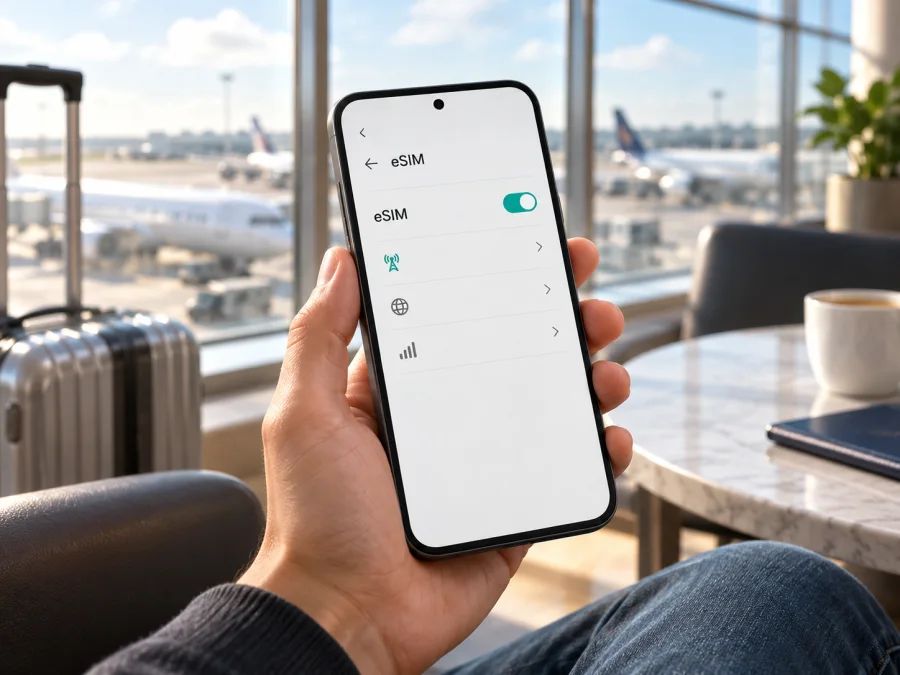
TCL NxtPaper 70 Pro eSIM: compatibility and travel setup
The short answer is version-dependent. TCL’s current US product listing for the T807W version identifies its SIM type as eSIM + Nano SIM (4FF). That is official confirmation for the configuration sold under that US listing. TCL’s global and European product pages describe the TCL NxtPaper 70 Pro but do not confirm eSIM support in their published specifications. The product name alone therefore is not enough to confirm that every regional or carrier configuration can add an eSIM. Check the model code and the settings on your own phone before choosing a plan.
If your phone is the eSIM-capable configuration, you can use a compatible travel eSIM for mobile data while abroad, subject to the plan’s destination and device requirements. If you cannot find an EID or an option to add an eSIM, treat support as unconfirmed and ask the seller or TCL support to verify the exact SKU. A physical SIM slot, 5G capability, or the “Pro” name does not by itself prove that a device has eSIM.
Does TCL NxtPaper 70 Pro support eSIM?
The answer depends on the specific unit. The US TCL store specification for model code T807W lists “eSIM + Nano SIM (4FF)” and separately describes a single SIM slot with a TF card slot. This means the published US configuration supports a digital SIM alongside a physical Nano SIM. The specification is tied to that configuration; it should not be generalized automatically to phones purchased in another country, through a carrier, or under a different model code.
TCL’s global and EU product pages confirm the phone family but do not list eSIM in the specifications available there. That is not proof that every non-US version lacks eSIM; it means public official information reviewed for those pages does not settle the question. Carrier firmware, local product codes, and hardware configurations may differ. Until the exact model is confirmed, the useful answer for a buyer outside the US is “check the individual device,” rather than a universal yes or no.
| Item | What can be confirmed |
|---|---|
| Device named in this guide | TCL NxtPaper 70 Pro |
| Official US configuration checked | T807W listing |
| SIM detail on that listing | eSIM + Nano SIM (4FF) |
| Other regional configurations | eSIM support not established by the global and EU pages reviewed |
| Practical conclusion | Verify the phone’s model code, EID, and mobile-network settings before purchase |
This distinction matters because an eSIM profile is stored in a secure component in the phone and downloaded through the device’s setup menu. A phone may support cellular data, 5G, and two SIM services in some form while still lacking an eSIM option in a particular regional variant. Conversely, seeing a physical SIM tray does not mean eSIM is unavailable: the US T807W specification lists both eSIM and a Nano SIM.
Confirm compatibility and prepare for travel
Use more than one check when possible. The strongest practical confirmation is an EID shown by the phone together with an eSIM setup option. An EID is a long identifier associated with the phone’s eSIM hardware. It is different from an IMEI, which identifies a cellular device, and different from the ICCID assigned to a SIM profile. Having an IMEI does not establish eSIM support.
Compatibility checklist
- Find the model code. Open Settings → About phone (wording can vary) and note the model number, product code, and software region. Compare that code with the seller’s documentation or ask TCL support to confirm eSIM for it.
- Look for an EID. In Settings → About phone → Status or the SIM status area, look for EID. Menu names differ by Android version and market. You may also try searching Settings for “EID”.
- Look for eSIM setup. Open Settings → Network & internet, Connections, or SIM cards & mobile networks and look for Add eSIM, Download a SIM, or Add mobile plan. An absent option is a reason to pause and verify the SKU; it is not sensible to infer support from a general product-family name.
- Check the carrier lock. Ask the seller or current carrier whether the phone is unlocked and can accept a travel profile. A device restriction can prevent a profile from working even where the hardware supports eSIM.
- Confirm with the actual seller. Ask for a written confirmation that the exact model code and regional build can download a third-party travel eSIM. Avoid relying on a listing that only says “dual SIM” or “5G”.
- Check the plan’s requirements. Confirm that the destination is covered, the plan is for mobile data, when its validity starts, and whether it requires data roaming to be enabled.
If you are buying a new unit, ask the seller to show the EID in the phone’s own settings or provide the full model code before payment. For a phone you already own, check after installing available system updates and restarting once. If neither an EID nor an add-eSIM setting appears, contact TCL or the seller with the model code and the country where the phone was sold. Do not purchase a non-refundable plan on the assumption that a similarly named configuration will work.
A compatible device is only one part of the setup. You also need an internet connection while downloading the profile, a plan that covers the place you are visiting, and access to the account or QR code used for installation. Before purchasing, compare the trip dates with the plan’s validity terms and estimate how much data you use for maps, messaging, browsing, calls over apps, and media. Download large files over Wi-Fi where practical.
For a quick guided route through the site’s device compatibility flow, use Check your device. This check complements the handset menu: it cannot change the hardware or remove a carrier restriction.
Kaspersky eSIM Store is an app and website where you can choose, arrange, and activate an eSIM with a suitable mobile-data plan for an international trip. When you have confirmed that your TCL NxtPaper 70 Pro version supports eSIM, you can browse current travel plan options and check the displayed destination, data amount, validity, price, and activation conditions. The homepage is a starting point for checking current options; it is not a country-specific tariff page. The travel eSIM is intended for mobile data. A regular phone number, voice calls, and SMS are not included unless the terms of a particular plan say otherwise.
How to install an eSIM on TCL NxtPaper 70 Pro
Android menu labels vary between software versions, regions, and carriers. Keep the phone connected to Wi-Fi during setup, and use the instructions supplied with the plan if they differ from the general flow below. Do not delete an installed profile just to retry an activation unless the plan instructions or support team specifically tell you to; some profiles cannot be installed again after removal.
- Confirm compatibility and unlock status. Find the EID and the add-eSIM option, and verify that the phone is not restricted by a carrier. If these checks are inconclusive, resolve them before ordering.
- Choose a destination and plan. Check that the destination or region matches the whole route. Review data allowance, validity period, supported network access, and when validity begins. Make sure you understand any stated installation or activation deadline.
- Open the installation details. After arranging a plan, open its instructions in the app or account. Keep the QR code on another screen or printed page if you plan to scan it with the phone’s camera. If the service offers manual activation details, use them only as directed.
- Open the SIM settings. On the phone, open Settings and look for Network & internet, Connections, or SIM cards & mobile networks. Choose Add eSIM, Download a SIM, or the closest equivalent.
- Download the profile. Scan the provided QR code or follow the on-screen manual setup option. Approve the download and wait for the device to finish. Keep a stable internet connection and do not close the setup screen while the profile is being added.
- Name the profile. Give it a clear label such as “Travel” so you can distinguish it from your home SIM. Labels do not affect connectivity, but they make the next selection easier.
- Choose when to use it. If the plan should begin only after arrival, leave the travel profile installed but keep it turned off until the plan’s instructions say to activate it. Installation and activation are not always the same event; check the terms for the exact plan.
- Set mobile data to the travel eSIM. When you are ready to connect, open SIM or mobile-network settings and select the travel profile for mobile data. Keep your regular number selected for calls or messages if you want to use it and your carrier’s terms allow that.
- Enable data roaming for that profile if required. Some travel plans need roaming enabled on their eSIM profile to connect to a partner network. Follow the plan instructions and check the setting is applied to the travel line, not accidentally to your home line.
- Wait for network registration. Give the phone a few minutes in an area with coverage. If it does not connect, use the troubleshooting checks below before deleting or reinstalling anything.
For visual walkthroughs, see the Android eSIM installation instructions and the iOS eSIM installation instructions. TCL NxtPaper 70 Pro runs Android, so the Android guide is the relevant one for this phone. The iOS page is useful only if you are helping someone set up an iPhone.
Use the travel eSIM for mobile data
When you arrive, check that the travel profile is switched on and selected for mobile data. If the phone has more than one active line, confirm which profile is supplying data before opening apps that use a lot of traffic. Your home SIM can often remain available for calls or text messages, but roaming charges from your home carrier may apply if you use that line abroad. Review those terms separately.
The travel eSIM can be useful for route maps, ride-hailing, translation, booking confirmations, email, and messaging apps. It does not automatically provide a normal phone number. Internet calls and messages in apps may work over the data connection, but access depends on the app, local conditions, and the terms of the plan. Do not assume that a plan includes voice service or SMS unless its terms say so.
If you travel through several countries, select a plan that explicitly lists each intended destination or a region that includes them. A plan for one country may not cover a neighboring country, even if both use the same currency or are part of one itinerary. Confirm the supported destinations before checkout, and keep the plan details available offline in case you need to review them after landing.
Common setup problems and checks
There is no EID or “Add eSIM” option
Restart the phone, install available system updates, then search Settings for EID and eSIM. Check the full model code and sales region against official documentation. If the setting remains absent, ask TCL or the seller whether that exact build contains eSIM support. An IMEI alone is not a substitute for an EID, and a physical SIM tray does not answer the question either way.
The QR code will not scan
Increase screen brightness on the device showing the QR code, clean the camera lens, and hold the phone steady. Make sure the full code is visible and not cropped. If you received the code on the same phone you are configuring, open the manual installation option if one is provided, or display the code on another trusted device. Do not share the QR code publicly: it may allow someone else to install the profile.
The profile download fails
Check that Wi-Fi works, disable any setting that blocks downloads, and confirm the phone’s date and time are automatic. Reopen the plan’s installation instructions and check whether that profile has already been installed. If an error says the code was used or the profile cannot be added, contact support before trying repeated scans; activation rules vary, and deleting a profile may not make the code reusable.
The eSIM is installed but there is no service
Confirm that the travel line is enabled and selected for mobile data. Check the destination, the plan’s activation window, and whether data roaming must be turned on for that profile. Toggle airplane mode on briefly and off, then restart the phone. If the plan allows manual network selection, use the provider’s instructions. Coverage and network registration depend on the plan’s supported local network and the place you are in.
Mobile data works on the wrong SIM
Open SIM settings and explicitly choose the travel eSIM as the mobile-data line. Also check whether the phone is set to switch data automatically between SIMs. If you want to avoid accidental use of your home plan, turn off automatic data switching and mobile data on the home line while travelling, while keeping any call or text options you need in mind.
The connection is slow or drops
Move to an open area, check the signal indicator, and briefly switch airplane mode on and off. Confirm that the selected plan has remaining data and is still valid. If the plan permits network selection, return to automatic selection after trying the instructed network. A 5G-capable phone does not guarantee 5G availability on every partner network or at every location; the connection may use another supported generation depending on local service and plan terms.
The phone reports that it is locked
A carrier lock is controlled by the carrier or seller, not by installing another eSIM profile. Ask the original carrier about unlocking eligibility. Do not assume that a successful profile download means the phone is able to register on a travel network.
Frequently asked questions
Is eSIM supported on every TCL NxtPaper 70 Pro?
No universal answer is confirmed. TCL’s US T807W listing specifies eSIM + Nano SIM. The global and EU pages reviewed do not confirm eSIM in their published specifications. Check the model code and EID on the exact handset, especially if it was bought outside the US or through a carrier.
Can I use eSIM and a physical SIM together?
The US listing identifies eSIM + Nano SIM for T807W, but the number of lines that can be active at once and their combinations may depend on software and carrier settings. Check the SIM manager on your phone. Do not assume that every other regional version has the same arrangement.
Does a missing EID always mean the phone has no eSIM?
It is a strong reason to verify, but first check the correct Settings pages, restart the phone, and install available updates. Then ask TCL or the seller to confirm the model code. Do not rely on an IMEI as proof of eSIM capability.
Can I install the profile before travelling?
Often yes, but the plan’s rules determine when validity starts and whether installation itself activates it. Read the specific instructions. If activation should happen after arrival, install only when instructed or leave the profile switched off until the stated time.
Does a travel eSIM replace my normal number?
Usually a data plan does not include a regular phone number, voice calls, or SMS unless its terms explicitly include them. You may retain your home SIM for those services, but check roaming charges with your home carrier. Messaging and internet calls may work in apps over mobile data.
Do I need to enable data roaming?
Some travel eSIMs require it to connect to a supported partner network. Enable roaming only for the travel profile when the plan instructions say to. The name of the switch and where it appears can vary between Android versions.
Final check before your trip
For TCL NxtPaper 70 Pro, start with the exact model code rather than the family name. TCL’s official US T807W specification confirms eSIM + Nano SIM; published global and EU product details do not establish the feature for all other versions. On your own phone, confirm the EID and an add-eSIM setting, verify that the device is unlocked, and ask the seller or TCL about any regional uncertainty.
Once compatibility is clear, check that the travel plan covers every destination on your route, that its data allowance and validity fit your trip, and that you understand its activation and roaming settings. Kaspersky eSIM Store’s app and website let you review current options and choose, arrange, and activate an eSIM plan for mobile data abroad. Confirm the phone first, then browse travel plan options and complete setup while you have a reliable internet connection.


