Travel connectivity guide
Team eSIM in Armenia: activation and travel checks
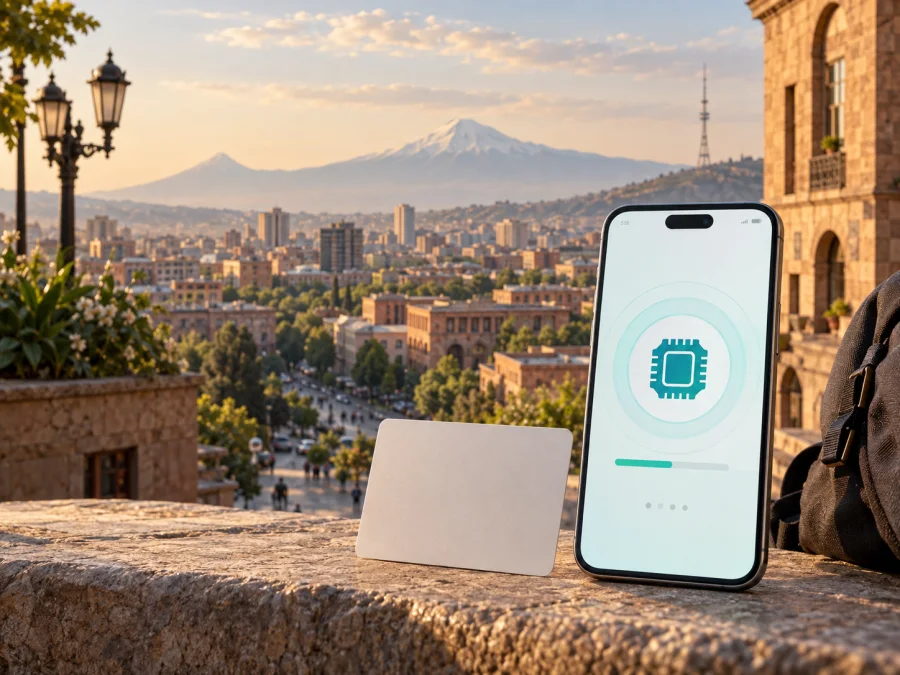
Team eSIM in Armenia: what travelers should check
If you are preparing a trip to Armenia and want a local mobile connection without a plastic SIM, Team is an operator with current public information about eSIM registration, purchase and activation. An eSIM is a digital SIM built into a compatible device. It can work alongside a physical SIM when the phone supports dual-SIM use.
This guide explains the current process, traveler checks, activation, compatibility, coverage and the travel-eSIM alternative. Requirements can change, so confirm them with Team before relying on a local eSIM.
Team eSIM in Armenia at a glance
The table contains non-tariff reference information only.
| Question | Current public information |
|---|---|
| Is Team eSIM documented? | Yes. Team has current English pages about eSIM, supported devices and activation. |
| Where can it be obtained? | The published routes include the My Team app, Team sales and service centers and the online shop. |
| How is it activated? | A QR code is scanned from the mobile-network settings of a compatible phone. |
| What does the phone need? | eSIM support, a suitable regional version and no carrier restriction that blocks activation. |
| Is identification relevant? | Yes. Team describes remote identity verification in the app and an identity document for the service-center route. |
| Is prepaid service mentioned? | Yes, in general terms on Team’s eSIM service page. |
| Is a separate tourist offer confirmed? | Not on the official pages checked on September 20, 2026. Ask Team about current visitor eligibility. |
| Which technologies are shown? | Team’s coverage materials identify 5G, 4G and 3G areas. Availability depends on place, device and conditions. |
Team’s local service and the traveler’s question
Team operates mobile communications services in Armenia and publishes information about mobile service, support, roaming and coverage. A Team eSIM should therefore be understood as a local operator service connected to a Team subscriber line or account, not as a generic travel data profile. Local registration and identification rules can apply.
Team’s public eSIM information describes a digital route through the My Team application. It says that remote identification, subscriber registration and activation take place in the app. The operator also describes obtaining or changing to an eSIM through a Team sales and service center with an identity document, and mentions its online shop. The route, delivery method and eligibility should be checked for your own circumstances.
The page titled “About eSIM service”, checked September 20, 2026, states that the app-based eSIM service is available to individuals and citizens of the Republic of Armenia. This wording matters to visitors. Being physically present in Armenia does not by itself prove that a foreign traveler can complete remote registration. A passport may not automatically provide access to the app route, and a service-center decision may differ from an online application.
Team’s current official pages confirm eSIM support and general prepaid availability, but do not clearly confirm a separate tourist-only eSIM offer. Treat a local Team eSIM as an option to verify, not as a guaranteed tourist connection. Ask Team whether a non-Armenian visitor can obtain and activate an eSIM on the date of travel, which documents are accepted, and whether the answer differs between the application, online shop and service center.
Check these points before departure
- Confirm that the phone is unlocked and shows an option to add an eSIM.
- Check the exact regional model, since the same model name can have different connectivity features.
- Ask Team whether your citizenship and visitor status are eligible for the chosen route.
- Confirm which identity document is accepted and whether remote verification is available.
- Make sure you can receive activation details securely.
- Keep reliable internet available during registration and installation.
- Decide which line will be used for mobile data after activation.
- Keep your main SIM available if you need its number for messages or account recovery.
These checks are particularly important when a trip is short. A visitor who discovers an eligibility issue after arrival may need a different connection plan.
How Team eSIM purchase and activation work
The exact screens may change, but Team’s current instructions describe the same basic sequence. The user obtains an eSIM with a special QR code, opens mobile-connection settings on the phone that will use it, scans the code, downloads the profile and confirms it. Team says that the instructions depend on the operating system.
My Team application
Team’s eSIM page says to download My Team, sign in, open the eSIM section and follow the instructions. The service page adds that the app performs remote identification and subscriber registration. The operator describes sending an activation QR code by email after the purchase process. Check the sender and keep the message private. A QR code is an activation credential, so do not forward it to an unofficial contact.
Team service center or online shop
Team’s public eSIM page says that a user can obtain an eSIM at a sales and service center or change a current SIM to eSIM with an identity document. The page also mentions a new eSIM number through the online shop. A traveler should ask whether the selected location serves visitors, which document is accepted, and how activation information is delivered.
QR-code sequence
Use this general sequence after Team has confirmed your eligibility and issued the profile:
- Connect the phone to stable Wi-Fi or another reliable internet connection.
- Open mobile-network or cellular settings.
- Choose the option to add an eSIM or mobile plan.
- Display the QR code on another screen, or use manual entry if Team instructs you to do so.
- Scan the code and approve the profile download.
- Label the new line so it is easy to distinguish from your home SIM.
- Select the intended line for mobile data.
- Follow the on-screen instructions and wait for network registration.
Team’s iOS guidance refers to Cellular settings and adding a cellular plan. Its Android guidance refers to Connections, SIM Card Manager and adding a mobile plan. Menu names vary by software version. If the code arrived by email, use another screen when necessary and protect the message.
Device compatibility and dual-SIM use
Team maintains a public list of eSIM-capable smartphones and other devices. The compatibility page checked on September 20, 2026 says the list expands as new devices reach the market. It also warns that regional restrictions or carrier settings can mean that a model listed as compatible does not have eSIM enabled in a particular version.
Use the list as a starting point, then verify the exact handset. Open settings and look for an option to add an eSIM or mobile plan. Compare the model and region with the manufacturer’s documentation. If the phone was purchased through a carrier, check that it is not locked. Correct hardware alone does not guarantee that a profile can be installed.
If you plan to keep your home SIM active, review which line is selected for data, calls and messages. Disable automatic switching if your phone offers that control. Review data-roaming settings before departure and test the intended line while you still have stable internet. A Team local line and a travel eSIM are separate products and should not be treated as interchangeable profiles.
Team network technologies and coverage
Team’s public coverage materials identify areas for 5G, 4G and 3G and provide separate information about localities, applied technologies, services and interstate highways. The coverage page says that the detailed material is current as of January 1, 2026. That is a useful reference date, not a promise that a particular building, road or device will have the same service at every moment.
Use the map to check the route you actually plan to follow. Armenia includes cities, valleys, mountain roads and rural settlements with different terrain and infrastructure. Indoor and outdoor reception can differ, and a phone may select a different technology because of hardware or local conditions. The official material should not be turned into a general rating of network quality.
If you will travel beyond a main city, check the relevant settlements and highway sections. Save important maps and booking details offline. Technology labels are coverage references, not performance claims; this article makes no assertion about speed or superiority.
Local Team eSIM or a travel eSIM?
The choice depends on the purpose of the connection. A local Team eSIM may suit a traveler who is eligible for local registration, needs an Armenian mobile line, or already has a Team account. A travel eSIM may suit someone whose priority is mobile internet for a trip and who wants to prepare before arrival without visiting a local sales point. Neither route is automatically right for every traveler or phone.
The key difference is the service relationship. Team eSIM is a local operator service subject to Team’s customer and identification conditions. A travel eSIM through Kaspersky eSIM Store is arranged through an app and website for a chosen destination, so the traveler checks destination availability, device compatibility and installation instructions instead of assuming that local registration will be available.
Kaspersky eSIM Store is an app and website for selecting, arranging and activating a travel eSIM for mobile internet. It is not a mobile operator, does not own Team’s network and does not provide Team coverage. Kaspersky’s official materials describe access to travel eSIM options through local connectivity partners. Destination availability, activation flow and device requirements must be checked at the time of purchase.
If you choose a travel eSIM, install it while you have stable internet, label it clearly and select it for mobile data when you want to use it. Keep the primary SIM available if you need its number for messages. Follow the instructions in the Kaspersky eSIM Store app or website and check whether data roaming must be enabled for the travel profile. The control names depend on the phone.
For Armenia, check the current travel option here: choose an eSIM option for Armenia. This is a travel-service link and does not imply an affiliation with Team or a promise that Team’s local eSIM is available to every visitor.
Important restrictions
The main restriction for a traveler is eligibility: Team’s official description names individuals and citizens of Armenia for the app route. The phone must support eSIM, the regional version must have the feature enabled, and it should not be carrier-locked. A profile is generally associated with one device at a time, and coverage is location-dependent. A Kaspersky eSIM Store travel option helps prepare mobile internet for a trip; it does not turn Kaspersky into a local operator or replace your existing phone line.
Frequently asked questions
Does Team offer eSIM in Armenia?
Yes. Team’s current public pages document eSIM purchase, replacement and QR-code activation in Armenia. They also describe app-based registration and a device-compatibility list. The published app eligibility wording refers to individuals and citizens of Armenia, so a visitor should confirm current eligibility instead of assuming that the service applies to every traveler.
Can a tourist buy Team eSIM online?
This was not confirmed as a general tourist entitlement on the official pages checked on September 20, 2026. Team documents an app route with remote identity verification and a service-center route with an identity document, but the rules for a non-Armenian visitor should be checked directly.
How do I activate Team eSIM?
Obtain the eSIM and QR code through an accepted Team route, connect the phone to stable internet, open mobile-network settings, add an eSIM or mobile plan, scan the code and follow the operating-system instructions. Keep the code private and do not delete the profile until you understand the recovery procedure.
Can I use a Team eSIM on any phone?
No. The phone must support eSIM, and a regional model or carrier lock may prevent activation. Team publishes a compatibility list but also advises checking the exact device and carrier conditions.
Is Kaspersky eSIM Store affiliated with Team?
No affiliation is claimed. Kaspersky eSIM Store is a separate app and website that helps travelers arrange a travel eSIM for mobile internet. It is not Team, does not own Team’s network and should not be presented as Team’s official partner or distributor.
Team’s official eSIM, device-compatibility and coverage pages were checked on September 20, 2026. They confirm that Team eSIM is publicly documented in Armenia, describe prepaid service in general terms, and provide activation and coverage guidance. They do not establish that every foreign tourist can use the app route, and they do not confirm a separate tourist-only eSIM offer. Kaspersky eSIM Store’s official travel materials were also checked on that date for its role as an app and website for travel eSIM selection and activation.
Kaspersky eSIM Store is not affiliated with Team, is not Team’s official partner or distributor, and is not a mobile operator or network owner. Team and other names remain the property of their respective owners. Eligibility, activation, coverage and travel eSIM availability can change, so check current information with the relevant service before your trip. To review the travel option for Armenia, check the current Armenia destination.


