Travel connectivity guide
Tecno Camon 50 Ultra 1TB 5G eSIM Compatibility
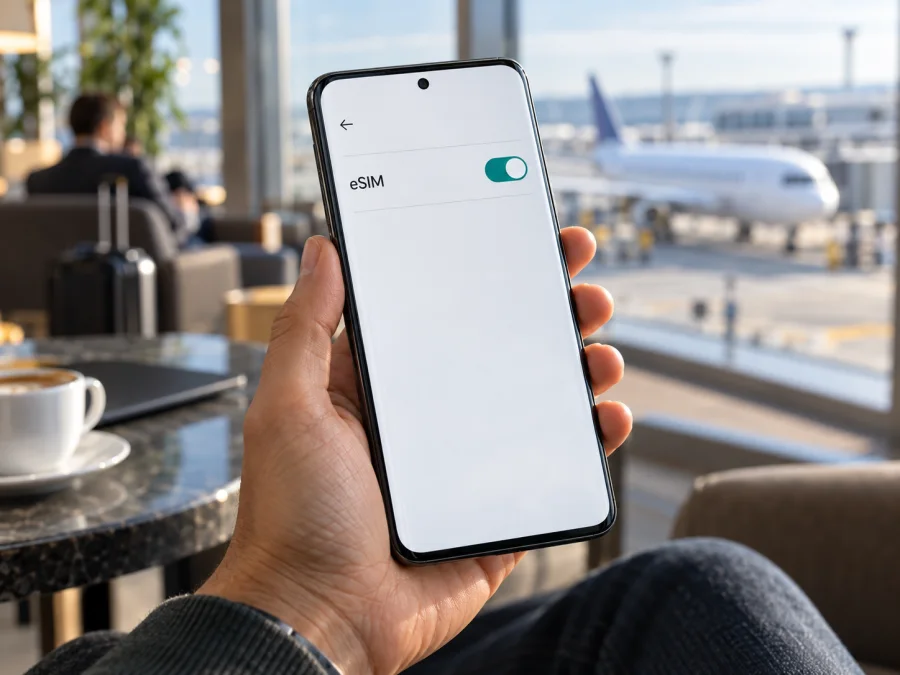
Tecno Camon 50 Ultra 1TB 5G eSIM: compatibility and setup
If you are checking whether the Tecno Camon 50 Ultra 1TB 5G can use an eSIM, the safest answer is: the exact 1TB variant is not confirmed by the official specifications reviewed here. TECNO’s product information for the CAMON 50 Ultra 5G family mentions eSIM, but says availability varies by country or region and depends on local carrier services. At the same time, TECNO’s published technical specifications show 256 GB and 512 GB storage configurations, not a 1 TB configuration. A “1TB” listing therefore needs seller verification. Do not infer eSIM support from the “Ultra,” “1TB,” or “5G” labels alone.
Compatibility depends on the particular phone in your hand. An EID or an option to add an eSIM in Settings can help identify eSIM capability, while the exact model code, sales region and destination operator determine whether activation will work. If you cannot find an EID or an eSIM setup option, treat compatibility as unconfirmed.
Does the Tecno Camon 50 Ultra 1TB 5G support eSIM?
There is not enough official evidence to give an unconditional yes for the Tecno Camon 50 Ultra 1TB 5G. TECNO’s global product page for CAMON 50 Ultra 5G presents eSIM as a feature. Its accompanying note says availability varies by country or region, depends on local carrier services, and should be confirmed with the mobile operator. The regional presentation differs: TECNO’s Cameroon product page displays eSIM, while the technical specification pages reviewed for Türkiye and Nigeria do not list it in their connectivity fields. That omission does not prove the feature is disabled, but it means family-level marketing cannot settle the status of a particular unit. A feature statement for the model family does not establish that every regional unit or software build has eSIM enabled.
The storage detail matters. The official TECNO specification pages reviewed list 256 GB and 512 GB memory configurations. They do not list a 1 TB configuration. That does not prove that no seller or market offers a phone under a 1 TB listing; it means the specific variant name supplied here cannot be matched to an official 1 TB specification. The box, device model code, firmware and sales region are more useful for checking than the product title in an online listing.
| Check | What can be confirmed | What remains to verify |
|---|---|---|
| Device family | TECNO’s CAMON 50 Ultra 5G product information mentions eSIM in some markets. | Whether the specific handset has the required eSIM hardware and software enabled. |
| Market | TECNO states that feature availability varies by country or region. | The original sales region of this phone and the rules for your destination. |
| Storage label | Official specifications reviewed list 256 GB and 512 GB configurations. | Why the listing says 1TB and what exact model code is on the box and in Settings. |
| Operator | TECNO says eSIM support depends on local carrier services. | Whether the operator behind your chosen travel plan accepts this device and plan. |
| Final check | An EID and an “Add eSIM” option are strong signs that eSIM is available on the handset. | Confirm with the seller and operator before paying for a plan. |
In practical terms, treat this named 1 TB version as unverified until your own handset passes the checks below. A general family-level eSIM mention should not be used to promise compatibility for a regional or retailer-specific version. If you have not bought the phone yet, request a written answer tied to its model code and region rather than relying on a generic “supports eSIM” badge.
How regional and operator versions can differ
A phone model name can be shared across several markets even when the components, firmware, supported bands, SIM configuration or software features differ. A manufacturer may enable a function in one country and omit it in another, or publish different feature descriptions on regional pages. Software updates can also change menus, so the location of eSIM controls may vary between releases.
There are three separate questions to keep straight:
- Does this exact unit contain and expose eSIM capability? Check EID and the settings menu on the phone.
- Does the sales region allow the feature on this model code? Confirm with TECNO support or the seller, using the code printed on the box and shown in system settings.
- Will the specific operator market work with it? Ask the operator or plan provider for the destination country whether it supports eSIM activation on that exact model. Compatibility in one country does not guarantee acceptance by a different operator abroad.
The presence of 5G only describes a generation of mobile network capability. It does not confirm that a phone contains an eSIM, is unlocked, supports every carrier band, or can activate a particular travel profile. Likewise, storage capacity and RAM do not determine eSIM compatibility.
Check compatibility before buying a plan
Use this checklist on the phone itself. Menu names can vary with HiOS version, region and language; use Settings search if a label is different.
- [ ] Check the EID. Open the Phone app and enter
*#06#. If the phone supports eSIM, the screen may show an EID alongside other device identifiers. You can also look in Settings → About phone → Status or search Settings for “EID.” The EID is a long identifier for the embedded SIM hardware; it is different from the IMEI. - [ ] Look for an add-eSIM control. Open Settings → SIM & network, Mobile network, or the closest equivalent. Look for Add eSIM, Download a SIM, or Manage eSIMs. On some Android versions the path may be Settings → Network & internet → SIMs.
- [ ] Confirm the exact model code. Compare the code in Settings → About phone with the box, invoice and seller’s written description. Ask why a 1TB configuration is advertised when the published specification for the family lists 256 GB and 512 GB.
- [ ] Confirm the sales region. Ask where the device was originally sold and whether eSIM is enabled on that regional firmware. A phone imported from another market may have different configuration or support terms.
- [ ] Check the network lock. Confirm that the phone is not restricted to its original carrier. An eSIM profile may install correctly but still be unable to register if the handset is locked or the carrier does not authorize it.
- [ ] Ask about the destination operator. Give the operator the model code, sales region and (if available) EID. Confirm support for eSIM activation and for the specific destination plan.
- [ ] Keep internet available for setup. Profile installation usually requires a working Wi-Fi or mobile data connection. Do not rely on the new eSIM as your only connection while you are downloading it.
Check whether your device is compatible and compare the result with the exact model and destination operator. A settings menu is a helpful device-side check, but a reseller confirmation and operator confirmation matter when regional support is unclear.
How to install and activate an eSIM
Follow these steps only after verifying that your exact handset supports eSIM and is not carrier-locked. Keep the phone connected to Wi-Fi or another reliable internet connection, and have the activation QR code or manual details ready. The Android menus on HiOS may use slightly different names, so follow the on-screen wording if it differs from the examples here.
- Review the plan details. Confirm the country or region, data allowance, validity period, supported network, activation rules and whether the plan is data-only. Check when the validity period begins; it may start at installation, first connection or another point specified in the plan terms.
- Open mobile network settings. Go to Settings → SIM & network or Settings → Mobile network. If you do not see either path, search Settings for eSIM or Add eSIM.
- Choose the add-eSIM option. Tap Add eSIM, Download a SIM, or the matching command. Keep your existing SIM available until the new profile is installed and tested.
- Scan the activation QR code. Point the camera in the eSIM setup screen at the QR code provided with your plan. If scanning is unavailable, enter the activation details manually only if the plan instructions provide them.
- Confirm the download. Read the plan name and any confirmation screen carefully, then allow the phone to download and install the profile. Do not close Settings or switch off the internet connection while it is being added.
- Set the travel eSIM as the data line. In SIM settings, select the newly installed eSIM for mobile data when you are ready to use it. Keep calls and messages on your regular SIM if that is what you prefer and your operator allows it.
- Enable data roaming for that eSIM if required. Some travel plans use a roaming partner network. Turn on data roaming for the travel eSIM only when the plan instructions require it. Review your regular SIM’s roaming setting separately to avoid unintended charges.
- Connect at the destination. Turn on the eSIM profile and mobile data. If automatic network selection does not work, use the network selection steps supplied with the plan. Allow a few minutes for registration.
- Test a simple page or map. Once connected, confirm that data works before depending on it for navigation or messaging. If it does not, use the troubleshooting checks below.
For menu-by-menu help, see the Android eSIM installation instructions or the iOS eSIM installation instructions. This Tecno handset runs Android-based HiOS, so use the Android steps for the phone itself.
Keep installation and activation separate
Installing downloads the profile; activation and first network connection may happen later. Check the plan’s validity rules before installing. If a profile is offline, contact support before deleting it, because some profiles cannot be installed again.
Use the eSIM for mobile data while travelling
If your phone and destination operator support eSIM, select a travel profile for mobile data. Choose a plan for your route and compare the allowance and validity with your expected use of maps, translation, browsing and messaging.
Kaspersky eSIM Store is an app and website where you can choose, arrange and activate an eSIM with a plan for mobile internet on an international trip. It helps you review the destination and plan terms. It is not a mobile operator or network owner; coverage and performance depend on the local network, location, device and operator conditions.
You can usually keep your regular SIM for calls and messages while selecting the travel eSIM for data, subject to your phone’s controls and home operator. A travel plan may be data-only, with no ordinary phone number, voice minutes or SMS unless its terms say otherwise. Internet calling and messaging apps can use data.
Common problems and checks
There is no EID or “Add eSIM” option
Search Settings for “EID,” “eSIM,” and “SIM,” then check About phone and status information. If no option appears, confirm the model code and sales region with the seller or TECNO support. The official specifications reviewed do not list a 1TB version, so do not rely on the retail title alone.
The QR code will not scan
Increase the QR display brightness, clean the camera lens and check that the code is clear and unused. If it is on the same phone, use manual installation if the plan provides it or display the code on another device. Keep the QR code private.
The profile download fails
Check that Wi-Fi or mobile data works and retry in a place with a stable signal. Confirm the plan’s installation limit and that the profile has not already been installed on another device. If it fails again, save the error message and contact the plan’s support team before retrying repeatedly.
The eSIM is installed but there is no service
Confirm that the profile is enabled and selected for data, airplane mode is off and the phone is not carrier-locked. Enable roaming on the travel eSIM if the plan requires it. Restart the phone, wait a few minutes and check whether the plan requires manual network selection.
The phone connects but data does not load
Confirm that the travel eSIM is selected for data, the plan has started and allowance remains. If the plan provides APN settings, enter them exactly as instructed. Turn off Wi-Fi to test mobile data, then restart if needed.
The regular SIM loses service
TECNO’s Cameroon product-page note warns that the physical SIM2 network may be temporarily unavailable after eSIM activation. If this happens, review the SIM arrangement in Settings and the handset instructions; this does not by itself show whether the travel eSIM can use data.
Data works slowly or drops
Move to an area with stronger signal and briefly toggle airplane mode. A 5G-capable phone does not guarantee 5G service on every network or at every site. Congestion, buildings and the plan’s supported network can affect performance; if the issue persists, note the location and network name for support.
FAQ
Can I use eSIM on every Tecno Camon 50 Ultra 1TB 5G?
No universal confirmation is available for this exact 1TB-labelled variant. TECNO mentions eSIM for the CAMON 50 Ultra 5G family, while also qualifying availability by country, region and local operator. The official specification pages reviewed list up to 512 GB, so verify the phone’s model code, EID and software before buying a plan.
Does 5G mean the phone supports eSIM?
No. 5G and eSIM are separate capabilities. A phone can support 5G on a physical SIM without supporting eSIM on that regional version.
Can I install an eSIM before leaving home?
Often, if the device is compatible and you have internet. Check when the plan validity begins before installing.
Does a travel eSIM include calls and text messages?
Not necessarily. Check its terms for a phone number, voice service or SMS; messaging apps can use data.
Can I move the eSIM to another phone later?
Do not assume it can be transferred or reinstalled. Check the plan rules before deleting a profile.
Before your trip: verify the phone, then choose a plan
For the Tecno Camon 50 Ultra 1TB 5G, the key decision is the exact handset, not the broad model-family name. TECNO’s published material mentions eSIM for CAMON 50 Ultra 5G in some contexts, but states that support varies by region and local carrier. Its published storage configurations reviewed here do not show a 1 TB option. Check the EID and eSIM menu on your phone, confirm its model code and sales region, and ask the destination operator whether it accepts that version.
Once compatibility is confirmed, choose a travel plan for the country or region on your itinerary. Review the allowance, validity, supported network and activation conditions, then install the profile over a reliable connection and select it for mobile data when appropriate. Kaspersky eSIM Store’s app and website help you choose, arrange and activate an eSIM plan for mobile internet abroad. Check the exact device before purchasing a plan so you can travel with a setup you have verified.


