Travel connectivity guide
Tecno Camon 50 Ultra 256GB eSIM
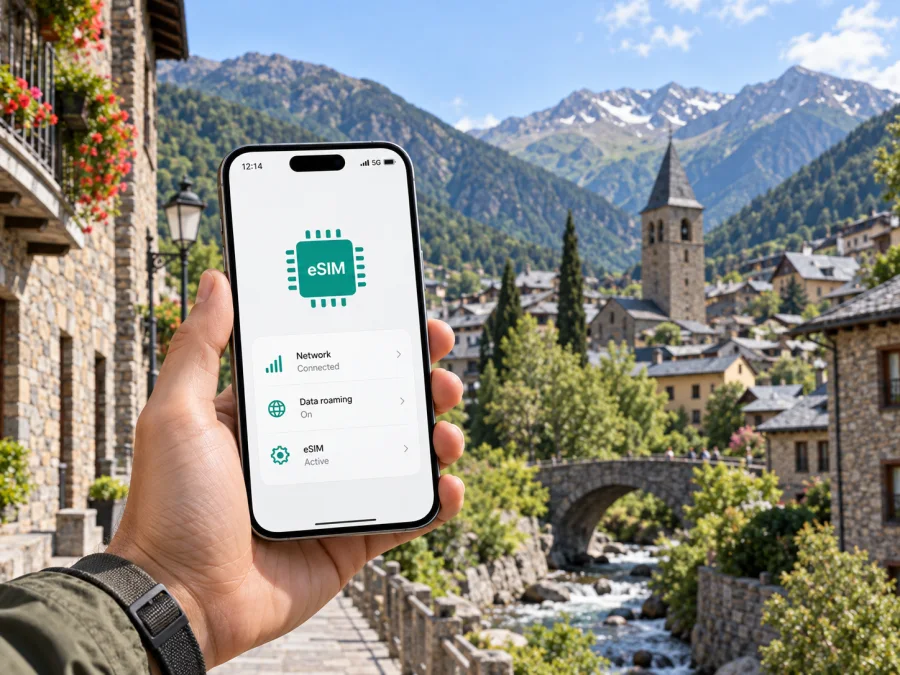
Tecno Camon 50 Ultra 256GB eSIM compatibility and setup guide
The Tecno Camon 50 Ultra 256GB supports eSIM on versions where regional hardware and software enable it. TECNO lists eSIM for the CAMON 50 Ultra 5G, and its official store lists support for 256 GB models. Availability can still depend on country, product code and software, so check your phone before buying a travel plan.
An eSIM is a digital SIM profile stored in the phone. It can provide mobile data for a trip without requiring you to remove your everyday physical SIM. For the CAMON 50 Ultra family, the official TECNO store describes eSIM as an alternative to the second physical SIM and lists support for one eSIM. That means the eSIM feature may take the place of SIM slot 2 rather than work alongside two physical SIM cards. Confirm how your own unit handles SIMs before relying on a particular dual-SIM arrangement.
Tecno Camon 50 Ultra 256GB at a glance
| Item | What to know |
|---|---|
| Device covered here | Tecno Camon 50 Ultra 256GB |
| Storage in the requested variant | 256 GB; this is the built-in storage, not RAM |
| RAM | Not specified in the requested name; configurations vary by market. Check the SKU. |
| TECNO product family name | CAMON 50 Ultra 5G |
| eSIM status | Listed by TECNO for the family and by the official TECNO store for 256 GB configurations; verify the specific regional unit in Settings. |
| SIM arrangement | One eSIM may replace the second physical SIM; confirm on your version. |
| Network use | Bands and 5G depend on the region and operator. |
| Before choosing a travel plan | Confirm EID or an Add eSIM option, that the phone is carrier-unlocked, and that the plan covers your destination. |
This guide keeps the requested 256GB variant name. TECNO’s product site calls the family “CAMON 50 Ultra 5G,” while regional listings differ in RAM, model code and network specifications. Storage alone cannot identify every hardware or firmware version, so eSIM support listed for one market is not a guarantee for every imported or carrier-supplied unit.
Does the Tecno Camon 50 Ultra 256GB support eSIM?
Yes, eSIM is supported on regional versions of the Tecno Camon 50 Ultra 256GB that have the eSIM feature enabled. TECNO currently advertises eSIM on its CAMON 50 Ultra product information. The official TECNO store’s 256 GB listings also show eSIM, with one eSIM replacing the second physical SIM. This is stronger evidence than a generic phone-family listing, but it does not identify the market or firmware of every device sold under the shorter name in this request.
Before purchase, confirm the feature against the exact model code and country of sale. Ask the seller or TECNO support whether that unit has an EID and can download a carrier eSIM profile. If your phone is already in hand, check the menus below. A product page for a different RAM, color, country or sales code can describe a related configuration rather than the device you own. Storage capacity by itself does not determine eSIM compatibility.
Carrier policy matters too: an eSIM-capable phone can be restricted by a lock or regional software, and a plan must be accepted by a network at your destination. eSIM support does not guarantee coverage, 5G access or compatibility with every plan. Confirm the phone and plan before travel.
Check compatibility on your phone
Use this checklist before selecting a travel eSIM. Menu wording can differ slightly between HiOS releases and regions.
- [ ] Open Settings and search for EID. If an EID is displayed, the phone has an eSIM identity that can be checked with the seller or provider.
- [ ] Open Settings → SIM & network settings, Mobile network, or the closest equivalent. Look for Add eSIM, Download a SIM, or Add mobile plan.
- [ ] Check the model code in Settings → About phone and compare it with the sales receipt, box label or TECNO support information for your country.
- [ ] Ask your mobile operator whether the phone is unlocked. A carrier lock can prevent activation of an eSIM from another provider.
- [ ] Confirm whether installing an eSIM disables or replaces the second physical SIM on your particular version.
- [ ] Check that the travel plan supports your destination and the phone’s available network bands.
Check whether your device is compatible before you choose a plan. The presence of a SIM tray or two physical SIM positions does not prove that the phone has an eSIM. The EID and an eSIM-add option are more useful indicators. Conversely, a missing menu can result from a carrier restriction, a software update, or a regional version without eSIM enabled. Restart the phone, install available system updates, and confirm the product code before drawing a conclusion.
An EID identifies embedded SIM hardware; it is not an IMEI, phone number or activation code. Share it only through official support if requested. The menu alone does not guarantee destination coverage.
When you are ready to choose a travel eSIM
Once your phone passes those checks, Kaspersky eSIM Store is an app and website where you can choose, arrange and activate an eSIM with a plan for mobile data during an international trip. Review the country or region, data allowance, validity period, price and any activation conditions before proceeding. The available plans use local mobile operator services, and network availability depends on the selected plan and local coverage.
A travel data eSIM is intended for mobile internet. It does not automatically provide a regular phone number, voice calls or SMS unless the plan terms explicitly say otherwise. You can keep your usual number for calls or messages if your SIM setup allows it, while choosing the travel eSIM as the mobile-data line. Check your home operator’s roaming terms if you leave that SIM enabled.
Install and activate an eSIM
Before installation, confirm eSIM support, unlock status and internet access. Keep the QR code on another screen or use the provider’s app if offered. Follow the plan instructions because validity may begin at different stages.
For platform-specific steps, see the Android eSIM installation instructions or, if setting up an Apple device, the iOS eSIM installation instructions. On this Tecno Android phone, menu labels may vary by HiOS version.
- Check the connection. Connect the phone to Wi-Fi and make sure the battery has enough charge to complete setup.
- Open SIM settings. Go to Settings, then open SIM & network settings or Mobile network.
- Choose the add option. Tap Add eSIM, Download a SIM, or the matching item shown by your software.
- Scan or enter the details. Scan the provider’s QR code, or enter the activation information manually if the plan offers that option. Keep the QR code private; it can contain credentials for your eSIM profile.
- Confirm the download. Follow the on-screen prompts and wait while the phone installs the profile. Do not close the setup screen or remove the connection while it is downloading.
- Name the line. Give it a label such as “Travel data” so it is easy to distinguish from your main SIM.
- Choose the data SIM. Set the travel eSIM as the mobile-data line when you want to use it. Keep calls and messages on your usual SIM if appropriate and supported.
- Set activation timing. Some plans start their validity when installed; others start when they first connect to a supported network. Check the plan’s terms before installing early.
- Enable data roaming if required. Turn on data roaming for the travel eSIM only when the plan’s instructions require it. Confirm that roaming is off for your home SIM if you want to avoid unexpected charges.
- Test the connection. At the destination, turn off Wi-Fi briefly, confirm that the travel line is selected for data, and open a familiar webpage or map.
Do not delete a profile unless the provider confirms it can be installed again; QR codes may be single-use. If setup fails, contact support with the model code, software version and error text, keeping the QR code and activation credentials private.
Use the eSIM during a trip
Before departure: Check compatibility, carrier lock status, plan validity and data allowance. If validity starts at installation, wait until the appropriate time. If you install early, label the line and keep mobile data assigned to your home SIM until needed. Save the setup instructions where you can read them offline.
At arrival: Turn on the travel eSIM and select it for mobile data. Keep your everyday SIM available if needed, while checking its roaming settings and charges. Allow a few minutes for network registration. Enable data roaming for the travel profile only if the plan instructions require it.
For a multi-country route: Confirm that the plan covers every country or region on your itinerary. A regional plan may cover several destinations, but inclusions and exclusions depend on that plan. At a border, check that the phone has selected a supported network; do not assume a single-country plan works next door.
For maps and messaging: Download offline maps before departure, then use mobile data for live updates. App calls use data and do not make this a regular voice line. Check plan rules before using hotspot or video calls.
When switching back: Select your regular SIM for data or disable the travel profile according to the plan instructions. Do not delete it until you know you no longer need it. Some profiles cannot be moved or reinstalled.
Troubleshooting: start with the basics
“Add eSIM” or EID is missing
Restart the phone, check for a system update, and search Settings for “EID” and “eSIM.” Confirm the model code in About phone with TECNO or the seller. A carrier restriction or regional software build may hide eSIM settings. If there is still no EID or add option for your exact version, do not buy a plan expecting the feature to appear later.
The QR code will not scan
Make sure the phone is online and the code is fully visible on a bright screen. Check that the code has not already been used. Enter manual activation details only if the provider supplied them. Treat the QR code as private because it can contain profile credentials.
The profile installed but has no data
Make sure the eSIM is enabled and selected for mobile data. Check the plan dates, balance, destination and activation conditions. Follow the instructions for data roaming and network selection, then toggle airplane mode or restart the phone. If service does not return, check local coverage and contact plan support.
The phone uses the wrong SIM for data
Select the travel eSIM in SIM settings. Disable automatic data switching if available and unwanted. Review roaming settings for your home SIM to avoid unexpected charges.
The connection is slow or unstable
Move to a place with a clearer signal, wait for registration and check automatic network selection. If the plan permits, try a supported network listed in its instructions. 5G depends on local coverage, operator arrangements and the regional phone variant; a 5G family name does not guarantee 5G service at every destination.
The second physical SIM is unavailable
TECNO’s official store describes eSIM as replacing the second physical SIM on listed 256 GB models. Check your model’s SIM settings and product documentation. Contact TECNO support if the behavior does not match the instructions for your product code.
Frequently asked questions
Does every Tecno Camon 50 Ultra 256GB have eSIM?
Not necessarily. TECNO lists eSIM for the CAMON 50 Ultra family and its official store lists it for 256 GB configurations, but country, model code, carrier and software version matter. Check your phone’s EID and eSIM menu or confirm the SKU with TECNO.
Is RAM included in “256GB”?
No. 256GB is storage. RAM is a separate specification and may vary by market. Check About phone or the full product code for your unit’s RAM.
Can I use two physical SIMs and an eSIM at once?
Do not assume so. The official TECNO store describes eSIM as an alternative to SIM 2 and lists one eSIM. Active line combinations depend on regional hardware, software and operator support.
Will a travel eSIM replace my regular number?
Usually not. A data-only eSIM provides mobile internet rather than a regular number, calls or SMS. Keep your usual SIM active if you need those functions and check its roaming fees. Internet calling apps can use the data connection.
When should I install the eSIM?
Install it before departure only if the plan allows it. Validity may start at installation or when the profile first connects to a supported network. Check the terms and use Wi-Fi to download the profile.
Can I transfer it to another phone, and will it guarantee 5G?
Some QR codes are single-use or device-bound, so ask the plan provider before changing phones. 5G depends on the plan, destination network, coverage and regional phone variant.
Final check before your trip
Before choosing a plan for the Tecno Camon 50 Ultra 256GB, verify that your exact phone shows an EID or an eSIM-add option, confirm that it is unlocked, and check whether eSIM replaces the second physical SIM on your regional version. Then choose a plan that covers every destination on your route and matches your expected data use and travel dates. Kaspersky eSIM Store helps you choose, arrange and activate an eSIM with a mobile-data plan for an international trip; coverage, activation rules and available features follow the selected plan and local mobile networks. Keep the installation details accessible, follow the provider’s activation guidance, and test the connection when you arrive.


