Travel connectivity guide
Tecno Camon 50 Ultra 512GB 5G eSIM
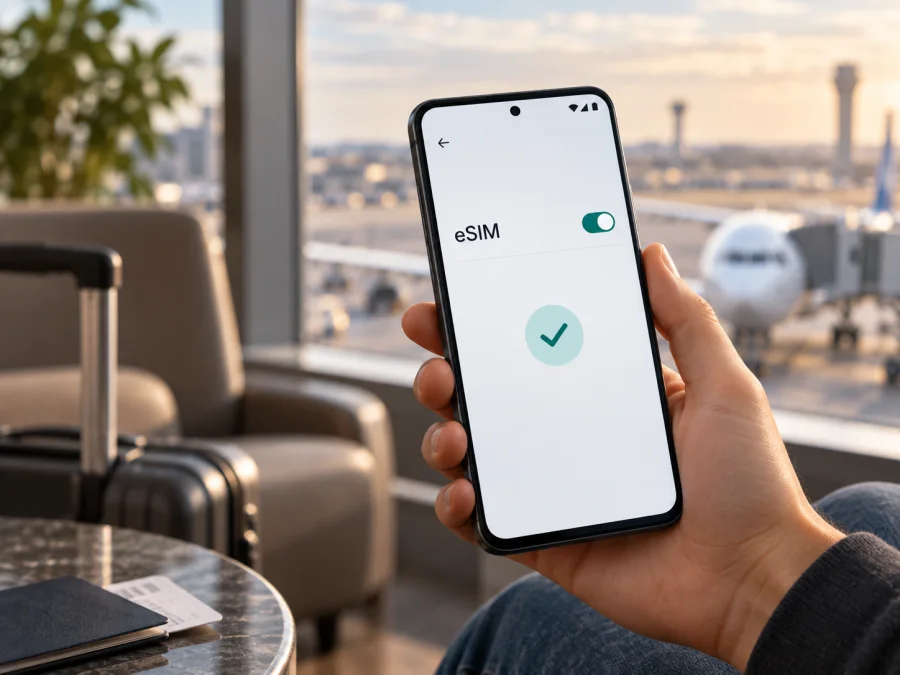
Tecno Camon 50 Ultra 512GB 5G eSIM: compatibility and setup
If you are considering the Tecno Camon 50 Ultra 512GB 5G for travel, the practical answer is: the CAMON 50 Ultra 5G family is advertised with eSIM by TECNO in some markets, but that does not prove that every regional 512GB unit has an enabled eSIM profile. TECNO’s own product information says eSIM availability varies by country or region and depends on local carrier services. Confirm the exact handset before buying a travel plan.
The storage capacity does not determine eSIM support by itself. A phone can have 512GB of storage and 5G connectivity while its regional hardware or software build lacks eSIM provisioning. Look for an EID and an eSIM setup option on the actual device, and ask the seller or TECNO support to confirm the model code and market if those are absent.
At a glance
| Item | What to know |
|---|---|
| Device variant | Tecno Camon 50 Ultra 512GB 5G |
| Product family | CAMON 50 Ultra 5G; this guide does not combine it with another CAMON model |
| Storage | 512GB is listed in TECNO regional specifications; available memory configurations differ by market |
| Network generation | TECNO lists 5G for the product family; local band support and carrier access still matter |
| eSIM status | Advertised on official TECNO product pages, with country and carrier availability caveats |
| Best verification | Check for an EID and an option such as “Add eSIM” on your own handset |
| Travel use | A compatible eSIM plan can provide mobile data abroad; plan terms determine where and how it works |
TECNO’s online specifications show 512GB configurations, and the official CAMON 50 Ultra 5G product page includes an eSIM feature. The page’s footnote says availability varies by country or region and depends on local carrier services. The exact combination “Tecno Camon 50 Ultra 512GB 5G” therefore should not be treated as universally eSIM-ready based on the name, storage, 5G badge, or a retailer listing alone. Some regional pages do not show the same connectivity details, which is another reason to verify the handset sold in your market.
RAM descriptions can also be presented differently. TECNO regional specification pages list 512GB versions alongside extended-memory configurations; virtual or extended RAM is not the same as physical RAM and does not affect the presence of an eSIM chip. This article keeps the requested device name intact and does not assume a particular RAM configuration.
What eSIM support means here
An eSIM is a digital SIM profile held in a device’s embedded secure element. If supported and enabled, it lets you download a mobile plan without inserting a plastic SIM. The handset also needs compatible software, an unlocked status where required, and a plan or carrier that supports activation on that model and in the destination.
TECNO’s official information confirms eSIM as a feature of the CAMON 50 Ultra 5G in some sales regions, but it does not guarantee that every 512GB unit exposes the same option. Regional SKU, firmware, carrier customization, or local service policy can affect availability. 5G is a separate radio feature and does not prove eSIM capability.
Physical SIM slots and eSIM use are also distinct: confirm the local model’s SIM combination if you need to keep your usual number active while using travel data.
<a id="kesim-device-compatibility"></a>
Check compatibility on your handset
Use this checklist before you buy an eSIM plan. Menu names can vary by HiOS version and language, so look for equivalent wording if the labels differ.
- [ ] Search Settings for EID; check About phone, Status, or SIM status if needed.
- [ ] Open Mobile network or SIM & network and look for Add eSIM, Download a SIM, or Add mobile plan. Menu wording varies by HiOS version.
- [ ] Confirm an EID is displayed. It identifies eSIM capability; keep it private and share it only with trusted support if requested.
- [ ] Check for carrier lock, install available system updates, restart, and search again. An update may expose a supported feature but cannot add missing hardware.
- [ ] Ask TECNO or the seller to confirm the full regional model/SKU, not just the family name or storage size.
- [ ] Review the plan’s destination, device conditions, data allowance, validity, activation timing, and hotspot rules.
If you need a quick cross-check, check your device before choosing a plan. A matching model name in an online compatibility list is useful, but the EID and settings on your specific phone are more decisive because regional variants can differ.
How to read the result
EID and Add eSIM are present: eSIM capability is likely enabled, but plan activation still depends on unlock status, software, destination, and carrier restrictions.
EID appears, but Add eSIM does not: update and restart, then check each SIM menu. Regional firmware or carrier policy may hide provisioning. Ask TECNO whether this SKU supports eSIM; a factory reset is not a reliable fix.
Add eSIM appears, but there is no EID: check About phone and SIM status again. Ask support to verify the complete SKU; a menu label alone does not prove a plan will activate.
Neither appears: treat the handset as unverified and do not buy a plan until TECNO or the seller confirms it. A QR scan or app reinstall cannot compensate for missing hardware or disabled regional provisioning.
Before installing a travel eSIM
Check compatibility on reliable Wi-Fi and leave time to contact support. Keep your normal SIM until you know which line handles calls and verification messages. Have enough battery and display the QR code on another screen if needed.
Profiles are usually installed from a provider-issued QR code or activation details. Codes may be single-use, and transfer to another phone may be restricted. Do not delete a working profile unless the provider confirms it can be reinstalled; keep the confirmation and instructions available offline.
Travel eSIMs may be data-only, without an ordinary phone number, calls, or SMS unless stated otherwise. Confirm whether your primary number can remain active and whether your home carrier charges for roaming calls or messages.
Install and activate the eSIM
Exact screens depend on the HiOS build and the plan provider. Follow the activation instructions that come with the profile. For general device steps, see the Android eSIM installation instructions or, for comparison with an iPhone setup, the iOS eSIM installation instructions. The Tecno Camon 50 Ultra 512GB 5G is an Android phone, so use the Android path on the handset.
- Prepare: connect to stable Wi-Fi, charge the phone, and check the destination and plan conditions before opening the QR code.
- Open SIM settings: choose Settings → Mobile network or SIM & network → Add eSIM. If the option is missing, return to the compatibility checks rather than repeatedly scanning.
- Install the profile: scan the provider-issued QR code. If scanning is unavailable, use manual activation details only when supplied by the provider. Keep Wi-Fi connected; an expired or previously used code may fail.
- Set line preferences: name the profile “Travel data” and choose which line handles mobile data, calls, and messages. Avoid changing call or SMS defaults unless intended.
- Check activation timing: validity may begin at installation, first network connection, or another stated event. Follow the specific plan terms.
- Connect when ready: enable the eSIM and select it for data at the destination. Turn on data roaming for that profile only if the plan instructions require it.
- Confirm service: briefly turn Wi-Fi off, wait for registration, and open a webpage. If it does not connect, troubleshoot before deleting the profile.
For Kaspersky eSIM Store, the app and website help you choose, arrange, and activate an eSIM with a mobile-data plan for an overseas trip. Check the destination and plan conditions in the app or on the site, then install the profile on a compatible, unlocked handset. Kaspersky eSIM Store is not the mobile operator or the owner of the network; coverage and service depend on the local network and the plan conditions.
Using the eSIM while travelling
Before departure, decide which line handles data. If the handset and plan allow it, keep the home SIM for calls or messages and select the travel eSIM for data. Check home-carrier roaming terms, since calls, SMS, or voicemail can still incur charges.
At arrival, enable the profile and select it under Mobile data. Turn on roaming for that eSIM only if required by its instructions. Registration can take a few minutes. Coverage and supported bands vary; the 5G label does not guarantee 5G service in every destination or location.
For a city break, use the connection for maps, transport updates, messaging, and check-ins. On a multi-country route, confirm that every destination is covered. For longer trips, compare data allowance and validity with expected use. Check hotspot rules before sharing data, and remember that video, backups, app updates, and navigation downloads can use data quickly. Review the remaining allowance and validity in the plan management screen.
Troubleshooting
Add eSIM is missing: search Settings for “eSIM” and “mobile plan,” check EID, update and restart. If absent, ask TECNO or the seller to verify the regional SKU before buying a plan.
QR scan or download fails: increase the code’s screen brightness, use stable Wi-Fi, and confirm the code is valid and unused. Use manual details only if supplied by the plan provider; save any error message for support.
Profile installed, but no service: enable the eSIM and select it for data. Toggle airplane mode, then check coverage, validity, automatic network selection, and whether the plan requires roaming on that profile.
Connected, but apps have no internet: confirm the correct data line, check provider-specified APN settings, pause VPN temporarily, and test another webpage. Do not copy APN values from an unrelated plan.
Home SIM uses data: select the travel eSIM for mobile data and turn off automatic data switching if available. Review roaming settings for each line.
Connection is slow or drops from 5G: try a stronger-signal location and check the plan’s supported network. 5G availability varies; 4G service may still work normally.
Profile was deleted: do not reuse the QR repeatedly. Contact the plan provider; one-time codes and transfers to another device may be restricted.
Frequently asked questions
Does the Tecno Camon 50 Ultra 512GB 5G support eSIM?
TECNO advertises eSIM for the CAMON 50 Ultra 5G family, but says availability varies by market and local carrier. Treat this as a qualified yes, not a guarantee for every 512GB unit. Check EID and Add eSIM on the handset and confirm its SKU.
Does 512GB storage mean eSIM is included?
No. Storage and eSIM are separate features. A 512GB specification does not identify the regional version or confirm eSIM provisioning.
Can I add eSIM if the setting is missing?
An update may expose supported software, but cannot add missing hardware. If EID and the add-profile option remain absent, ask TECNO to check the model code and treat the phone as unverified.
Can I use my regular SIM at the same time?
It depends on the regional configuration and carrier restrictions. Check dual-SIM behavior in the manual and review home-line roaming charges.
Will the eSIM provide calls and SMS?
Usually a travel data plan is data-only unless its terms say otherwise. Internet calling and messaging apps can use its data connection.
Should I install before departure?
Wi-Fi makes early setup convenient, but check when validity begins. If it starts at installation, wait until the right time; if it starts at first connection, earlier installation may be suitable.
Final device check and trip eSIM
Before purchasing, verify the exact Tecno Camon 50 Ultra 512GB 5G in your hand: find its EID, locate the Add eSIM control, check for carrier lock, and confirm the model code and regional software with TECNO or the seller. Then make sure the eSIM plan covers your destinations, data needs, validity period, and intended hotspot use. An official feature listing for the CAMON 50 Ultra 5G is encouraging, but the phone’s own EID and settings are the practical confirmation for your specific 512GB variant.
Once those checks are complete, use Kaspersky eSIM Store on the app or website to choose, arrange, and activate a suitable eSIM data plan for your trip. Keep the installation instructions available, select the eSIM for mobile data when you arrive, and review the plan’s activation and roaming conditions. This short check before purchase can save time at the airport and help you start the journey knowing which connection to use.


