Travel connectivity guide
Tegucigalpa eSIM: Mobile Internet Guide
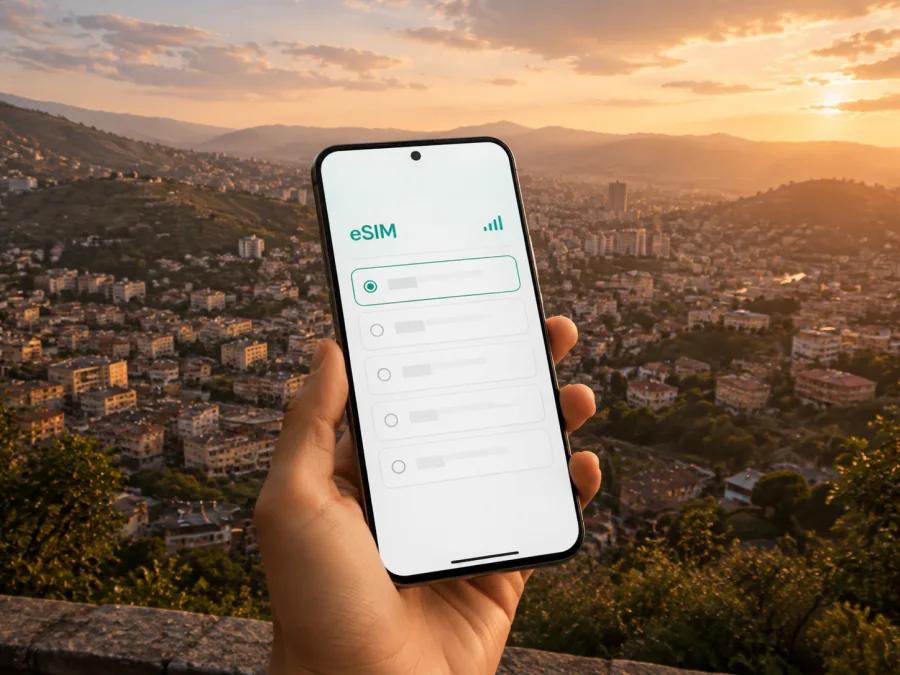
Tegucigalpa eSIM: mobile connection and internet for your trip
Arriving in Tegucigalpa is easier when your phone is ready for the practical jobs of a first day: checking the arrival details, opening a map, contacting a driver, confirming a hotel, and letting someone know that you have arrived. An eSIM, or digital SIM, can give you a way to use mobile internet in Honduras without removing your regular physical SIM card. You choose a suitable prepaid eSIM tariff for the trip, install it on a compatible device, and set it as the line for mobile data when you need it.
This guide is about using an eSIM in Tegucigalpa, not about planning a generic holiday in Honduras. The city is built across hills and valleys, so your route can change between the airport, hotel, meeting, restaurant, or viewpoint. Mobile data helps you adapt while keeping your home number available when dual-SIM use is supported.
Why mobile internet matters in Tegucigalpa
Tegucigalpa rewards preparation. Addresses may be described by neighbourhood, landmark, avenue, or a nearby commercial area, and a route that looks simple on a map may involve slopes, one-way streets, or changing traffic. Mobile data is useful for the small decisions that make a city day work:
- opening a map before leaving a hotel or meeting venue;
- checking a pickup message and sharing your approximate location;
- confirming a reservation or sending a message to a host;
- keeping a digital boarding pass, booking, or itinerary available;
- checking traffic before crossing the city;
- calling a ride through an app when public Wi-Fi is unavailable;
- staying in contact with family during a walk or day trip.
The value is not constant high-speed access; it is having navigation, communication, and account access when needed. With a prepaid tariff, consider the stay length and expected traffic before departure.
A useful arrival sequence
Think of your first hours in Tegucigalpa as three stages:
- Arrival: confirm the airport, transfer, accommodation, and the route into the city.
- Orientation: open your map, check the area around your accommodation, and save important places for offline reference where the app allows it.
- First outing: use mobile data for the route, messages, reservations, and a return plan before you leave.
If your itinerary uses Palmerola International Airport near Comayagua rather than Toncontín, the transfer into Tegucigalpa needs different planning. Check the airport on your booking and keep your accommodation address in a note.
City scenarios where an eSIM is useful
The right amount of data depends on what you will do in the city. A visitor who checks a few routes and sends messages has a different pattern from someone who works remotely, joins video calls, or shares photographs throughout the day.
| Tegucigalpa scenario | What mobile data helps you do | What to plan before buying |
|---|---|---|
| Airport arrival | Contact a driver, open the route, confirm the hotel, and send an arrival message | Make sure the eSIM is installed and the correct line is selected for data |
| Short stopover | Keep the itinerary, map the next transfer, and coordinate a brief city visit | Prefer a tariff whose validity covers the whole stopover |
| Leisure stay | Navigate between neighbourhoods, reservations, cafés, and sights | Estimate traffic from maps, messaging, and occasional media |
| Business visit | Reach meetings, use email and work tools, and update colleagues | Allow for heavier daytime use and hotspot needs only if the tariff permits it |
| Remote work | Join workspaces, send files, and maintain a backup connection | Check data volume, device settings, and whether tethering is allowed |
| Trip outside the capital | Coordinate the return route and remain reachable while changing locations | Confirm that the chosen tariff covers the full Honduras itinerary, not just an imagined city radius |
How to choose a Honduras eSIM tariff for Tegucigalpa
Choose by the whole journey rather than by the city name alone. Tegucigalpa may be your base, but your itinerary can include the airport transfer, meetings in another part of the metropolitan area, a visit to a nearby destination, or onward travel within Honduras. The tariff should match the country or region shown in its conditions.
1. Define the dates and route
Write down the day you expect to install the eSIM, the day you will first use mobile data, and the day you leave Honduras. If your trip includes a layover or an early departure, include those periods in the plan. Read how validity begins: depending on the tariff, the period may be connected with activation or first use.
2. Estimate your data pattern
Ask what you will actually do. Occasional maps and messages use a different amount of data from video meetings, cloud backups, and continuous video. Consider these questions:
- Will you use the phone mainly for maps, messages, and bookings?
- Will you work from a laptop or use the phone as a hotspot?
- Will you travel outside Tegucigalpa after checking in?
- Do you need a reserve for an unexpected transfer or delayed flight?
The goal is not to choose the largest allowance automatically. It is to choose a volume and validity period that fit your route, with enough room for normal changes. The available options, prices, traffic allowances, and duration are shown for the selected destination; review them at the time of purchase because they can change.
3. Check the service conditions
Before confirming a tariff, review:
- the country or region where it is valid;
- the included internet traffic and its validity period;
- when the validity starts;
- whether data sharing is allowed;
- any instructions about data roaming on the eSIM line;
- the conditions for support, cancellation, or refund.
Kaspersky eSIM Store is an app and website that helps you choose, arrange, and activate an eSIM with a suitable tariff for mobile internet during an overseas trip. The underlying mobile service follows the conditions of the selected tariff and the networks available for that destination. Treat the tariff details as the source of truth for your specific purchase.
After reviewing the conditions, you can choose an eSIM tariff for your trip to Honduras and compare the available options for your dates and route.
Preparing before you leave
Installing the eSIM before departure can make the arrival sequence calmer, but it requires a little planning. You need a compatible, unlocked device, an internet connection for the installation process, and the QR code or profile provided after the order. If you plan to install after landing, keep access to Wi-Fi available at the airport or accommodation and save the instructions in advance.
Device and account checklist
Before you purchase or install anything, confirm the following:
- your phone supports eSIM;
- the device is not restricted to one operator;
- you can access the email address or profile connected with the order;
- you have the QR code or activation information when it is required;
- you know which line should provide mobile data after arrival;
- you have saved your accommodation and transfer information.
To check whether your device is compatible with eSIM, review the device information before purchase. Model names can vary by market, and two phones with similar names may not have identical eSIM support. If the device is locked by a current operator, resolve that issue with the operator before travelling.
How to install an eSIM before or after arrival
The exact labels differ between Android and iOS. Start by checking compatibility, then prepare internet access and the QR code or profile. Keep the regular SIM active if needed, and do not delete an existing eSIM until you know what it is used for.
Android
- Check compatibility. Confirm that the phone supports eSIM and is not operator-locked. Check your device compatibility before installation.
- Connect to the internet. Use Wi-Fi or another connection to download the eSIM profile.
- Add the mobile plan. Open mobile network settings and choose the option for adding an eSIM.
- Scan the QR code. Use the code from your order or profile and follow the prompts.
- Select the data line. Label the travel line and choose it for mobile data when ready.
- Check roaming and test. Enable data roaming if the tariff requires it, turn off Wi-Fi, and open a simple webpage. Connection may take a few minutes.
For more detail, use the Android eSIM installation instructions.
iPhone
- Check compatibility. Confirm that your iPhone supports eSIM and is not locked to an operator. Check your device compatibility before installation.
- Connect to the internet. Use Wi-Fi or another connection during installation.
- Add the mobile plan. Open mobile settings and choose the option to add an eSIM.
- Scan the QR code. Scan the supplied code and complete the prompts.
- Select the data line. Label the plan and choose it for mobile data in Honduras.
- Review switching and test. Check automatic data switching, then turn off Wi-Fi and open a map. If activation takes time, wait a few minutes and recheck the line and roaming settings.
Follow the iOS eSIM installation instructions for device-specific wording and screenshots.
Install before departure or after landing?
| Option | Suitable when | Detail to remember |
|---|---|---|
| Before departure | You want the profile ready for the airport transfer | Install with Wi-Fi and use the travel line when ready |
| After arrival | You prefer to activate close to travel time | Keep the QR code, account access, and Wi-Fi available |
| Split approach | You install before flying and enable in Tegucigalpa | Label both lines and check data selection after landing |
Using mobile data in the city without surprises
Once the eSIM is active, select the travel line for mobile data and keep the regular line available if your device supports that arrangement. Tegucigalpa's hills and traffic can make a short distance take longer than expected, so open the route before leaving, save the accommodation and meeting locations, and recheck the return route later. If your map app supports offline areas, prepare them on Wi-Fi as a backup; live traffic and booking changes still need data.
An eSIM tariff supports internet-based messaging and calls, but it does not automatically add a normal phone number, voice service, or SMS. Those features apply only when the chosen tariff says so. For work, check hotspot conditions first, pause automatic backups and updates, and keep large files on the device where possible. Mobile data can also reduce your dependence on public Wi-Fi in an airport, café, hotel lobby, or shared workspace.
Practical Tegucigalpa itineraries
Short stopover
Install before the trip if possible, save the next booking and transfer address, then use data to confirm the route and report changes. Check that validity covers the stopover.
Business morning
Save the meeting address and a backup route before leaving the hotel. Use the eSIM for maps, messages, and work authentication; check data and hotspot conditions before video meetings or large files.
City-and-region route
If Tegucigalpa is your base for travel elsewhere in Honduras, choose a tariff whose destination and validity cover the whole itinerary. Save confirmations, charge the phone, and record the next accommodation details.
What to do if the eSIM does not connect
Start with the simplest checks before changing several settings at once:
- Confirm that the eSIM line is switched on.
- Confirm that it is selected for mobile data.
- Check whether data roaming is required by the tariff.
- Turn airplane mode on, wait briefly, and turn it off.
- Check the tariff status, validity, and remaining traffic.
- Move to an open area if the signal is weak inside a building.
- Contact support with the device model, eSIM status, and steps already tried.
Do not delete the eSIM profile during troubleshooting unless instructions or support tell you to do so; reinstallation may not be possible under every tariff. If one app fails, test another simple service first.
Frequently asked questions
Is an eSIM useful for a trip focused on Tegucigalpa?
Yes. It can support arrival coordination, maps, messages, bookings, and work tasks without removing your regular physical SIM. Choose a Honduras tariff for the whole itinerary.
Does the eSIM replace my normal phone number?
Usually, no. A travel eSIM is intended for mobile internet unless the selected tariff explicitly includes other services. Your regular SIM may remain available for its existing number, subject to your device and operator settings.
Can I install the eSIM at the airport?
Yes, if you have internet access, a compatible unlocked phone, the QR code or profile, and enough time. Installing before departure can be more convenient for immediate arrival needs.
Should I check my device before choosing a tariff?
Yes. Confirm eSIM support and the absence of operator restrictions before purchase. Regional versions can differ, so use the compatibility check and device settings.
Can I use an eSIM on a trip beyond Tegucigalpa?
It depends on the selected tariff's Honduras or regional coverage conditions. Read the destination and validity details before purchase and plan around the full route, including transfers and return travel.
What if I need more data?
Review the balance and conditions for topping up or choosing another tariff. Use only options shown in your profile or purchase flow, and contact support before deleting or reinstalling the eSIM.
Final preparation checklist
Use this checklist the day before departure:
- [ ] Confirm the arrival airport and transfer details.
- [ ] Save the address of your Tegucigalpa accommodation.
- [ ] Check device compatibility and operator unlocking.
- [ ] Select a Honduras tariff whose validity matches the itinerary.
- [ ] Install the eSIM over a reliable internet connection, or save the QR code for later.
- [ ] Label the travel line and keep the regular line identifiable.
- [ ] Know which line will be used for mobile data.
- [ ] Save maps, reservations, and key contacts for offline reference where possible.
- [ ] Keep the order profile accessible for support.
Choose your eSIM for Tegucigalpa
The smoothest setup is simple: check the phone, choose a Honduras tariff for your Tegucigalpa plans, install the eSIM, and select it for mobile data when ready. This supports arrival messages, navigation, meetings, bookings, and onward travel.
When you are ready, choose an eSIM tariff for your trip to Honduras through Kaspersky eSIM Store. The app and website help you review the available conditions, arrange the selected eSIM, and activate it on a device that supports eSIM for mobile internet abroad.


