Travel connectivity guide
Tel Aviv eSIM: Mobile Internet Travel Guide
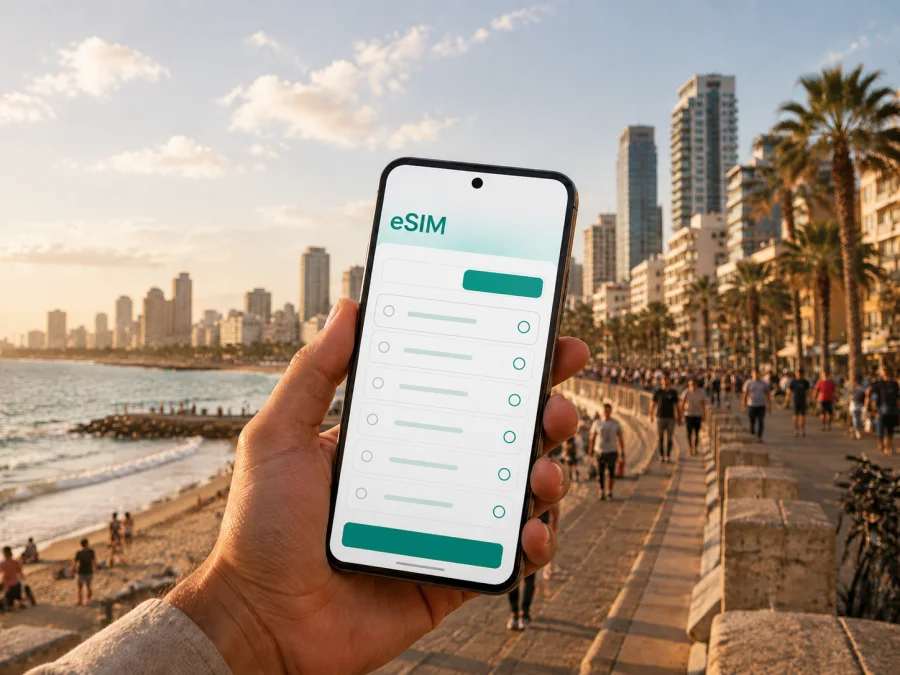
Tel Aviv eSIM: Mobile Connection and Internet for Your Trip
Tel Aviv is a city where practical questions appear quickly: how to leave the airport, find an address, book a ride, or message a hotel. A reliable mobile connection makes those decisions easier. An eSIM, or digital SIM, lets you prepare mobile internet for Israel without removing your usual physical SIM card.
This guide is about using eSIM in Tel Aviv itself: arriving through Ben Gurion Airport, reaching a hotel, moving between the beach and the city centre, working from a meeting room, exploring Jaffa or Florentin, and leaving the city for a short trip. The aim is not to suggest that every traveller needs the same package. It is to help you match a tariff to your route, device, length of stay, and real data habits.
Why a mobile connection matters in Tel Aviv
Tel Aviv is easy to experience spontaneously, but many useful travel actions depend on data: a map by the waterfront, a transport update, a booking confirmation, or a message when a meeting point changes. Even a short stopover can involve several journeys and a narrow time window.
An eSIM can be useful because you can prepare the digital profile before departure and keep your regular SIM available for the number, messages, or calls associated with home. The eSIM tariff is generally intended for mobile data; it should not be treated as a replacement for a regular telephone number unless the specific tariff says otherwise. Voice calls and SMS may remain on your normal line, while calls through messaging apps use data.
For a Tel Aviv trip, mobile internet is especially practical for:
- checking the route from Ben Gurion Airport to your accommodation;
- locating a hotel entrance in a dense central street;
- comparing walking, bus, light-rail, taxi, and bike options;
- confirming restaurant, museum, or meeting details;
- sharing a live location and reading transport notices;
- keeping a day-trip plan away from hotel Wi‑Fi.
Ask which parts of your Tel Aviv day will depend on data and how often. That answer guides the tariff choice better than a generic number.
From Ben Gurion Airport to your hotel
Ben Gurion Airport is outside Tel Aviv, roughly 15 kilometres from the city. On arrival, you may need accommodation details, a map, a message to a meeting point, and a route in quick succession. A prepared eSIM can reduce the need to search for Wi‑Fi before leaving the terminal.
Before boarding, save the hotel name, address, reservation details, and a screenshot of the first route. Once you land, use your phone for the live part of the journey rather than relying only on stored information.
Three arrival situations
| Situation | What you may need online | Useful preparation |
|---|---|---|
| First arrival in the evening | Hotel directions, a message to reception, and a route check | Keep the address in text and in a map app |
| Short daytime stopover | A route into Tel Aviv and back to the airport | Cover the whole planned period, not only time in the centre |
| Business arrival with luggage | Meeting address, calendar, and messaging | Store venue details offline as a backup |
The route can involve a train, bus, taxi, or a combination depending on the time and your luggage. Timetables and operating conditions can change, so check current information when you are ready to travel.
If your flight is delayed, do not activate a time-limited tariff earlier than necessary unless its conditions make that appropriate. Read when the validity period begins. Some travellers prefer to install the profile at home and activate it after landing; others want data available as soon as the aircraft doors open. The right choice depends on the tariff terms and your device settings.
The best Tel Aviv use cases for eSIM
Tel Aviv combines short walks with cross-city journeys. Several changes use more data than a quiet hotel-and-beach itinerary. Think about the main data demands like this:
| Travel task in Tel Aviv | Typical data intensity | Why it matters |
|---|---|---|
| Occasional map checks and messages | Low | A known hotel and simple walking routes |
| Daily navigation, bookings, and messaging | Medium | Several neighbourhoods and changing plans |
| Video calls, hotspot use, or media uploads | High | Work trips or content-heavy travel |
The table is a planning tool, not a promise. Video, automatic photo backup, app updates, and hotspot use can increase consumption quickly.
Choosing a tariff for your route
Start with the route, then consider data volume. A weekend, a business visit, and a month combining Tel Aviv with other places in Israel are different use cases.
1. Count the days that need coverage
Include arrival and departure days. If you will travel from Tel Aviv to another part of Israel, check whether the selected destination and validity period suit the full route. Always read the conditions shown at selection.
2. Estimate your data habits
Ask yourself:
- Will you mainly use maps, messaging, email, and light browsing?
- Will you make video calls, upload media, or share a hotspot?
- Will dependable Wi‑Fi be available at your accommodation and office?
For light use, navigation and messaging are usually the core tasks. Video meetings, streaming, automatic backups, and hotspot sharing need more capacity, so do not choose solely by the smallest listed package.
3. Check how activation works
Some travellers install an eSIM before departure and switch the line on after landing; others complete the process on arrival. Read the instructions, keep the QR code accessible, and check the selected data line before deleting a profile.
4. Keep your primary line under control
On a dual-SIM phone, select the eSIM for mobile data if that is your plan and decide whether calls and SMS should remain on your home line. Review roaming settings for the home line to limit unexpected charges.
Which Tel Aviv district suits your stay?
The neighbourhood you choose changes how often you need transport and navigation. Hotel quality, noise, price, and atmosphere vary by street and property.
| Area | Useful for | Mobile-internet scenarios |
|---|---|---|
| Area | Good for | Data tasks |
| --- | --- | --- |
| City centre and Dizengoff | First visits, cafés, shopping | Walking directions and meeting points |
| Seafront | Beach access and leisure | Weather, location sharing, return routes |
| Neve Tzedek | Historic streets, galleries, restaurants | Small-street directions and evening plans |
| Florentin | Nightlife, food, street art | Late route changes and rides |
| Jaffa | Port area, markets, restaurants | Hills, alleys, and return routes |
| Old north, Yarkon Park, and business areas | Quiet stays or work trips | Cross-city routes, calendars, and calls |
If you move between areas, save important addresses with the English name and local spelling when available.
When you know the length of your stay and expected data use, you can choose an eSIM tariff for a trip to Tel Aviv and compare data volume, validity, and Israel conditions. Kaspersky eSIM Store is an app and website that helps you choose, arrange, and activate an eSIM tariff for mobile internet during an international trip.
Moving around Tel Aviv without losing your route
Central Tel Aviv is often comfortable to explore on foot, but distance, heat, luggage, and time of day affect that choice. A map also shows whether a destination is across a busy road, near a larger junction, or better reached by transport.
Public transport includes buses and the Red Line light rail, while taxis and app-based rides can be useful when carrying luggage or travelling after a long flight. The Red Line connects parts of the Tel Aviv metropolitan area, and the route is relevant for some journeys through Tel Aviv-Yafo and neighbouring cities. Check the current operating status, station access, payment rules, and route before you leave; construction and service changes can affect a particular trip.
Bikes and shared scooters may suit shorter journeys when available. Rules and parking can change, so keep a walking or public-transport alternative visible.
A simple navigation routine
- Search the destination by its full name and street address.
- Check the route from your current position, not only from the hotel.
- Compare walking time with the next available transport option.
- Check the final few hundred metres and save a screenshot if battery is low.
This is helpful in Jaffa’s older streets, around markets, and when a meeting point is described by a landmark.
Hotels, workdays, and short business trips
For a business trip, mobile data is part of the working day: calls, room changes, presentation links, and transport to an office. Confirm the hotel workspace and Wi‑Fi, but keep data for travel between locations.
If you use a laptop, check hotspot support and its battery and data impact. Download meeting files over Wi‑Fi and keep the venue address in your calendar.
For a longer stay, divide your needs into three layers: arrival navigation and first messages; work data for email, calls, maps, and occasional hotspot use; and evening data for restaurants, transport, and onward travel. This helps distinguish a short meeting trip from a mixed itinerary.
Day trips and routes beyond the city
Tel Aviv is also a base for journeys elsewhere in Israel. You might take a train or bus to another city, arrange an excursion, or combine work with a weekend route. Mobile internet helps with departure information, station entrances, reservations, and the next accommodation.
If your itinerary includes Jerusalem, Haifa, Caesarea, the Dead Sea area, or another destination, check that the tariff applies to the full route and validity period. Save key addresses and tickets offline too.
Before leaving Tel Aviv, prepare:
- the return route and meeting-point address;
- booking confirmations and ticket screenshots;
- remaining data, battery, and a power bank.
An eSIM can help you stay connected while the plan changes, without exchanging the physical SIM in your everyday phone.
How to install and activate an eSIM
Install the eSIM with stable internet and enough battery, at home or after arrival according to the tariff conditions. Keep your home SIM if needed and label the lines clearly. The general sequence is:
- Open mobile-network or cellular settings.
- Choose the option to add a mobile plan or eSIM.
- Scan the QR code or follow the activation details.
- Label the new line, select it for mobile data, and enable data roaming only if required.
- Test a webpage or message before leaving Wi‑Fi.
For device-specific steps, follow the Android installation instructions or the iOS installation instructions. Do not remove a profile after a temporary problem; recheck activation and the selected data line first.
Check compatibility before you choose a tariff
Before purchase or installation, check whether your device supports eSIM and confirm that it is not restricted by an operator. Support can differ between models, regional versions, and software configurations.
Use this checklist:
- the phone model and regional version are known;
- the settings show an option to add an eSIM or mobile plan;
- the phone is not operator-locked;
- Wi‑Fi, the QR code, and the selected data line are ready.
Resolve any unclear item before the airport rather than while carrying luggage.
If mobile data does not start
A missing data connection does not always mean that the eSIM profile failed. Check:
- the eSIM line is switched on and selected for mobile data;
- data roaming is enabled if the tariff requires it;
- airplane mode has been toggled or the phone restarted;
- the tariff is active and its validity period has begun.
Avoid deleting the profile first. If the problem continues, note the phone model, selected data line, activation time, and exact message before contacting support.
FAQ about eSIM for Tel Aviv
Can I use my regular SIM and an eSIM together?
Many compatible dual-SIM phones allow this arrangement, but behaviour depends on the model and software. You can often keep the regular SIM for your number and select the eSIM for data.
Does an eSIM include a local phone number?
Not usually. The eSIM tariffs discussed here are intended for mobile internet unless the individual tariff explicitly states otherwise. Use your regular number or messaging apps for calls and messages according to your own arrangement.
How much data do I need for a weekend in Tel Aviv?
There is no single correct amount. Maps and messaging use less data than video calls, uploads, or hotspot sharing. Estimate your activities and check the listed validity and data volume.
Can I use the same eSIM while travelling outside Tel Aviv?
That depends on the destination and tariff conditions. If you plan to visit other places in Israel, check the destination scope and validity before arranging the eSIM.
A calm preparation plan
Before departure, confirm the itinerary, compatibility, tariff conditions, and installation steps. Save the hotel address and arrival route, charge the phone, and keep activation details available. Tel Aviv rewards flexible plans: a beach walk can become dinner in Jaffa, and a meeting can move across the city.
Prepare your Tel Aviv eSIM before the trip
Choose the destination, compare data volume and validity, check your device, and follow the installation steps before you need them. When ready, prepare an eSIM tariff for your Tel Aviv trip through Kaspersky eSIM Store. It helps you choose, arrange, and activate an eSIM for mobile internet during an international journey.


