
Travel connectivity guide
Telavi eSIM for mobile internet in Georgia
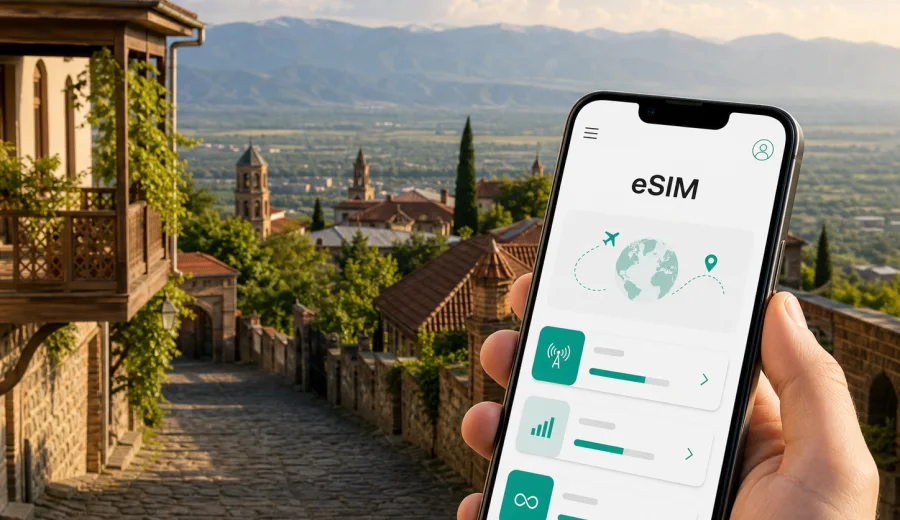
Telavi eSIM: mobile connection and internet for a trip to Kakheti
Telavi is the practical base for many trips through Kakheti: wine estates, family guesthouses, hillside viewpoints, monasteries, business visits to wineries, and short drives across the Alazani Valley often start here. Mobile internet is useful from the first hour, because the city is compact but the surrounding routes are spread out. You may need maps for the Gombori road, messenger calls with a guesthouse, taxi apps in Tbilisi before the transfer, or quick access to booking details when you arrive late in the evening.
An eSIM can help you prepare mobile data for Telavi without looking for a physical SIM card after arrival in Georgia. With Kaspersky eSIM Store, you can choose a suitable eSIM tariff for the trip, review data volume and validity, install it on a compatible device, and activate it when you are ready to use mobile internet abroad. The exact conditions depend on the selected tariff, so the useful approach is simple: match the plan to your route, length of stay, and expected data use.
Why mobile internet matters in Telavi
Telavi is not a city where every travel task happens in one place. A typical visit includes the old center, King Erekle II Palace, Nadikvari Park, a hotel or guesthouse on a quiet street, and day trips to Tsinandali, Alaverdi, Ikalto, Gremi, or Sighnaghi. Even if you plan to walk around the center, mobile data helps with small but constant decisions:
- checking the exact guesthouse location before your taxi turns off the main road;
- sharing arrival time with a host who may not have a 24-hour reception desk;
- opening saved tasting reservations, vouchers, or business documents;
- comparing driving times between wineries and monasteries;
- translating menu items, signs, or practical messages;
- using messenger calls when a regular voice number is not included in your eSIM tariff;
- keeping maps available when a route changes because of weather or traffic.
The point is not to turn the phone into the center of the trip. It is to keep essential travel tools available when you need them. Public Wi-Fi can be useful in hotels and restaurants, but it is not always available on the road between villages, at viewpoints, or during a transfer from Tbilisi.
Arrival scenarios: how Telavi trips usually start
Most international travelers reach Telavi after arriving in Tbilisi, then continue east by private transfer, rental car, shared taxi, or organized tour. Some travelers combine Telavi with a wider Georgia route that includes Kutaisi, the Greater Caucasus, or Tbilisi city days before Kakheti. Each scenario changes how much mobile data you need.
| Trip type | Where mobile data helps | Practical eSIM planning |
|---|---|---|
| Weekend in Telavi | Taxi coordination, maps, hotel messages, restaurant searches | A smaller data package may be enough if you mostly use hotel Wi-Fi |
| Kakheti wine route | Navigation between estates, messenger calls, online bookings | Choose enough data for maps, uploads, and route changes over several days |
| Business visit | Email, calendar updates, cloud files, video or audio calls | Allow extra data and check hotspot rules in the tariff conditions |
| Georgia road trip | Telavi plus Tbilisi, Sighnaghi, Kazbegi, Kutaisi, or Batumi | Select a Georgia tariff that fits the whole route, not only one city |
| Stopover-style visit | Fast transfer, one night, quick sightseeing | Install before arrival so you do not spend the first hour solving connectivity |
Telavi itself is easy to understand once you are in the center, but the trip often depends on transport outside the city. That is where mobile internet becomes more important: a driver calls, a winery sends a pin, or you need to confirm whether the next stop is open.
Choosing an eSIM tariff for Telavi
For a city article, the right eSIM is usually a country tariff, because Telavi is in Georgia and the same mobile data plan needs to support your movements around the country. Before you choose, think about the way you will actually use your phone.
Start with trip length. A one-night stop in Telavi usually needs less data than a five-day Kakheti itinerary with map searches, photo backups, and messenger calls. Then consider your travel style. If you are driving, using ride-hailing before the transfer, or moving between villages, maps and messaging will be constant. If you are staying at one hotel and joining a guided tour, you may rely more on Wi-Fi and use mobile data mainly outside the hotel.
Also check whether your eSIM tariff includes voice calls or SMS. Many travel eSIM tariffs focus on mobile data only. If the tariff does not include a phone number, you can still use internet-based messaging and calling apps through mobile data, but you should not expect regular local calls unless they are listed in the conditions.
A quick data-use guide for Telavi
These examples are not guarantees, because apps use data differently and settings matter. They are useful for planning:
- light use: maps, messaging, booking checks, restaurant searches;
- moderate use: maps plus photo sharing, translation, social media, longer browsing;
- heavy use: frequent video calls, cloud backup, streaming, hotspot use for a laptop.
If you plan to upload many photos from vineyards or use your phone as a hotspot while working from a guesthouse, choose more data than a simple sightseeing trip would require. If you mostly need directions and messages, a smaller package may be practical.
Where eSIM helps most in Telavi
Transfers from Tbilisi
The road to Telavi can be part of the experience, especially if you travel via the Gombori Pass. Mobile data helps you follow the route, share location, check arrival time, and stay reachable if the driver needs to coordinate a meeting point. If you land late, having an installed eSIM before you leave the airport can reduce the number of things you need to solve while tired.
Hotels and guesthouses
Telavi has everything from central hotels to family guesthouses and countryside stays nearby. Addresses can be less obvious than a large city hotel on a major avenue. Mobile internet helps you open the map pin, call through a messenger, send a photo of your location, or confirm check-in details.
Wine estates and day trips
Kakheti itineraries often include several stops in one day. You might visit Tsinandali Estate, continue toward Alaverdi, stop for lunch, and return through small villages. Mobile internet helps you keep the schedule realistic and adjust plans if one stop takes longer than expected.
Business travel
Telavi and the surrounding wine region attract meetings connected with hospitality, agriculture, wine production, events, and regional projects. For a business trip, mobile data is less about sightseeing and more about reliability: email, calendars, ride coordination, shared documents, and calls through work apps.
Short visits and stopovers
Some travelers come to Telavi for one night between Tbilisi and another Georgian region. In that case, you may not want to spend time comparing local SIM options on arrival. An eSIM prepared in advance gives you a clear setup: check compatibility, choose the tariff, install it, and activate mobile data when needed.
Prepare before you arrive
The most useful eSIM setup is the one you complete before the travel day. You do not need to activate mobile data too early if the tariff conditions start usage only after connection in the destination, but you should read the selected tariff details carefully. Some validity rules can differ by tariff.
Before you leave for Georgia, do this:
1. Check that your phone supports eSIM and is not locked to one carrier.
2. Choose a Georgia tariff that matches your route and length of stay.
3. Make sure you have stable internet to install the eSIM profile.
4. Save installation instructions in case you need them offline.
5. Keep your primary SIM active if you need banking SMS or calls from your home number.
6. Decide which SIM will use mobile data after arrival.
If you want to review available options before the trip, you can choose an eSIM tariff for travel to Telavi and Georgia through Kaspersky eSIM Store. The page is for Georgia, which is the relevant country destination for Telavi and Kakheti routes.
How to install and activate eSIM for a Telavi trip
Installation is easier when you do it on a stable Wi-Fi connection, before a transfer or hotel check-in rush. In Kaspersky eSIM Store, the eSIM appears in your profile on the website or in the app after purchase. You can then follow the on-screen steps or use the QR code from the email, depending on your device and setup flow.
For detailed device steps, use the Android installation guide or the iOS installation guide. The exact labels in phone settings can vary by operating system version and manufacturer, so follow the instructions for your device type.
The basic flow is:
1. Install the eSIM profile while you have a stable connection.
2. Give the eSIM a clear label, such as Georgia Data.
3. Keep your home SIM for calls or SMS if you need it.
4. Select the eSIM for mobile data when you are ready to use it.
5. Turn on data roaming for the eSIM if the tariff instructions require it.
6. Check that mobile data works before leaving the airport, hotel, or a place with Wi-Fi.
Activation can take a few minutes and depends on the device, selected tariff, and local network conditions. Avoid deleting the eSIM profile unless support instructions tell you to do so, because some eSIM profiles cannot simply be moved to another device after activation.
Device compatibility: check this before payment
Not every phone that looks new supports eSIM, and some devices can be restricted by carrier lock or market version. Before buying, check your device and confirm that eSIM is supported on the exact model you will carry to Georgia.
This matters in Telavi because solving compatibility issues after arrival can interrupt the useful part of the trip. If you are already in a transfer car, at a winery, or checking in at a guesthouse, you want mobile data to be a ready travel tool, not a technical task.
Telavi movement and navigation tips
Telavi is walkable in parts, but many places visitors care about sit outside the center. A practical mobile internet setup helps with movement in three layers.
First, use offline preparation. Download an offline map for Kakheti before the trip. It will not replace live data for traffic, messages, or updated business hours, but it gives you a fallback if signal is weak on a rural road.
Second, keep live data for decisions. You may need to compare two route options, message a driver, find the entrance to a hotel, or share your location with other travelers. These tasks are small, but they become stressful when you are offline.
Third, avoid large automatic uploads while moving. Photo backup and app updates can use more data than maps. If your tariff has a fixed data allowance, set cloud backup and system updates to Wi-Fi only before you travel.
City and region checklist
Use this checklist before a day out from Telavi:
- phone charged, power bank packed for long routes;
- eSIM selected for mobile data;
- data roaming enabled for the eSIM if required by the tariff;
- hotel address saved offline;
- key locations starred on the map;
- booking confirmations available without searching email;
- cloud backup paused until Wi-Fi if your data package is limited;
- home SIM settings checked if you expect bank messages.
Public Wi-Fi, roaming, and local SIM cards
Travelers usually compare three options: roaming from the home carrier, local physical SIM cards, and eSIM. Each can be suitable in different situations.
| Option | When it can fit | What to check |
|---|---|---|
| Home roaming | Short trips where convenience matters more than cost | Daily fees, data limits, speed policy, and bill controls |
| Local SIM card | Longer stays when you want an in-person local purchase | Store hours, identification rules, language, and physical SIM slot availability |
| Travel eSIM | Trips where you want to prepare mobile data before or soon after arrival | Device compatibility, tariff validity, data volume, and activation steps |
An eSIM is especially convenient if your phone supports it and you want to keep your physical SIM slot free. It can also reduce dependence on public Wi-Fi in airports, cafes, and hotels. That does not mean you should never use Wi-Fi; it means you are not forced to rely on it for every map, message, or booking check.
Practical scenarios in Telavi
You arrive in Tbilisi and transfer directly to Telavi
Install the eSIM before the flight or while connected to airport Wi-Fi. After landing, select it for mobile data when you are ready and confirm that messaging and maps work. Keep your hotel address, driver contact, and route saved. If your home number is needed for bank verification, keep the home SIM active for calls or SMS according to your device settings and carrier terms.
You stay in Telavi and take day trips
Use mobile data for maps, messaging, and bookings, but save heavy uploads for hotel Wi-Fi. A day with several stops can consume more data than expected because of photo sharing and navigation. If you travel with other people, agree who will handle live maps so everyone is not using data for the same route.
You work from Kakheti for a few days
Check hotspot availability in the selected tariff conditions before relying on it for a laptop. If your work requires video calls, choose a larger data allowance and keep a backup plan such as hotel Wi-Fi. eSIM mobile data is useful for messages, email, and urgent tasks, but it should be planned realistically for heavy work use.
You use Telavi as one stop in a Georgia itinerary
Choose the tariff for Georgia as a country destination, not only for the city. Your route may include Tbilisi, Telavi, Sighnaghi, Kazbegi, Kutaisi, or Batumi. The same mobile data setup should support the full route if the selected tariff conditions cover it.
Common mistakes to avoid
- Waiting until the transfer starts before installing the eSIM profile.
- Assuming every phone model supports eSIM because it is recent.
- Forgetting to select the eSIM as the mobile data line.
- Leaving automatic cloud backup active on mobile data.
- Expecting a data-only tariff to include a regular local phone number.
- Deleting the eSIM profile while trying to fix a connection issue.
- Buying too little data for a trip with navigation, photo sharing, and work calls.
These mistakes are avoidable if you treat mobile internet as part of trip preparation, like hotel confirmation or airport transfer details.
FAQ: eSIM for Telavi
Is there a separate eSIM for Telavi?
Usually you choose an eSIM tariff for Georgia, because Telavi is a city in Georgia and your mobile data needs to cover the country route. Always check the selected tariff conditions before purchase.
Can I install the eSIM before flying to Georgia?
In many cases, yes. Installation and activation rules depend on the selected tariff, so read the conditions carefully. Installing while you still have stable internet is usually more convenient than doing it during arrival.
Will an eSIM give me a Georgian phone number?
Many travel eSIM tariffs are data-only and do not include a regular phone number, voice calls, or SMS unless these are listed in the tariff conditions. You can use messengers and internet calling apps through mobile data.
Do I need data roaming enabled?
Some eSIM tariffs require data roaming to be enabled for the eSIM line. Follow the instructions for your selected tariff and make sure your primary SIM is not accidentally used for mobile data if you want to avoid home roaming charges.
Can I use hotspot for a laptop in Telavi?
It depends on the selected tariff and your device. Check hotspot or tethering conditions before relying on mobile data for remote work, presentations, or video calls.
What if mobile data does not connect immediately?
Check that the eSIM is selected for mobile data, data roaming is set as required, airplane mode is off, and the phone has found a local network. If the issue continues, use available Wi-Fi to contact support and avoid deleting the eSIM profile unless instructed.
Final preparation for Telavi
Telavi is a city where mobile internet supports the practical details of travel: arrival from Tbilisi, guesthouse check-in, vineyard routes, maps, messages, reservations, and business schedules. A prepared eSIM can make those details easier because you do not need to start the trip by searching for a physical SIM card.
Before you go, check your device, choose a data allowance that fits your route, install the eSIM on a stable connection, and review the activation steps. For a Telavi and Kakheti trip, you can prepare an eSIM tariff for Georgia in Kaspersky eSIM Store and keep your mobile internet plan ready before the first transfer begins.