Travel connectivity guide
Tele2 eSIM in Sweden: setup, coverage and travel
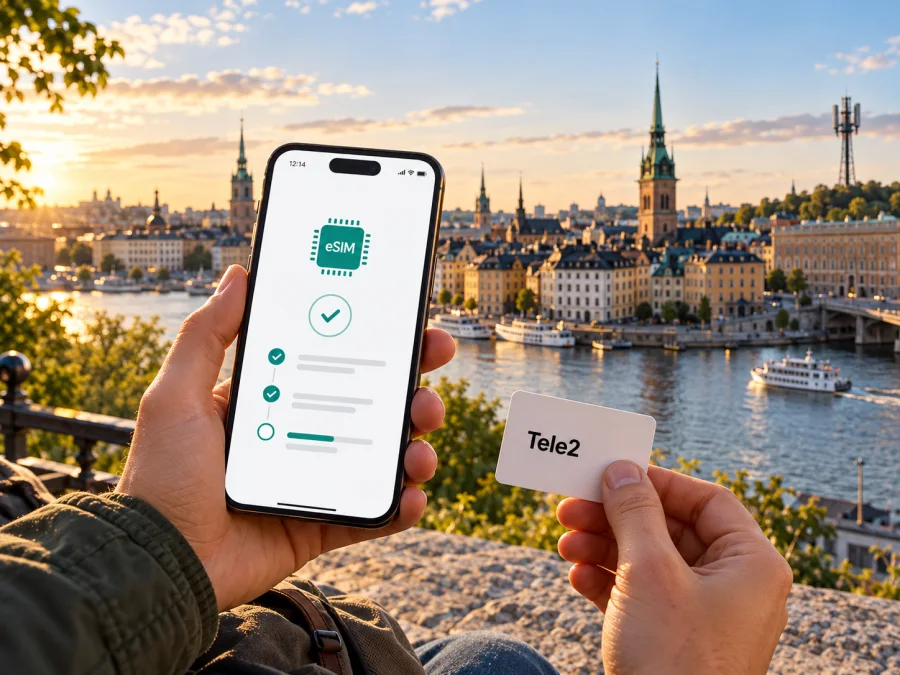
Tele2 eSIM in Sweden: activation, coverage and travel options
Tele2 is a Swedish mobile and connectivity operator, and its Swedish customer information confirms that eSIM is available for mobile subscriptions. You can choose an eSIM when ordering a subscription through Tele2’s website or customer service, or request a SIM-to-eSIM change through Mitt Tele2. The exact steps depend on whether you are a new customer, an existing subscriber, or travelling with a device bought in another market.
This guide explains Tele2’s public eSIM instructions, what a visitor should check before relying on a Swedish subscription, and how to prepare a separate travel eSIM for data. It does not list Tele2 plans or prices. Tele2’s Swedish pages “Beställ och aktivera eSIM” (Order and activate eSIM), “eSIM till mobiltelefoner och smartwatches” (eSIM for mobile phones and smartwatches), “Täckningskarta” (Coverage map), and “Mobil täckning med 5G” (5G mobile coverage) were checked on 16 October 2026. Product details and coverage can change; confirm current conditions with Tele2 before ordering.
Tele2 and its marks belong to their respective rights holders. Kaspersky eSIM Store is not affiliated with Tele2 and is not its official partner or distributor.
Tele2 in the Swedish mobile market
Tele2 is an established Swedish telecommunications brand serving consumer and business customers. Its corporate “Sweden” profile, checked on 16 October 2026, describes Sweden as its largest market and lists consumer connectivity and entertainment, business connectivity, and wholesale services among its activities. That gives a useful sense of Tele2’s local role without implying that every service is available to every visitor or device.
For a traveller, the relevant distinction is between the operator’s domestic mobile service and an eSIM profile intended for travel data. A Tele2 subscription is a local customer relationship governed by Tele2’s eligibility and service terms. A travel eSIM is set up separately for a destination or region and may connect through a participating local network. The two profiles can coexist on a compatible, unlocked phone, but they do not become the same service merely because both use eSIM technology.
Tele2’s public consumer guidance confirms eSIM as a digital SIM option for mobile subscriptions. Its page says a new subscription can be ordered with either a physical SIM or eSIM, and that an existing physical SIM can be changed through Mitt Tele2 or customer service. The guidance is about Tele2 mobile subscriptions in Sweden; it should not be read as confirmation that a short-term visitor can buy any particular subscription or that every prepaid product is eSIM-enabled. Tele2 does not clearly establish a tourist eSIM offer in the cited guidance. If you need prepaid access, a local number, or a short-stay arrangement, ask Tele2 directly which current options you can obtain and what identity or account requirements apply.
Is Tele2 eSIM available in Sweden?
Yes. Tele2’s Swedish eSIM help page confirms eSIM for mobile subscriptions and explains both new orders and changes from a physical SIM. When ordering through Tele2’s website or customer service, the customer can select eSIM. For an existing line, Tele2 describes a replacement request in the Mitt Tele2 app; customer service can also assist. The source is Tele2’s “Beställ och aktivera eSIM” help page, checked 16 October 2026.
The operator describes two ways to install the profile: activation through Mitt Tele2, or scanning an activation QR code. The precise route depends on how the eSIM was ordered and whether you are activating a new line or replacing a SIM. A QR code is a setup credential, not a paper SIM; follow the on-screen instructions and keep access to the account and device used for activation. If the app does not show an activation option, check that the order or SIM replacement is ready and contact Tele2 support rather than repeatedly scanning an old code.
Tele2’s eSIM information also says that device support must be checked. Its model guidance distinguishes between product variants: for example, the page identifies supported Apple iPhone generations and says eSIM availability for Samsung Galaxy models is shown during purchase. This is a reminder to check the exact model and variant, not just the family name printed on the box. Regional variants can differ, and a device’s support for eSIM does not by itself mean that it is unlocked or accepted for a particular subscription.
What the public guidance confirms
| Question | What Tele2’s Swedish guidance says |
|---|---|
| Can a mobile subscription use eSIM? | Yes; eSIM can be selected for a new mobile subscription. |
| Can an existing physical SIM be replaced? | Yes; Tele2 describes a change through Mitt Tele2 or customer service. |
| How can the profile be activated? | Through the app or with an activation QR code, depending on the order. |
| Is every phone or regional variant supported? | No blanket guarantee is stated; check the exact model with its manufacturer and Tele2. |
| Is a tourist or prepaid eSIM confirmed here? | The cited guidance does not establish a dedicated tourist offer or confirm every prepaid product. Ask Tele2. |
This table summarizes the operator’s general process, not a promise that a specific account, subscription, handset, or visitor will qualify. Tele2 can change its ordering and verification steps, and the account holder may need to complete customer checks before a profile can be issued.
How to order or activate a Tele2 eSIM
If you are starting a new Tele2 subscription
- Check whether your exact phone variant supports eSIM and is not locked to another operator.
- Review Tele2’s current Swedish mobile-subscription information and confirm that you can complete its customer and account requirements.
- Select eSIM during the order through Tele2’s website or customer service, if offered for the subscription you are ordering.
- Follow Tele2’s current activation instructions in Mitt Tele2 or use the QR code supplied for that order.
- Keep the phone connected to Wi-Fi or another working internet connection during setup if the device requests one.
- After installation, select the Tele2 profile for calls, messages, or mobile data as needed, then confirm that the line registers on the network.
If you already have a Tele2 physical SIM
Tele2’s help article describes starting a SIM replacement in Mitt Tele2: open the relevant mobile subscription, find the SIM-card settings, request a new SIM, and select eSIM. The app then presents activation when the replacement is ready. The page also says that customer service can help and can provide a QR-code route. Interface labels and processing times can change, so use the current in-app directions instead of relying on an old screenshot or saved QR code.
Before you begin, make sure you can sign in to the account that manages the number and that the phone you intend to use is available. If the number is being transferred to Tele2, follow the separate number-porting instructions and wait for the stated transfer point before assuming that the eSIM can be used. A profile installation, line activation, number transfer, and the start of any travel package are separate events; do not treat one as proof that all the others are complete.
Device compatibility: check the exact variant
An eSIM is a digital subscriber profile stored in a compatible device. Support is model-specific: the same commercial name can refer to different hardware for different countries, and some products have cellular and Wi-Fi-only variants. Tele2 gives separate guidance for iPhone and Samsung Galaxy and says to check phone support. Verify the full model number, region of sale, software support, and carrier lock status before ordering.
Look for an option to add or manage an eSIM in the phone’s mobile-network settings; menu names vary by manufacturer and software version. If that option is missing, confirm the exact model code with the manufacturer or seller. A regional variant may differ, or the phone may be restricted.
If your phone supports dual SIM, you may be able to keep a home line active and choose another profile for data. Calls, messages, data switching, and roaming are separate settings. Check the selected data line and your home operator’s roaming rules; data service does not automatically provide a local number or standard calls and SMS.
For device-specific installation steps, consult the iPhone or Android eSIM instructions in Kaspersky eSIM Store’s help centre, and review its device compatibility guidance. Confirm that the instructions match the device and software version in your hand.
Network coverage and technology in Sweden
Tele2’s coverage map provides a location-level view and describes its Swedish network in terms of 4G and 5G. The map page states the operator’s own estimate that its 5G network covers 99.9% of Sweden’s population and 90% of the country’s area. These are Tele2’s published figures, not an independent measurement or a guarantee that a specific building, road, island, or device will have service. The map and its explanatory notes were checked on 16 October 2026.
Reception depends on location and conditions around the phone, including indoor materials, terrain, local demand, handset bands, software, and subscription. A national figure cannot tell you whether a particular hotel room, rural route, basement, or ferry terminal will have service. Check the map for itinerary locations and treat it as an estimate.
4G and 5G are radio technologies, not promises of a particular speed. A phone needs compatible bands and service, and availability changes by location. Tele2’s “Mobil täckning med 5G” page notes that results vary with location and equipment. For remote areas, check the map for each stop and keep essential travel information available offline.
Sweden, nearby regions, and the operator’s market are different things
This article concerns Tele2’s Swedish consumer service. Sweden is not a synonym for Scandinavia, the Nordic region, the European Union, or every place where a Swedish number may roam. Tele2’s domestic map is not a coverage map for neighbouring countries, and a regional travel eSIM may have different network partners and terms.
For cross-border travel, check roaming conditions and included countries separately for Tele2 and any travel profile. Regional service does not change a device’s country variant or guarantee domestic coverage outside Sweden.
Tele2 service and a travel eSIM: different use cases
A Swedish Tele2 subscription may suit someone establishing a local account who needs a Swedish number or other subscription services. Ordering requirements depend on the service. Visitors should confirm eligibility and whether eSIM is offered for their specific prepaid or short-stay option before planning around it.
A travel eSIM is a separate way to prepare mobile data. It may be installed before departure on a supported, unlocked device and selected for data according to its instructions. Availability, networks, activation, and service scope depend on the product. Do not assume it uses Tele2 unless its current details say so.
Kaspersky eSIM Store is an app and website that helps travellers choose, arrange, and activate an eSIM with a data plan for an international trip. Its Sweden destination page, checked on 16 October 2026, lists local service providers other than Tele2. This is not a Tele2 eSIM or partnership. Check the live page for current network, compatibility, activation, and coverage details.
Choose based on whether you need a Swedish number, can complete Tele2’s customer process, will cross borders, and whether data-only service is enough. A travel eSIM may not include a phone number, standard calls, or SMS. Keep your usual SIM for services tied to your home number and check its roaming terms.
If a separate travel-data option suits your plans, explore eSIM options for Sweden and review the current destination and device details before choosing.
Set up a travel eSIM for Sweden
If a travel eSIM suits your trip, prepare it while you have reliable internet access. Review destination and regional scope, device support, data-service description, activation instructions, and support details. Do not infer terms from the package name or a domestic operator’s coverage figures.
- Check the phone. Confirm eSIM support for the exact regional variant and make sure the phone is unlocked.
- Review the destination. Ensure that Sweden is included and that the listed network and coverage suit the places you plan to visit.
- Read activation instructions. Establish whether installation and service activation happen at different times and whether the profile can be installed before departure.
- Install over a reliable connection. Use the app’s instructions or the supplied QR code, and keep the confirmation available until the profile is working.
- Set the data line. After arrival, choose the travel profile for mobile data if that is how the product is designed to work. Keep your home line’s settings deliberate to avoid unintended roaming.
- Check connection status. Allow the phone to register, then test a simple web page. If it does not connect, check the selected data line and follow the product’s troubleshooting steps before deleting the eSIM.
Some devices require data roaming for a travel eSIM. Follow the provider’s instructions and change the setting for the intended profile. Requirements and data start depend on the profile; installation alone does not establish when usage begins. If it fails to register, check destination, network selection, compatibility, and account status, then contact support.
A traveller’s pre-departure checklist
- Decide whether you need a Swedish number and calls or only data; ask Tele2 about subscription eligibility, eSIM, and account checks.
- Verify the exact device variant, eSIM support, software, and lock status.
- Check Tele2’s map for itinerary locations, or the travel eSIM’s own destination and network details.
- Save QR instructions and support details securely; keep access to the ordering account.
- Select the intended data profile, review roaming settings, and keep essential travel information offline.
Frequently asked questions
Can I get a Tele2 eSIM in Sweden?
Tele2’s Swedish consumer pages confirm eSIM for mobile subscriptions. A customer can choose it when ordering a new subscription or request a switch from a physical SIM through Mitt Tele2 or customer service. Whether a visitor qualifies for a specific subscription is a separate question; confirm current requirements with Tele2.
Does Tele2 offer a tourist eSIM or eSIM for every prepaid option?
The public eSIM guidance checked for this article does not confirm a dedicated tourist offer or state that every prepaid option can use eSIM. Ask Tele2 about the exact product, eligibility, identification, and activation steps before relying on it for a short visit.
Can I activate a Tele2 eSIM before arriving in Sweden?
Tele2’s instructions describe activation through Mitt Tele2 or an issued QR code, but they do not establish that every new customer can complete the full account process from abroad. Your order, identity checks, internet access, device and activation status may affect timing. Confirm your case with Tele2 and do not travel assuming that an unverified order is already usable.
Will an eSIM work on any phone with the same model name?
No universal guarantee applies. Regional hardware variants can differ, and a device may also be locked or lack current software support. Check the complete model code with the manufacturer and confirm compatibility with Tele2 or the travel eSIM provider.
Can I keep my regular SIM while using an eSIM?
Many phones support more than one SIM profile, but the combinations and settings differ by model. You may be able to keep your home line for calls and messages while assigning mobile data to another profile. Confirm the phone’s dual-SIM capabilities and check your home operator’s roaming terms before leaving.
Does a travel eSIM provide a Swedish phone number?
Do not assume so. The Kaspersky eSIM Store travel product is positioned for mobile data; its current terms should be checked for the exact profile. Data-only service is not a replacement for a local number, ordinary calls, or SMS unless those features are expressly included in that product’s terms.
Is Tele2 coverage the same across all of Sweden?
No. Tele2’s coverage map is the appropriate place to check specific locations, and the operator explains that real reception varies. Published nationwide figures are not a promise for every indoor space or route. Check your accommodation and travel stops individually.
Final check
Tele2’s Swedish eSIM information confirms a digital SIM option for mobile subscriptions and explains app or QR-code activation. The operator’s own coverage map can help you assess locations in Sweden, but it cannot guarantee service at every point. Visitors should verify account eligibility, prepaid or tourist availability, and the exact device variant before choosing a local subscription. If mobile data is the main need, Kaspersky eSIM Store may help you prepare a separate travel eSIM, subject to its current destination details and compatible-device requirements.
Tele2 names and marks are the property of their respective rights holders. Kaspersky eSIM Store is not affiliated with Tele2 and is not its official partner or distributor. Information was checked on 16 October 2026; eSIM availability, activation instructions, subscription conditions, device compatibility, and coverage information can change. Confirm the relevant details with Tele2 or the selected travel eSIM provider before purchase.


