Travel connectivity guide
Tele2 Kazakhstan / Altel eSIM in Kazakhstan
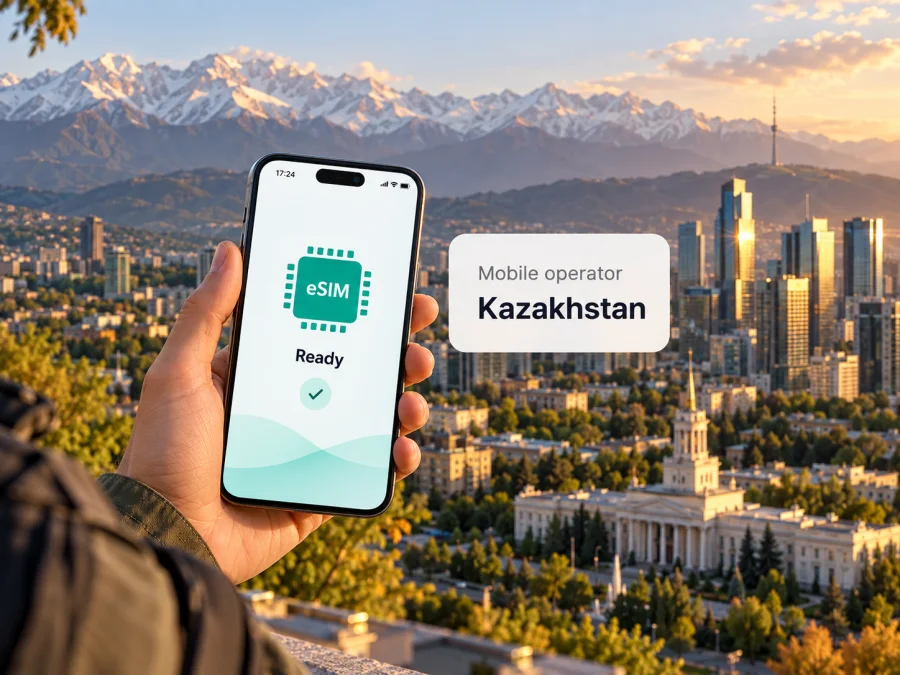
Tele2 Kazakhstan / Altel eSIM in Kazakhstan: a travel guide
If you are travelling to Kazakhstan, an eSIM can make it easier to get mobile service without handling a plastic SIM card. Tele2 Kazakhstan and Altel both publish eSIM information for customers in Kazakhstan, including an app-based setup route and a way to check whether a device is compatible. The right choice for a visitor depends on more than the word “eSIM”: you should confirm that your exact phone variant supports it, understand the operator’s registration requirements, and check coverage for the places on your itinerary.
This guide explains what the two brands offer at a general level, what to verify before trying to connect, and how a travel data eSIM differs from a local mobile subscription. It does not list specific plans or prices, since those can change and must be checked directly with the provider.
Tele2 Kazakhstan / Altel in the Kazakhstan market
Tele2 Kazakhstan and Altel are two consumer-facing mobile brands operated in Kazakhstan by Mobile Telecom-Service LLP. The company’s public materials describe the business as operating under both brands as one mobile operator. This means the exact name in this article refers to the Kazakhstan market and its local Tele2 and Altel services. It should not be confused with Tele2-branded services in other countries, or with a travel eSIM that connects through a roaming partner.
The company’s public information presents mobile voice, messaging and data services under the Tele2 and Altel brands. The brands have their own customer-facing websites and apps, where users can review available services and account options. As a visitor, use the specific Kazakhstan page for the brand you intend to join: an offer or setup instruction published for a different country or a different brand may not apply.
The national market is geographically broad, and connectivity conditions vary by location. A map view or a national technology label is not a promise of service inside every building, along every road, or in every remote area. Before relying on mobile data for transport or navigation, identify your destination cities, accommodation and any overland route, then check those places on the relevant coverage map.
Is eSIM available from Tele2 Kazakhstan and Altel?
As checked on 16 October 2026, both operators have current public eSIM pages. Tele2 Kazakhstan’s eSIM page describes ordering an eSIM in the Tele2 app and shows three broad customer actions: getting a new number as an eSIM, moving a number from another operator, or replacing a plastic SIM with an eSIM. Altel’s eSIM page describes the corresponding options in its own app. Both pages provide a device model selector and outline installation by scanning a QR code.
These pages confirm that eSIM is supported as a local operator service. They do not mean that every phone sold in every market can use it, that all customer types can complete every step remotely, or that a visitor can register without meeting local requirements. The operator’s public pages may change, and the route shown in an app can depend on whether you already have an account or number. Confirm the current conditions with Tele2 Kazakhstan or Altel before purchase or conversion.
The pages are written for their respective operator customers rather than as a dedicated international visitor offer. They do not present a separate tourist-only eSIM product in the information reviewed for this guide. A visitor may find prepaid or other general customer options, but eligibility and the current process should be confirmed directly with the operator. Do not assume that an online eSIM order removes the need for identity checks, local subscriber registration or other account requirements.
What you can do with an operator eSIM
An eSIM is a digital SIM profile stored by a compatible device. It can perform the same general subscriber-identification role as a physical SIM, but is installed electronically instead of being inserted as a small plastic card. The local operator controls the number, subscription and service conditions associated with its profile.
The Tele2 Kazakhstan and Altel pages describe eSIM as available for new number acquisition, number transfer and physical-SIM replacement. These options serve different needs:
- New local number: an eligible customer may be able to select a new number and receive the eSIM profile through the operator’s app.
- Number transfer: an existing number may be moved to the operator under the applicable transfer procedure. This normally involves additional eligibility checks; follow the operator’s instructions and do not cancel the old service until the transfer is complete.
- SIM replacement: an existing customer may be able to convert a physical SIM to eSIM while keeping the account, subject to the operator’s process.
These are general service paths, not a guarantee that every visitor can use each one. Account status, identity checks, local registration rules and device compatibility can affect the process. If you need a local number for calls, text messages, account verification or local services, ask the operator whether its eSIM service and customer registration route suit your circumstances.
An operator-issued eSIM should also be distinguished from a travel data eSIM. The former is part of a local mobile subscription and may be associated with a local number and the operator’s regular voice, text and data services, depending on the selected service and its conditions. A travel eSIM is generally designed to provide data in a destination or region; it may not include a local number, ordinary voice calls or SMS. Check the terms of the particular product rather than inferring its features from the word “eSIM.”
Device compatibility: check the exact model variant
Having an eSIM setting on one phone does not prove that every version of that phone supports eSIM. Hardware and software options can differ by model generation, market, carrier configuration and country-specific variant. Some devices sold for particular markets have no eSIM capability, while a device with the same retail name sold elsewhere may support it. The relevant question is whether your exact device variant can install an eSIM profile and is not restricted by a carrier lock.
Before travelling, check all of the following:
- Find the full model identifier. Look in the phone’s settings or original packaging for its model number or regional code. Do not rely only on the family name printed on the box.
- Check the operator’s device selector. Tele2 Kazakhstan and Altel each provide a model lookup on their eSIM pages. Use the exact model information where possible and ask support if the result is unclear.
- Check the manufacturer’s regional specifications. Confirm that eSIM is enabled for the model variant sold in your market. A feature listed for one regional variant may not be present in another.
- Check for a carrier lock. A locked phone may reject a profile from a different provider even when the device hardware supports eSIM. Contact the seller or home carrier to confirm unlock status.
- Check software and profile capacity. Install available operating-system updates before travel and confirm that the device can add a new mobile plan. Multiple stored profiles do not always mean multiple active lines can work at the same time.
- Keep a reliable internet connection for setup. The installation process may need Wi-Fi or another working connection while the eSIM profile is downloaded.
The operator model selector is a useful starting point, but the manufacturer and the operator should resolve any discrepancy. If eSIM support is essential to your trip, get confirmation for the exact model number before relying on it. You can also review eSIM device compatibility.
How activation generally works
Tele2 Kazakhstan and Altel describe a similar high-level installation flow: confirm that the phone supports eSIM, connect it to Wi-Fi, open the mobile network settings, choose the option to add an eSIM, and scan the QR code provided in the relevant operator app. Menu names vary by phone model and operating-system version, and the operator may update its app flow. Follow the on-screen instructions shown for your specific account.
A practical preparation sequence is:
- Before ordering, confirm eligibility. Ask whether your customer status and documents allow you to receive or convert to an eSIM. If the app requires an existing local number or account, clarify the available route for a new customer.
- Confirm the phone variant. Check the model selector and manufacturer specifications, and make sure the phone is unlocked if necessary.
- Make sure the account and contact details are accessible. A local operator may use account authentication or verification steps. Keep access to any required phone number, email address or account credentials.
- Use a stable internet connection. Downloading an eSIM profile requires connectivity. Wi-Fi is a practical option if the device does not yet have local mobile data.
- Install the profile as directed. Scan the operator’s QR code or follow the app’s direct installation instructions. Do not scan a code from an unverified message or another person’s order.
- Label your lines clearly. If you keep your home SIM active, name the profiles so you can identify the local line and select the correct line for mobile data, voice and messages.
- Check service after installation. Follow the operator’s activation instructions and confirm that the line registers on the network. Contact support if the app or device reports that the profile is pending or unavailable.
If you use a travel data eSIM instead, its installation and activation steps may be different. Some travel profiles can be installed before departure and begin using data only when they connect at the destination; other products have their own activation rules. Read the instructions attached to that specific purchase and distinguish installation from activation. Changing the preferred data line or enabling data roaming for that travel profile may be necessary, depending on the device and service.
Coverage and mobile technologies
Tele2 Kazakhstan’s public coverage map includes selectable layers for 5G, 4G, 3G and 2G. Altel’s technology page lists 5G, VoLTE and eSIM, and its help information directs customers to its website or app to check coverage in a particular area. The availability of a listed technology depends on the precise location, device compatibility, network conditions and the operator’s current deployment.
A coverage map is a planning aid, not a guarantee of indoor reception or a specific data speed. Signals can be affected by building materials, terrain, distance from a site, network load and device capabilities. A phone may also fall back to a different radio technology when the preferred one is unavailable. For this reason, check the map for each part of your itinerary rather than assuming that a city-centre result applies to a suburb, airport transfer, mountain area or long-distance journey.
For 5G service, verify both the operator’s local coverage and your device’s supported frequency bands for the Kazakhstan market. A 5G icon in the phone settings does not guarantee access everywhere, and a device’s capabilities can vary by regional model. If your route includes rural areas or travel between cities, save offline maps and key travel details before leaving an area with a dependable connection.
If you want to prepare mobile data before the trip without committing to a local mobile number, view the Kazakhstan destination in Kaspersky eSIM Store. It is a separate travel option and does not represent Tele2 Kazakhstan or Altel.
Local operator eSIM or travel eSIM?
The choice depends on what you need during the trip. A local operator eSIM can be relevant if you want to become a local subscriber, need a Kazakhstan number, or expect to use local voice and messaging services. You will need to follow the operator’s registration, account and activation procedures, and you should confirm which services are included in the specific subscription you choose.
A travel data eSIM may be more practical if your main goal is mobile internet during a short visit and you do not need a new local number. Kaspersky eSIM Store is an app and website that helps travellers select, purchase and activate an eSIM data plan for a trip. The service is separate from Tele2 Kazakhstan and Altel; it is not a local mobile operator, does not own a mobile network and does not provide radio coverage itself. The underlying service is subject to the selected product’s terms and the local network connection available at the destination.
| Consideration | Local Tele2 Kazakhstan / Altel eSIM | Travel data eSIM |
|---|---|---|
| Main purpose | Local mobile subscription | Mobile data for travel |
| Local number | May be available as part of an eligible local service; confirm with the operator | Often data-only; check the selected product’s details |
| Registration | Operator eligibility and local requirements may apply | Follow the travel service’s account and activation process |
| Setup | Operator app and its QR or guided installation flow | App or website instructions for the selected eSIM |
| Coverage | Check the Kazakhstan operator’s coverage map | Check destination availability and the selected service terms |
This is a general distinction, not a comparison of specific tariffs. Do not assume that a travel data profile replaces a local subscription when you need a local phone number, or that a local eSIM is automatically available to every short-term visitor. Check the destination and product details in Kaspersky eSIM Store before deciding.
Frequently asked questions
Can I get a Tele2 Kazakhstan or Altel eSIM as a tourist?
Both brands publish eSIM ordering and installation information, but the pages reviewed do not establish a dedicated tourist-only offer or confirm that every visitor can complete registration remotely. Ask the relevant operator which documents and customer-registration steps apply to your situation before relying on an eSIM for the trip.
Does eSIM work everywhere in Kazakhstan?
No coverage map can guarantee service at every address or on every route. Tele2 Kazakhstan provides a map with technology layers, while Altel directs customers to its coverage information. Check the specific places where you plan to use data and allow for differences indoors, outside cities and along intercity routes.
What if my phone is sold under the same name but lacks eSIM?
Retail names can cover several hardware variants. Use the full model number and regional code to check the manufacturer’s specifications and the operator’s device selector. If those sources do not agree, ask the operator or device manufacturer to confirm before purchase.
Is a travel data eSIM a replacement for a local mobile plan?
Not necessarily. A data-only travel eSIM can help with internet access, maps and internet-based messaging, but may not provide a local number, conventional voice calling or SMS. If you need these services or a local account, ask Tele2 Kazakhstan or Altel about the appropriate local service.
Where should I confirm current conditions?
Use the official Tele2 Kazakhstan or Altel app and website for current eSIM availability, identity and registration rules, device compatibility, coverage and support. The public eSIM pages and maps were checked for this article on 16 October 2026; operator procedures may change after that date.
A practical conclusion
Tele2 Kazakhstan and Altel both document eSIM as a local service and describe app-based setup for compatible devices. For a visitor, the key questions are whether the exact phone variant supports eSIM, whether the operator’s registration route accepts your circumstances, whether you need a Kazakhstan number, and whether coverage suits your actual route. Check these points directly with the chosen brand and review the current coverage map before you travel.
If you only need mobile data for the journey and do not need a local number, Kaspersky eSIM Store offers a separate way to review a Kazakhstan travel eSIM option through its app or website. Check device compatibility and the selected product’s conditions before purchase. Kaspersky eSIM Store is not affiliated with Tele2 Kazakhstan, Altel or Mobile Telecom-Service LLP.
Public information checked
The factual details in this guide were checked on 16 October 2026 against Tele2 Kazakhstan’s “eSIM” page and coverage map; Altel’s “eSIM” page, “Technologies” page and Help Centre coverage guidance; Mobile Telecom-Service LLP’s public company information describing its operation under the Tele2 and Altel brands in Kazakhstan; and Kaspersky eSIM Store’s Kazakhstan destination page and official product information. These sources establish eSIM availability, the described setup routes, the listed technology categories and the role of the travel service. They do not establish a single coverage experience for every place or confirm that every visitor meets local subscriber requirements. Check the operator directly for current eligibility and conditions.


