Travel connectivity guide
Telecel Ghana eSIM in Ghana: What to Check
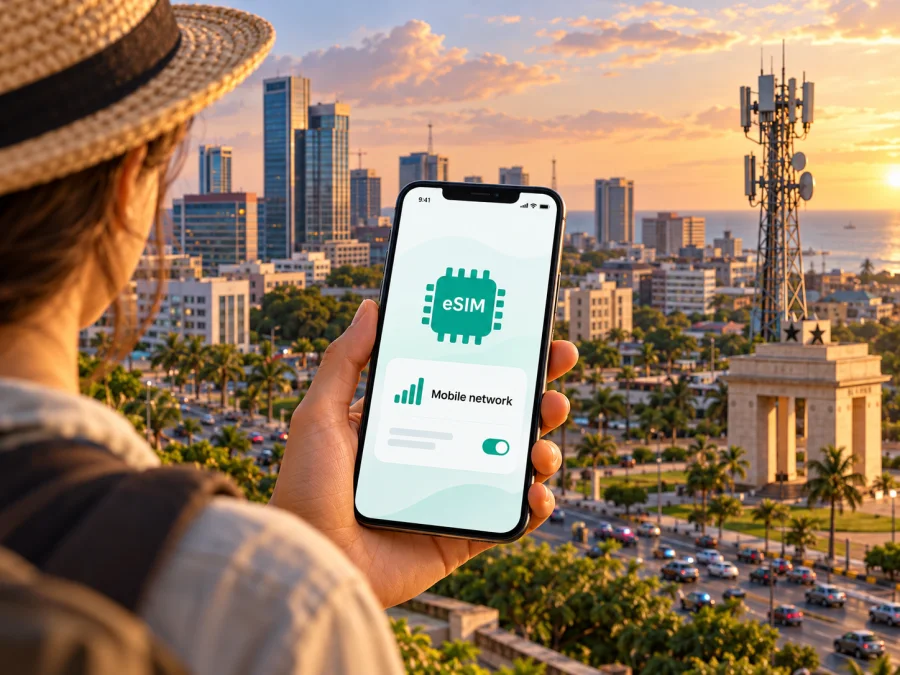
Telecel Ghana eSIM in Ghana: availability, activation and travel tips
If you are travelling to Ghana, a local Telecel Ghana connection and a travel eSIM can serve different purposes. Telecel Ghana currently advertises eSIM activation through the Telecel Play app, while a travel eSIM is a separate way to arrange mobile data for a trip. Before choosing, check whether you can meet the operator’s identification requirements, whether your exact phone variant supports eSIM, and whether the service suits the places and tasks on your itinerary.
This guide explains visitor eligibility, phone preparation and backup options. Confirm current conditions with Telecel Ghana before travel.
What is confirmed about Telecel Ghana eSIM
Telecel Ghana’s official customer-service chatbot, TERi, states that eSIM is available through the Telecel Play app. Its public message says setup can be completed without a store visit and identifies the Ghana Card as the required document. This confirms that the operator offers an eSIM route for eligible customers in Ghana. It does not establish that every visitor can register, that a foreign passport is accepted instead, or that every Telecel service can be activated on eSIM.
The most practical next step for a traveller is to ask Telecel Ghana whether a non-resident can obtain an eSIM and what identity checks apply. The public wording names the Ghana Card; it does not explain an alternative for tourists. Do not assume that a passport, visa, hotel address or a foreign identity document can replace it. Ask about this before relying on Telecel eSIM as your only way to connect after landing.
The operator presents mobile, broadband and self-service services through its official site. These offerings place Telecel Ghana in the country’s telecom market, but they do not describe the specific service quality you will experience at a particular address or route.
What the public information does and does not confirm
| Topic | What can be confirmed | What you should check |
|---|---|---|
| eSIM availability | Telecel Ghana’s TERi chatbot says eSIM is live in Telecel Play | Current eligibility and whether a visitor can register |
| Identification | The chatbot names the Ghana Card | Whether any alternative document is accepted for non-residents |
| In-person visit | Telecel says the process does not require a store visit | Whether app registration or identity verification may still require extra steps |
| Network technology | Telecel Ghana’s business information refers to its 4G network | Whether 4G is available at each location on your route, and what your handset supports |
| Plan details | Telecel maintains local mobile services and offers | Current prepaid or eSIM conditions, directly with Telecel Ghana |
Checked on 17 October 2026 against Telecel Ghana’s TERi service, official website and support pages. TERi directly confirms eSIM availability and the Ghana Card statement; visitor eligibility still requires individual confirmation.
Is Telecel Ghana eSIM suitable for a visitor?
It may be suitable if you qualify for local registration, your phone is eligible, and you want a Ghana-based mobile service. A local operator connection can be useful when you need a local number or want to use a domestic mobile account. The exact services included and the registration conditions depend on Telecel Ghana’s current offer and your customer status; check them with the operator rather than relying on general travel advice.
The Ghana Card detail is important for international visitors. Ghana’s national identity document is not something every short-term traveller will hold. Telecel’s public eSIM notice does not explain how a person without one can register. This is a gap in the available public guidance, not proof that a visitor is ineligible. Contact Telecel Ghana through its published support channels and ask specifically about eSIM registration for a foreign visitor, acceptable documents, and whether a Ghana-based account is needed.
If you are already in Ghana and have access to Telecel Play, check the current in-app flow and its eligibility prompts. If the process asks for a document or account you do not have, stop and confirm the permitted route with support. Avoid entering another person’s identity details or asking someone to register a line for you unless the operator explicitly permits that arrangement and explains who is responsible for the account.
For visitors who cannot confirm local registration before departure, plan a backup. You can retain your home SIM for calls and verification messages, check roaming conditions with your home provider, use Wi-Fi where appropriate, or arrange a travel eSIM for mobile data if your phone supports it. A backup is useful for maps, transport and contacting accommodation.
Telecel Ghana network and coverage: what to verify
Telecel Ghana’s business information describes its network as including 4G. That is a statement about the technology the operator has deployed; it is not a guarantee of signal everywhere, nor a location-by-location coverage map. The information reviewed for this article did not establish a complete current coverage picture for every region, building, road or rural area in Ghana. Treat coverage as a local question and check the operator’s current coverage information or ask support about the specific destinations on your itinerary.
Before you depend on mobile data for a critical task, consider where and when you need it. Download offline maps, save booking details and keep important addresses accessible without a connection. If you will be travelling beyond larger towns, check whether your accommodation provides Wi-Fi and whether the places you plan to visit have reliable communications options. Keep emergency and transport arrangements that do not depend on a continuous data connection.
eSIM compatibility: check the exact phone variant
An eSIM is a digital SIM profile that is downloaded to a device rather than inserted as a removable card. Support depends on the exact phone model and variant, its region of sale, carrier lock status, software and sometimes the provider’s provisioning requirements. Two phones with the same retail family name can differ by model number or market. A product page that says a family supports eSIM is not enough to establish compatibility for your specific device.
Before travelling, find the full model identifier in your phone settings or on its packaging. Check the manufacturer’s support information for that identifier and country variant, then confirm the device is not carrier-locked. Ask Telecel Ghana whether its current eSIM flow supports your model if you intend to use its service. If you are using a travel eSIM, check compatibility with that provider as well; support from one eSIM provider does not guarantee support from another.
Also check that your phone can store and use the eSIM profiles you need alongside your existing SIM. Available profile capacity, simultaneous line behavior, and menu labels differ between devices. Confirm that you can keep your regular line available for calls or verification while selecting the travel or local eSIM for mobile data. Make sure you know how to switch data lines before you leave a dependable Wi-Fi connection.
For an additional overview of device checks, see the eSIM compatibility guide. It is still important to confirm the exact model variant with the phone maker and the service provider. Compatibility lists may change as devices, software and operator provisioning are updated.
Local Telecel eSIM or a travel eSIM?
A local operator eSIM and a travel eSIM solve related but different problems. Telecel Ghana’s eSIM is a local service from the Ghana operator, subject to its current customer registration, identity and account conditions. A travel eSIM is arranged for use abroad and may be designed around mobile data for a destination. The provider, network access, data allowance, activation conditions and availability depend on the particular travel product. Review its terms before purchase.
With a data-only eSIM, messaging and voice apps can work over mobile data when you already have the relevant app account and your contacts can reach you there. Bank codes, calls to local numbers and account verification may still need your existing number. Keep your primary SIM enabled for the functions you need, but review your home provider’s roaming settings to avoid unintended charges. On dual-SIM phones, select the intended line for mobile data and disable data switching if you want to avoid the phone changing lines automatically.
Kaspersky eSIM Store is an app and website that helps travellers choose, purchase and activate an eSIM plan for mobile internet during an overseas trip. It is a separate travel option, not Telecel Ghana, a mobile network operator, a network owner or a provider of its own mobile coverage. The Ghana destination page can be used to check currently available travel eSIM options for Ghana; it should not be read as a specific Telecel Ghana tariff or as confirmation that Telecel is the underlying network for a particular option. Check the displayed service details and conditions before choosing.
If you want to explore that separate option, check eSIM options for Ghana. Availability and provider arrangements can change, so review the current information shown for your destination and device. A travel eSIM does not remove the need to confirm Telecel’s local registration rules if you want a Telecel account.
How to prepare before you arrive
Before relying on an eSIM in Ghana, confirm the registration route with Telecel Ghana, check the exact handset variant and carrier-lock status, and decide whether you need mobile data only or also a local number, calls and SMS. Ask about coverage in the specific towns and accommodation on your route. Download the relevant app, keep access to the email or account used for activation, and save maps and bookings offline. Review roaming controls on your home SIM and know which line is selected for mobile data.
Useful questions for support include: “Can a visitor without a Ghana Card register a Telecel eSIM?”; “Which identity documents are accepted?”; “Can I complete the process outside Ghana?”; “Does my exact model number work?”; and “Where can I check coverage for my destinations?” Keep the answers available while travelling.
Installing and activating an eSIM
The precise steps depend on the service and device. Follow the activation instructions provided by Telecel Ghana or your travel eSIM provider, and do not scan a code from an untrusted source. A QR code or in-app installation link is usually intended for a particular profile and may only be usable once. Keep the confirmation until the profile is installed and tested.
Before installation
- Connect to stable Wi-Fi. Keep the phone online while you download the eSIM profile.
- Check compatibility and lock status. Confirm the exact device variant supports eSIM and can accept a profile from the service you selected.
- Complete registration first. Follow the provider’s identity and account checks. For Telecel Ghana, verify what applies to you if you do not have a Ghana Card.
- Keep the activation details private. Do not share a QR code, activation code or account password with someone you do not trust.
- Read the activation timing. Check when the service begins and whether installation or first network connection starts any validity period.
On iPhone
Open Settings and choose Cellular or Mobile Service, then select the option to add an eSIM. Follow the provider’s on-screen steps. If the QR code is displayed on the same phone, use the supported manual entry method instead of trying to scan the screen. Menu names vary by iOS version and region; consult Apple’s current instructions if they differ. After installation, label the line and select the intended profile for mobile data.
On Android
Open Settings and find Network & internet, Connections or the SIM manager, then choose the option to add or download a SIM. Menu labels vary by manufacturer, Android version and region. Follow the provider’s QR or app instructions, and consult the manufacturer’s guide for your exact model if the menus differ. Label the new profile and select it for mobile data only if that is the intended line.
When you arrive
- Enable the intended line. Turn on the eSIM profile you plan to use.
- Select the data line. Check the phone’s SIM settings so mobile data uses the chosen profile.
- Follow the provider’s roaming instructions. Some travel eSIM profiles may require data roaming on that profile; this does not mean your home SIM should use roaming data. Confirm the correct setting with the provider.
- Wait for registration. Network connection can take a little time. If it does not connect, toggle airplane mode once or restart the device, then check the provider’s troubleshooting instructions.
- Test a simple task. Open a webpage or map and confirm that data works before relying on it for transport or check-in.
If service does not start, check that the eSIM is enabled, mobile data is assigned to it, the phone is not locked, and any provider-specific roaming setting is correct. Do not delete the profile as a first troubleshooting step: some activation codes cannot be reused. Contact the provider using its official support channel and explain the device model, location and error shown on screen.
Common questions
Is Telecel Ghana eSIM available?
Yes. Telecel Ghana’s public TERi chatbot says eSIM is live through the Telecel Play app. The same message names a Ghana Card for setup. Confirm current eligibility and documentation with Telecel Ghana before relying on it.
Can a tourist activate Telecel Ghana eSIM with a passport?
The public information checked for this article does not confirm that a passport can replace the Ghana Card. Ask Telecel Ghana directly whether a non-resident can register and which documents are accepted. Do not assume that all visitors can complete the process.
Does Telecel Ghana offer 4G?
Telecel Ghana describes its network as including 4G on its business information page. That statement does not establish coverage at every address or guarantee a particular speed. Check current local coverage for your itinerary.
Will any eSIM phone work with Telecel Ghana?
Not necessarily. Compatibility can depend on the exact model and regional variant, carrier lock, software and operator provisioning. Verify the model number with the device manufacturer and Telecel Ghana before travel.
Is a travel eSIM the same as Telecel Ghana eSIM?
No. Telecel Ghana’s eSIM is a local operator service governed by Telecel’s registration conditions. A travel eSIM is arranged separately for travel connectivity and may connect through a partner network. Check the provider and service details; do not assume one is supplied by or affiliated with the other.
What if my eSIM will not connect?
Check that the profile is installed and enabled, select it for mobile data, confirm any required roaming setting for that profile, and make sure the phone is unlocked. Restart or reconnect to the network once. If the issue remains, contact the eSIM provider through its official support channel and avoid deleting the profile until support advises you.
Choose the setup that fits your trip
Telecel Ghana’s current public information confirms eSIM through Telecel Play and names the Ghana Card as part of the process. That makes the offer relevant to eligible local customers, while a visitor’s ability to register remains a question to resolve directly with the operator. The operator’s 4G statement is useful context, but individual coverage should be checked for the actual places you will visit.
Start by confirming your identity-document eligibility and exact phone variant. Then decide whether you need a local account and number or mainly need mobile data for travel. If comparing a travel eSIM, review the destination, network details, activation process, data-only limitations and compatibility shown by its provider. Kaspersky eSIM Store can help you review travel eSIM options for Ghana, but it is not affiliated with Telecel Ghana and does not operate Telecel’s network. Choose only after you have checked the conditions that matter for your itinerary.
This article is independent and is not affiliated with, endorsed by or sponsored by Telecel Ghana. Telecel and Telecel Play are referenced only to identify the operator and its service.


