Travel connectivity guide
Telekom eSIM in Germany: what to check
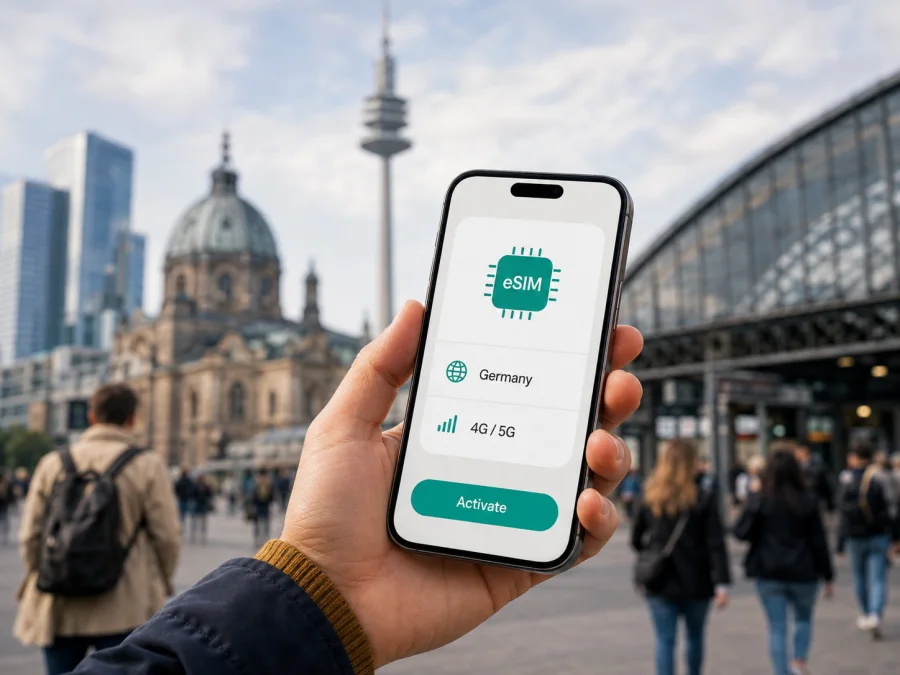
Telekom eSIM in Germany: activation, compatibility and travel options
If you are planning a trip to Germany, an eSIM can make mobile connectivity easier to organise before you leave. Telekom is an established mobile network provider in the German market, with customer service, shops and online self-service for mobile connections. Its current public information confirms eSIM profiles for compatible devices and a prepaid eSIM route. The way to obtain one depends on whether you are a new customer, an existing customer or a visitor arranging a prepaid connection.
This guide explains what a Telekom eSIM in Germany is, how activation works, which checks matter for a traveller and when a separate travel eSIM may be more convenient. It does not reproduce a tariff catalogue. Offers, conditions, identification rules and roaming terms can change, so check current information with Telekom before ordering or activating a local service. The factual information here was checked on 7 September 2026 against Telekom’s eSIM information page, Help pages for eSIM activation and prepaid devices, the prepaid activation page, and Telekom’s mobile coverage information. The travel alternative was checked against the Kaspersky eSIM Store Germany page, its Android installation guide and Kaspersky’s official eSIM Store article on the same date.
Kaspersky eSIM Store is not affiliated with Telekom, is not Telekom’s official partner or distributor, and does not represent the operator. The names and marks mentioned belong to their respective owners.
Quick answer: is Telekom eSIM available in Germany?
Yes. Telekom’s eSIM information says that new and existing customers can receive an eSIM profile when they have a compatible mobile device. The same page explains that prepaid customers can also use eSIM. Depending on the route, the profile can be selected during an online order, delivered through eSIM direct, or activated with a one-time QR code. Telekom’s current prepaid activation information also describes an eSIM request after the customer has entered the card and phone details in the activation flow.
There are practical conditions. The device must support eSIM and have a mobile-radio module. A prepaid customer must complete the operator’s identity check with an accepted valid document. A visitor should confirm whether the selected channel accepts their residence status and document before relying on the connection for a trip. A QR code is not a general reusable pass: Telekom’s eSIM help information says that an activation code is intended for one activation, and a move to another device may require a new code or transfer process.
For coverage, Telekom provides a location-based mobile coverage map. Its public help page says that an address can be checked for technologies available locally, including 4G and 5G, while the network information also refers to 2G. This is more useful than assuming that one national label describes every street, building, rail route or rural area. Your device, service, local conditions and the current map result all matter.
Is Telekom prepaid eSIM suitable for a visitor?
Telekom’s public pages confirm the general availability of prepaid mobile service and explain that prepaid customers can use devices supporting either a physical SIM or eSIM. The operator’s prepaid activation page says that activation is performed through the MeinMagenta app and requires a valid identity document. It lists a German identity card, passport or residence permit as examples and notes that temporary identification documents are not supported on that page. This is important for travellers: bring a document the current activation flow accepts, and check the latest requirements before purchase because acceptance can depend on the customer and channel.
Prepaid can be useful when you want to avoid a long-term contract relationship or keep spending under control through a funded account. It is still a local operator process, not an anonymous travel connection. You may need to create an account, complete identity verification, activate the card and wait for the operator’s checks. The sequence can differ if you already have a physical Telekom SIM and want to change its format.
Telekom’s prepaid information discusses use outside the home market and advises customers to check current roaming possibilities before travelling. For a trip to Germany, do not assume that a service obtained in another country has the same conditions as a Telekom Germany connection. The home operator, the country where the line was issued and the roaming arrangement determine how that line works. If your purpose is simply to use data in Germany without arranging local identity verification, compare the local process with a travel eSIM before leaving.
Check compatibility before ordering
An eSIM is embedded in the device rather than inserted as a removable card. Compatibility depends on the exact phone, tablet, watch, laptop or router version and sometimes its regional configuration. Telekom’s prepaid device help page lists those device categories as possible options when they support a SIM or eSIM. A Wi-Fi-only device with no mobile-radio module cannot use a mobile eSIM.
Use this check before choosing an activation route:
- Look for eSIM support. Open the mobile network or SIM settings and look for an option to add a mobile plan or eSIM. The manufacturer’s specifications can confirm the exact model.
- Check the regional version. Devices with the same family name can have different SIM capabilities in different markets. Use the model number, not only the product name.
- Check the operator lock. A phone locked to another operator may reject a new profile even when the hardware supports eSIM.
- Prepare internet access. Downloading a profile normally requires a stable connection; Wi-Fi is often simplest for initial installation.
- Keep activation details safe. Do not delete a QR code or profile instruction until the eSIM works and you know how a replacement would be requested.
How Telekom eSIM activation works
Telekom’s public instructions describe more than one route. Interface labels may change, but the basic sequence is clear.
New Telekom mobile service
When ordering a new mobile service, the customer can select eSIM instead of a physical SIM where that option is offered. Telekom explains that some new devices can receive the profile through eSIM direct. In other cases, the customer receives an activation code shown as a QR code and scans it with the device camera during SIM setup. Follow the on-screen instructions and keep the device online while the profile downloads.
Existing customer changing SIM format
An existing customer can request a SIM change through the customer centre. Telekom’s current smartphone setup instructions describe choosing the relevant contract, opening SIM management, selecting a change from physical SIM to eSIM or moving an eSIM to a new device, and then choosing eSIM direct or an activation code. A security check may be required. Do not reset the old phone or remove the old profile until the new setup is ready unless Telekom’s instructions tell you to do so.
Prepaid activation
For prepaid, Telekom’s current activation page directs customers to the MeinMagenta app. The customer enters the required details, follows identity-verification steps and, in the described flow, can request eSIM after entering card and phone information. Telekom says the card is activated within a few minutes after identity confirmation, but timing can depend on verification and the device. A valid document and a stable connection to the app are therefore part of the preparation.
Coverage and supported mobile technologies
Telekom’s official coverage pages identify 2G, 4G and 5G as technologies displayed on its coverage map. The map is designed for checking a specific address or location, which is useful for an itinerary including a hotel, airport, exhibition venue, motorway or rail journey. Coverage is not a promise that every indoor room, underground platform or mountain route will behave the same way.
A compatible phone must also support relevant radio bands and technology. A 5G-capable device does not mean 5G will be available at every location, and a service may have its own access conditions. If 5G matters for your itinerary, check the device specification and current Telekom information together. Use the map for the places you actually plan to visit rather than relying on a general assumption about Germany.
Local Telekom eSIM or a travel eSIM?
The two options solve related but different problems. A local Telekom eSIM is issued within Telekom’s German customer and activation process. A travel eSIM is arranged as a data connection for a destination or route, usually before the trip, and is managed separately from your main mobile line.
The local option creates a Telekom customer relationship and follows the operator’s German ordering or identity process. A travel eSIM is a separate data connection arranged for a destination, often before departure, and managed independently from the main line. Choose between them by considering the purpose of the trip, document requirements, phone compatibility and whether you need a local service relationship rather than data only. This is a functional distinction, not a comparison of individual tariffs.
Kaspersky eSIM Store as a travel alternative
If you only need mobile internet for a trip, Kaspersky eSIM Store may be an alternative to arranging a local Telekom activation. It is an app and website that helps the user choose, order and activate an eSIM for mobile data during an overseas journey. It is not a mobile operator, does not own Telekom’s network and should not be described as the provider of German radio coverage. The Germany page was available during verification on 7 September 2026.
The travel workflow differs from a local prepaid process. First check eSIM compatibility, choose Germany as the destination, complete the online order and install the profile in the app or with the QR code delivered with the confirmation. Kaspersky’s official instructions say that a stable internet connection is needed for setup and that the profile can be prepared before departure. Follow the service’s current activation instructions.
Kaspersky’s public Germany page describes this eSIM as data-only. It does not include a standard telephone number for ordinary calls and text messages. Your main SIM can remain in the phone for your existing line, while the travel eSIM is selected for mobile data. Internet applications may support calls and messages when the connection and account allow them, but that is not the same as receiving a new German mobile number.
You can choose a Germany eSIM for your trip after checking that this data-only travel model fits your plans. Review the page and current service conditions at purchase; do not treat a travel eSIM as a replacement for every local operator function.
What travellers should check before relying on the connection
Documents and eligibility
Telekom’s prepaid activation page requires a valid identity document in the described flow. A passport is listed among the examples, but rules can depend on the channel and customer situation. Do not assume that a temporary document, an expired document or a document issued in another name will pass verification. Check the latest operator instructions before travel.
Calls, messages and authentication
A local Telekom service and a travel data eSIM are not equivalent. Kaspersky’s travel eSIM is presented as data-only, so keep your usual line available if you need existing calls, messages or account verification. Check how your phone handles incoming messages when mobile data is assigned to the other profile.
Roaming outside Germany
If you plan to use a Telekom Germany eSIM after leaving Germany, ask Telekom for current roaming conditions for that exact service. Telekom states that an eSIM follows the same abroad conditions as the corresponding physical SIM, but the result depends on the service and destination. A travel eSIM is designed for a separate destination-data scenario.
FAQ
Can a visitor activate Telekom prepaid eSIM in Germany?
The operator describes a prepaid eSIM route, but the activation flow includes identity verification and document requirements. A visitor should confirm current eligibility and accepted documents before relying on it. A product shown in a shop or online catalogue does not remove the verification step.
Is Telekom eSIM the same as a travel eSIM?
No. Telekom eSIM is a profile format used for a Telekom service. A travel eSIM is a separate arrangement for a journey. Kaspersky eSIM Store’s Germany information describes its travel eSIM as data-only and without a standard phone number.
Conclusion: prepare the right Germany eSIM
Telekom eSIM in Germany is a local operator option with confirmed support for compatible devices, QR-code or eSIM-direct activation paths and a prepaid route. The most important traveller checks are device compatibility, document acceptance, activation method, the selected data line and the places where you need coverage. Telekom’s 2G, 4G and 5G information should be checked by location, especially when your route includes rural, underground or indoor stops.
If arranging a local operator connection is more process than you need for a short visit, Kaspersky eSIM Store can help you prepare a separate travel eSIM for mobile data. It is an app and website for selecting, ordering and activating a travel eSIM, not a network operator or a substitute for Telekom’s customer service. Review the current conditions and device requirements before deciding, then check the Germany travel eSIM option if that model fits your journey.


