Travel connectivity guide
Telemach eSIM in Slovenia: what to check
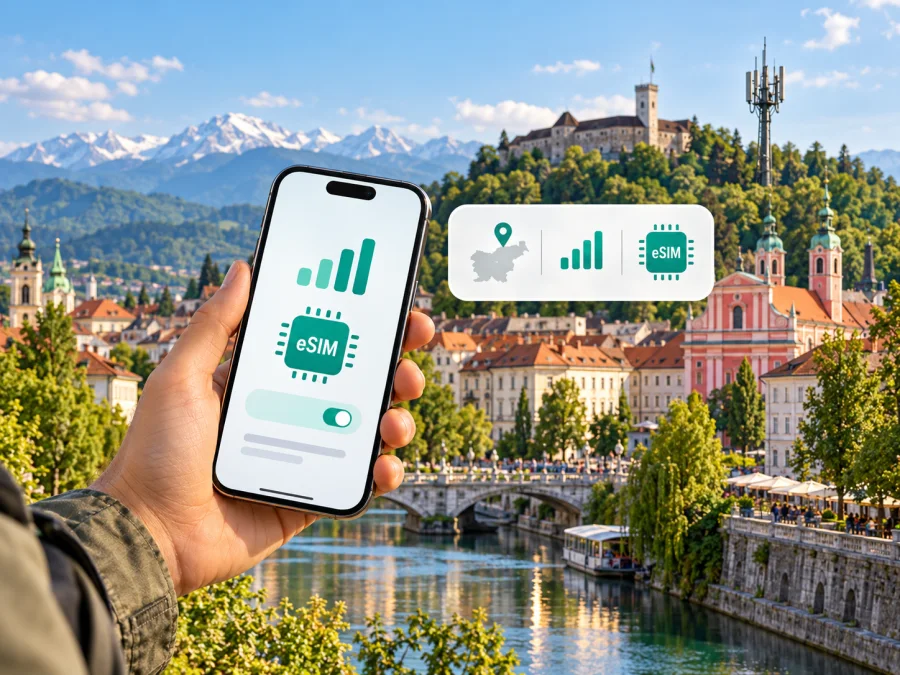
Telemach eSIM in Slovenia: activation, coverage and travel checks
Telemach provides mobile services in Slovenia and documents eSIM activation for compatible devices. That makes an eSIM a possible way to use a Telemach mobile line without inserting a plastic SIM, but a traveller should check how the service is issued, what registration or account conditions apply, and whether a particular handset variant is supported before relying on it. Telemach’s public eSIM help page describes QR-code activation and links to a device compatibility list; its activation instructions say to connect to Wi-Fi first (Telemach, “eSIM” help page and “Instructions for eSIM Card Activation,” checked 17 October 2026).
An operator eSIM and a travel eSIM can both be installed digitally, yet they serve different purposes. Telemach’s eSIM is associated with a Telemach mobile service and may be relevant if you want a local line. A travel eSIM selected through Kaspersky eSIM Store is designed for mobile data during a trip; it is not a Telemach subscription, does not provide Telemach customer service, and should not be assumed to include a regular phone number, voice calls or SMS. This guide explains what is verified, what to confirm directly with Telemach and how to prepare a fallback before travelling.
Telemach and Slovenia: what the local context means
Slovenia is a country in Central Europe, with Ljubljana as its capital. It is an EU Member State, part of the euro area and part of the Schengen area, according to the European Union’s current Slovenia country profile. Slovenia’s Central European location is also described by the Slovenian Tourist Board in “Practical Information” (both checked 17 October 2026). These are geographic and political facts; they do not by themselves determine which mobile service, roaming allowance or eSIM a particular visitor can use.
Telemach’s Slovenian website presents mobile services for the Slovenian market, including postpaid and prepaid service information, and provides dedicated help pages for mobile telephony, eSIM, roaming and prepaid registration. This confirms a local operator offer, but it does not mean every service is open to every visitor under identical terms. A traveller should identify whether they need a Slovenian number, a temporary data connection, or continued access to a home number. Those needs lead to different questions at purchase and setup.
If you are visiting from another EU or EEA country, do not assume that your home plan’s roaming rules, fair-use limits or included services automatically match a local Telemach offer. Confirm the terms with your home provider. If you are travelling from outside the EU or EEA, ask both your home provider and Telemach what applies to your specific line and intended use. The EU status of Slovenia is useful context, not a substitute for checking the contract attached to your SIM.
Is Telemach eSIM available in Slovenia?
Yes. Telemach’s Slovenian eSIM help page describes eSIM as a supported SIM format and explains that a phone number can be activated by scanning a QR code. The page also says that eSIM can be used alongside a physical SIM if the device supports dual SIM operation, and it directs customers to a list of compatible devices. Telemach’s current activation document includes separate setup paths for Android and iOS. These sources establish that Telemach supports eSIM in its Slovenian market; they do not establish that every phone, account type or prepaid option is eligible (Telemach, “eSIM” help page and “Instructions for eSIM Card Activation,” checked 17 October 2026).
Telemach’s mobile help section also lists prepaid services and a process for registering prepaid users. However, the public material reviewed here does not clearly establish whether every prepaid product can be started or converted to eSIM, or whether a visitor without an existing Telemach account can complete the process remotely. Treat prepaid eSIM availability as something to confirm directly before purchase. Ask whether the specific service can be issued as eSIM, whether it is available to a non-resident, what identity or registration steps apply, and where the QR code is provided. Do not infer eligibility from the fact that Telemach offers prepaid service generally.
A Telemach eSIM is best understood as the digital form of an operator SIM profile. It may be appropriate if you need the services and account relationship offered by Telemach and meet its onboarding conditions. It is not necessarily the simplest option for a short visit if your only requirement is mobile data. Conversely, a data-only travel eSIM may not replace a local number for ordinary calls or texts. Decide what functions matter before comparing setup routes.
How activation works
Telemach’s instructions use a QR code on a compatible device. Menu names vary by manufacturer and software version, so follow the prompts on your phone and any account-specific Telemach guidance.
Before beginning, check these points:
- Confirm that the exact device model and regional variant support eSIM. A product family name is not enough: hardware and eSIM availability can differ by market.
- Check that the phone is not carrier-locked in a way that prevents adding another operator profile.
- Obtain the Telemach QR code or activation details through the channel Telemach specifies for your order or account.
- Connect the phone to a reliable Wi-Fi network before scanning. Telemach’s activation document explicitly requires a wireless internet connection for adding the eSIM.
- Keep any PIN or security information supplied with the profile available. The Telemach instructions include entering a PIN during the process.
- Avoid deleting an eSIM profile while troubleshooting unless Telemach tells you to do so. Reinstallation may require a replacement activation code.
A general installation sequence is:
- Open your phone’s cellular or mobile-network settings.
- Choose the option to add a mobile plan or eSIM.
- Scan the QR code provided for your Telemach profile.
- Follow the on-screen prompts and enter the PIN if requested.
- Label the line so you can distinguish it from your home SIM or another eSIM.
- Select which line should handle mobile data, calls and messages, according to your needs and the functions available on your device.
- Confirm that the profile is enabled and wait for network registration.
The labels and order of these menus differ across Android and iOS devices. Telemach’s instructions show Android steps under Settings and Network & Internet, and iOS steps under Settings and Mobile Service. If the screens on your phone do not match, use the manufacturer’s current instructions or ask Telemach support rather than repeatedly scanning the same code. A downloaded profile does not guarantee service at every location: the account must be provisioned correctly, the phone must support the relevant network, and a usable signal must be available.
For any travel eSIM purchased through Kaspersky eSIM Store, use that product’s own installation steps and QR code rather than Telemach’s. Check the device compatibility information before purchase. Kaspersky eSIM Store is an app and website that helps users choose, purchase and activate an eSIM with a plan for mobile internet while travelling. It is not a mobile operator, network owner or provider of mobile internet, and its travel data eSIM should not be confused with a Telemach subscriber line.
Network coverage and technology in Slovenia
Telemach operates a mobile network in Slovenia and publishes a coverage map that lets users check areas and network technologies. The current network information page describes the map as informational and based on computer simulations, warning that estimated coverage may differ from actual conditions (Telemach, “Mobile Network” coverage information, checked 17 October 2026). This is a useful planning tool, not a guarantee that a handset will connect at a precise address or indoors.
Telemach’s 5G page describes access requirements, and its network map includes technology layers. Connection depends on location, buildings, terrain, network load, device support and account conditions; a 5G-capable handset does not guarantee 5G everywhere. Check locations on your route and plan for signal changes.
The map and network descriptions relate to Telemach’s own Slovenian service. They should not be read as a claim that a Telemach eSIM will provide the same connection when roaming abroad, or that another travel eSIM uses Telemach in every situation. Roaming depends on agreements and the terms of the particular line or travel product. Check the network information and destination coverage shown for the exact option you intend to use.
For an itinerary that includes Ljubljana, alpine areas, valleys, the coast or smaller towns, review the map at several points rather than relying on a country-wide statement. Mountain routes, buildings, transport tunnels and remote accommodation can behave differently from central streets. Download offline maps, tickets and essential travel details before setting out, and keep an alternative way to reach important information if mobile data is unavailable.
Local Telemach service or a travel eSIM?
Choose based on whether you need a local line or mainly mobile data for the visit. Telemach’s eSIM may suit those eligible for its service; a travel eSIM may suit visitors preparing data access while keeping a home SIM on compatible devices. Coverage, functions, onboarding and roaming terms differ, so neither is universally preferable.
| What you need | What to check |
|---|---|
| A Slovenian mobile number | Ask Telemach which services provide a number, who can register, what documents or account steps are required, and whether the chosen service can be issued as eSIM. |
| Mobile data for a visit | Check the destination and network details for the exact travel eSIM option, then confirm your phone is compatible and unlocked. |
| Access to your usual number | Check whether your home SIM can remain enabled alongside an eSIM, and which line your phone will use for data, calls and messages. |
| A prepaid connection | Confirm directly whether the particular prepaid service is available as eSIM and whether registration or in-person activation is required. |
| Service in a rural or mountainous location | Look up the exact area on Telemach’s coverage map and consider a backup for places where indoor or terrain conditions may affect signal. |
Kaspersky eSIM Store’s Slovenia page shows current travel options separately from Telemach’s local service. Check the displayed destination, data functions and conditions at the time of purchase; the page does not establish that every option uses Telemach’s network.
Prepare before you travel
Use this preparation routine while you still have reliable internet access.
1. Decide what the connection must do
Decide whether you need data, a local number or access to your usual number. Verify whether a data-only eSIM includes calls or SMS; ask Telemach about local number and registration requirements.
2. Check the exact device
Check the exact model code and market variant, since eSIM support can differ within a device family. Confirm the phone is unlocked and can keep the profiles you plan to use; ask the manufacturer or seller if uncertain.
3. Confirm how the profile is delivered
For Telemach, clarify how you receive the QR code, whether the profile is tied to an existing account or number, and what to do if the scan fails. Confirm any identity checks and whether activation must be completed in a Telemach shop or can be done remotely. Current terms can change, and the public setup guide does not answer every onboarding question for every traveller.
For a travel eSIM, check destination coverage, listed networks, activation timing and whether roaming must be enabled for that profile. Do not enable roaming on your home line unless you understand its charges; many phones have separate roaming controls for each SIM.
4. Install at a convenient time
If advance installation is permitted, use Wi-Fi before departure and follow the product’s activation timing instructions. Store the QR code securely; anyone with access to it may be able to install the profile.
5. Set the correct line for data
On arrival, select the intended profile for mobile data. Review which line handles calls and messages, and check roaming terms before enabling data roaming. Many phones control these settings separately.
6. Check service before relying on it
After enabling the profile, allow time for network registration. If it does not connect, check the selected data line, local coverage and the provider’s network instructions. Contact that provider if the issue persists; repeated QR scans do not fix provisioning problems.
Prepaid and visitor access
Telemach’s help pages list prepaid mobile service and registration information, but the public material reviewed here does not clearly confirm eSIM availability for every prepaid option or remote onboarding for non-residents. Before relying on prepaid eSIM, ask Telemach whether the exact service can be issued digitally, what identity or account steps apply, whether an in-person visit is needed, and how to replace a profile if a QR code is lost. Registration for prepaid use and roaming eligibility are separate from scanning an eSIM QR code; confirm both with Telemach if you plan to cross a border.
Questions travellers often ask
Does Telemach support eSIM in Slovenia?
Telemach’s Slovenian eSIM help page and activation document confirm support for eSIM using a QR code on compatible devices. The service, device and account conditions still need checking for the exact situation.
Can a visitor get a Telemach eSIM without visiting a shop?
The public setup material explains QR installation but does not establish that every new customer or non-resident can order and activate every service remotely. Ask Telemach directly about eligibility, identity checks, delivery of the QR code and whether an in-person step is required.
Is Telemach eSIM available for prepaid service?
Telemach lists prepaid mobile services, but the public material reviewed for this guide does not clearly confirm eSIM availability for every prepaid option. Verify the precise product and activation process with Telemach before making it part of your travel plan.
Will a Telemach eSIM work everywhere in Slovenia?
No mobile coverage map can guarantee reception at every indoor or outdoor location. Telemach publishes a modeled coverage map and warns that actual conditions may differ. Check the places on your route and prepare offline information for areas with uncertain service.
Can I use another eSIM and keep my home SIM?
Many phones support more than one SIM profile or a physical SIM alongside an eSIM, but the exact combination and simultaneous use depend on the device. Confirm your model’s capabilities and set the intended line for mobile data. A travel data eSIM does not necessarily replace your home number.
Is Kaspersky eSIM Store the same as Telemach?
No. Kaspersky eSIM Store is an app and website that helps users select, purchase and activate an eSIM with a plan for mobile internet while travelling. It is not Telemach, does not own a mobile network and does not provide mobile internet itself. The current Slovenia travel eSIM options can be reviewed separately from Telemach’s local services.
A practical choice for a Slovenia trip
Telemach eSIM is a verified option in the Slovenian operator’s mobile service environment, with QR-based activation instructions for compatible Android and iOS devices. The key unanswered point for some visitors is not whether eSIM technology exists, but whether their chosen service can be opened under their circumstances—especially where prepaid access, non-resident registration or remote onboarding is involved. Confirm that directly with Telemach and check your exact device variant before you travel.
For a local number or ongoing local service, compare the requirements of Telemach’s own service with your communications needs. For mobile data during a visit, a travel eSIM is another route to consider, provided its coverage, device compatibility and functions suit the trip. The Slovenia page in Kaspersky eSIM Store lets you review current travel options without presenting them as Telemach tariffs. Keep your home SIM settings and roaming terms in view, save essential travel information offline and use the provider’s current setup instructions.
Telemach and its name are used here solely to identify the operator discussed. Kaspersky eSIM Store is not affiliated with, endorsed by or an official representative of Telemach. Service availability, eligibility, device support and network conditions can change; verify the relevant details with the provider before relying on them.


