Travel connectivity guide
Telenor eSIM in Norway: support and setup
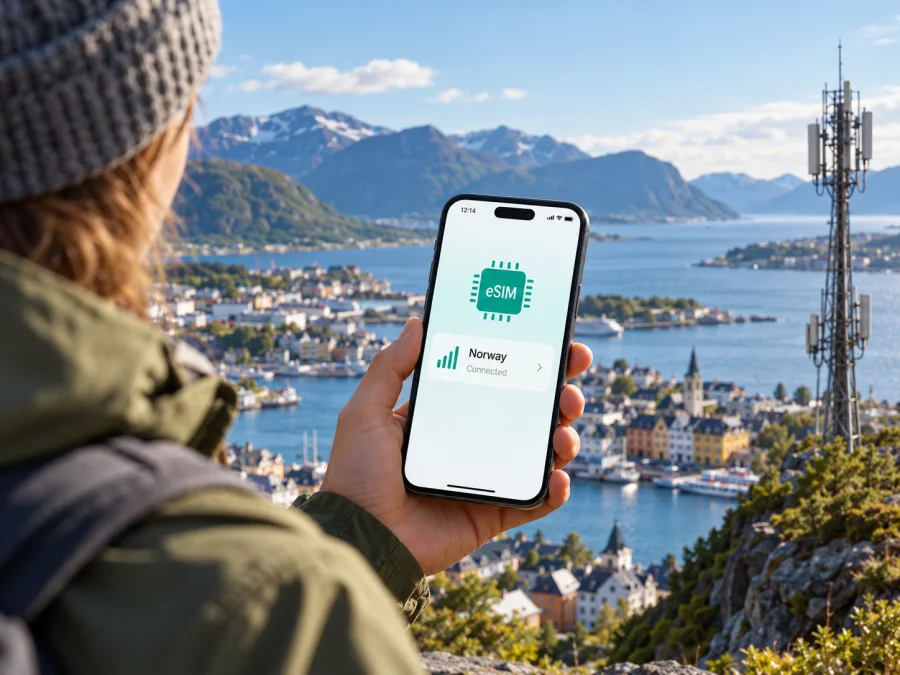
Telenor eSIM in Norway: support, activation and travel checks
If you are looking for a Telenor eSIM in Norway, the first distinction to make is whether you already have a Telenor mobile service or are arriving as a visitor and need a new connection. Telenor’s Norwegian website confirms eSIM support for mobile subscriptions and prepaid service. Its current instructions describe ordering a replacement eSIM through Mine Sider or the Mitt Telenor app and activating it with BankID. That process is useful for existing customers, but it does not by itself confirm that every short-term visitor can register and activate a new local eSIM.
This guide explains what Telenor’s public information establishes, what to check before travelling, and how a travel eSIM can fit a different use case. The details below were checked on 2 November 2026 against Telenor’s Norwegian pages “What is eSIM?”, “Activate eSIM”, “SIM and eSIM help” and “How Telenor’s mobile network works”. Availability, device support, account requirements and network conditions can change, so verify the current instructions with Telenor before ordering.
Telenor’s role in Norway
Telenor Norge AS is a Norwegian provider of mobile and other digital services and is part of Telenor Group. For a Telenor customer in Norway, the phone connects to Telenor’s own mobile network where service is available. Telenor’s description of its network explains the infrastructure behind that service: radio base stations are connected to a transport network using fibre or, in some places, radio links, with backup arrangements at some sites.
This describes the operator’s role, not a promise that every location will have the same signal or data performance. Norway includes dense urban areas, islands, valleys, mountain routes and sparsely populated regions. A coverage map is a planning tool, not a guarantee inside a particular building, on a ferry, in a valley or along a road. Check the places you expect to visit, and allow for local conditions such as terrain, indoor construction, congestion, maintenance and the capabilities of your handset.
Telenor’s public network information describes 2G, 4G and 5G technologies. Its published roadmap states that the 2G network is scheduled to close on 31 December 2027, while 4G and 5G remain relevant for current service. The presence of a technology in the network does not mean every device or every location will use it. Your phone must support the relevant bands and network modes, the service must be available where you are, and your subscription and settings must permit access. For an individual destination, consult Telenor’s current coverage map and service notices rather than inferring coverage from a national overview.
Does Telenor support eSIM in Norway?
Yes. Telenor’s Norwegian pages explain eSIM as a digital SIM profile and describe ordering it for a main mobile SIM, an additional SIM or a data SIM, as well as for certain connected devices. The operator also states that eSIM can be used with its prepaid service, Telenor Kontant. This is direct confirmation that eSIM is part of Telenor’s Norwegian offering; it does not mean every device, account type or customer journey is eligible.
Telenor’s customer guidance presents eSIM mainly as an alternative or replacement for an existing SIM associated with an account. Customers can request it through Mine Sider or Mitt Telenor, select the relevant subscription and device, and choose eSIM. An activation step follows. The operator requires BankID verification for eSIM activation. It also says that a QR code can be shown on another device and scanned by the phone, or that the profile may be downloaded directly when the customer is signed in on the device being set up.
The operator’s prepaid page says that Telenor Kontant can be ordered through its online account or app and confirms that eSIM is usable with that service. However, the public guidance reviewed does not establish a separate tourist eSIM product, a visitor-specific registration route or whether a traveller without Norwegian digital identification can complete every step. If you are not already a Telenor customer, ask Telenor directly what identification, account setup, payment and activation steps apply to your situation. Do so before relying on a local eSIM for airport transport, navigation or contacting accommodation.
The information checked here does not settle every practical detail for a new visitor. Availability of eSIM for an existing prepaid account is confirmed; eligibility and ease of obtaining such an account as a short-term visitor should be confirmed directly with Telenor. Do not assume that an eSIM profile can be purchased anonymously, activated without identity verification, or issued immediately at a retail counter. These details depend on the operator’s current process and your circumstances.
How Telenor eSIM activation works
For an eligible existing customer, Telenor describes ordering an eSIM and then installing its profile. Menu wording can change, so follow the instructions currently shown in Mine Sider or Mitt Telenor.
- Check the device. Confirm that the exact phone or other device supports eSIM and is not carrier-locked.
- Sign in. Open the relevant subscription in Mine Sider or Mitt Telenor and locate its SIM or device settings.
- Request the eSIM. Select the correct device and number, then choose eSIM as offered for the account.
- Verify your identity. Telenor’s activation guidance requires BankID. Contact the operator if you cannot complete this step; do not replace a working SIM until you understand the consequences.
- Install the profile. Download it directly on the device or display the activation QR code on another screen and scan it through the phone’s mobile settings.
- Confirm activation. Check that the profile appears and is enabled. Telenor notes that replacing an existing SIM can deactivate it when the eSIM is activated.
Keep the device online during profile download. If the QR code is displayed on the phone you are setting up, use another screen or a supported image-import option. Telenor says its QR code is time-limited, so use the current code. The operator also says eSIM can be activated abroad if BankID remains available; its stated exception is Apple Watch, which must be activated in Norway. Before changing your only active line on a trip, make sure you have internet access and account recovery options.
What a visitor should confirm before choosing Telenor
A local operator eSIM and a travel eSIM meet different needs. Telenor eSIM may suit a customer who needs service tied to a Norwegian account, especially if they already have eligible service and can complete verification. Telenor confirms that its prepaid service can use eSIM, but the pages reviewed do not establish a tourist-specific sign-up route or whether a short-term visitor without BankID can complete onboarding. Ask Telenor what identification, account and activation steps apply before relying on it as your only connection.
Before ordering, confirm that your exact device variant supports eSIM and is unlocked; whether you can obtain the relevant service as a visitor; what identity checks apply; whether activation can be completed before arrival; and what happens to an existing SIM when it is replaced. Check current coverage for your itinerary and any roaming terms relevant to your line. These details depend on your account and Telenor’s current process, so treat them as questions to verify rather than assume a particular restriction.
A model’s retail name alone may not identify its cellular hardware. Check the exact model code and country of sale in the manufacturer’s specifications, then review the operator’s current device guidance. An eID shown in the device identifiers can indicate eSIM hardware, but it does not confirm that a handset is unlocked or eligible for a specific service.
Coverage and network technology while travelling
Telenor’s network pages describe 2G, 4G and 5G service in Norway and explain that radio frequencies serve different coverage and capacity needs. The operator says its 2G network is scheduled to close on 31 December 2027. These statements describe the network, not a guarantee that a particular phone will connect to a particular technology everywhere. Access depends on device bands, account settings, location and current network conditions.
Check coverage for the towns, accommodation, transit points and routes on your itinerary using Telenor’s current map. A map is a planning guide, not a guarantee inside a building, on a ferry or in a mountain valley. Terrain, indoor construction, congestion and temporary maintenance can affect service. Download maps and essential tickets for offline use, particularly if you are travelling through remote areas. If service drops, check Telenor’s notices, confirm the intended SIM is enabled, toggle airplane mode or restart the phone.
Telenor eSIM compared with a travel eSIM
A local operator’s eSIM is tied to that operator’s service, customer account and applicable Norwegian terms. It may be suitable for customers who need the operator relationship, an associated mobile number or services attached to their account. The ordering process, verification and eligibility are controlled by Telenor. For travellers, the possible advantages of using an existing local service are continuity with that account and familiarity with the operator’s support channels. Those advantages apply only if the service is already available to you and the device can activate it.
A travel eSIM is generally arranged around a destination or travel region and mobile data use. It can be convenient when the main need is internet access for maps, messaging apps, email and bookings, without obtaining a physical SIM at a destination. It may not provide a regular Norwegian phone number, voice calls or SMS unless those features are explicitly included in the selected offer. Coverage depends on the network arrangements for the specific eSIM product and the plan terms, so check the destination, supported service and activation conditions before purchase.
Kaspersky eSIM Store is an app and website where travellers can choose, purchase and activate an eSIM plan for mobile internet abroad. It is not a mobile operator, does not own a mobile network and does not itself provide radio coverage. The Norway destination page can be used to review the currently available travel options; what appears there is separate from Telenor’s local offer and should not be described as a Telenor tariff. Check the plan’s current terms, compatible-device requirements, supported destination and when activation or usage begins. If you need a Norwegian phone number, ordinary calls or SMS, confirm that those are included before relying on a travel eSIM.
After the first part of your research, you can review eSIM options for Norway in Kaspersky eSIM Store. Check the information shown for the current offer and make sure it matches your route and intended use. A destination listing is an option to review, not a claim that it uses Telenor’s network or includes a Telenor number.
Prepare your phone before departure
- Check the exact variant. Confirm eSIM support for the model code and sales region, and make sure the phone is unlocked.
- Protect account access. Keep recovery details available and understand whether replacing a SIM will deactivate your current line.
- Install with internet access. Use stable Wi-Fi and follow the provider’s current QR or direct-download instructions. Do not delete a profile unless you know it can be restored.
- Set the right data line. If using dual SIM, label each line and select the one intended for mobile data. Enable data roaming only when required by that profile and its terms.
- Save essentials offline. Download maps, tickets, reservations and important contact details before departure.
On iPhone, open Settings, choose Mobile Service or Cellular, tap Add eSIM, then follow the instructions to scan a QR code or enter activation details. On Android, open Settings, find Network & internet or Connections, choose the SIM or mobile-network section and select Add eSIM. Menu names differ by software version and manufacturer; use the steps supplied for your profile.
After installation, confirm that the profile is enabled and selected for the intended purpose. If there is no service, check airplane mode, restart once and verify the chosen data line. A travel profile may require data roaming; requirements differ. For a Telenor profile, follow Telenor’s own instructions and contact its support if activation fails. See the device compatibility checklist if support is uncertain, especially for a regional variant.
When a travel eSIM may be a practical alternative
A travel eSIM may be useful if your main need is mobile data during a visit and you do not already have the account access or identity method required for a local operator’s activation. It can also be convenient when you want to arrange connectivity before reaching a shop. These are practical considerations, not a promise that a travel eSIM costs less or has better coverage than a local service.
Before choosing one, confirm that Norway is included, your exact handset supports eSIM and is unlocked, and the offer provides the service you need. Check whether it is data-only, how installation works, when service begins and whether data roaming must be enabled. The individual terms vary by offer. If you keep a home SIM active for calls or texts, select the intended data line and check your home operator’s roaming conditions separately.
Kaspersky eSIM Store is an app and website for choosing, purchasing and activating an eSIM plan for mobile internet abroad. It is not a mobile operator, network owner or mobile-internet provider. The Norway destination page lets you review current travel options; it does not represent a Telenor offer or imply that a plan uses Telenor’s network. A travel eSIM should not be assumed to include a Norwegian phone number, ordinary calls or SMS unless the chosen offer explicitly says so.
Common questions about Telenor eSIM in Norway
Can a visitor get a Telenor eSIM?
Telenor confirms that its prepaid service can use eSIM, but the pages reviewed do not confirm a tourist-specific sign-up route or that every visitor can register. Activation instructions require BankID. Ask Telenor which account and identity steps apply to you.
Can I activate a Telenor eSIM outside Norway?
Telenor says eSIM can be activated abroad if you can use BankID. Its instructions say Apple Watch activation must take place in Norway. Confirm the process for your device before changing a SIM while travelling.
Does every eSIM phone work on Telenor, including 5G?
No. Check the exact regional variant, carrier lock status and Telenor’s current device guidance. Telenor describes 4G and 5G in its network, but access depends on location, device, account and local conditions; 5G is not guaranteed everywhere.
Can a travel eSIM replace my Telenor number?
Do not assume so. Travel eSIMs are commonly intended for mobile data, and may not include a Norwegian number, voice calls or SMS. Check the specific offer and keep another line active if you need those services.
Should I install before travelling?
If the provider permits advance installation, stable Wi-Fi gives you time to resolve issues. Read when service starts: installation and activation may be separate events. Do not remove a profile unless the provider confirms it can be reinstalled.
A practical decision checklist
Use these questions to decide what to arrange:
- Do you already have a Telenor account or eligible prepaid service?
- Can you complete the BankID verification described by Telenor?
- Do you need a local number and operator services, or mainly mobile data for the visit?
- Does your exact, unlocked device variant support eSIM?
- Have you checked coverage for your actual route and saved essential information offline?
- Do you understand which SIM will handle data, and whether roaming is enabled on the intended profile?
- Have you confirmed current activation, identity and service terms with the provider you plan to use?
If you can use an existing Telenor account and need its local service, follow Telenor’s current ordering and activation guidance. If you mainly need mobile data for your visit, compare the current travel eSIM options for Norway and check their individual terms. Keep the distinction clear: Telenor provides its own mobile service in Norway; Kaspersky eSIM Store is an app and website for choosing, purchasing and activating a travel eSIM plan. Kaspersky eSIM Store is not affiliated with Telenor.
For another way to review currently available destination options, browse eSIM plans for Norway and read the terms shown for the specific plan before purchase. Check device compatibility as well, particularly if your handset was bought in a different region. These checks help you choose a setup that fits your device, your route and the kind of mobile service you need.


