Travel connectivity guide
Telia eSIM in Estonia: what to check
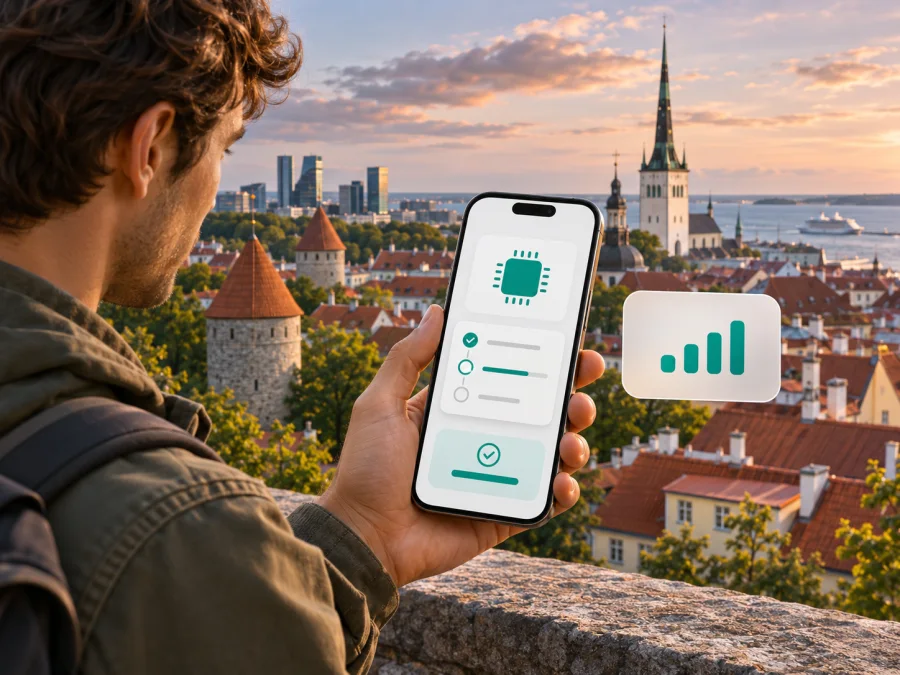
Telia eSIM in Estonia: activation, coverage and travel options
Planning a visit to Estonia and searching for a Telia eSIM? Telia is an established mobile operator in the Estonian market, and its current customer information confirms eSIM support for compatible devices. The important distinction for a visitor is that Telia’s eSIM is a digital SIM format for a Telia mobile service: getting one generally involves joining or managing a Telia service, rather than simply downloading a travel data profile without an operator account.
Telia’s public eSIM page and activation guidance were checked on 3 November 2026. They explain how an eligible customer can choose eSIM when taking a new mobile service or replacing a SIM, then install it using the activation instructions and QR code. Eligibility, identity checks, payment and account requirements can depend on the service and the customer’s circumstances, so confirm those details with Telia before relying on activation during a short trip. Telia also publishes information about 4G and 5G in Estonia; the signal available to you will still depend on the exact place, device, plan, indoor conditions and current network load.
This guide explains what a visitor should verify before choosing Telia eSIM, how installation works in general, and when a travel eSIM may be more convenient. It does not list Telia plans or plan parameters, which can change. Always check the current conditions directly with Telia before ordering.
Telia in Estonia: what the operator information tells you
Telia Eesti AS is Telia’s Estonian operating company. For consumers, the company offers mobile services and describes eSIM as an alternative SIM-card type for compatible devices. Its eSIM page presents two routes: select eSIM when joining a mobile service, or replace an existing SIM with an eSIM. This confirms support for Telia customers, but it does not mean that every visitor can obtain an eSIM anonymously or without completing Telia’s normal customer process.
That distinction matters when searching online for “Telia Estonia eSIM”. Search results may mix information about a domestic subscription, a SIM replacement, connected devices such as watches, and travel connectivity. These are different use cases. A Telia eSIM attached to a Telia mobile service is intended to carry that service’s number and account features, subject to its terms. A travel data eSIM is usually a separate profile intended for mobile data in a destination or region. It may not supply a local telephone number, conventional voice service or SMS, unless the offer expressly says so.
Telia describes eSIM as a SIM type rather than a standalone communications service. In practice, this means that the eSIM profile does not itself decide the number, included services, roaming access or billing rules. Those depend on the underlying mobile service and its terms. Before signing up, ask Telia which customer categories and service types can be provisioned as eSIM, how a new customer is identified, and whether remote sign-up is available to someone visiting Estonia.
Is Telia eSIM available to visitors and prepaid users?
Telia’s public consumer information confirms eSIM for its mobile services and gives instructions for joining or changing a SIM type. It does not, by itself, establish that every tourist can sign up remotely, or that every prepaid or short-term product is eligible for eSIM. Availability can differ between a new connection, an existing account, a replacement SIM and a connected-device service. Verify the exact situation with Telia before travelling or making a purchase.
When contacting Telia, ask direct questions rather than relying on a general “eSIM supported” label:
- Can a visitor without an existing Telia account join a suitable mobile service as an eSIM?
- What identity or payment details are required, and can the process be completed online?
- Is eSIM available for the particular prepaid, monthly or data service you intend to use?
- Does setup require access to Telia self-service, an Estonian payment method, or a local contact address?
- Can you receive the activation QR code while abroad, and does installation require an internet connection?
- If you use a watch or another companion device, does it require a separate service rather than a standalone eSIM?
Do not assume that the word “prepaid” means immediate access without registration or restrictions. Nor should you assume that a service described as tourist-friendly supports eSIM. The operator’s current sign-up page and customer support are the right places to confirm eligibility, any required documents and whether the service can be activated before arrival.
If Telia confirms that your planned service can be provisioned as an eSIM, check whether the profile can be installed ahead of your trip and when the service begins. Ask what happens if the QR code is lost or already used, and how to replace a profile after changing phones. Telia states that its activation QR is single-use; its guidance says that a SIM replacement is needed when moving an eSIM to another device or downloading it again. Keep the instructions accessible until the profile is installed and working.
Telia eSIM activation: what to expect
Telia’s current eSIM page describes activation through its self-service journey when joining a mobile service or changing an existing SIM. Depending on the flow, the customer can associate the device using its IMEI or scan the displayed QR code after confirmation. Telia says the eSIM information reaches the phone within a few minutes after the customer completes the process. The precise screens and requirements may change, so follow the instructions shown by Telia at the time.
A practical sequence is:
- Confirm that the phone supports eSIM and is not locked to another carrier. Check both the exact model and the regional version; a model family name alone is not enough.
- Confirm with Telia that your customer status and intended service are eligible. Complete any required identity or account checks before starting the installation.
- Connect the phone to reliable Wi-Fi or another working internet connection. Leave the current physical SIM in place until the Telia line has been installed and checked.
- Start the new-service or SIM-replacement process through Telia’s official self-service channel. Select eSIM and use the device-identification or QR option requested on screen.
- On the phone, open the cellular or mobile-network settings and follow the device’s instructions to add the eSIM. If scanning a QR code, use the phone’s built-in settings flow rather than a camera app unless the device instructions say otherwise.
- Keep the confirmation screen or installation instructions available until the new line appears. Then select which line should handle mobile data, voice and messages, if the phone supports dual SIM settings.
- Test the connection before depending on it for maps, transport, banking or check-in. Confirm that mobile data is enabled for the intended line and that roaming settings match the service’s instructions.
An eSIM QR code should be treated as a setup credential. Telia says the code is usable once and is no longer available in self-service after the eSIM has been downloaded. Do not forward it, post it in a chat, or scan it on a second device expecting to duplicate the same line. If setup fails, keep the profile in place unless Telia tells you to remove it, and contact the operator for the correct replacement process.
For an existing Telia customer replacing a physical SIM, the number is associated with the replacement profile as part of the operator’s process. Avoid removing the old SIM or deleting an existing eSIM before the replacement is confirmed. When changing phones, do not assume the eSIM transfers like a photograph or ordinary app. Telia’s guidance directs customers to perform a SIM change for a new device, and its FAQ says a deleted profile must be reissued through that process.
Device compatibility: check the exact phone variant
An eSIM-ready product family does not guarantee that every individual model supports eSIM in every country. Manufacturers sometimes sell different hardware variants under nearly identical names. Support may also depend on software version, carrier lock, device age and local configuration. Verify the full model identifier in the manufacturer’s specifications and on the phone itself before ordering an eSIM.
Telia’s eSIM FAQ offers a practical check: dial *#06# and look for an EID alongside the IMEI number or numbers. The presence of an EID is a strong indication that the device includes eSIM capability. It is still sensible to confirm the model variant with its manufacturer and to check that the device is unlocked. A device can support eSIM technically but remain restricted to its original mobile operator.
You can also look in the phone’s settings for an option such as “Add eSIM”, “Add mobile plan” or “Download a SIM”. The label differs between operating-system versions and manufacturers. If the option is absent, do not assume that a software update will add eSIM support: the feature depends on the hardware variant as well. If you are unsure, ask the manufacturer or retailer with the exact model number.
Telia’s page also notes that eSIM does not support the operator’s Mobiil-ID service, while it says other services work in the same way as with a physical SIM. This is a specific service limitation, not a general statement about all digital identity apps. If you rely on a mobile identity service for banking or signing in, verify whether it is compatible with your chosen SIM setup and arrange an alternative before travel.
For a broader device check, review eSIM device compatibility. The check should cover the actual regional variant, unlocked status, operating-system support and whether the phone allows more than one active line. Those details are especially important when keeping a home SIM available alongside a travel profile.
Telia coverage and mobile technologies in Estonia
Telia offers mobile connectivity over its Estonian network, including 4G and 5G. In a company update dated 16 September 2026, Telia stated that its 5G footprint covered 99% of Estonia’s population and more than 96% of the country’s territory at the end of August. This is a network coverage statement published by the operator, not a guarantee that every location or indoor space will have a usable 5G signal.
A nationwide percentage can be useful context, but it cannot predict service at a particular hotel, ferry terminal, rural address or underground venue. Radio conditions vary with buildings, terrain, distance from a site, network traffic and the handset’s supported frequency bands. In some places a phone may use 4G instead of 5G; that is normal network selection and does not necessarily indicate a fault. Check Telia’s live coverage map for the towns and addresses on your itinerary and ask the accommodation about indoor reception if dependable connectivity is important.
The exact technology a phone can use depends on its radio hardware and regional variant, as well as the network and service settings. Telia itself notes that a 5G handset purchased for another region may not necessarily work with every feature of its Estonian 5G network. When buying a phone abroad, compare its supported bands and features with the manufacturer’s regional specifications. Do not infer compatibility from the marketing name or from the fact that the phone connects to 5G elsewhere.
A connection icon also does not tell the whole story. Data can slow down when a cell is busy or signal is obstructed, and some services may need the relevant plan feature enabled. If the line connects but data does not work, check that mobile data is assigned to the Telia eSIM, that the account is active, and that any roaming or access settings follow Telia’s instructions. Restarting the phone can help it register again, but it cannot fix an account or coverage restriction.
Estonia is compact and travel between towns is straightforward, but a route may cross coastal, wooded and sparsely populated areas. If you plan to navigate while driving, cycling or hiking, download offline maps and essential tickets before setting out. This is a sensible backup with any network and helps when a handset temporarily loses signal, switches technologies or runs low on battery.
A local Telia eSIM or a travel eSIM?
A Telia eSIM and a travel eSIM serve different purposes. The Telia option is a digital SIM for a Telia mobile service in Estonia. It can be relevant if you qualify for that service, need a local operator relationship, or want to move an existing Telia number from a physical SIM to a compatible phone. The associated account rules, identification process, number and service features are governed by Telia.
A travel eSIM is generally designed for data use across a selected country or region. Depending on the specific offer, it may be possible to prepare it before departure and add it without changing the physical SIM that holds your everyday number. It may not include standard calls or SMS, and the name of the destination does not prove which local network will carry the connection. Check the offer’s supported destination, data terms, activation instructions, tethering rules and support route before buying.
Kaspersky eSIM Store is an app and website that helps travelers choose, arrange and activate a travel eSIM plan for mobile internet abroad. It is not a mobile operator, does not own a radio network, and is not the provider of mobile connectivity. The Estonia page can be used to review what is currently available for that destination; availability and network arrangements can change, so confirm the displayed information at checkout. A travel profile through this store is not the same thing as signing up for Telia’s Estonian mobile service.
If you want to explore a travel-data option for the destination, view eSIM options for Estonia. Check the current destination and plan information on the page before purchasing. This is a destination page for browsing current availability, not a representation that a particular Telia tariff is being offered.
A separate data eSIM can be useful when you want to retain your primary line for incoming calls or authentication messages while using another line for internet. Before departure, check whether the phone supports dual SIM operation with the exact profiles you intend to use. Decide which line should use mobile data and disable data roaming on your home line if that is appropriate for your carrier agreement. Keep in mind that some phones pause one line while the other handles a call, or have restrictions on how two eSIM profiles operate at once.
Troubleshooting Telia eSIM setup
The QR code will not scan. Confirm that the phone has an internet connection and that the code is for this activation. Increase screen brightness if scanning from another screen, keep the entire code in frame and follow the on-screen setup flow. Do not repeatedly share or reuse the code. Since Telia describes its eSIM QR code as single-use, contact Telia if it was scanned but the profile did not finish installing.
The profile installed but mobile data is unavailable. Make sure the new line is switched on and selected for mobile data. Check that any required activation or roaming settings are complete and that your account is active. Try reconnecting to the network or restarting the device, then check the location against Telia’s coverage information. For account, provisioning or billing questions, contact Telia rather than deleting the profile.
Frequently asked questions
Does Telia support eSIM in Estonia?
Yes. Telia’s current Estonian consumer information describes eSIM for compatible devices and gives a process for selecting eSIM when joining a mobile service or replacing a SIM. That confirms operator eSIM support, but not automatic availability for every visitor, product type or prepaid service. Verify your eligibility with Telia.
Can a tourist buy a Telia eSIM online?
Telia’s published eSIM instructions describe its customer sign-up and SIM-change routes. They do not guarantee that every tourist can complete them remotely or without local identification and account requirements. Contact Telia with your travel circumstances before depending on an online sign-up.
Will a Telia eSIM work across Estonia?
Telia publishes national coverage information, including a 5G coverage statement, but actual reception depends on location, device, indoor conditions and network load. Check the current coverage map for your route and keep offline resources available for areas where data is temporarily unavailable.
Is Kaspersky eSIM Store a Telia service?
No. Kaspersky eSIM Store is a separate app and website for selecting and activating eSIM plans for travel. It does not operate Telia’s network and does not replace a Telia customer account. Check the travel eSIM’s current destination and terms directly in the store.
Final takeaway
Telia eSIM is a confirmed option for compatible devices connected to an eligible Telia mobile service in Estonia. For visitors, the key step is to confirm sign-up eligibility, identity requirements and support for the precise service before travel. Check the phone’s regional variant and unlocked status, follow Telia’s current activation flow, and test the line before relying on it. If your priority is mobile data for a trip rather than a local Telia account or number, compare a travel eSIM as a separate option and verify its current terms.
Telia and its services are mentioned for informational purposes only. This article is independent and is not affiliated with, endorsed by or sponsored by Telia.


