Travel connectivity guide
Telin Malaysia eSIM: What Travelers Should Check
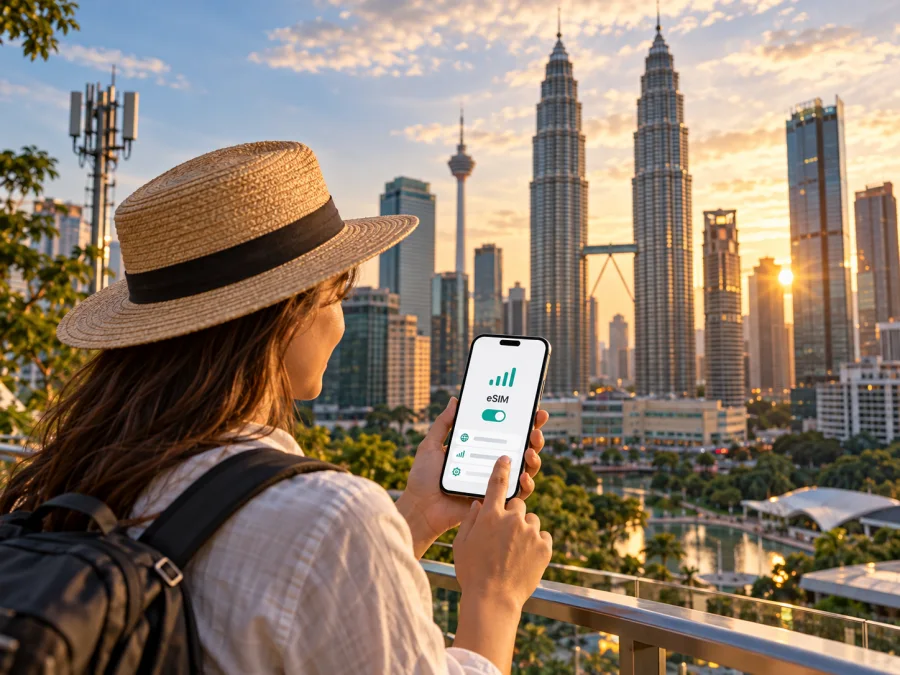
Telin Malaysia eSIM: what travelers should verify before connecting
Telin Malaysia is a Malaysia-based telecommunications company whose public information describes licensed voice, data, internet-access and network-facility services, as well as digital-retail products. However, its current public pages do not confirm that Telin Malaysia offers eSIM service to travelers or explain how to activate a Telin eSIM. If you are looking specifically for a Telin Malaysia eSIM, check the current position directly with the company before relying on it for a trip. This article separates what Telin Malaysia publicly describes from details that a traveler still needs to confirm.
This article is independent. Telin Malaysia and related names belong to their respective owners; Kaspersky eSIM Store is not affiliated with Telin Malaysia and is not its official partner or distributor.
What Telin Malaysia does in the Malaysian market
Telin Malaysia’s official About page describes the company as a joint venture between Compudyne Telecommunication Systems Sdn. Bhd. and PT Telin, which is part of PT Telkom Indonesia (Persero) Tbk. The same company page says Telin Malaysia was established in Kuala Lumpur in 2013 and received Application Service Provider and Network Service Provider licences from the Malaysian Communications and Multimedia Commission (MCMC). It describes services including voice, data, internet access and network facilities. These statements describe the company and its licensed activities; they do not by themselves establish which radio network a particular customer device uses, or that Telin operates a nationwide mobile radio-access network.
A service provider, the issuer of an eSIM profile and the operator of the radio network can be different entities. Ask Telin Malaysia which company issues a product, which network carries it and who handles support.
Telin Malaysia’s current website presents separate Wholesale, Enterprise and Digital Retail areas. Its Product & Solution page lists products such as myKedai and GoNilai alongside business connectivity and infrastructure solutions. This suggests a mix of retail-oriented digital services and business services, rather than a simple consumer mobile-plan catalogue. The official company pages checked for this article do not set out a current, traveler-focused Telin eSIM offer.
Telin Malaysia’s GoNilai page describes the service as a reload application for users in Malaysia, through which users may purchase reloads or mobile data products. Its myKedai page describes a top-up application and lists international mobile-number top-ups among its functions. Those are mobile-related retail services, but the pages do not confirm that either product provides a Telin eSIM, a tourist SIM, or a direct mobile subscription from Telin Malaysia. A top-up service and an eSIM activation service are different things: purchasing credit or a data product does not automatically create a new SIM profile on your phone.
Is Telin Malaysia eSIM available?
As checked on 17 October 2026, Telin Malaysia’s official website and the publicly indexed company pages reviewed for this article did not provide a current eSIM support page, an eSIM setup guide, a device-compatibility list, or a visitor-specific eSIM offer. Its public product pages describe digital retail, mobile reload and data-related services in general terms, but do not confirm that travelers can buy or activate an eSIM directly from Telin Malaysia.
That is a limit on what can be confirmed from public information, not proof that the company will never support eSIM or that no related service exists through a partner. Product availability can change, and some services may be offered through a channel that is not explained on the public pages. Before making travel plans around Telin, ask the company whether it currently issues eSIM profiles for use in Malaysia, whether the product is available to short-term visitors, and whether the service is sold directly or through another provider. Request a current written answer and setup instructions.
Do not infer eSIM support from the fact that a modern phone supports eSIM, from the existence of mobile-data products, or from the use of the term “digital” in an app description. Device capability, operator provisioning and the availability of a specific product are separate requirements. A phone can support eSIM in general while a particular operator does not offer a compatible profile for that customer or destination.
Questions to ask Telin Malaysia before purchase
If the company confirms an eSIM product, verify the practical details before paying or travelling. Ask the following questions in one message so the answers can be checked together:
- Is the offer an eSIM profile issued for direct use on a phone, or is it a reload or data purchase for an existing number?
- Is it available to a traveler who is not a Malaysian resident or existing customer?
- Which company issues the profile, and which mobile network does it use in Malaysia?
- Does the plan provide mobile data only, or does it also include a phone number, calls or SMS?
- Which phone models and regional variants are supported, and must the device be unlocked?
- How is the profile installed: through an in-app flow, a QR code, or manual activation details?
- Can installation happen before arrival, and what event starts the plan or its validity?
- Does the service require identity registration, a local address, an in-person check or any other document?
- What happens if installation fails, the phone is replaced, or the profile is deleted?
- Which support channel should a visitor use while in Malaysia?
Ask for the current terms that apply to the exact product you intend to use. The answers may depend on the issuing provider, the phone variant, the sales channel and Malaysian registration rules. Avoid relying on a third-party shop listing or an old travel blog if the operator’s own current instructions are available.
How to assess a local SIM or eSIM for a Malaysia trip
A local SIM or eSIM may suit travelers who need a Malaysian number, local calls or a service connected to a domestic account. Do not assume every offer is open to visitors or can be activated online: registration, identity checks, device support and sales channels depend on the provider. Confirm the requirements before choosing.
A travel eSIM is another option when your main need is mobile data. It may be possible to prepare before departure, depending on the product, device and destination. It may not include a local number, ordinary calls or SMS. Network access depends on the service arrangement for the specific destination, so check the actual product terms rather than assuming it uses every local network or works identically everywhere.
Choose based on whether you need a local number, can meet registration requirements, prefer to set up before travel, will cross borders, and need support while abroad. The right option depends on your itinerary and the conditions of the specific service.
If you are preparing a data connection for Malaysia independently of Telin’s unconfirmed eSIM status, explore the Malaysia destination in Kaspersky eSIM Store and check the current details shown for the product before purchasing.
Coverage and mobile technology: what can be stated
Telin Malaysia’s official About page says the company is licensed to provide voice, data, internet access and network facilities. Its public company pages reviewed for this article do not publish a consumer-facing map that identifies Telin Malaysia mobile coverage, a supported radio-technology list for a Telin consumer SIM, or an eSIM-specific network partner. For that reason, this article does not assign Telin Malaysia a 4G or 5G footprint or make claims about the speed, reliability or reach of its mobile service.
Malaysia’s geographic status is straightforward: it is a country in Southeast Asia with Peninsular Malaysia and the states of Sabah and Sarawak on the island of Borneo. That national geography should not be confused with the service area of an individual product. A country-level eSIM listing or a general Telin Malaysia company description does not establish reception at a particular hotel, road, island, building or border area.
Before travelling, check the coverage information for the exact issuing provider and network, if Telin confirms one. Ask whether the service is native or provided through a partner, which technologies are supported on your device, and whether coverage information includes the areas on your itinerary. A provider’s map is a planning aid rather than a guarantee: indoor reception, terrain, congestion, maintenance and device bands can affect a connection in a particular place.
For a trip that includes Kuala Lumpur, Penang, smaller towns, rural routes, Sabah or Sarawak, consider each destination separately. Ask about the places you will actually visit instead of relying on a broad national label. If uninterrupted access is essential, save offline maps, accommodation details and transport information before leaving a dependable connection. Keep a second way to reach essential contacts where practical.
Device variant and compatibility checks
An eSIM-ready product only works when both the device and the profile support the required setup. Some phones are sold in regional variants with different cellular capabilities; a model name alone may not establish compatibility. Check the exact model number in the phone settings or on the device documentation, confirm the manufacturer’s eSIM support for that variant, and make sure the device is not locked to another carrier.
Also confirm that the phone can keep your primary SIM active while adding the travel profile if you want to receive calls or messages on your usual number. Dual-SIM behavior differs by device. Depending on the model, only one line may use mobile data at a time, and the names shown in settings may be different from the provider’s product name. Ask the issuing provider which settings it expects before changing your main line.
If eSIM is confirmed: installation and activation checklist
Telin Malaysia’s public pages reviewed on 17 October 2026 did not include eSIM installation instructions. The steps below are therefore general preparation guidance, not Telin-specific instructions. Follow the issuing provider’s current instructions if it confirms an eSIM product; do not scan or install a profile from an unverified seller.
- Confirm eligibility. Check the exact phone model and regional variant, carrier lock status, operating-system version and the provider’s compatibility guidance. Make sure you have a stable internet connection available during installation.
- Read the activation conditions. Confirm whether installing the profile starts the service, or whether it begins only after you connect to a network in Malaysia. Check whether activation must happen by a specified date and whether installation can be completed before travel.
- Save the instructions. Keep the QR code or manual activation details somewhere accessible from another screen. A QR code displayed on the same phone cannot always be scanned by that phone; the provider may offer an in-app installation flow or manual entry instead.
- Install only when ready. Follow the provider’s steps in the phone’s cellular or mobile-network settings. Name the line clearly, for example “Malaysia data,” so you can distinguish it from your home SIM.
- Set data preferences. Choose which line should use mobile data and whether your home line should remain available for calls or messages. Disable automatic data switching if you want to reduce the chance of mobile data moving to the wrong line, where your device provides that control.
- Wait to enable the travel line if instructed. Some products can be installed in advance but should be switched on near arrival; others have different activation rules. Use the product’s own instructions rather than assuming all eSIMs behave alike.
- Check the connection after arrival. Confirm that the correct line is selected for mobile data, that data roaming is set as the provider directs, and that the phone registers on a supported network. If it does not connect, avoid deleting the profile until support confirms the recovery steps.
Keep the QR code and account credentials private. An eSIM profile can be tied to a single device or have restrictions on transfer and reinstallation. Before resetting a phone, replacing it or removing the profile, ask the provider what recovery options are available. Check device compatibility before purchase and follow the issuing provider’s current Android or iPhone installation instructions.
Local provider or travel eSIM: the practical difference
A local service may be useful when you need a national number or local voice functions, but visitors may face registration steps or an in-person sales process. A travel eSIM can simplify preparation when the main need is mobile data. Kaspersky eSIM Store is an app and website where travelers can choose, purchase and activate an eSIM plan for international travel. It is not a mobile operator, network owner or provider of mobile internet; service depends on the selected product and its telecommunications providers. Check the destination, device compatibility, data allowance, validity and activation terms before purchase.
Neither option removes the need to check a device or local conditions. A local SIM may provide a local number but require registration; a travel eSIM may be convenient to prepare but provide data only. Some travelers keep their usual number active for messages while assigning mobile data to a separate eSIM. That arrangement depends on phone capabilities, the home carrier’s roaming terms and the travel product’s conditions.
When weighing the choices, compare service characteristics rather than headline labels. Confirm what is included, which network will be used, how customer support works, what identity checks apply and whether the service covers the complete route. Do not assume a lower displayed price means lower total cost, or that a product described as “local” is necessarily sold directly by the network operator. Terms and availability can change, so review the current information at the time of travel.
Prepare your phone before leaving
Before departure, update the phone, confirm it is unlocked and supports eSIM in its exact regional variant, and save the provider’s support details. Download offline maps and important travel information. If you plan to keep your home SIM active, check roaming charges and set the preferred line for mobile data. Label the lines clearly, and do not delete a working eSIM profile until the provider confirms that it can be restored.
Frequently asked questions
Can I buy a Telin Malaysia eSIM online?
The public Telin Malaysia pages reviewed for this article did not confirm a traveler eSIM or show an online purchase and activation flow. Ask Telin about current availability, visitor eligibility and the issuing provider.
Does Telin Malaysia offer prepaid mobile service?
Its pages describe reload and data-related retail services, including GoNilai and myKedai, but do not establish a current Telin-branded prepaid SIM or eSIM offer for visitors. Ask which provider a particular product supports.
Does a top-up give me an eSIM?
Not necessarily. A top-up can add credit or data to an existing account. An eSIM requires a compatible device and an issued digital SIM profile. Confirm exactly what the product supplies.
Which network and technologies would a Telin eSIM use?
The public pages checked do not confirm a traveler eSIM or identify its radio network and supported technologies. If Telin confirms a product, ask which network carries it and what technologies work with your phone.
Will an eSIM work throughout Malaysia?
No country-level description guarantees reception at every location. Coverage depends on the network, place, device and local conditions. Check the provider’s information for each stop on your route.
Can I keep my regular number while using a travel eSIM?
Many dual-SIM phones support a physical SIM and an eSIM together, but combinations vary by model and regional variant. Check the phone manual, choose the correct line for data and review roaming charges with your home carrier.
Is a travel eSIM a replacement for a local operator?
Not in every case. A travel eSIM may suit mobile data, while a local service may be needed for a national number or other local services. Kaspersky eSIM Store helps users choose and activate travel eSIM plans; it is not an operator or network provider.
A clear next step for travelers
Telin Malaysia’s public information confirms its presence in the Malaysian telecommunications and digital-retail market, but the company’s current pages checked on 17 October 2026 did not confirm a traveler eSIM, eSIM activation process, consumer coverage map or supported mobile technologies for such a service. Treat those details as questions to verify directly with Telin Malaysia. If your immediate priority is preparing mobile data for a trip, review the current Malaysia option in Kaspersky eSIM Store and check its compatibility and terms before you decide.
Conditions for SIM registration, product availability, technology, coverage and activation can change. Confirm the current details with the issuing provider before purchase or travel. Kaspersky eSIM Store is an independent travel eSIM app and website and is not affiliated with Telin Malaysia.


