Travel connectivity guide
Telkom eSIM in South Africa: What to Check
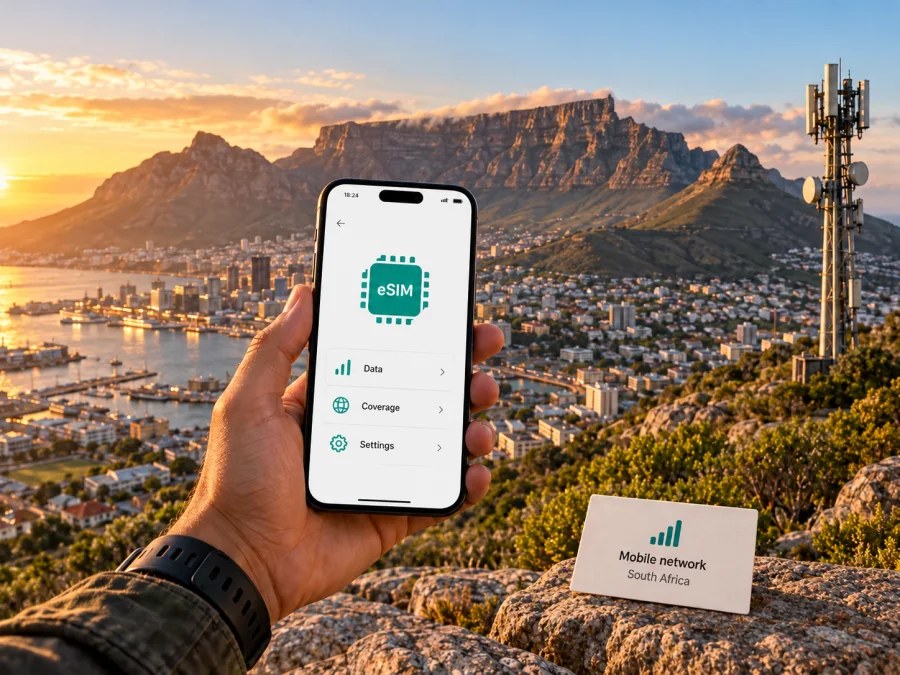
Telkom eSIM in South Africa: what travellers should check
If you are travelling to South Africa and searching for a Telkom eSIM, start by separating three questions: whether Telkom currently issues an eSIM profile for the type of customer you are, how you would obtain and activate it, and whether the service and device suit your itinerary. Telkom is a South African telecommunications provider with mobile prepaid services. Its official prepaid pages describe self-service account management, while its roaming page explains how customers can prepare a Telkom service for use abroad. As checked on 16 October 2026, Telkom’s current device catalogue lists an iPhone Air 256GB marked “eSIM only”; its public pages still do not explain how visitors or existing customers apply or activate a Telkom eSIM. Do not treat device eSIM capability as proof that Telkom will issue an eSIM to every applicant.
What Telkom’s current public information confirms
Telkom’s “Mobile Prepaid” page describes local prepaid account management, recharging, balance checks, usage tips, and self-service. It confirms that mobile prepaid service is part of the local offer, but does not confirm that every prepaid account can be issued as an eSIM or bought by an overseas visitor.
Telkom’s “Coverage Map” lets people check a location for mobile voice and data and select coverage types including LTE and 5G. The tool is address-based, so it is more useful for checking a planned stay or route than for drawing a broad conclusion about reception across the country. A coverage indicator is not a guarantee of indoor signal, a particular speed, uninterrupted service, or availability at every point between destinations. Buildings, terrain, congestion, device bands, and local conditions can affect the actual connection.
The company’s public “Usage Tips” explain that Telkom distinguishes between service on its own network and off-network use on a partner network. The page also describes differences between Telkom-only data and all-network data in the context of South African mobile usage. Those terms concern local network use; they should not be confused with international roaming. If you are travelling within South Africa, ask Telkom which network and service conditions apply at your intended locations, especially if your itinerary includes rural roads, parks, smaller towns, or accommodation outside a city centre.
These details describe Telkom’s place in the local market without implying that it has uniform coverage or a specific performance level everywhere. Telkom’s official pages provide ways to check local mobile coverage and explain that its prepaid customers have service-management options. They do not replace a location-specific check or a direct confirmation of the service you plan to activate.
Is a Telkom eSIM available in South Africa?
The answer needs a careful qualification. During the current check, Telkom’s official public pages reviewed here did not clearly set out an eSIM product page, a customer-facing eSIM ordering journey, eligibility rules, a QR-code process, or a SIM-swap-to-eSIM procedure. The catalogue listing is evidence of an eSIM-only handset offer, not a public activation guide for every Telkom customer. It does not state whether a visitor, prepaid subscriber, or existing physical-SIM customer can request an eSIM, or explain the application and recovery steps.
For that reason, this article cannot confirm that Telkom eSIM activation is generally available to South African visitors, prepaid customers, or all existing subscribers. Availability may depend on customer type, handset, account status, point of sale, or a process that is not explained on the public pages checked. Before travelling, ask Telkom directly whether it currently issues eSIM profiles for your specific line and whether the request can be completed remotely or requires an in-person visit. If you are already in South Africa, a Telkom store or the operator’s official customer-care channels can clarify the current process. Ask for the answer in terms of your exact use case, rather than only asking whether “eSIM” is supported in general.
Questions to ask Telkom before you rely on eSIM
- Can a new customer or visitor obtain a Telkom eSIM, or is eSIM available only for an existing Telkom mobile number?
- Is eSIM available for prepaid service, postpaid service, or both?
- Can an existing physical SIM be converted, and which channel handles the change?
- Does the account holder need to visit a Telkom store in South Africa, or can the request be completed online?
- Which identity or account documents must be presented, and does the customer need a South African address or an already active line?
- Which phone models and regional variants are accepted by Telkom for eSIM activation?
- Is a QR code supplied, and can it be installed while the phone is outside South Africa?
- What happens if the QR code is deleted, the phone is replaced, or the eSIM profile needs to be moved?
- Does the service include a local number and voice or messaging functions, or is the offer limited to data?
The replies matter more than a general compatibility list found online. Regional phone variants can differ, and an unlocked device can still be incompatible with a particular operator’s provisioning process. Ask Telkom to confirm the precise model number in your device settings, not only the retail name on the box.
Prepaid service, local registration, and travel timing
Telkom’s public information confirms that it offers mobile prepaid service and support channels for account actions. Its roaming guidance is more specific for customers taking a Telkom service abroad: it describes activation through a Telkom store or by submitting the operator’s roaming application process. The same page says prepaid international roaming is available only in selected destinations, and gives prerequisites for that roaming activation. These rules relate to using Telkom service while outside South Africa; they should not be mistaken for the process for buying a local South African SIM or eSIM as a visitor.
The distinction is useful in both directions. A traveller arriving in South Africa with a Telkom line from another country should not assume that domestic Telkom prepaid instructions apply to that line. Conversely, a person buying local service in South Africa should not assume that Telkom’s international-roaming process is required just to use domestic mobile service. In either case, confirm the destination, account type, identity requirements, and activation channel with Telkom before departure or purchase.
For local registration, Telkom’s roaming page specifically refers prepaid roaming applicants to RICA-compliant SIM registration and a valid identity document or passport. This is a stated requirement for that roaming request; it should not be broadened into an unsupported claim about every Telkom product. If you plan to obtain a local Telkom service in South Africa, ask the operator what identification and registration are required for your customer status and the specific SIM format. Carry the documents Telkom tells you to bring, and leave enough time for any in-person verification.
Telkom’s roaming page also says prepaid roaming activation is not available through self-service, USSD, the e-Portal, or the Telkom app. It instructs relevant customers to arrange activation ahead of travel and contact Telkom for confirmation. Those operational details are important if South Africa is one stop in a wider itinerary and your Telkom line is based in South Africa. They are not evidence that an eSIM can be purchased or activated through those same channels.
Coverage and mobile technologies: check the places you will visit
Telkom’s coverage checker is the appropriate starting point for location-based questions about its South African network. It lists mobile voice and data, LTE, and 5G as selectable coverage types. Enter the relevant address or area for your accommodation and main destinations, and repeat the check for each place that matters. This can help reveal whether the service type you are considering is indicated for those locations, but it cannot predict the exact signal in a hotel room, underground station, vehicle, or remote trail.
Local Telkom service and a travel eSIM serve different needs
A local operator service may be a good fit when you want a South African mobile account and, if offered for that product, local calling or messaging features. It may also involve local registration, a local sales or support channel, account eligibility, and a particular way of replacing or activating a SIM. Whether Telkom can provide those features through eSIM must be confirmed directly; the current public information checked for this article does not establish that process.
A travel eSIM is designed for mobile data during a trip. It can be prepared before departure on a compatible, unlocked device, which can reduce the need to visit a shop after arrival. It may not provide a regular local telephone number, voice service, or SMS, so check the product description and conditions rather than assuming that “eSIM” means a full local mobile subscription. The phone can often keep a primary SIM for calls while data is assigned separately, but the number of active profiles and available dual-SIM functions depend on the handset.
Kaspersky eSIM Store is an app and website where travellers can select, arrange, and activate an eSIM plan for mobile data abroad. It is not a mobile operator, does not own a radio network, and does not itself supply mobile connectivity. The South Africa destination page explains the product flow and says that related services are supplied by a technology partner and local telecommunications providers. Its availability and conditions should be checked in the store before purchase. This option is intended for travel data and should not be presented as a replacement for a Telkom local number or a Telkom account.
For mobile data in South Africa, you can review the South Africa eSIM destination and check the current product conditions before making a decision. Confirm device compatibility and the plan’s service characteristics before purchase; do not infer voice, SMS, or Telkom network access from the destination name alone.
Device compatibility and installation preparation
Before buying or requesting any eSIM, verify that the exact phone supports eSIM and is not restricted by a carrier lock. The model name may vary by country, and phones sold under a similar retail name can have different hardware or software capabilities. Use the manufacturer’s device settings and support information to identify the model number. Then ask Telkom whether that exact variant is accepted for its own eSIM provisioning. For a travel eSIM, use the store’s compatibility guidance, including its device compatibility information.
If you obtain a travel eSIM, install it while you have a stable internet connection and follow the instructions provided with that eSIM. Installation and activation are separate steps: adding a profile to the phone does not necessarily mean that the data service has started. Read the specific conditions for the product you selected to understand when service begins and whether data roaming needs to be switched on for that profile after arrival. Do not enable data roaming for your home SIM unless you understand your home operator’s roaming terms.
A general preparation checklist:
- Confirm that the device supports eSIM and is unlocked for the service you plan to use.
- Check that you can access Wi-Fi or another working connection while installing the profile.
- Keep your order confirmation and any QR code available, and do not share a private activation code with another person.
- Label the new profile clearly in the phone settings so you can distinguish travel data from your main line.
- Decide which SIM should handle mobile data and which should handle calls or messages.
- Review the provider’s instructions for data roaming, network selection, and activation timing.
- Keep the original SIM active if you need calls or one-time verification messages on that number, and check its roaming settings separately.
- Do not delete an eSIM profile to troubleshoot unless the provider confirms that it can be reinstalled or transferred.
For a Telkom-issued profile, follow Telkom’s own instructions. Because a clear current public eSIM installation route was not available in the pages checked on 16 October 2026, do not scan a QR code supplied by an unofficial source or use instructions written for another operator as a substitute. Ask Telkom whether its eSIM is transferable, whether the QR code can be reused, and what to do if the handset is replaced. These rules differ between providers and may also depend on the profile type.
A practical decision guide
| Your travel need | What to verify |
|---|---|
| A South African Telkom mobile account | Whether Telkom accepts your customer type and registration documents for local service |
| A Telkom eSIM instead of a physical SIM | Whether Telkom currently issues eSIMs for your exact line, plan category, and handset variant |
| Coverage at accommodation or a route stop | Telkom’s address-based coverage checker for the relevant mobile service and location |
| Data-only access during a short visit | Whether a travel eSIM is compatible with your device and provides service for your destination |
| Calls or messages on your existing number | Whether that line’s provider supports the needed voice, SMS, and roaming functions |
| A Telkom South Africa line used abroad | Destination eligibility, roaming activation, and service status confirmed with Telkom before departure |
This is a planning aid, not a statement that all the listed services are available to every customer. The core decision is to match the account and service to your purpose. A visitor, an existing Telkom prepaid subscriber, and a Telkom customer roaming internationally may face different conditions.
Frequently asked questions
Can a tourist buy a Telkom eSIM before arriving in South Africa?
Telkom’s public pages did not confirm a tourist eSIM purchase route or online activation flow. Ask Telkom whether visitors can obtain a local eSIM, what identity checks apply, and whether the process can be completed before arrival. Until Telkom confirms those points, do not assume you can install a Telkom profile from abroad.
Can I convert my current physical Telkom SIM to eSIM?
The current public Telkom pages reviewed here did not explain a conversion procedure. Ask customer care whether a SIM replacement or conversion is available for your line, what identification is required, and whether you must visit a store. Do not use a generic SIM-swap guide as proof that a Telkom eSIM conversion is supported.
Is Telkom coverage the same across South Africa?
Telkom offers a location-based coverage checker for mobile voice and data, LTE, and 5G. Use it for each important address. The checker is not a guarantee of signal or speed at every indoor or outdoor point, and a result for one city should not be applied to a whole journey.
Do I need to activate roaming for a Telkom eSIM in South Africa?
International roaming refers to using a Telkom line outside its home network and is not the same as domestic service in South Africa. For a travel eSIM, follow the eSIM provider’s line-specific instructions. Only enable roaming on the line that requires it, and check your home operator’s conditions before changing its settings.
Is Kaspersky eSIM Store a Telkom product?
No. Kaspersky eSIM Store is an app and website for choosing, arranging, and activating an eSIM plan for travel data. It is not affiliated with Telkom, is not a mobile operator, and does not own or operate Telkom’s network. Service availability and conditions are shown in the store and should be checked before purchase.
Before you choose
Telkom is a South African provider with mobile prepaid services, a location-based coverage checker, and published guidance for international roaming. Those public resources can help you plan, but the current public pages checked on 16 October 2026 did not clearly confirm Telkom eSIM ordering and activation for a visitor or for every existing customer. Treat support as unconfirmed for your specific case until Telkom answers the relevant questions directly.
If you need a local Telkom account, confirm identity requirements, sales channels, number eligibility, coverage, and eSIM provisioning before you depend on it. If you need only travel data, compare a travel eSIM with roaming and make sure the device is compatible and unlocked. Review activation timing, data-only limitations, and network availability for the places you will actually visit. A small amount of preparation can prevent an avoidable search for connectivity after arrival.
Kaspersky eSIM Store is not affiliated with Telkom and is not Telkom’s official partner or distributor. Telkom, South Africa’s mobile services, eSIM availability, eligibility, roaming procedures, technology support, and coverage conditions may change. The operator-specific information in this article was checked against Telkom’s public “Mobile Prepaid,” “Usage Tips,” “International Roaming,” “Coverage Map,” “Help Guide,” and current device catalogue pages on 16 October 2026. The Kaspersky eSIM Store destination page and Kaspersky’s product information were also checked on that date. Confirm current details with the relevant provider before purchase or activation.


