Travel connectivity guide
Telkomsel eSIM in Indonesia: setup and eligibility
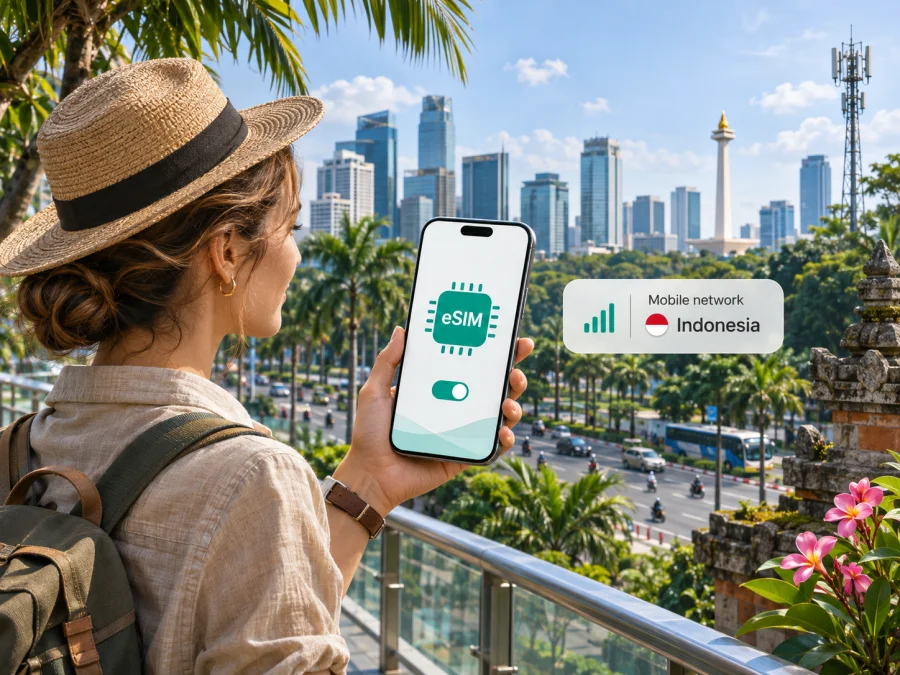
Telkomsel eSIM in Indonesia: how to check access and get connected
Travelling to Indonesia and looking for a Telkomsel eSIM? Start by checking three things: whether your exact phone variant supports eSIM, which purchase route fits your status, and what identity registration is required. Telkomsel’s current English eSIM page describes prepaid eSIM services and QR-based activation, but visitor eligibility and local prepaid registration are not the same for every customer category.
This guide covers Telkomsel in Indonesia. It does not list plan names, prices, data allowances, validity periods, or bundled benefits; check current terms with Telkomsel. The factual details were checked on 5 November 2026 against Telkomsel’s English eSIM page, foreign-national registration guidance, Tourist Prepaid Card FAQ, and official 4G/5G coverage pages. Procedures can change.
Telkomsel and mobile service in Indonesia
Telkomsel is a mobile network operator serving customers in Indonesia. Its official site describes prepaid and postpaid mobile services, eSIM, and cellular data. This article focuses on Telkomsel and does not rank it against other providers or imply it is the country’s only option.
Indonesia is an archipelago, so a national coverage statement cannot guarantee service at every island, town, building, ferry terminal, or road. The signal you receive depends on the location, handset, network conditions, and other factors. Check the operator’s location tools for the actual places on your itinerary, especially if you will travel outside major towns or depend on service indoors.
Telkomsel’s English eSIM page identifies 2G, 3G, 4G, and 5G technologies. This does not mean every generation is available everywhere or on every device. The operator describes 5G as available in special and limited coverage areas and provides a location checker; treat it as a local possibility, not a nationwide guarantee. A compatible phone, enabled settings, an eligible profile, and local coverage all matter.
Telkomsel provides separate tools for checking 4G and 5G coverage. Use the current map or checker for each destination rather than inferring service from a city name. Coverage tools are planning aids: indoor reception, congestion, travel routes, and local network conditions can affect the result. Recheck close to departure if connectivity is important.
Does Telkomsel offer eSIM in Indonesia?
Yes. Telkomsel’s official English eSIM page currently describes eSIM services, including prepaid eSIM and QR-code or manual activation. It explains an online purchase route for certain eSIM products and directs customers to register the profile. The page also presents other variants for specific customer journeys. Product names, eligibility, and purchase channels can change, so use Telkomsel’s own eSIM information for the current terms rather than relying on an old listing or screenshot.
An eSIM is a digital SIM profile installed on a compatible device. It removes the need to insert a plastic SIM, but it does not remove identity checks or make a locked or unsupported phone compatible. Installation, registration, and service activation are distinct steps: a profile can appear on the device while still needing registration or correct line selection before it works.
Local prepaid eSIM and visitor options
Telkomsel’s eSIM page says Indonesian customers registering a prepaid eSIM need a national ID card and family-registration card, and lists a limited stay permit (KITAS) for foreign citizens seeking a new number through that route. Telkomsel’s general foreign-national prepaid guidance separately says foreigners should visit a GraPARI or designated outlet and bring an original passport, KITAS, or KITAP for verification. These are product and registration-specific instructions; they should not be compressed into a promise that every visitor can register any eSIM remotely using only a passport.
Telkomsel’s Tourist Prepaid Card FAQ describes a special tourist starter card that may be ordered online and collected after arrival. The FAQ describes a physical SIM, so it is not proof that the same tourist process issues an eSIM. Telkomsel has also published information about tourist eSIM availability and sales points, but outlets and procedures may change. Ask Telkomsel to confirm the current option for your nationality, device, arrival location, and trip before travelling to a particular sales point.
A short-term visitor, Indonesian resident, and foreign national with a valid Indonesian stay permit may have different routes. If a form requests a document you do not hold, do not use another person’s identity or assume the requirement can be skipped. Ask Telkomsel which product applies and whether you need in-person verification, a specific document, or collection after arrival. Carry the required original documents and leave time to complete registration before relying on the line.
Confirm your route before purchase
- Identify your status. Check whether the product is for an Indonesian customer, a foreign national with KITAS/KITAP, or a short-term visitor.
- Confirm that it is an eSIM. A tourist prepaid card may be a physical SIM. Ask whether the product is a downloadable profile and whether you can buy it before arrival.
- Check requirements. Confirm identity documents, any stay permit, device or IMEI information, and whether verification must be completed in person.
- Verify the channel. Use Telkomsel’s official site, a listed GraPARI, or a designated outlet. Confirm current hours and availability with the operator.
- Save the steps offline. Keep activation directions and support details available until the connection works.
The public pages do not settle every nationality, device variant, and visitor scenario. If the instructions appear inconsistent or do not cover your case, contact Telkomsel before paying or travelling to an outlet. A successful online order does not necessarily mean all identity checks are complete.
Device compatibility: check the exact phone variant
A device family name alone does not prove eSIM support. Availability may depend on model number, country or regional variant, software, carrier lock, and how many profiles can be active at once. Some market variants differ even when their retail names look alike. Check the exact model number in the phone settings or documentation against the manufacturer’s regional support information and Telkomsel’s current compatible-device list.
Before purchase, confirm that the phone has an eSIM menu, is unlocked, and supports eSIM in its regional variant. Update its operating system, make sure you can connect to Wi-Fi during installation, and know where the QR code or activation details will be available. Also check whether the profile can be moved later. Telkomsel’s current guidance says its QR code can be scanned once and explains that the profile must be removed from the first device before that code can be used on another. Do not delete a working profile until Telkomsel confirms how to restore it.
For a further check, see the eSIM compatibility guide. Device menus and capabilities differ across manufacturers and software versions, so treat the steps below as general guidance.
Installing and activating a Telkomsel eSIM
Install the profile over stable Wi-Fi when Telkomsel’s instructions allow it. Some profiles have timing or local-registration requirements, so follow the directions for the specific product. Keep your existing number active until you have confirmed that the Telkomsel profile is installed and the services you need are available.
Before scanning
- Charge the phone and check that it is unlocked and eSIM-compatible for the exact regional model.
- Have the QR code or manual activation details from the official purchase route available. If the code is displayed on the phone itself, you may need another screen or a supported manual entry method.
- Complete the required identity verification and registration steps; downloading the profile may not complete them.
- Keep the QR code private. Do not share its image with an unknown seller or support account.
iPhone
Telkomsel’s published instructions describe adding a cellular plan from iPhone’s Cellular settings and scanning the QR code. Depending on iOS version, the menu may be named Cellular or Mobile Service. Choose the option to add an eSIM or cellular plan and follow the prompts. Use manual entry only if Telkomsel has provided details and instructions for it.
After installation, label the line so it is easy to recognize. Choose which line uses mobile data and whether data switching should be enabled. If you still need your home number, keep it selected for calls and messages as appropriate, and review its roaming settings. Menu labels and dual-SIM behavior vary by model and software version.
Android
Telkomsel’s Android instructions describe Settings → Connections → SIM Card Manager → Add mobile plan, then scanning the QR code and confirming the profile. Other Android phones may place eSIM setup under Network & internet, SIMs, or Mobile network. Use the device maker’s current instructions if labels differ; manufacturers customize the menus.
When the profile appears, enable it and select the correct line for mobile data. Check which line handles calls or messages and whether the phone allows multiple active profiles. A phone may store more profiles than it can run simultaneously.
After installation
Follow Telkomsel’s registration instructions for the exact product and wait for confirmation. Then select the Telkomsel line for data, enable mobile data, and check the network indicator. If connection fails, confirm that the profile is enabled and the right data line is selected; briefly toggle airplane mode or restart the phone if appropriate. Do not repeatedly scan a single-use QR code. For a missing, invalid, or unregistered profile, contact Telkomsel through an official channel with your order reference, without sending the activation code.
A travel data eSIM from another service may not include a local number, voice calls, or SMS. Do not assume those functions are included; check the terms of the specific service. Telkomsel’s own product conditions determine what its profile supports.
Coverage and technology while travelling
Use Telkomsel’s official 4G and 5G tools to check the addresses or neighborhoods you expect to visit. The operator describes 5G as limited to designated areas, so a 5G-capable phone can still use another available technology or have no usable signal at a particular point. Device bands and configuration, service eligibility, and local conditions also affect connectivity.
Check the airport, accommodation, main destinations, and remote stops individually. Coverage can change between settlements and on inter-island transfers. Download maps, booking details, and essential addresses before a long journey, and have an offline way to contact a host or transport provider if service is delayed. This is practical preparation for any network, not a claim about Telkomsel’s performance.
Technology labels do not promise a particular speed or indoor reception. Congestion, building materials, maintenance, and the phone itself can affect service. If the connection is unstable, try a different location, confirm the data line, and consult Telkomsel’s support information. Recheck coverage close to departure because the operator may update its tools.
Local Telkomsel eSIM or a travel eSIM?
A local Telkomsel product follows Telkomsel’s own eligibility, registration, and service conditions. Depending on the product, it may suit someone who needs a local operator relationship or services beyond data. Visitors should confirm identity checks and whether purchase or collection must happen in Indonesia.
A travel eSIM is intended for mobile data on a destination or route and may be arranged before arrival. Its conditions differ by service; it may be data-only and may not provide a local number, ordinary calls, or SMS. Before choosing, check the destination coverage, device compatibility, activation timing, data terms, and support arrangements. Keep another way to receive important calls or verification messages if needed.
Kaspersky eSIM Store is an app and website that helps travellers choose, arrange, and activate an eSIM plan for mobile internet abroad. It is not a mobile operator, network owner, or internet access provider, and it does not replace a Telkomsel local number or satisfy Telkomsel registration rules. For Indonesia, browse the Indonesia eSIM options to see what the destination page currently displays. This link is for checking current travel options, not a claim about a particular Telkomsel tariff or a guarantee that an offer will fit every trip.
Trip checklist
- Eligibility: Confirm the route for your status and nationality, including any stay permit or in-person check.
- Product type: Find out whether the visitor offer is physical SIM or eSIM, and where and when it is issued.
- Phone: Check the exact regional model, eSIM support, carrier lock, and active-profile limits.
- Documents: Carry originals requested by Telkomsel and wait for registration confirmation.
- Coverage: Check each destination with current 4G/5G tools, including rural stops and transfer routes.
- Activation: Use stable Wi-Fi, protect the QR code, and avoid deleting or rescanning a profile without guidance.
- Dual SIM: Choose which line provides data and review roaming settings for your home line.
- Backup: Save maps, addresses, booking information, and support details offline.
- Alternative: If the local registration route does not fit your situation, review a travel eSIM and confirm its limits and current conditions.
Frequently asked questions
Can I buy a Telkomsel eSIM online before arriving?
Telkomsel describes online purchase for some eSIM products. Its Tourist Prepaid Card FAQ, however, describes ordering a physical card online and collecting it after arrival. Tourist eSIM sales points have also been described by the operator, but eligibility and outlet arrangements may change. Ask Telkomsel which current route applies to your status, arrival point, and device.
Can every foreign visitor register with a passport?
Do not assume so. The eSIM page lists KITAS for foreign citizens seeking a prepaid eSIM number, while general foreign-national prepaid guidance describes verification at GraPARI or a designated outlet and refers to an original passport, KITAS, or KITAP. Confirm the requirements for the exact tourist or prepaid product you plan to use.
Will Telkomsel eSIM work everywhere in Indonesia?
No map can guarantee service at every location. Telkomsel offers location-based 4G and 5G checks and describes 5G as limited to certain areas. Check the actual destinations and plan for variable indoor, rural, island, and transit coverage.
Will any iPhone or Android phone work?
No. Compatibility depends on the precise model and regional variant, software, carrier lock, and configuration. Check the manufacturer’s information and Telkomsel’s current device list for your exact model number.
Can I transfer the profile to another phone?
Telkomsel says its QR code can be scanned once and provides guidance involving removal from the first device before reuse. Transfer and reissue rules may depend on the product, so ask Telkomsel before changing phones and do not delete a working profile until you know how to restore it.
Final considerations
Telkomsel eSIM is currently described on the operator’s Indonesia site, but travellers should verify the exact product and registration path rather than assume every offer follows the same rules. Check the exact phone variant, your customer status, identity requirements, and location coverage. Keep activation instructions secure and retain offline travel details until the connection is confirmed.
Kaspersky eSIM Store is a separate option for reviewing eSIM plans for mobile internet abroad. Check the current Indonesia destination page and the terms shown when you select an option. Kaspersky eSIM Store is not affiliated with Telkomsel, does not operate its network, and does not provide Telkomsel service. Telkomsel and its product names belong to their respective rights holders.


