Travel connectivity guide
Telstra eSIM in Australia: what to check
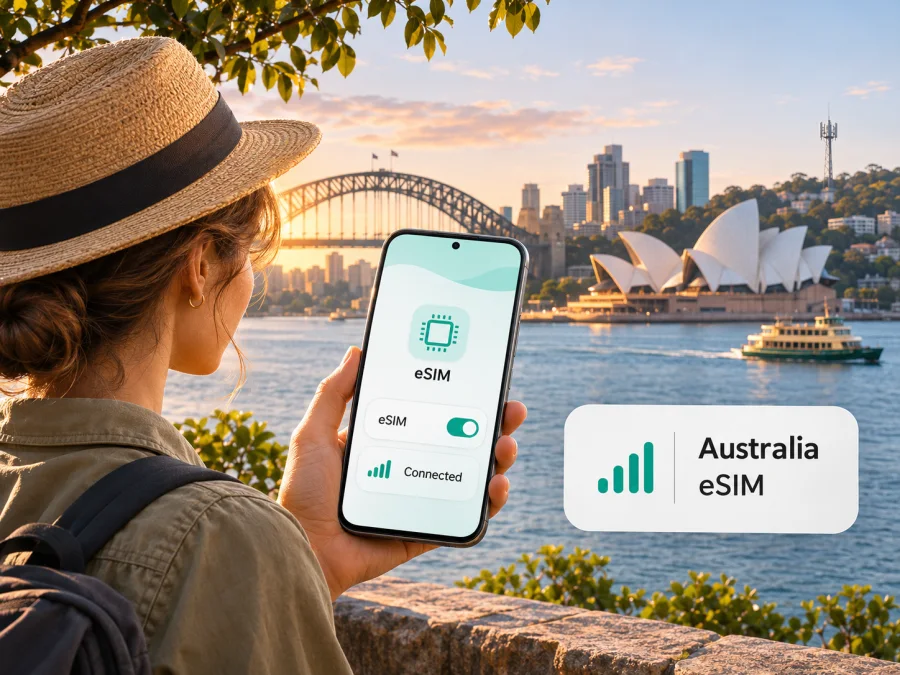
Telstra eSIM in Australia: what travellers should know
If you are travelling in Australia and considering a Telstra eSIM, the practical questions are whether your exact phone variant is compatible, how you will complete activation, and whether a local mobile service suits your trip better than a travel data eSIM. Telstra currently documents eSIM support for its mobile services, including Pre-Paid, and provides activation through the My Telstra app. The process is tied to a compatible device, identity checks and a working internet connection, so it is worth preparing before you leave home.
This guide covers Telstra in its Australian market. It does not list plans or prices, which can change. Telstra's eSIM and activation pages, the Pre-Paid activation information and network coverage materials were checked on 4 November 2026. Follow the operator's current instructions at the time you apply, especially if you are a visitor or use a phone purchased outside Australia.
Telstra and mobile service in Australia
Telstra is an Australian telecommunications operator with its own mobile network and consumer mobile services. For a traveller, the distinction between the operator's Australian service and a travel eSIM matters: a Telstra service is a local connection with Telstra account, activation and identity requirements, while a travel data eSIM is designed to provide mobile data for a journey under the terms shown for that product.
Telstra's current public eSIM information confirms that eSIM is available for its mobile plans and explains activation and management in the My Telstra app. Telstra also publishes separate coverage maps and notes that they show predicted outdoor coverage rather than a guarantee. Those distinctions are useful: eSIM is a way of storing a compatible mobile service digitally; it does not change the places where that service can connect.
Is Telstra eSIM available in Australia?
Yes. Telstra's current eSIM information says its plans are available on eSIM when used with a compatible eSIM device. Its Pre-Paid activation guidance gives a specific route for a new customer to add a Pre-Paid eSIM in My Telstra. The operator also describes moving an existing Pre-Paid service from a physical SIM to an eSIM. These are general availability facts; they do not mean every device, account or customer application will qualify.
For a new Pre-Paid eSIM, Telstra directs customers to install or update My Telstra on the device, choose the eSIM option, complete the prompts and install the profile over Wi-Fi. Existing customers can follow the app's transfer or restore flow. Screens may vary by account and software version, so use the live prompts. Confirmation of eSIM support does not guarantee that every traveller can activate a line.
What a visitor should check before applying
Telstra's online Pre-Paid information currently lists an international passport or an ImmiCard among the identity documents that may be used for verification, alongside Australian identity documents. This is useful for visitors, but approval still depends on completing the operator's verification process. Make sure your document is valid, the details you enter match it, and you can receive any verification message or code required during activation. Review Telstra's current accepted-document list before starting; the final checkout flow is authoritative.
You may also need a Telstra ID or access to the My Telstra app, a reliable email address, internet access for the setup, and a device that passes the compatibility checks. If you are transferring a number from another provider, keep the old service active and accessible until the port is complete, because a verification code may be sent to it. Do not cancel a number you want to keep before the transfer finishes.
If you need a local Australian number for ordinary calls or texts, ask Telstra exactly what the selected service includes and how the number will work while travelling. A data-only travel eSIM is a different product and should not be assumed to include a conventional phone number, voice service or SMS. Keep your usual number available for banking, account recovery or calls if those functions matter during the trip.
Device compatibility: check the exact variant
An eSIM-capable product family does not prove that every regional variant supports eSIM. Manufacturers can sell different hardware or software configurations under the same retail model name. Telstra warns that a device purchased overseas may not work with its eSIM service in Australia, even if eSIM is supported on a related version sold elsewhere. Carrier locking, firmware, operating system version and network compatibility can also affect setup or service.
Start with Telstra's current compatibility list and the manufacturer's support page for the exact model number and sales region. On many phones, dialling *#06# displays an EID if eSIM hardware is present. The EID is a useful check, but it does not establish that Telstra accepts the exact variant or that the device is unlocked. In the phone settings, check the SIM or mobile-network menu for an option to add an eSIM. If the phone was bought through a carrier or in another country, ask the seller or manufacturer whether it is unlocked and supports eSIM in Australia.
Also check that the device can use the network technologies required for mobile service and emergency calls in Australia. Telstra has closed its 3G network; a compatible modern eSIM alone is not enough if the phone cannot meet current voice and emergency-call requirements. Consult Telstra's current device guidance if the phone is old, imported, refurbished, or intended for use as a hotspot or tablet. Do not rely only on the model family name printed on the box.
Before purchase, use the device compatibility guide to review general eSIM checks. It is a useful first screen, not a substitute for Telstra's own acceptance list or the manufacturer's regional specification. If anything remains unclear, confirm directly with Telstra before committing to an eSIM-only setup.
Coverage, 4G and 5G: plan by location
Telstra's network materials describe 4G and 5G services in Australia. The availability of either technology depends on the area, the phone, the service and the network conditions at that moment. Telstra explains that a device or plan without 5G access, or a location outside the 5G footprint, will use 4G where available. A 5G icon is therefore not a promise for every stop on a journey, and the absence of 5G does not by itself mean that mobile data is unavailable.
Use Telstra's current coverage map for the specific addresses and route on your itinerary. The map is predictive, focuses on outdoor coverage and is provided as a guide. Indoor walls, terrain, buildings, local congestion, weather, device antennas and maintenance can affect the actual connection. Conditions can differ even within a town, and coverage on a major road does not guarantee service on every side road or trail.
Australia's regional and remote areas require particular care in planning. If a route goes beyond populated centres, do not assume that a national operator's presence means uninterrupted connection. Download navigation, tickets and accommodation information in advance, tell someone your plans where appropriate, and consider a separate emergency communication plan for locations where mobile service may be absent. This is general travel preparation, not a claim about a particular Telstra location.
Telstra local service or travel eSIM?
A local Telstra eSIM may suit a traveller who wants a local mobile service, needs a local number or expects to use the operator's account and calling features. It may involve identity verification, creating or accessing a Telstra account, selecting a local service and installing it through the operator's process. The exact requirements and available services should be checked directly with Telstra. A local eSIM can be useful, but it is not automatically the simplest choice for every short visit.
A travel eSIM is an alternative to consider when your main requirement is mobile data during a trip and you want to arrange the connection online. Kaspersky eSIM Store is an app and website that helps users choose, order and activate an eSIM with a travel data plan. It is not a mobile operator, does not own a network and does not itself provide mobile internet. The Australia destination page is a place to review the currently displayed options and conditions; it should not be read as a Telstra tariff or a guarantee that the service uses Telstra's network.
Before choosing either route, compare the purpose rather than assuming they are interchangeable. Ask whether you need an Australian number, whether calls and text messages are included, how much mobile data your activities may use, and whether your phone can keep your regular SIM active alongside a travel eSIM. Check the plan's destination coverage, start conditions, expiry rules, hotspot policy, top-up options and support route in the terms shown at the time of purchase. Do not infer these details from the word “eSIM” alone.
If you want to explore the travel data option for this destination, browse eSIM options for Australia. Review the current information shown there before making a decision. The page is for travel connectivity selection and is not an operator comparison or a listing of Telstra services.
How to prepare and activate a Telstra eSIM
Use Telstra's current instructions in My Telstra as the controlling guide. A typical new Pre-Paid activation involves the following steps, but the precise options shown to you can depend on your device and account:
- Check the phone. Confirm eSIM support for the exact regional model, verify that the phone is unlocked, and make sure its software is current. If available, check for an EID and compare the model with Telstra's compatibility information.
- Prepare identity and account access. Keep an accepted identity document available. If you already have Telstra service, make sure you can sign in to the Telstra ID linked to it. A new customer should check what account details are required in the current sign-up flow.
- Install or update My Telstra. Use the phone that will receive the eSIM. Do this before you rely on mobile service in Australia, while you have dependable Wi-Fi and can receive email or verification codes.
- Choose the eSIM option and follow the prompts. The Pre-Paid flow directs the customer to an eSIM tile in the app, then through purchase and activation. Read each screen and confirm the service details before continuing.
- Connect to Wi-Fi and install the profile. Keep the app open as instructed and allow the installation to finish. Avoid interrupting the process or deleting a profile that has already been installed unless Telstra's support team directs you to do so.
- Set the data line. In your device's SIM settings, select the Telstra line for mobile data if that is your intention. If you are keeping another SIM active, confirm separately which line handles calls, texts and data.
- Test before travelling onward. Confirm that the service appears in settings and can connect in a place where coverage is expected. Keep the app, account details and support options accessible.
Existing Telstra customers switching a physical Pre-Paid SIM may see a transfer or restore option in My Telstra. Telstra notes that after a physical SIM is converted, it stops working; returning to a physical SIM may require ordering a replacement. If preserving uninterrupted access is important, read the on-screen warning and support information before confirming the change.
Telstra also documents profile downloads through different methods in some cases, including the My Telstra app, QR-code setup or carrier activation. Follow the method actually supplied for your order. A QR code may be single-use, and a profile should not be removed casually. If a code does not arrive, the profile is not visible, or installation reports an error, use Telstra's troubleshooting steps rather than repeatedly retrying or deleting the eSIM.
For a travel data eSIM selected through Kaspersky eSIM Store, follow the product-specific installation guidance and the conditions displayed for that eSIM. The general instructions are available for Android and iPhone/iOS. Installation steps can differ by operating system version and phone manufacturer. Some eSIMs require data roaming to be enabled on that eSIM line after arrival; check the instructions for the specific product. Keep your primary line's roaming setting separate if you want to avoid using it for mobile data.
Managing two SIMs while travelling
Many eSIM phones can hold more than one SIM profile, but the number of active lines depends on the exact model. Check the manufacturer's instructions before travelling. A dual-SIM setup may let you keep your usual number available while directing mobile data to a travel eSIM or local service. In settings, review the default lines for calls, messages and data, and turn off data roaming on your regular line if you do not want it used for mobile data. Charges on that line remain subject to its provider's terms.
Do not assume an eSIM can be moved to another device like a physical card. Transfer and recovery rules vary. Before changing phones, resetting a device or deleting a profile, read the provider's instructions and keep account recovery details accessible.
Common issues and practical checks
There is no “Add eSIM” option. Check the exact regional variant, software version and carrier lock. An EID is a useful clue, but not a full compatibility guarantee. Confirm with Telstra and the manufacturer.
Activation does not complete. Check Wi-Fi, your Telstra ID, the current app version and any identity-verification messages. Allow for the processing time Telstra specifies, then use its support guidance if the service is still unavailable.
The profile is installed but data does not work. Check that the eSIM is enabled and selected for mobile data, and that you are in an area where Telstra predicts coverage. Restart once; if the problem continues, contact the provider. Do not guess APN settings.
The connection differs from the map. The map shows predicted outdoor coverage, not guaranteed indoor reception or uninterrupted service. Device, buildings, terrain and current network conditions all matter.
FAQ
Can a visitor use a Telstra eSIM in Australia?
Potentially, if the device and application meet Telstra's current requirements. Its online Pre-Paid identity information lists an international passport as a verification document, but approval is not guaranteed. Confirm documents, payment, account steps and compatibility in the current sign-up flow.
Does Telstra offer eSIM for Pre-Paid service?
Yes. Telstra's current eSIM and Pre-Paid activation pages describe setup through My Telstra and switching an existing Pre-Paid service, subject to device and account requirements.
Will an overseas phone work with Telstra eSIM?
It may, but Telstra warns that a device purchased overseas may not work in Australia. Check the exact model and regional variant, unlock status and EID with Telstra and the manufacturer.
Does eSIM guarantee 5G coverage?
No. eSIM is a digital SIM profile, not a coverage guarantee. 5G access depends on device, service and location; check Telstra's map for your route.
Is a travel eSIM the same as a Telstra service?
No. They are separate arrangements with different providers and conditions. Kaspersky eSIM Store helps users choose, order and activate a travel data eSIM; it does not provide a Telstra service. Review the specific product terms.
Can I keep my usual SIM active?
Often, if your phone supports the configuration you need. Confirm with the manufacturer and check which line handles data, calls and messages.
Before you go
A little preparation makes the choice clearer. Confirm the regional device variant, unlock status and eSIM support; check Telstra's identity and activation requirements; and review coverage at the actual locations on your route. If you need a local number or Telstra account service, investigate Telstra's local option. If your priority is travel data arranged online, review the Australia page in Kaspersky eSIM Store and the terms for the specific eSIM shown there.
Telstra and Kaspersky eSIM Store are separate services. This article is independent and is not affiliated with or endorsed by Telstra. Network coverage, compatibility lists, activation routes, eligibility and service terms can change; check the current information from the relevant provider before you travel.
Public information checked
Telstra, “eSIM”; “Activate your SIM card from Telstra”; “Activate and download my service on eSIM”; “Our Network Coverage & Rollout Maps”; “Building Our 5G Network”; and “Stay Connected After The 3G Network Closure” (checked 4 November 2026). Kaspersky eSIM Store, Australia destination page and Android/iOS installation instructions (checked 4 November 2026).


