Travel connectivity guide
Termez eSIM: Mobile Internet for Your Trip
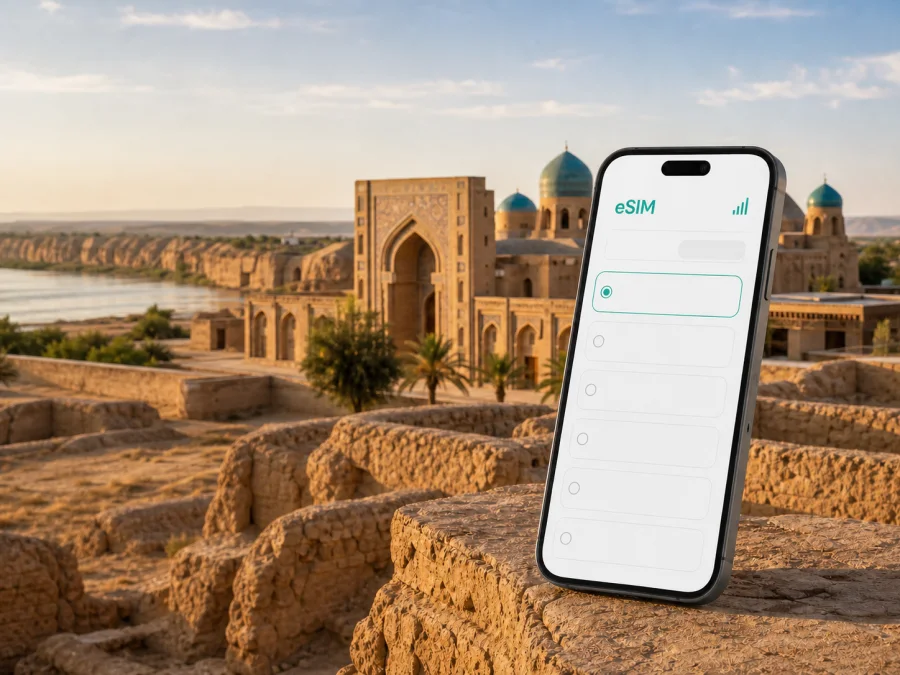
Termez eSIM: mobile connection and internet for your trip
Termez is a practical destination for travellers who want to combine an easy city stay with the history of southern Uzbekistan. A mobile connection is useful from the first hour: you may need to arrange a transfer from the airport, check a map, message a hotel, confirm a meeting, or find the road to the monuments of ancient Termez. An eSIM, or virtual SIM card, lets you prepare a mobile internet option for the journey without replacing the physical SIM card already in your phone.
This guide covers mobile internet in Termez, Uzbekistan: arrival, city movement, Old Termez and nearby heritage sites, hotels, business trips, stopovers, tariff planning, installation, and practical checks.
Why an eSIM is useful in Termez
Termez is not a resort where every part of a day follows one simple route. A visit can include the modern city, a hotel or guesthouse, a museum, religious architecture, archaeological remains outside the central streets, and a drive towards the Amu Darya. The information you need changes with each stage. A map may be enough for one trip, while a translation, a message to a driver, or a video call may matter more during the next one.
With an eSIM for Uzbekistan, you can keep your usual number in the phone for calls or messages while assigning mobile data to the travel profile. The exact settings depend on the device and on the selected tariff, but the general idea is simple: use one profile for everyday calls and another for data during the trip. This can reduce the need to remove a physical SIM card and helps you keep the phone organised.
The main advantages for a Termez itinerary are practical:
- checking a map and sending arrival details after leaving Termez International Airport;
- finding a hotel, meeting point, or monument outside the centre;
- using translation and messengers while moving around the city;
- working from a hotel or temporary office with less dependence on public Wi‑Fi;
- keeping a separate record of travel data through a prepaid tariff.
An eSIM is intended for mobile internet unless the terms of a particular tariff say otherwise. It usually does not replace a phone number or include ordinary calls and SMS. For calls and messages, you can keep your primary line or use messengers over the data connection.
Arrival in Termez: plan the first hour
The arrival routine is often the moment when mobile data is most valuable. At the airport, you may need to read a booking message, contact a driver, call a taxi, or compare the location shown by a map with the address given by the hotel. It is easier to deal with those tasks when the travel eSIM has already been added to the phone and the required settings are clear.
You can install the eSIM before departure, while you have a stable internet connection, or after arrival if the tariff conditions allow that sequence. The first option gives you time to read the instructions; the second may suit travellers who prefer to keep the profile inactive until needed.
Do not assume that installation and the beginning of the tariff are always the same event. Some conditions may distinguish between adding a profile, activating it, connecting to a local network, and starting the validity period. Check the selected tariff before you travel, and keep the purchase information available in your profile or inbox.
Before leaving the airport, check which line is selected for mobile data. If the phone does not connect, review the mobile-data setting, restart if appropriate, and allow several minutes for registration.
Moving around the city and its surroundings
Termez rewards a route planned in sections. The central streets, accommodation, museums, religious complexes, and the archaeological landscape do not all form one compact sightseeing loop. A map application and an active data profile help you make decisions as the day develops, especially when a visit takes longer than expected or when you need to change the order of stops.
For movement around Termez, use mobile data for three practical tasks:
- Orientation: open the map, save the hotel, and mark the next stop before setting out.
- Coordination: exchange the address and meeting point with a driver or travel companion.
- Verification: check arrangements before making a longer journey.
For a longer local drive, agree on a clear destination and keep the address visible. For an archaeological site, use a map pin, saved screenshot, and written name together. They are useful if a signal becomes less convenient or a place has more than one transliteration.
Choosing an eSIM tariff for a Termez trip
Start with the shape of your itinerary, not with a generic promise about speed or price. A short stopover has different needs from a week that includes remote work and trips through Surkhandarya. Choose an option whose direction, validity, data volume, and conditions match your plan.
| Travel pattern | Typical data tasks | What to compare |
|---|---|---|
| Airport stopover | Messages, a transfer, maps, a booking | Short validity, enough data for navigation and coordination |
| City break | Maps, translation, photos, reservations, messengers | A balanced data volume and validity covering the whole stay |
| Heritage-focused trip | Route checks, location sharing, photos, research notes | Data for repeated navigation and travel beyond the centre |
| Business visit | Email, calls in messengers, documents, hotspot needs | Validity, data volume, tethering conditions, and support options |
| Longer regional itinerary | Several daily routes, uploads, and work tasks | A plan that covers the full country or region required by the route |
Then answer five questions:
- How long will you use mobile data? Include arrival and departure days.
- Will Termez be the only stop? Check whether the direction covers your full Uzbek route.
- What consumes your data? Video calls, cloud work, and photo uploads use more than maps and messages.
- Will you share data? Check the tariff’s hotspot conditions before purchase.
- What happens when the package is used? Review balance, top-up, expiry, and additional-purchase rules.
At this point, you can choose an eSIM tariff for a trip to Uzbekistan and compare the current conditions for your direction. Kaspersky eSIM Store is an app and website for choosing, arranging, and activating an eSIM with a suitable tariff for mobile internet during an international trip. Check the data volume, validity, direction, price, and activation details before purchase.
Termez districts, hotels, and daily routines
Accommodation affects how you use data. Save the hotel or guesthouse name, written address, and map pin before leaving the airport. In the central part of Termez, data may mainly serve maps, messages, and meeting arrangements; on a quieter outskirts route, it can also help with a transfer or a changed check-in time.
For a short stay, create a small travel folder before you go:
- booking and check-in details;
- the accommodation and driver contacts;
- planned sites in visit order;
- a screenshot of the route back to the hotel or airport.
Keep only the apps you need active. Use Wi‑Fi for large downloads when appropriate, and reserve mobile data for maps, coordination, and time-sensitive tasks.
If your phone supports dual SIM, keep the home line for important incoming communication and set the travel eSIM as the mobile-data line. Confirm the selected line before leaving the hotel. Some devices may require data roaming for a travel profile, so follow the device and tariff instructions.
Termez’s heritage routes and mobile data needs
Termez is known for ancient Termez, the Amu Darya setting, its archaeological museum, the Sultan Saodat complex, the mausoleum associated with Hakim at-Termizi, and Buddhist heritage such as Fayaztepa. These places make route planning important.
Old Termez lies outside the modern central streets, so treat it as a separate excursion. Fayaztepa and other archaeological sites are experienced in an open landscape: plan water, battery life, transport, and the return route. Save the destination for Sultan Saodat before leaving the city. For Kampir Tepe or another farther site, confirm transport and allow for the journey.
Mobile data supports a heritage visit in small, useful ways:
- read saved notes about a monument;
- send your location to a companion;
- check the route back to Termez;
- translate a short question;
- notify the hotel if your return time changes.
Avoid presenting a single map route as a guarantee. Roads, access arrangements, local terminology, and site availability can change. Keep the destination name, a screenshot, and the transport contact in addition to live navigation.
Business trips and short stopovers
For work, save meeting details, documents, and the return route before leaving the hotel. Use mobile data for messages, maps, and a messenger call during transfers; use Wi‑Fi for large files when appropriate. If a laptop is involved, check whether the tariff permits hotspot use. For a stopover, count airport transfer time and decide whether you need only maps and messages or also uploads and video calls.
How to install and activate an eSIM
Before installation, confirm device compatibility, make sure the phone is not operator-locked, and ensure internet access for adding the profile. Keep the QR code or profile information available. Follow the relevant Android installation instructions or iOS installation instructions.
1. Check the device
Confirm eSIM support and the absence of an operator lock. Models can differ by region of sale. Check your device compatibility if you are unsure.
2. Open mobile network settings
Open mobile network or cellular settings and choose adding an eSIM or mobile plan.
3. Add the profile
Scan the QR code or follow the profile flow shown after purchase. Keep the code available until the phone confirms the profile.
4. Select the data line
Choose the new eSIM for mobile data in Uzbekistan. Keep your usual line for calls and messages if preferred.
5. Review roaming settings
If the tariff requires data roaming for the eSIM, enable it for that profile. Check which line is marked for data.
6. Test the connection
Open a small web page or send a message. Registration may take several minutes. If installed before departure, leave the profile inactive or keep your home line as data until ready, subject to tariff conditions.
Installation, activation, and data use may follow different rules. Do not delete the eSIM to troubleshoot unless the instructions or support team tell you to.
What to check before buying
Use this checklist on the day you prepare the trip:
- [ ] The destination is Uzbekistan, and the tariff covers the route you actually intend to take.
- [ ] Your device supports eSIM and is not locked to a mobile operator. Check compatibility.
- [ ] The data volume fits maps, messaging, work, and any hotspot use you expect.
- [ ] The validity period covers arrival, the stay in Termez, and departure.
- [ ] You understand when validity and data use begin.
- [ ] You know whether data roaming must be enabled on the travel profile.
- [ ] You have internet access and the QR code or profile information for installation.
- [ ] You know how to check balance, top up, or request support under the selected conditions.
- [ ] You have a backup plan for navigation, such as saved addresses and a charged phone.
Your Termez route may extend beyond the city, so select the tariff for the country or region covered by the full itinerary. If another country is added later, review the direction again.
Frequently asked questions
Is eSIM useful if I stay only in Termez?
Yes. A city-only stay can still involve airport coordination, hotel messages, navigation, translation, and visits outside the modern centre. Match validity and data volume to your stay.
Does a travel eSIM include a phone number?
Not normally. Unless the selected tariff states otherwise, it is intended for mobile internet and does not include ordinary calls or SMS. Messengers can be used through the data connection.
Should I install the eSIM before flying to Termez?
It can be convenient because you have time and a stable connection. Whether to activate it immediately depends on the tariff’s activation and validity rules.
Will the eSIM work in Old Termez and on every excursion?
Do not treat a city article as a guarantee at every location. The result depends on the local network, device, route, and tariff. For longer excursions, carry saved addresses, a charged phone, and the transport contact.
Can I use the eSIM for a laptop?
Possibly, through the phone’s hotspot, if the device and tariff allow tethering. Check this before purchase and watch data use for files or video meetings.
Prepare your Termez connection before the trip
The best eSIM setup is one that matches the real Termez itinerary: airport arrival, hotel, city routes, a possible drive to Old Termez or other heritage sites, and the return journey. Check compatibility, compare data volume and validity, install the profile with the correct instructions, and keep the travel line separate from your regular number.
When you are ready, choose an eSIM tariff for your Uzbekistan trip, review its current conditions, and activate it on your compatible device. Kaspersky eSIM Store helps you choose, arrange, and activate an eSIM tariff for mobile internet during an international journey, so you can prepare the connection before exploring Termez.


