Travel connectivity guide
Tete eSIM: Mobile Internet for Mozambique Trips
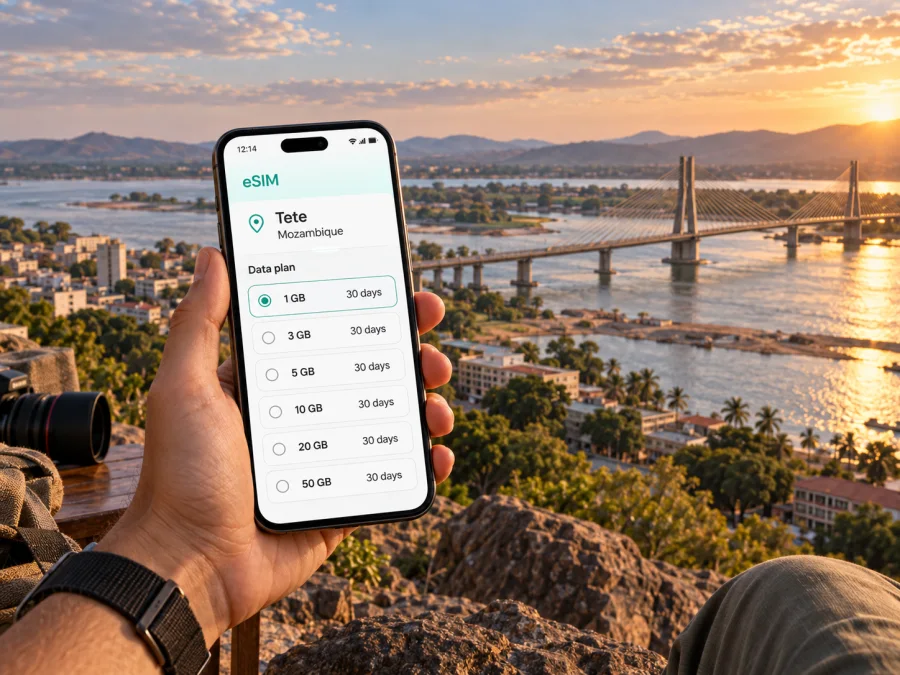
Tete eSIM: mobile connection and internet for your trip to Mozambique
Tete is a base for work, regional travel, and a closer look at Zambezi landscape. It is the capital of Tete Province on the Zambezi River, with the Samora Machel and Kassuende bridges shaping movement through the area. For a visitor, mobile connection matters from the first airport transfer to last map check.
An eSIM can help you prepare mobile internet for Tete without replacing your physical SIM card. With Kaspersky eSIM Store, you can use the app or website to choose, arrange, and activate an eSIM with a suitable travel data plan. The useful question is not simply whether you need “an eSIM for Tete”, but what you will do in the city, whether your route continues elsewhere in Mozambique, and how much data those activities require.
Why mobile internet is useful in Tete
Tete rewards a little advance planning. The airport, hotel, business district, river crossings, and onward roads do not form one compact tourist circuit. A map or booking page that loads at the right moment can make the difference between a smooth transfer and an avoidable detour.
At Tete Airport
Tete Airport, also known as Chingozi Airport, has the IATA code TET. After landing, you may need mobile internet to confirm a transfer, contact a hotel, open a saved itinerary, or share your arrival time. An eSIM prepared before departure gives you a practical option while you are still getting oriented.
Keep the airport stage simple:
- save the hotel name and address in your phone before the flight;
- keep the booking confirmation available offline as well as online;
- agree in advance where a driver should meet you;
- check which line is selected for mobile data after landing;
- keep your regular SIM available for calls if you need it.
The eSIM does not replace a physical passport, booking confirmation, or a locally arranged transfer. It is one part of the arrival plan: a way to open maps, messages, translation tools, and other online services when you need them.
Around the Zambezi and the bridges
The river is a major reference point in Tete. The historic Samora Machel Bridge links the city with the Moatize side, while the Kassuende Bridge provides another important crossing and helps traffic avoid parts of the provincial capital. A route that looks short on a map can therefore depend on which bridge, road, or riverbank your destination uses.
Mobile internet is helpful when you need to:
- compare the route offered by a driver with the address in your booking;
- send a live update when traffic or a meeting time changes;
- check whether a place is on the city side, across the river, or farther toward Moatize;
- download a map area before leaving a hotel with reliable Wi‑Fi.
For a first visit, keep the written address, a pin, and the contact number or messaging channel together in your travel notes.
Prepare your Tete eSIM before departure
The best time to solve basic setup questions is before you are standing at the airport with luggage. Start by checking that your phone supports eSIM and is not locked to a mobile operator. Regional versions of the same phone model can differ, so use the compatibility check in the service rather than relying only on the model name. Check your device compatibility before selecting a plan.
Then confirm four things:
- the plan includes Mozambique as a supported destination;
- the validity period covers the days when you expect to use mobile data;
- the data allowance matches your route and habits;
- you know whether data roaming must be enabled for the eSIM on your device.
Install the profile on a stable internet connection, but decide when it should become your data line. Read the plan details because installation and first use may not mean the same thing.
How to choose a plan for Tete
Choose by activity. A short city stay built around maps and messages has a different data pattern from a work visit with video calls or an onward road journey.
| Travel pattern | Typical online tasks | What to check when choosing |
|---|---|---|
| Short stopover | Transfer messages, maps, a few bookings, occasional browsing | A validity period that covers the stop and enough data for navigation |
| City visit | Daily maps, messaging, restaurant or hotel research, photos and social apps | A balanced allowance and a plan that remains valid for the whole stay |
| Business trip | Email, cloud documents, messaging, calls inside work apps, hotspot needs | Whether your work pattern requires more data and whether tethering is allowed |
| Tete plus regional travel | Navigation outside the city, booking changes, route research, regular messaging | Country or regional coverage, route duration, and the conditions for each destination |
The table is a planning framework, not a promise about a particular allowance. Data volume, price, validity, supported network, and other conditions depend on the plan shown at purchase. Review them before payment.
Once you know the length and character of your trip, you can choose an eSIM plan for Mozambique and compare the available options.
Maps and text messages are usually lighter than video, image-heavy feeds, cloud backups, and long video calls. Automatic photo backup can consume data in the background. Before leaving, set updates and photo backup to Wi‑Fi where possible, download hotel details and a basic map area, and check the device’s data counter during the trip. If you need a hotspot for work, confirm that tethering is allowed and remember that a laptop can consume data quickly.
Getting around Tete with less friction
Tete is easier to navigate in stages: airport to accommodation, accommodation to the day’s meeting or attraction, then the return route before evening.
Transfers and local rides
Use a pre-arranged transfer when your arrival time, luggage, or meeting schedule makes uncertainty inconvenient. If you use a taxi, car service, or local minibus, confirm the destination before setting off and keep the address visible in Portuguese or in the format supplied by your hotel or host. Do not rely on a driver being able to follow a pin without additional context.
For each ride, keep three pieces of information ready:
- the destination name;
- the street or landmark description;
- a contact who can confirm the location if the driver has questions.
Mobile data lets you send the same information in a message, open the route, and notify someone when you arrive. It also helps when a planned pickup point changes. Still, save the essential details offline because signal quality and battery life can vary during a long day.
Walking and short city movements
Walking can be practical for a short, familiar route near your accommodation, but heat, distance, road crossings, and timing should influence your choice. Check the next turn before leaving, carry a power bank if the phone is your main map, and keep essential details offline. You do not need to keep navigation open every second: check the route, lock the screen, and reopen it when needed.
Tete for business travel
Tete can be a working destination in its own right and a base for activity in the wider province. A business traveller may arrive through Tete Airport, cross toward Moatize, or leave by road for a site visit. Mobile internet supports the small tasks that keep this schedule moving.
Before a meeting, use the connection to:
- confirm the correct office entrance and meeting time;
- send a concise arrival update;
- open a cloud document or presentation if it was not saved offline;
- check a route that crosses the Zambezi;
- request a receipt or record travel details while they are fresh.
Keep the agenda, contacts, and presentation offline. Restrict nonessential apps, check whether the phone is sharing data, and join video meetings from a stable location. An eSIM travel plan is generally intended for mobile internet; it does not automatically include a regular phone number, voice calls, or SMS unless the plan says otherwise. Internet-based messaging apps may be used where suitable.
Hotels, reservations, and everyday planning
At a hotel, use Wi‑Fi for large updates when suitable, but keep mobile data available between check-in, departure, and the next appointment. Save the property address, booking number, local contact, and transfer instructions offline. For sightseeing around the river, the Samora Machel Bridge, Tete’s cathedral, or historic fortifications, check opening arrangements and transport time before setting out.
Short stopovers and trips beyond the city
A stopover in Tete has a different rhythm from a multi-day stay. If you have only a few hours, prioritise the airport transfer, meeting point, one realistic nearby plan, and the return route. Use the eSIM for messages, navigation, and booking confirmation.
For a longer route, Tete can be part of travel toward other parts of Mozambique or the region. The wider province includes the Cahora Bassa reservoir and Songo, but an excursion there needs its own transport and timing checks. Verify the destination and expected network conditions before departure.
When travelling overland, download departure and arrival details, share the route, keep addresses and tickets offline, and check the eSIM allowance during the journey.
Do not choose a plan for an onward trip solely because it worked for a short city stay. The right allowance depends on the length of the road journey, use of navigation, calls inside apps, and whether you will connect a second device.
How to install and activate the eSIM
You can install the profile before flying or after arriving, depending on the plan conditions and your preparation. Use a stable internet connection for the installation itself and keep the QR code or activation details accessible. For platform-specific guidance, follow the Android installation instructions or the iOS installation instructions.
Five practical steps
- Check the device. Confirm eSIM support and make sure the phone is not operator-locked. Check your device compatibility.
- Open mobile network settings. Choose the option for adding a mobile plan or eSIM.
- Scan or enter the details. Use the QR code or profile information supplied after the plan is arranged.
- Select the data line. Set the travel eSIM as the line for mobile data when you are ready to use it. Keep your regular SIM available if you need its number.
- Allow time for connection. Follow the on-screen instructions. On some devices, data roaming must be enabled for the eSIM. Connection can take several minutes and depends on the device and local network.
If you install it before departure, leave your main data line selected until you are ready to switch. After landing, check the eSIM name, data setting, and roaming setting. If it does not connect, review the plan and device settings before removing the profile. An activated eSIM may not be transferable, depending on its conditions.
What to check before using mobile data
After landing in Tete, check:
- Data line: the intended eSIM is selected for mobile data.
- Roaming setting: data roaming is enabled for the eSIM if the device requires it.
- Main SIM: your regular line is configured to avoid unintended data use.
- Plan status: the destination, validity, and remaining data match your booking.
- Battery: low-power mode or a power bank is available for navigation.
- Offline backup: hotel, transfer, and meeting details can be opened without data.
If the phone shows a different line than expected, pause before browsing or streaming: the primary SIM may be using data under your regular contract. Settings vary by phone, so use the labels shown by your model and check your operator’s roaming rules if unsure.
FAQ about an eSIM for Tete
Is an eSIM useful for a short Tete stopover?
It can be. Even a short stay involves transfers, messages, navigation, and booking checks. Match the plan validity and allowance to the stopover.
Can I keep my regular SIM in the phone?
Often, a dual-SIM phone can keep both profiles available, but behaviour depends on the device. Select the travel eSIM for data and review the primary line’s roaming settings.
Does the travel eSIM provide a normal phone number?
Not unless the selected plan states otherwise. These plans are generally for mobile internet and do not automatically include ordinary voice calls or SMS. Internet-based messaging and calling apps can be used when suitable.
Should I install it before leaving for Mozambique?
Installing before departure can simplify arrival if the plan conditions allow it and you have a stable connection. Read when validity starts before deciding when to activate.
What if my route includes Tete and another place in Mozambique?
Check that the destination and plan conditions cover the full route, then estimate data for navigation, messaging, work, and long road sections.
Can I use the eSIM for a laptop?
That depends on the phone, plan conditions, and tethering support. Confirm this before relying on a hotspot for work.
A calm final check
Tete travel becomes easier when the airport transfer, hotel address, river-crossing route, meeting contact, and eSIM settings are prepared together. Keep essentials offline and monitor the selected data line.
When your device meets these checks and the destination, validity, and allowance are clear, you can choose an eSIM plan for your Mozambique trip through Kaspersky eSIM Store. Set it up according to the plan conditions, then use the connection for maps, messages, bookings, and work in Tete and the Zambezi region.


