Travel connectivity guide
Thaba-Tseka eSIM: Mobile Internet Guide
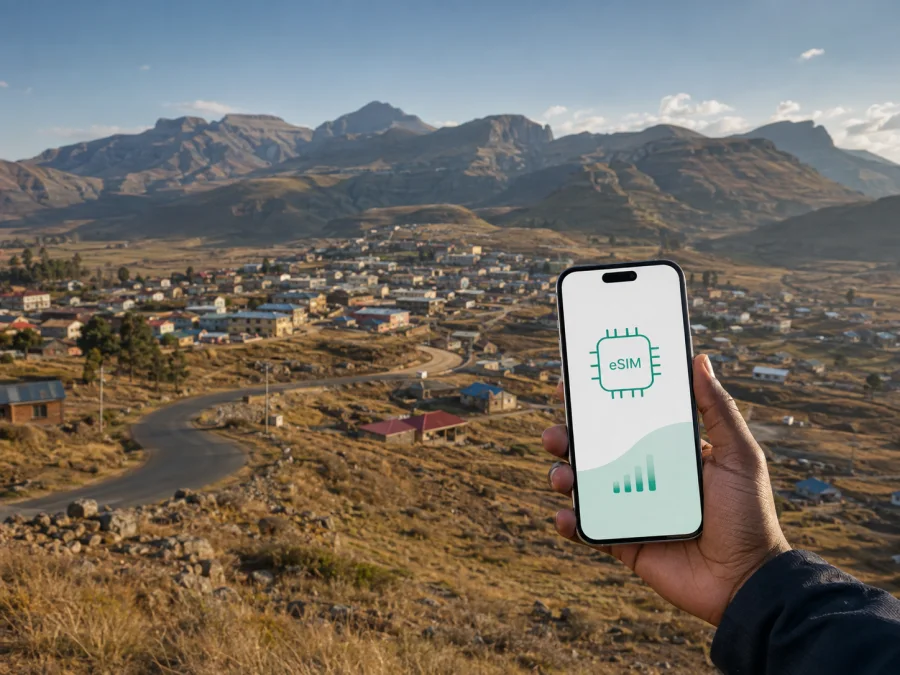
Thaba-Tseka eSIM for mobile connection and internet in Lesotho
Thaba-Tseka is not a city where a travel plan can rely on the same assumptions as a short urban break in a large capital. It is a highland town and the administrative centre of Thaba-Tseka District in eastern Lesotho. The settlement is commonly described as being at roughly 2,200 metres above sea level, with services concentrated in a compact town area and longer road journeys leading into the surrounding highlands. A practical mobile internet plan is useful for arrival day and for trips beyond the centre.
An eSIM, or digital SIM card, lets you prepare a mobile data tariff for an overseas journey without waiting to buy a physical SIM card after arrival. In Thaba-Tseka, data can help you check a meeting location, message a guesthouse, open a map before leaving town, share a live location, or confirm the next part of a mountain route. The sensible approach is to plan the connection as one part of the journey: confirm your device, choose a tariff for the route and length of stay, and allow time to install it before you need it.
Why Thaba-Tseka requires practical connection planning
The main challenge is the landscape around the town. Thaba-Tseka is a service and supply point for a wide highland area. A traveller may spend one part of the day near services and the next on a winding road towards a village, trailhead, dam area, or another district. A saved map, clear accommodation details, and a charged phone matter as much as the data tariff.
The town can be part of several different journeys:
- a first night in Lesotho after travelling inland from Maseru or across the South African border;
- a stop for supplies, cash, messages, or a change of transport before continuing into the highlands;
- a short work visit involving district offices, local organisations, a bank, a post office, or a hospital;
- a base for walks, village visits, and scenic drives;
- an overnight break on a longer highland route.
Choose the data allowance for the whole itinerary rather than for the first evening alone: work trips need email and messages, while road trips add navigation, coordination, and photo use.
Arrival in Thaba-Tseka
Thaba-Tseka is a road destination rather than a city with a large international airport in its centre. Visitors usually approach it as part of a wider Lesotho itinerary, often travelling for several hours from another town. Duration depends on route, surface, weather, stops, and vehicle, so leave a margin before an important appointment.
Before leaving, save the accommodation details, meeting point, booking confirmation, full route, and contact of the person expecting you. On arrival, confirm that the eSIM is selected for data, the original SIM is not using roaming data, and the intended line is on. Test with a light webpage or message, then charge before a highland excursion.
Match the tariff to your Thaba-Tseka trip
There is no single correct data volume for every visitor. Use this framework when comparing options:
| Trip pattern | Main phone use | Planning focus |
|---|---|---|
| One-night stopover | Arrival messages, booking details, a few map checks | A light tariff may be enough if maps and documents are saved first |
| Two- or three-day stay | Navigation, messages, browsing, photos | A moderate allowance leaves room for changing plans |
| Business visit | Email, documents, messaging | Allow for work files and use trusted Wi-Fi where available |
| Highland road itinerary | Maps, coordination, weather checks, photo sharing | Choose for the whole route and keep offline copies |
| Trekking or village-based travel | Messages and route coordination | Preserve battery and data; keep an offline safety plan |
Streaming video, automatic photo backup, social-media feeds, and computer updates use much more data than a short message or map search. Disable automatic updates on the travel line, and monitor the allowance if you use the phone as a hotspot.
The tariff period matters as much as the allowance. A short visit may need a short validity period, while an itinerary with several road transfers should cover the days when you are actually travelling. Read the conditions for activation, validity, remaining balance, and top-up options before payment. These details vary by tariff.
Choose and prepare an eSIM tariff for Lesotho
Kaspersky eSIM Store is an application and website that helps you select, arrange, and activate an eSIM tariff for mobile internet during an international trip. You can review the direction, allowance, validity, and price before travelling, then manage the selected tariff through the application or website.
For a Thaba-Tseka journey, use this sequence:
- Confirm the country or regional direction that matches your itinerary.
- Compare the allowance with the way you expect to use your phone.
- Check the validity period and what starts the tariff.
- Confirm that the phone supports eSIM and is not operator-locked.
- Complete the purchase while you still have a stable internet connection.
- Install and activate the profile according to your device instructions.
- Select the travel eSIM for mobile data and keep your original line for calls or messages if needed.
- Test the data line before departing and note the activation time.
If you are preparing this part of the trip now, you can choose an eSIM tariff for travel to Lesotho. Review the particular option: a short stopover and a multi-day highland route are different use cases.
Remember what a data eSIM normally does and does not do. It is intended for mobile internet, not automatically for a new local telephone number. Voice calls and SMS are not included unless the specific tariff says otherwise. Messaging and calling applications can use the data connection. If your home number remains active, check roaming settings carefully so that the original line does not create unintended charges.
Moving around the town and the highlands
The central part of Thaba-Tseka is compact enough for some daytime errands on foot when the route and weather are suitable. Outside the built-up area, roads cross mountainous terrain and a vehicle, shared taxi, minibus, or local driver may be needed. Confirm availability and departure times locally rather than relying on an online timetable.
Use a layered plan:
Around the town centre
Keep your accommodation pin, local contact number, and directions offline. If you carry equipment, arrange a return ride and keep enough battery for it.
On approach roads
Leave margin for stops, livestock, roadworks, surface changes, and slower traffic. Download the route, tell someone where you are going, and buy supplies before a remote route. A live map supports local knowledge; it does not replace it.
On a highland excursion
Do not begin a long drive late because a map shows a short distance. Mountain weather can change quickly. Carry warm layers and ask before photographing people, homes, animals, or ceremonies.
Mobile data is most valuable before and between legs: checking a turn, confirming a pickup, sending an arrival message, or sharing a change of plan. Save the route and lower screen brightness.
Accommodation and staying online
Because accommodation options in and around Thaba-Tseka can be limited, confirm the property name and arrival instructions before travelling. A guesthouse, lodge, or small hotel may arrange late check-in by prior agreement. Ask about Wi-Fi, backup power, vehicle parking, and a local transport contact; treat Wi-Fi as a convenience rather than your only communication plan.
Save the host’s number, the approach description, the driver or guide’s name, and your expected return time. If the property is outside the town centre, download the last route section before leaving the main road. A destination pin may not describe the final track or gate, so keep the host’s directions as a screenshot.
Business travel in Thaba-Tseka
A work visit may involve district offices, local development projects, agriculture, education, health services, construction, or community organisations. Save invitations, documents, local place names, contacts, and an itinerary with estimated travel times offline. Keep a backup plan for a delayed transfer or changed meeting room.
Use the eSIM for email and messaging when data is available, but do not assume a video call will suit every location. Ask the host about a quiet place with power, send large files before the road journey, and label work and personal lines clearly.
Stopovers and trips from Thaba-Tseka
Thaba-Tseka can be a useful pause between longer legs: restock, confirm plans, arrange onward travel, and charge the phone before sleep. For a free day, choose one nearby activity or community visit rather than several distant places. Longer stays can include walking, scenic drives, pony-trekking arrangements, and rural visits; confirm access, guides, weather, and roads locally.
Routes associated with the Katse area are wider-district trips, not town attractions. Allow time for the transfer and daylight return. Before leaving, send the destination, driver, expected return, and change-of-plan details to someone you trust.
Installing and activating the eSIM
Install the eSIM with a stable connection and time to read each screen. You may install before leaving home or wait until arrival; check when validity begins so that activation matches your journey.
Before installation, check whether your device supports eSIM. Also confirm that the phone is unlocked and that its software supports the device instructions. Compatibility varies by model, market, and configuration; two similar-looking phones may not have the same eSIM capability.
Keep the QR code or activation details until the eSIM is working. Label the profile “Lesotho travel”. Key checks are:
- select the travel eSIM as the mobile-data line;
- enable data roaming for that line if the tariff instructions require it;
- keep roaming disabled on your home line unless you deliberately need it;
- disable automatic data switching if your phone offers that option;
- test a simple webpage or message;
- check the tariff balance and note the activation time.
For device steps, use the Android eSIM installation instructions or the iOS eSIM installation instructions. Do not assume that a profile can be moved to a second phone; follow the tariff conditions.
Troubleshooting and travel checklist
If data does not work after arrival, check in this order:
- Move to a safe place and wait briefly for the phone to register.
- Confirm that the travel eSIM is on and selected for mobile data.
- Check data roaming for that line when the instructions require it.
- Turn airplane mode on for a few seconds, then turn it off.
- Restart the phone if the line still does not register.
- Review the tariff status, validity, and remaining balance.
- Check that the home SIM has not been selected for data.
- Contact support through the available product channel if the issue remains.
Do not remove a working profile or change advanced settings at random. If the problem appears only in a valley, outside town, or inside a building, it may reflect local conditions. Note the time, location, device model, and message before asking for help.
Before leaving home
- Confirm the route, dates, device compatibility, operator-lock status, and Lesotho tariff.
- Save accommodation, meeting details, contacts, maps, and documents offline.
- Pack a charger, power bank, warm layers, and required medication.
Before leaving the previous town
- Charge the phone, check the full route, buy essential supplies, and tell someone the arrival window.
After arriving
- Select the eSIM for data, test it, check the home line is not roaming, and ask about next-day road conditions.
Frequently asked questions
Is Thaba-Tseka suitable for an eSIM?
An eSIM can be useful because it lets you prepare mobile data before the journey. Service depends on the tariff, device, local conditions, and location, so keep offline information.
Should I install it before travelling?
You can install it before the journey if the device is compatible and the tariff allows it. Some tariffs begin validity on activation or connection, so read the product information before choosing when to install.
Can I keep my normal number active?
On many dual-line phones, you can keep your original SIM for calls or messages and use the travel eSIM for data. Check the selected data line and the home-line roaming rules.
Will an eSIM give me a local phone number?
Not automatically. The eSIM described here is for mobile internet. Voice calls and SMS depend on the specific tariff, while internet-based messaging and calling applications use data.
How much data do I need for a short visit?
It depends on whether you mainly message and navigate or also upload photos, join calls, use a hotspot, and travel outside town. Save maps, reduce background use, and choose for the whole itinerary.
Prepare your Thaba-Tseka journey
Thaba-Tseka rewards a slower, better-prepared travel rhythm: confirm the road plan, keep accommodation details accessible, allow for highland conditions, and use mobile data for the moments when it genuinely helps. An eSIM can reduce the tasks waiting for you after arrival, provided that the device, tariff, and activation settings have been checked in advance.
When your route and device are ready, prepare an eSIM tariff for your trip to Lesotho, install it according to the appropriate instructions, and keep offline copies of the information you may need beyond the town centre.


