Travel connectivity guide
Thakhek eSIM: Mobile Internet & Travel Tips
Thakhek eSIM: Mobile Connection and Internet for Your Visit
Thakhek is a Mekong-side town in central Laos, and for many visitors it serves as both a place to pause and a starting point for exploring Khammouane Province. A phone with mobile internet can help you coordinate arrival details, find your accommodation, check a route, translate a sign, or let someone know that plans have changed. In a quieter town where you may be arranging onward travel in person, having a connection ready can make the practical parts of a visit easier.
This guide focuses on using mobile internet in and around Thakhek: arriving, moving between the riverside and town streets, choosing a place to stay, preparing for a work call, and planning an excursion beyond the centre. It also explains what to check before choosing an eSIM and how to keep your phone useful when a journey takes you away from town.
Get oriented before you set out
Thakhek sits on the Mekong opposite Thailand. The riverfront is a natural point of orientation: it offers a broad view across the water, while the everyday town centre, accommodation, food options, and local services are reached from the streets behind it. Distances can look short on a map but feel different in the heat or with luggage, so check the route and the exact location of your guesthouse before you start walking.
A useful first map search is not simply “Thakhek,” but your destination plus a nearby reference point: the riverside, the market area, your hotel name, or the place where you expect to meet a driver. Save the accommodation pin and its address before leaving a connected Wi-Fi network. If a map app allows offline downloads, save the relevant area as a backup; live mobile data is still useful for refreshing directions and sending updates.
Thakhek is not a large metropolitan grid. Use a few clear landmarks alongside the map, and ask your host to clarify the final turn if a pin seems imprecise.
Arriving in Thakhek
Your arrival routine depends on how you reach town. If you arrive by road, you may have luggage, a tight connection, or a pickup arranged by your accommodation. Before the vehicle departs, note the name of the arrival point, the town address you need, and whether your driver expects to meet you inside or outside. Send a short message if plans shift, and avoid relying on a single map pin when you can confirm the street name or a recognizable nearby landmark as well.
For a first evening, check that you can open your accommodation details, contact the host, and reach the right address. Confirm opening hours locally instead of assuming an online listing is current.
A compact arrival checklist:
- Save your lodging address, phone number, and map pin while you have Wi-Fi.
- Keep your booking confirmation available offline.
- Share your expected arrival time with the host or pickup contact.
- Check the road route and any transfer details before boarding.
- Keep your primary SIM active for calls or messages if you need its number; set the eSIM as the data line only if that matches your plan.
- Carry a power bank if you expect a long road journey or heavy map use.
If you cross from Thailand, check current border arrangements and required documents through official channels before departure. After entering Laos, use data to update your plans, but do not assume the package includes a local number or voice service.
Choosing where to stay and how to move around
Where you stay affects how often you will need directions. A riverside guesthouse may be convenient for an evening walk and views across the Mekong; a place farther into town may suit you better if you need easier access to everyday shops or a particular road connection. Compare the property’s exact map location, recent contact details, check-in instructions, and your likely arrival time. Ask whether someone will be available if you arrive late rather than relying on an old listing or a generic location marker.
For short trips around town, walking can work when the weather, daylight, luggage, and distance make it comfortable. For a longer hop, ask your accommodation what local options are operating and agree on the destination and fare before setting off. Availability and arrangements can vary, so treat a ride-hailing result or an old online recommendation as something to confirm locally. Keep your destination name written in a form the driver can recognize, and use a map pin as supporting information rather than the only instruction.
| Situation | Plan ahead | While travelling |
|---|---|---|
| Riverside stroll | Save your return route and lodging pin | Check the time and weather before walking back |
| Market or meal stop | Search nearby choices, then verify they are open | Keep enough battery for the return route |
| Bus or minivan connection | Confirm departure point, time, and luggage rules | Recheck the meeting point with the provider |
| Late check-in | Message your host before starting the trip | Keep confirmation and address available offline |
Mobile data helps with maps, messages, booking details, and translation. Confirm vehicle availability and business hours directly when needed.
Mobile internet for maps, messages, and daily plans
In Thakhek, a phone is most useful when it supports several small tasks rather than one uninterrupted navigation session. You might check directions to a café, send a message to your guesthouse, look up a road junction, and then put the phone away. Downloading an offline map and saving key details reduces data use and gives you a fallback if the signal is weak or the battery is low.
Mobile coverage and data performance can vary by location, building, device, network, weather, and plan. Do not assume the same experience in a room, on the riverfront, on a busy road, and outside town. If a page will not load, try moving to an open area, reconnecting data, or asking your accommodation about Wi-Fi. For navigation, load the next section of a route before leaving town and avoid checking the screen while crossing roads or riding as a passenger in an unfamiliar vehicle.
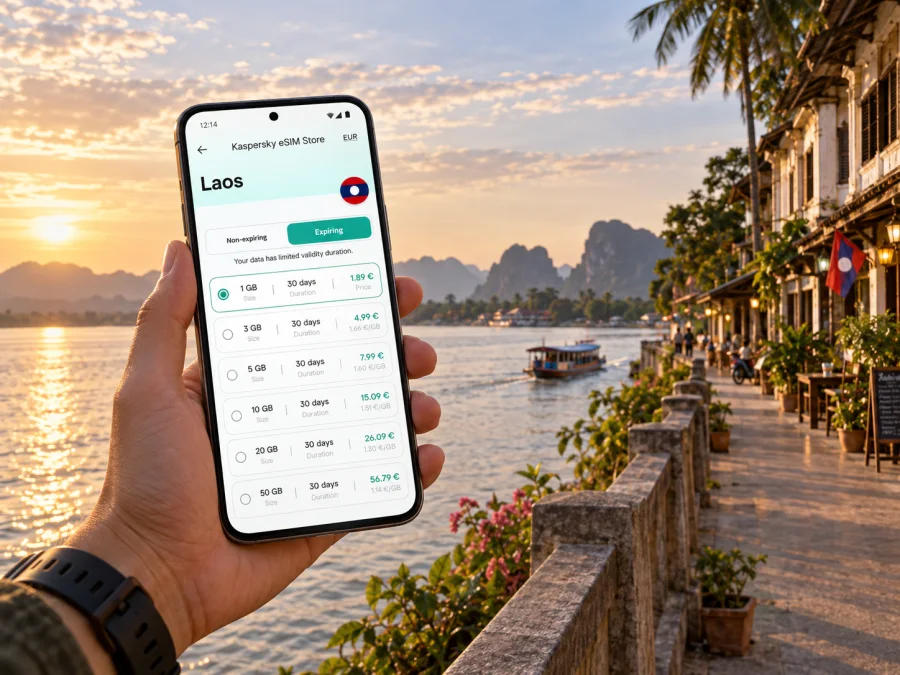
A travel eSIM is useful when you want to prepare mobile data without replacing a physical SIM. Kaspersky eSIM Store is an app and website where you can choose, arrange, and activate an eSIM with a suitable plan for mobile internet on an international trip. The plan terms determine its data allowance, validity, destination, and other conditions, so review those details before you travel. To explore the available option for this destination, view the Laos eSIM plans.
When comparing plans, estimate how you actually use your phone. Frequent video calls, cloud photo uploads, and streaming can use more data than maps, messaging, and occasional searches. Check the validity period as well as the allowance, and confirm that the destination listed covers Laos. If your itinerary includes other countries, check whether a regional option is appropriate instead of assuming a Laos plan covers the whole route.
Use Thakhek as a base for a longer route
Thakhek is widely used as the starting point for the Thakhek Loop, a multi-day route through the province’s limestone scenery and cave areas. The official Khammouane tourism route guide describes a circuit beginning east of town on Route 12 and continuing through rural stops; the exact itinerary and road conditions should be checked close to departure. This is a countryside journey, not an extension of town navigation: distances between services are greater, and you should prepare more carefully than for an afternoon walk along the river.
Before leaving Thakhek, download maps, save accommodation and emergency contacts, and check fuel, food, overnight stops, and road conditions. Signal may be intermittent outside town. Carry backup battery power, use offline navigation, and tell someone your route and expected check-in time.
The loop is often associated with motorbike travel, but choose a mode that suits your experience, documents, and road conditions. If you are not an experienced rider, ask about a driver or organized excursion; confirm timing, inclusions, food, and lodging.
eSIM preparation before the trip
The most relaxed time to prepare an eSIM is before you are managing luggage or trying to find a vehicle. First check that your phone supports eSIM and is not restricted by a carrier lock. Device support can differ between models and regional versions, so check whether your device is compatible before selecting a plan. Then review destination, data amount, validity, activation instructions, and any device requirements shown for the specific option.
An eSIM plan for travel is generally designed for mobile data. It may not include a local telephone number, ordinary calls, or SMS unless the plan explicitly says otherwise. You can continue to use your usual number for calls and messages if your physical SIM remains active, but your home carrier may charge roaming fees. Messaging and voice apps can use data when the other person is reachable through the same service.
A straightforward setup sequence
- Choose a plan that covers Laos and fits your dates and expected data use.
- Read the activation and installation conditions before beginning; some steps require a stable internet connection.
- Install the eSIM while connected to Wi-Fi and keep the setup instructions accessible.
- Label the travel line clearly in your phone settings so you can distinguish it from your usual SIM.
- Set the preferred line for mobile data according to the plan instructions, and check whether data roaming must be enabled for that eSIM.
- Once you reach Laos, follow the plan’s activation instructions and check the connection before depending on it for navigation.
For step-by-step help, use the Android eSIM installation guide or the iOS eSIM installation guide. Menu names vary by operating system and device version, so follow the on-screen options for your particular phone. Avoid deleting an installed profile to troubleshoot unless the plan instructions tell you to do so; reinstalling may not be possible under every plan’s terms.
Keep your phone useful on a work trip
A work visit may involve a hotel, a meeting address, and an onward transfer rather than sightseeing. Before leaving your accommodation, save the meeting location, contact details, and any entry instructions. If you are expected at a building or office with several entrances, ask your contact which gate or reception desk to use. A message sent while you still have connectivity can prevent a confusing last-minute search.
For calls, check in advance whether your chosen eSIM is data-only. If so, use a meeting service or messaging app over data, and test audio before an important call. Hotel Wi-Fi can be a useful second connection, but it may require a password, captive portal, or staff assistance. Keep a local copy of key files and the day’s schedule so a temporary connection issue does not interrupt basic work tasks.
For a short stopover, focus on reaching your lodging or meeting, sharing your status, and confirming the next departure. Check real travel time before planning an excursion; save tickets and addresses offline.
Keep data and battery use manageable
Charge your phone before leaving and carry a power bank if you expect a long day outdoors. Save addresses, tickets, and maps for offline access. Download maps over Wi-Fi, pause photo backups and app updates on mobile data, and close navigation when you arrive. Public Wi-Fi can help with large downloads; keep sensitive account activity to trusted connections.
Common questions
Is an eSIM useful if I am staying mainly in central Thakhek?
It can help with maps, messages, translation, and bookings. Whether it suits you depends on your itinerary and Wi-Fi access; save an offline map either way.
Will data work the same outside town?
Not necessarily. Conditions vary along rural roads, so download route information and do not depend on live data alone.
Can I use a travel eSIM for normal phone calls?
Only if the plan includes voice service and a phone number. A data-only plan supports internet-based calling apps, but not ordinary calls or SMS by default.
Should I install the eSIM before arriving?
You can if the plan allows advance installation. Read when it becomes active; installation and activation may be separate steps.
What if navigation stops updating?
Stop somewhere safe, check mobile data, and try your offline map or ask for directions. Do not troubleshoot while driving or crossing a street.
A practical plan for your time in Thakhek
Before you arrive, save your accommodation details, confirm how you will reach it, and decide whether you need a travel data plan. In town, use a few dependable map pins and confirm transport arrangements directly. For a rural excursion, prepare offline navigation, battery backup, and a realistic return plan. Mobile internet is most valuable when it supports those decisions without becoming the only source of information you have.
If an eSIM suits your itinerary, review the plan terms, check device compatibility, and complete the setup steps while you have reliable Wi-Fi. Kaspersky eSIM Store lets you choose and arrange an eSIM for international travel through its app or website. Choose a Laos eSIM plan for your trip and keep the installation instructions available before you set off.


