Travel connectivity guide
The Hague eSIM: Mobile Internet Travel Guide
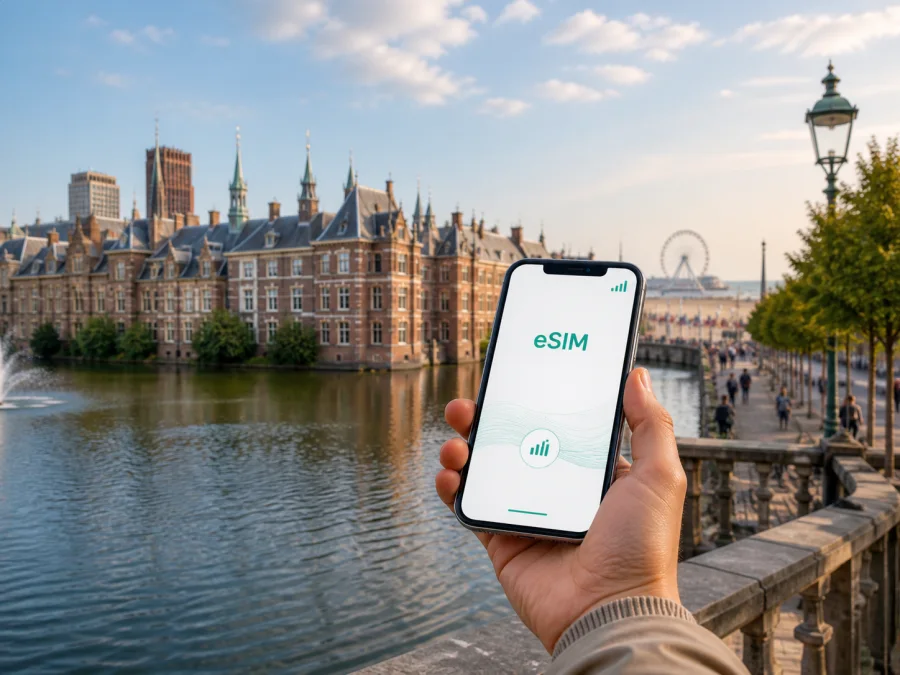
The Hague eSIM: mobile connection and internet for your trip
The Hague is a convenient base for a trip to the Netherlands. You might arrive for a conference, stay near the historic centre, combine museums with an afternoon in Scheveningen, or use the city as a stopover between Amsterdam, Rotterdam and Leiden. In each scenario, mobile internet helps with the first transfer, a changing itinerary, digital tickets, messages, maps and hotel check-in.
An eSIM, or digital SIM, can be prepared before you leave and used for mobile data on a compatible, unlocked phone. Kaspersky eSIM Store is an app and website that helps you choose, arrange and activate an eSIM with a suitable plan for mobile internet during an international trip. Before selecting an option, you can review the destination, data allowance, validity period and price.
Why mobile internet matters in The Hague
The Hague rewards flexible planning. A morning appointment in the government quarter can be followed by a walk around the Hofvijver area, an afternoon on the coast and dinner back in the centre. A map, transit update or message is useful at every change of scene, especially when you are carrying luggage or arriving after a long flight.
Mobile data can help you:
- find the walking route from Den Haag Centraal or Den Haag Hollands Spoor;
- check a platform, tram stop or bus connection between appointments;
- open a hotel confirmation, meeting address or digital ticket;
- call a ride service or share your location with a companion;
- translate a menu, check opening information or save a route;
- send work messages from a venue or café;
- stay oriented while travelling between the centre and Scheveningen.
Arriving in The Hague
From Schiphol Airport
Many international visitors reach The Hague through Amsterdam Airport Schiphol. The airport has a railway station, and the national rail network lists The Hague as a destination from Schiphol. Check the departure boards and current journey information when you arrive, because works or timetable changes can affect a particular trip.
Keep these details ready before leaving the terminal:
| Detail | Why it matters |
|---|---|
| Hotel name and full address | Helps you choose the right station exit and final connection. |
| Arrival station | Den Haag Centraal and Hollands Spoor serve different parts of the city. |
| Saved map area | Lets you orient yourself while a route recalculates. |
| Ticket or reservation | Avoids searching through email at the platform or desk. |
| eSIM information | Makes it easier to select the right data line after landing. |
From Rotterdam The Hague Airport
Rotterdam The Hague Airport is another regional arrival option. The onward journey may combine local public transport with a short taxi or ride, depending on your accommodation and arrival time. Check the final address and the current transport options before you set off rather than assuming the airport, hotel and venue form one simple route.
At Den Haag Centraal or Hollands Spoor
The two main railway stations are useful orientation points, but the best exit depends on your destination. From the station area, you may continue by tram, bus, taxi, shared bicycle or on foot. If you are meeting someone, agree on an exact meeting point and name the station precisely.
Getting around the city
HTM operates trams and buses in The Hague and the surrounding region. Trains are useful for journeys beyond the city, while walking is often pleasant across central areas. A short ride may be more practical when your day includes the coast or several separate districts.
Use mobile data as a travel tool with a simple routine:
- Enter the exact destination, including a venue entrance or hotel name.
- Compare walking, tram, bus and train options.
- Check the departure time and stop direction before boarding.
- Save the key route details if you will pass through a large station.
- Recheck the return route after a meeting or museum visit.
Tram, bus and walking notes
For a city ride, note both the boarding stop and the stop where you get off. It is easy to choose the correct line in the wrong direction. Read the stop display and transport signs as well as the route on your phone.
Allow some margin when crossing the centre or changing services. Temporary diversions, events and road works can change a convenient route. Current information is more useful than a printed plan prepared months earlier.
Choosing an eSIM plan for The Hague
The right plan depends on how you use mobile data, not only on the number of days in the city. Start with the Netherlands as the destination, then compare the validity period, data allowance and conditions with the complete itinerary.
| The Hague trip pattern | Likely data use | Planning point |
|---|---|---|
| One-day stopover | Maps, messages, one transfer and tickets | A short validity period may be enough if it covers the stopover. |
| Weekend in the centre | Navigation, reservations, photos and browsing | Consider how much you will use hotel Wi-Fi. |
| City and coast | Route changes, maps, weather checks and reservations | Leave room for repeated navigation. |
| Business visit | Email, documents, calls and ride bookings | Check conditions before hotspot use or large files. |
| Multi-city route | Trains, hotel changes and itinerary planning | Match validity to the whole Netherlands trip. |
Think about three levels of use:
- essential: maps, transport information, messages and reservations;
- regular: social feeds, photos, music and web browsing;
- heavy: video calls, uploads, streaming, updates and hotspot use.
Video meetings, photo backups and streaming can use much more data than text directions. If you expect intensive work, count those activities separately and check whether tethering is allowed. You can also limit background data, automatic photo backup and large app updates until you have access to trusted Wi-Fi.
After comparing the trip length and expected use, choose an eSIM plan for a trip to the Netherlands.
Areas of The Hague and their connection needs
Planning by area makes the city easier to understand. Your data needs change according to the district, time of day and reason for visiting.
Centrum and the historic core
The central area is a natural base for first-time visitors, shopping, museums, restaurants and walks around the Binnenhof and Hofvijver surroundings. It is also useful for changing between a station, hotel and appointment. Keep the full street address of your accommodation because similar-sounding streets and squares can be confusing when spoken quickly.
Station and business corridors
Government, diplomatic, legal, academic and corporate visits often leave little time for sightseeing. Prioritise accurate entrances, meeting details, punctual transfers and a dependable way to contact colleagues. Confirm whether the venue is closer to Den Haag Centraal, Hollands Spoor or another stop, and allow time for the walk from the platform.
Prepare a compact digital folder with:
- the venue address and contact person;
- the meeting time in your calendar;
- the hotel address and reception details;
- the return route to the station or airport;
- eSIM activation information;
- a note showing which line is selected for mobile data.
Scheveningen and the coast
Scheveningen creates a different travel rhythm, with the sea, promenade, beach venues and longer open-air walks. The route from the centre is easy to plan, but check the return connection before settling by the water.
Statenkwartier, Zeeheldenkwartier and residential bases
Statenkwartier and nearby streets can feature in cultural, diplomatic and business itineraries. Addresses may be in quiet-looking blocks even when the destination is an important venue. Look for the building number and entrance instructions, not just the district name.
Hotels, meetings and remote work
Hotels often provide Wi-Fi, but a separate mobile-data option can help during arrival and departure. You may need to contact reception before the room is ready, confirm a late arrival, order a ride or open a booking outside the building.
On arrival:
- Connect to hotel Wi-Fi if you want to conserve mobile data.
- Confirm that the eSIM is installed and selected for mobile data.
- Keep your regular SIM available for calls or messages if your phone supports dual SIM.
- Turn off automatic switching that could send data through another line.
- Test a map search and one message before leaving.
Installing an eSIM before departure or after arrival
Before you start, check whether your device supports eSIM and confirm that it is not locked to another operator. Models can differ by region, so the exact version of the phone matters. Keep the QR code or activation details available, and do not delete the profile unless the applicable conditions tell you to do so.
General installation sequence
- Check the phone and operator-lock status.
- Open mobile-network settings and choose the option to add an eSIM.
- Scan the QR code from the order email or profile, or follow the manual steps.
- Label the line clearly, for example “Netherlands trip”.
- Choose the eSIM for mobile data when you are ready to use it.
- Keep your regular line configured for the calls and messages you need.
- If required, enable data roaming for the eSIM and review the active data line.
- Open a map or simple webpage and send a message to confirm setup.
For platform-specific steps, follow the Android installation instructions or the iOS installation instructions. Menu names vary by operating-system version, so follow the wording on your phone.
When to activate
If the phone does not connect, check the selected data line, eSIM status, signal indicator, roaming setting and plan instructions. A restart can help after a settings change. If the issue remains, contact support with the device model, the step where it occurred and the settings already checked.
The Hague eSIM checklist
Use this list before the flight:
- [ ] eSIM compatibility is confirmed and the phone is not operator-locked.
- [ ] The Netherlands is included in the destination and validity covers the itinerary.
- [ ] The data allowance fits maps, messaging, work and expected browsing.
- [ ] The phone is charged for arrival and the transfer to the hotel.
- [ ] The QR code or activation information is accessible.
- [ ] The regular SIM is labelled and its data settings are understood.
- [ ] Automatic updates and photo backup are limited if necessary.
- [ ] Hotel, venue and arrival station are saved in your notes.
- [ ] The relevant Android or iOS instructions are available.
Three practical scenarios
The one-night business stop
You arrive in the afternoon, travel to a central hotel, attend an evening reception and leave the next morning. Prioritise station-to-hotel navigation, the venue address, messages and the return route. A smaller allowance may be sufficient if you use hotel Wi-Fi for nonessential tasks and avoid large uploads.
The city-and-coast weekend
You spend one day in the centre and another moving between museums, restaurants and Scheveningen. Save the hotel and beach meeting point, check the return route before going to the coast, and leave time for walking. Repeated route searches and image-heavy pages can add up.
The Netherlands itinerary with The Hague as a base
You stay in The Hague but make day trips by train. Select a plan whose country coverage and validity suit the whole itinerary, not only the hours in the city. Keep the eSIM settings consistent during each transfer and use current rail information for the next departure.
Frequently asked questions
Is an eSIM useful for a short visit to The Hague?
Yes. Even a short stopover can include an airport transfer, hotel address, digital ticket and route changes. Choose a validity period that covers the time you need mobile data.
Can I use an eSIM for calls and SMS?
Usually, a travel eSIM plan is intended for mobile data and does not include a separate phone number, voice calls or SMS unless its conditions state otherwise. Messaging and calling apps can work over the internet.
Do I need Wi-Fi to install an eSIM?
The setup generally requires an internet connection to retrieve or validate the profile. A stable connection before departure is convenient; after arrival, use Wi-Fi or another temporary connection if needed.
Will the eSIM connect as soon as I land?
It may connect after the correct line, network and data settings are in place, but timing depends on the device and local network. Allow a few minutes.
What should I do if a map does not load?
Check that mobile data is assigned to the travel eSIM, the eSIM is enabled, the phone has a signal and any required roaming setting is on. Try a restart after changing settings. If the issue continues, review the plan details and contact support.
Can I move the eSIM to another phone?
Do not assume that a profile can be transferred. The possibility depends on the profile, device and applicable conditions. Check before deleting it.
Prepare for your arrival in The Hague
Before departure, compare the destination, allowance, validity period and conditions for the Netherlands. Check the phone, install the profile at a convenient time and confirm which line will be used for mobile data. When the details fit the journey, you can focus on The Hague rather than the next connection setting.
To prepare your trip, choose your eSIM plan for the Netherlands and complete the setup before you travel.


