
Travel connectivity guide
Thimphu eSIM for mobile internet in Bhutan
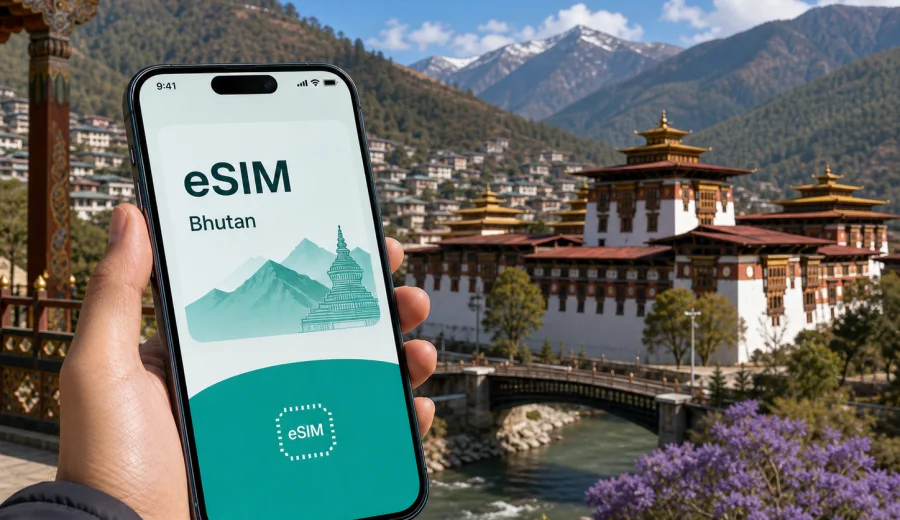
Thimphu eSIM: mobile connection and internet for a trip to Bhutan's capital
Thimphu is a capital where travel plans often depend on small practical details: meeting a driver after arrival, checking the route from Paro, confirming a hotel time, sending a message before a monastery visit, or opening a map when streets curve along the valley. Mobile internet is useful from the first hour because the city is compact, hilly, and easy to enjoy when you can move without guessing where the next Wi-Fi network will be.
An eSIM can help you prepare mobile data for Thimphu before you start exploring. Instead of looking for a physical SIM card after a long flight or relying only on hotel Wi-Fi, you can choose a suitable data plan for Bhutan, install it on a compatible phone, and use it for maps, messengers, booking details, work calls, and day trips from the capital. Conditions depend on the selected plan, local network availability, and your device settings, so it is worth checking the basics before you travel.
Why mobile internet matters in Thimphu
Thimphu does not feel like a huge metropolitan maze, but it is still a city where online access saves time. Many visitors arrive by road from Paro International Airport, then use Thimphu as a base for government meetings, cultural visits, short hikes, and onward trips to Punakha or other valleys. A stable way to use mobile data can make these movements simpler.
Typical moments when internet access helps in Thimphu:
- checking the exact meeting point for a hotel pickup or guided tour;
- messaging a driver when traffic slows near the city center;
- opening maps around Norzin Lam, the Clock Tower area, Motithang, Chubachu, or Babesa;
- confirming restaurant reservations and hotel check-in details;
- sharing documents during a business trip;
- checking weather before going to Buddha Dordenma, Dochula Pass, or a valley viewpoint;
- using translation, currency, and travel apps without waiting for public Wi-Fi.
Because Thimphu sits in a mountain valley at roughly 2,300 meters above sea level, routes can feel short on a map but slower in practice. Roads climb, curve, and narrow. When you have mobile internet on your own phone, it is easier to adjust plans without needing to return to the hotel lobby or ask a cafe for a password.
Arrival: the first online tasks after landing for Thimphu
Most international visitors reach Thimphu through Paro International Airport and continue by road to the capital. The transfer is part of the experience: the road follows the valley, passes villages and river views, and usually takes longer than a simple city airport ride. The first useful online tasks often appear before you reach your hotel.
For the arrival day, mobile data can help you:
1. Message your hotel, host, guide, or driver after landing.
2. Check whether the transfer will stop for food, photos, or paperwork.
3. Share your arrival update with family or colleagues.
4. Open your hotel address offline and online, so you can follow the route.
5. Keep flight and booking confirmations ready if staff ask for details.
If your eSIM is already installed before the trip, you can turn it on when appropriate after arrival, select it for mobile data, and avoid spending your first minutes searching for a shop. Some travelers prefer to install the eSIM at home while connected to reliable Wi-Fi, then activate or use it when they reach the destination. Always follow the instructions for the selected plan because activation timing and validity can differ.
Where eSIM helps most inside the city
Thimphu travel is not only about landmark-to-landmark sightseeing. Visitors often move between hotels, offices, markets, monasteries, viewpoints, and restaurants spread along the valley. Mobile internet is useful because the city combines formal appointments with flexible local movement.
| Thimphu situation | Why mobile data helps | Practical tip |
|---|---|---|
| Hotel arrival | You may need to confirm directions, check-in time, or pickup details | Save the hotel address and phone number before leaving Paro |
| City center walks | Streets, lanes, and landmarks are easier to connect with maps | Download offline maps, then use mobile data for live updates |
| Business meetings | Schedule changes can happen during the day | Keep calendar, email, and messenger notifications available |
| Cultural visits | Opening hours, road access, and weather can affect the plan | Check updates before leaving the hotel |
| Day trips | Routes to Paro, Punakha, and Dochula need timing | Share the route and expected return time with your contact |
The best use of eSIM in Thimphu is not constant streaming. It is reliable access for the tasks that keep a trip smooth: navigation, messages, bookings, tickets, cloud documents, transport coordination, and quick research while plans change.
Choosing data volume for a Thimphu trip
The right data amount depends on how you travel. A short business stopover and a week-long cultural route from Thimphu do not need the same plan. Before choosing an eSIM tariff for Bhutan, estimate how much mobile data you will use outside hotel Wi-Fi.
For a light trip, you may mainly need data for maps, messages, email, ride coordination, and simple browsing. For a heavier trip, you may also need video calls, cloud file sharing, hotspot use for a laptop, or regular photo uploads. If you plan to use your phone as a hotspot, check whether tethering is allowed under the selected plan.
Quick guide:
- 1-3 GB can suit light use over a short stay if you mostly use hotel Wi-Fi for updates and media.
- 3-5 GB is more comfortable for several days of maps, messaging, research, and moderate sharing.
- 10 GB or more can be useful for longer stays, work trips, heavy uploads, or using a laptop through a hotspot.
These are planning ranges, not guarantees. App behavior, video quality, cloud sync, system updates, and hotspot use can change real consumption quickly. Before leaving, pause automatic media backups and large app updates on mobile data if you want to keep the plan focused on travel tasks.
A practical eSIM setup before you fly
Before a trip to Thimphu, treat eSIM setup as part of packing. It should sit beside passport checks, hotel confirmations, weather layers, and transfer details. The setup does not need to be complicated, but it is better done calmly than in an airport queue.
Suggested preparation checklist:
- Check whether your phone supports eSIM and is not locked to one carrier.
- Confirm that the destination is Bhutan, even if your main stay is in Thimphu.
- Choose a data volume and validity period that match your full route.
- Install the eSIM while you still have reliable Wi-Fi.
- Keep the QR code or installation details accessible.
- Label the eSIM profile clearly, for example "Bhutan travel".
- Decide whether your primary SIM should stay active for calls and SMS.
- Turn off mobile data switching if you want to control which SIM uses data.
If your phone supports dual SIM, you can often keep your home SIM for calls or bank messages while using the travel eSIM for mobile data. Availability and behavior vary by device and carrier settings, so test the SIM labels and data selection before you need them in a hurry.
How to install and activate an eSIM for Thimphu
The exact steps depend on your device and the selected plan, but the flow is usually straightforward: choose the destination, complete the order, install the eSIM profile, and select it for mobile data when you are ready to use it. Kaspersky eSIM Store is an app and website where you can choose, arrange, and activate an eSIM with a suitable data plan for mobile internet during an international trip.
For step-by-step setup, use the Android installation guide or the iOS installation guide. Install the eSIM while connected to a stable Wi-Fi network, especially if you are doing it before departure. After installation, check the plan rules for when validity starts and whether data roaming must be enabled for that eSIM profile.
In many travel situations, the safest sequence is:
1. Install the eSIM before departure.
2. Keep your main SIM active if you need calls or SMS.
3. After arrival, select the eSIM as the mobile data line.
4. Turn on data roaming for the eSIM if the plan instructions require it.
5. Test a map or browser page before leaving the airport or hotel.
Do not delete the eSIM profile after installation unless you are sure you no longer need it. Some profiles cannot be moved to another device after activation, and reinstallation rules depend on the plan.
When to buy the eSIM for a Thimphu itinerary
For Thimphu, buying the eSIM before travel is often the most comfortable option. You may arrive tired, transfer from Paro by road, or go directly to a scheduled dinner or meeting. Having mobile data prepared means you can use your phone for the practical parts of arrival instead of solving connectivity first.
If your trip includes only a short stop in Thimphu, check that the plan validity matches the dates you actually need data. If your trip continues to Punakha, Paro, Phobjikha, or another Bhutan route, choose a plan for Bhutan rather than thinking only about the capital. A city article uses Thimphu as the scenario, but the eSIM destination should match the country where the phone will connect.
Around the middle of your planning, once flight times, hotel location, and route length are clear, you can choose an eSIM data plan for a trip to Thimphu in Bhutan and compare the available data amounts and validity periods. Check the plan conditions before purchase, especially if you expect heavy hotspot use, long video calls, or a route beyond the capital.
Business trips, stopovers, and day trips
Thimphu receives visitors for government, development, education, consulting, and cultural travel. In a business setting, mobile internet is mainly about reliability between meetings: checking a document in the car, sending a location to a colleague, joining a short call, or receiving a schedule change while moving between offices. Download key files in advance and check tethering conditions before relying on hotspot mode for a laptop.
A short Thimphu stay has a different rhythm: transfer from Paro, hotel check-in, one or two city stops, dinner, and an early departure. For a one- or two-day stop, save your hotel and transfer details offline, install the eSIM before departure if possible, and keep mobile data for messages, maps, and confirmations rather than large uploads.
Many visitors also use Thimphu as a base before going to Paro, Punakha, Dochula Pass, or other parts of Bhutan. Mobile data can help with coordination, but mountain routes are not the same as city streets. Download offline maps, save hotel and driver contacts, charge a power bank, and keep booking details on the device before leaving the capital.
Data-saving habits for the capital
Thimphu is a good place to use mobile data deliberately. Many hotels, offices, and cafes have Wi-Fi, so you can reserve eSIM data for movement, maps, and urgent communication.
Useful settings before you travel:
- disable automatic app updates on mobile data;
- pause cloud photo and video backup;
- download maps, playlists, and documents on Wi-Fi;
- reduce video streaming quality;
- turn off background data for apps you do not need;
- monitor data use during the first day to adjust habits.
A calm data plan works best when you know what consumes data. Navigation, messaging, and email usually use far less than video, hotspot mode, and cloud sync. If you travel with family or colleagues, remind everyone not to treat one phone hotspot like unlimited hotel Wi-Fi unless the plan supports that style of use.
eSIM, calls, and messages in Thimphu
Travel eSIM plans are usually focused on mobile data. They may not include a local phone number, voice calls, or SMS unless this is clearly stated in the selected plan conditions. For many travelers in Thimphu, that is acceptable because messengers, email, maps, and booking apps are the main tools.
Before departure, decide how you will handle:
- bank confirmation messages;
- calls from airlines, hotels, or organizers;
- messaging with a driver or guide;
- emergency contact details;
- work calls and meeting links.
You may keep your home SIM active for calls or SMS while using the eSIM for data, depending on your phone and carrier. Watch roaming settings carefully so your primary SIM does not use mobile data by mistake. Labeling each SIM profile clearly helps avoid confusion.
Common mistakes to avoid
The most common eSIM problems are usually preparation problems. A few checks before the trip can prevent them.
Avoid these mistakes:
- buying a plan without checking device compatibility;
- installing the eSIM only after you have already lost reliable Wi-Fi;
- choosing a plan for the wrong country or region;
- assuming that a data eSIM includes a phone number;
- deleting the eSIM profile too early;
- letting cloud backup consume travel data on the first day;
- forgetting that some devices require data roaming to be enabled for the eSIM line.
Also avoid treating hotel Wi-Fi as the entire connectivity plan. Hotel internet can be useful, but it does not help while you are on the road from Paro, walking through central Thimphu, coordinating pickup, or checking a route before a viewpoint visit.
Quick answers about eSIM in Thimphu
Can I use an eSIM for mobile internet in Thimphu?
Yes, if your device supports eSIM, is not restricted by carrier lock, and you choose a plan that includes Bhutan. Actual service depends on the selected plan, device settings, and local network conditions.
Should I choose a city plan or a country plan?
For a Thimphu trip, choose the destination as Bhutan. The city is the travel scenario, while the plan needs to match the country where you will use mobile data.
Is eSIM enough for maps and messaging?
For many travelers, yes. Maps, messengers, email, and booking apps are typical eSIM uses. Heavy video, hotspot mode, and cloud uploads need more data.
Do I need Wi-Fi to install an eSIM?
It is best to install the eSIM while connected to stable Wi-Fi. This can be done before departure if the plan instructions allow it.
Will an eSIM replace my regular SIM?
Not necessarily. You can often keep your regular SIM for calls or SMS and use the eSIM for mobile data, depending on your phone and carrier settings.
Can I rely on mobile data outside Thimphu?
Use mobile data as a helpful tool, but download important information before road trips. Mountain terrain and local conditions can affect availability.
Final checklist before you leave for Thimphu
Before the flight, make sure your mobile internet plan is ready for the way you will actually travel:
- your phone supports eSIM and is unlocked for eSIM use;
- the plan destination is Bhutan;
- the data amount matches your stay in Thimphu and any trips from the city;
- installation instructions are saved;
- Android or iOS setup steps are clear;
- your hotel, driver, and meeting contacts are saved offline;
- mobile data is assigned to the travel eSIM when you want to use it;
- your primary SIM settings will not create unwanted roaming data use.
Thimphu rewards travelers who can stay flexible: a viewpoint may be clearer in the morning, a meeting may shift by an hour, a driver may suggest a better pickup point, or a day trip may start earlier than planned. Preparing an eSIM is a small step that helps keep those changes manageable.
For a smoother arrival and easier movement around the capital, prepare an eSIM data plan for Bhutan with Kaspersky eSIM Store before your trip. Choose the data amount and validity period that fit your Thimphu stay, install the eSIM on a compatible device, and keep mobile internet ready for maps, messages, bookings, and travel updates.