Travel connectivity guide
Three eSIM in Ireland: setup and travel guide
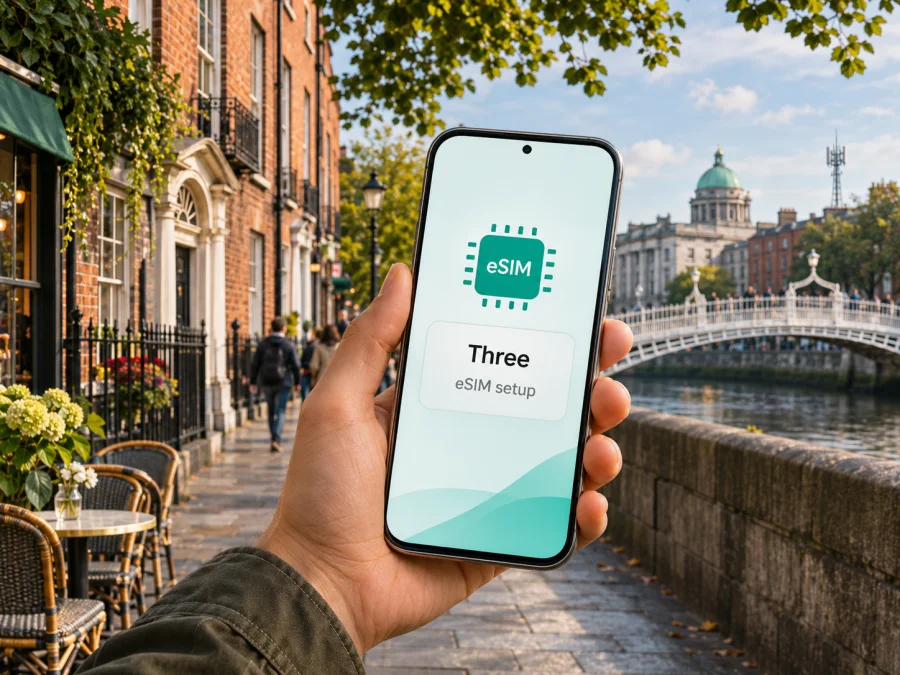
Three eSIM in Ireland: setup, travel use and what to check
Updated 3 November 2026. This guide covers Three’s mobile service in Ireland. Three is a separate telecommunications brand; Kaspersky eSIM Store is not affiliated with Three and is not its partner or distributor. Product names belong to their respective owners.
Three is an Irish mobile network operator offering consumer mobile service, including eSIM. Its eSIM can be relevant both to residents who want to move a current line to a digital SIM and to visitors who want an Irish connection. The practical details depend on your device, how you order the service and whether you need a local number as well as mobile data. This guide explains what Three currently confirms, what to check before departure and how a travel eSIM differs from a local operator line.
Three in the Irish mobile market
Three Ireland is one of the mobile network operators serving Ireland. In an update dated 13 August 2026, Three said its customer base reached 5.6 million in the first half of 2026 and described itself as Ireland’s largest mobile telecommunications provider. The update attributed a 49.9% share of subscriptions to ComReg. These are company-reported figures for a stated period, not a guarantee about an individual customer’s service.
For visitors, a Three eSIM connects to Three’s Irish service subject to current eligibility and device conditions. It may suit someone who needs a local line or number; it is not interchangeable with a data-only travel profile. Northern Ireland is part of the United Kingdom, while Three’s visitor information refers to the Republic of Ireland. Confirm roaming terms if your itinerary crosses the border.
Is Three eSIM available in Ireland?
Yes. Three’s “Discover eSIM” page says new customers can choose eSIM when ordering and existing customers can request a replacement for a physical SIM. It describes automatic activation on compatible On Device Activation (ODA) devices or QR-code setup by email. Three’s tourist information confirms general availability for compatible visitors using prepaid service, including online setup without a physical SIM. These pages do not establish eligibility for every applicant or device.
Three says visitors can activate online, in its app or by phone; if automatic activation is unavailable, it sends a QR code. A physical SIM is an alternative for phones without eSIM. Check Three’s current instructions for requirements concerning your device, account, payment or activation from abroad. This article omits plan names and all specific tariff details.
Which kind of connection are you looking for?
Decide whether you need a local operator service or mainly mobile data for travel. A Three line may suit a need for local service or a number; a data-focused travel eSIM may suit a visitor who mainly needs internet while keeping a usual line. Check the selected service’s voice, SMS, data and roaming terms.
| Your situation | What to check |
|---|---|
| You live in Ireland and already use Three | Whether your current account can move to eSIM, whether your handset is eligible, and whether you need a replacement QR code or in-store support. |
| You are visiting and want a local line | Three’s current visitor onboarding, the number and services supplied, how top-up activates service, and whether your phone is unlocked. |
| You only need internet while travelling | Whether a travel data eSIM covers the places on your itinerary, when its data allowance starts being used, and whether your device can keep another SIM active. |
| You are travelling in both the Republic of Ireland and Northern Ireland | Which network and roaming terms apply on each side of the border; do not treat the island as one service jurisdiction. |
| Your device has no eSIM support | Ask Three about a physical SIM, or compare another connection method that works with your device. |
For a short visit, prioritise the practical requirements of your itinerary: whether you need a local number, whether you will cross the border, and whether the handset can use two active lines. A destination name alone does not settle roaming, calling or network availability. If you choose a travel data eSIM, check its own destination and activation information; do not assume it shares Three’s service terms.
If ordinary calls or verification texts matter, confirm which line supplies the number and review its roaming settings. A travel eSIM focused on data may not provide those services.
For an Ireland-focused travel data option, view the Ireland destination in Kaspersky eSIM Store. It is a destination page for browsing current travel eSIM options, not a Three tariff page and not a claim that a particular tariff uses Three’s network. Check the destination coverage, service description, data conditions and device compatibility shown before selecting anything.
What eSIM changes—and what it does not
An eSIM is a digital SIM profile stored on a compatible device. It avoids inserting a removable SIM, but still requires an eligible phone and an internet connection during setup. Three describes automatic activation on devices that support On Device Activation (ODA), or QR-code installation when automatic activation is unavailable. Installing a profile, activating a service and starting any plan’s use may be separate steps; follow the instructions for your order rather than assuming a QR scan completes everything.
Three says compatible dual-SIM phones can use a physical SIM and an eSIM, and that an unlocked phone is needed to use plans from two networks. This can let a traveller retain a usual line while assigning data to another profile. Dual-SIM behaviour varies by model and software, so check the phone maker’s guidance and your home operator’s roaming terms before departure.
An eSIM does not guarantee reception in every building, on every road or in remote areas. Actual service depends on local availability, device capabilities, terrain, congestion and other conditions. Population coverage figures cannot predict signal at a particular address. Check Three’s current coverage information for your stops and keep essential travel details available offline.
The regional device variant matters. Identically named phones may differ by market in eSIM availability, radio bands, firmware or SIM configuration. Find the full model identifier in Settings or on the packaging and confirm it with the manufacturer and Three; do not rely only on a product-family name.
Three’s network and coverage: how to read the information
Three’s newsroom update of 13 August 2026 reported 4G coverage reaching 99.4% of the population and 5G coverage reaching 97% across Ireland. These are company-reported population measures for the period, not geographic-area percentages or a promise of uninterrupted reception at every address. A 5G-capable handset also needs to support the relevant network features and be in a place where the service is available; it may use 4G in other locations.
Use Three’s coverage checker to review planned stops and check it again close to departure. Coverage, maintenance and outages can change, and indoor signal may differ from an outdoor estimate. For rural roads, coastal routes or border travel, download maps and key documents in advance. If reception at a particular location is essential, confirm it with Three rather than extrapolating from a national figure.
Before ordering a Three eSIM
Use this checklist before starting an order or replacing a physical SIM:
- Identify the phone. Record its exact model number and regional variant.
- Confirm eSIM support. Check the manufacturer’s specifications and Three’s device guidance for that model.
- Check the network lock. An unlocked phone is required to use plans from two networks.
- Choose the service type. Decide whether you need an existing Three line, visitor/prepaid service or travel data only.
- Review current terms. Check Three’s official page for eligibility, payment, account, voice, SMS, roaming and activation conditions.
- Prepare internet access. Keep Wi-Fi available for profile setup and save the confirmation instructions.
- Plan your SIM settings. Decide which line should handle data, calls and messages, and check possible home-network roaming charges.
If the checkout or confirmation is unclear, check your device’s eSIM compatibility and contact Three before activating. Ask how to replace or move a profile before resetting the phone or deleting its eSIM settings; do not assume an activated profile transfers freely.
Installing and activating a Three eSIM
The precise menus differ by phone maker and software. Three’s current guide says an ODA-compatible device may activate automatically during setup. If automatic activation is not supported, Three says it emails a QR code and steps for manual installation. Follow the instructions supplied for your order; use the general checklist below only to understand the sequence.
Before setup
Use a compatible device and Wi-Fi. Keep Three’s confirmation or QR code ready and follow the instructions for your order. Avoid deleting a profile while troubleshooting.
On an iPhone
- Open Settings, then Mobile Service or Cellular.
- Choose Add eSIM.
- Follow automatic activation, or select QR setup and scan the code Three supplied.
- Label the line and choose how it handles data, calls and messages.
Menu labels vary by iOS version. Contact Three if the steps differ.
On an Android phone
- Open Settings and find the network or SIM section.
- Choose Add eSIM.
- Follow automatic activation, or scan Three’s QR code.
- Name the profile and select how it handles data, calls and messages.
Android menus vary by maker and regional variant. Use your manufacturer’s instructions for the exact model if labels differ.
After installation
Confirm the intended profile is enabled and selected for mobile data. If retaining a home SIM, review roaming and automatic data-switching settings. If registration fails, note the error and model, use Wi-Fi and ask Three whether the profile or account needs attention. For another provider’s travel eSIM, follow its own instructions.
Using a Three line alongside a travel eSIM
A visitor may want to keep a usual number available while using another profile for data. Three says compatible dual-SIM phones can hold a physical SIM and an eSIM, and an unlocked phone is needed to use two networks. Check your model and your home provider’s roaming policy before relying on this arrangement. Incoming calls, texts or background activity on a home line can still have consequences even when it is not selected for mobile data.
On arrival, confirm which profile is enabled for mobile data and whether automatic data switching is on. Choose deliberately which line handles calls and messages. A travel eSIM may be data-focused; it does not necessarily provide a conventional number, voice service or SMS. Messaging and calls through apps need an internet connection and existing accounts.
Kaspersky eSIM Store is an app and website that helps travellers choose, purchase and activate an eSIM plan for mobile internet abroad. It is separate from Three and does not operate a network, own coverage or provide the underlying connectivity. The Kaspersky eSIM Store Ireland destination page, checked on 3 November 2026, presents travel eSIM options for browsing; it is not a Three offer. Review the destination list, coverage description, device compatibility and conditions shown at selection time.
A practical decision before your trip
If you need a Three Ireland line, local service or a service-specific feature, start with Three’s eSIM and visitor information, verify your device, and confirm the latest activation requirements. If you mainly need data for a trip, compare that local-operator route with a travel eSIM based on the places you will visit, the data conditions and whether you need conventional calls or SMS. Neither choice removes the need to check handset compatibility, roaming settings and coverage for your itinerary.
Before departure, save the operator’s setup steps, keep access to Wi-Fi for installation, and note which SIM will use mobile data. If plans change, revisit the current terms instead of relying on an old screenshot or remembered offer. For a travel data option, browse current eSIM choices for Ireland in Kaspersky eSIM Store and review the conditions shown before purchase.
Information checked on 3 November 2026. Three’s “Discover eSIM” page covers eSIM requests, automatic activation, QR setup, device compatibility and dual-SIM guidance; its “Perfect SIM for tourists” page covers visitor onboarding and tourist eSIM availability. Three Ireland’s 13 August 2026 newsroom update reports its market and population-coverage figures. The Kaspersky eSIM Store Ireland destination page presents current travel eSIM options. Features, coverage information, eligibility and connection conditions may change, so confirm current details with the relevant provider before ordering. Kaspersky eSIM Store is not affiliated with Three.


