Travel connectivity guide
Thulusdhoo eSIM: Mobile Internet Guide
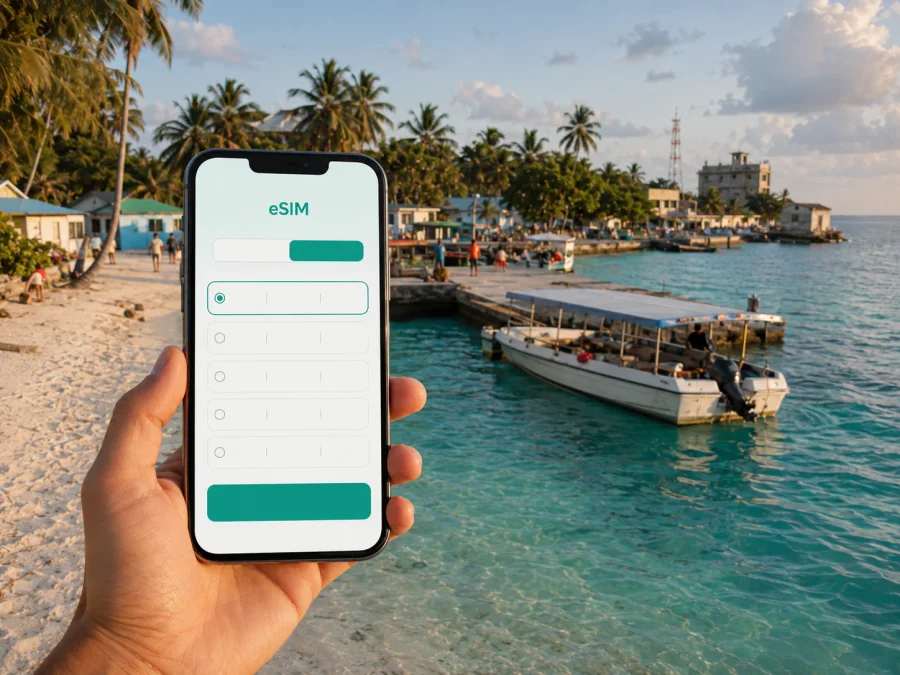
Thulusdhoo eSIM: Reliable Mobile Connection and Internet for Your Trip
Thulusdhoo is a destination where a boat transfer, a walk along sandy lanes, a surf session and a quiet evening at a guesthouse can fit into one day. Arrival messages, map pins, booking details and weather checks still need a dependable mobile connection. An eSIM helps you prepare the mobile internet part of the trip before you leave, so you can focus on the island rather than finding a SIM card after landing.
Why mobile internet matters in Thulusdhoo
Thulusdhoo is in Kaafu Atoll, north of Malé, and is reached by sea rather than by road from Velana International Airport. Your first arrival tasks are to find the right meeting point, confirm the transfer and keep your phone available for updates. Once the boat arrives, many local journeys are short enough for walking or cycling, while excursions and onward travel still depend on boats.
Mobile internet can help you:
- message a guesthouse or transfer contact after your flight;
- display booking details or a meeting-point message;
- open a map for a pier, property or nearby café;
- use translation, currency and weather tools;
- message family, colleagues and travel companions;
- check a flight detail or adjust a plan while moving.
The goal is not to fill an island holiday with screen time. It is to keep the few digital actions that matter available when the next step depends on them. An eSIM is especially useful during the transition between the international airport, Malé and Thulusdhoo, when you may not yet know which Wi‑Fi network is convenient.
Thulusdhoo at a glance for an eSIM traveller
Thulusdhoo means a sea transfer, short local journeys on foot or by bicycle, and boat-based excursions. Choose a connection ready before boarding, matched to your stay, and supported by offline copies of accommodation and transfer details. An eSIM is a mobile-data option; read the selected plan’s destination and conditions.
Before leaving for the Maldives
Solve the eSIM question before the airport journey becomes busy. Separate three decisions: whether the phone supports eSIM, when the profile should be installed, and which line should be used for data after arrival.
Preparation checklist
- Confirm that your smartphone supports eSIM and is not restricted by an operator. Regional versions can differ, so check the exact device. Check your device before selecting a plan.
- Charge the phone for the flight, transfer and messages with your accommodation.
- Keep the email address or account used for the order accessible on the intended phone.
- Save the property name, contact details, arrival instructions and boat information offline.
- Decide which existing SIM should remain available for calls or messages and which line will handle data.
- Check data volume, validity period, destination and activation conditions.
An eSIM is a digital profile, not a physical card that can be moved between phones. Installing it on the intended device and leaving time to resolve a compatibility issue makes the airport-to-island transition calmer.
How much data do you need?
Thulusdhoo encourages offline-friendly days, yet one video call or a large photo backup can change usage quickly. Think in scenarios rather than guessing a universal daily number.
| Travel style | Likely online tasks | Planning approach |
|---|---|---|
| One-night stopover | Transfer messages, maps and check-in details. | A modest allowance may work if video and backups wait for Wi‑Fi. |
| Three- to five-day stay | Navigation, messaging, reservations and weather checks. | Leave headroom for active days and changes. |
| Surf or excursion trip | Boat coordination, maps, photos and selected uploads. | Allow a buffer for extra messages and return-plan changes. |
| Remote-work visit | Email, documents, messaging and calls. | Estimate work separately and use Wi‑Fi for heavy tasks. |
Use the selected plan’s displayed destination, traffic volume, validity and price as the conditions for your trip.
Arrival: from the airport area to Thulusdhoo
Thulusdhoo is not reached like a mainland city by taxi. Your first task is to connect the flight arrival with a boat departure. A guesthouse may arrange a transfer, or your booking may point to a ferry, shared speedboat or private speedboat. The departure point and timing can vary with the day, weather, sea conditions and your arrangement.
A calm arrival sequence
- After landing, select the travel line for data and disable data roaming on your home line if your operator charges for it.
- Check the accommodation or transfer message for the pier, meeting time and any change to the boat.
- Allow time between the international arrival, airport area, Malé and the pier; message the contact if your flight is delayed.
- After arriving on Thulusdhoo, tell the property you have arrived and follow its local directions.
For a late arrival or long wait, ask in advance what happens if you miss a departure. A mobile connection helps communication, but it does not change a timetable or guarantee a boat. Keep the accommodation’s instructions offline.
Getting around the island
Thulusdhoo is a small local island, so movement feels different from Malé. Many outings can be made on foot or by bicycle. Surf access, excursions and onward travel depend on boats and local arrangements.
Walking is practical between accommodation, local lanes, the shoreline and everyday stops. A bicycle can make a warm afternoon easier without arranging a vehicle for every short journey; slow down around people and parked scooters.
Maps are most useful for finding a property, locating a meeting point or returning after an excursion. Save the accommodation name and contact; if a map is imprecise, message the property rather than circling the same lane.
The water is part of Thulusdhoo’s geography. Surf trips, snorkelling, diving, sandbank outings and visits to other islands require a boat and confirmed arrangements. Keep data for changing details such as departure time, pick-up point, postponement and return plan, and ask the local contact to confirm the current plan.
The island is associated with surfing, and Cokes is one of the surf spots connected with Thulusdhoo. Ask a local guide or your accommodation about conditions, access and the boat plan. Connectivity helps coordination, but it is not a substitute for safety advice or water experience.
When you are ready to review the available conditions, you can choose an eSIM plan for a trip to the Maldives. The country page is relevant to a Thulusdhoo itinerary because the island is the destination while the transfer begins in the wider Malé airport area.
Thulusdhoo’s useful visitor areas are the accommodation zone, residential lanes, shoreline, beach or surf access point, harbour and excursion departure places. Routes can depend on weather or a host’s directions. Save meeting times, protect the phone from sun and salt water, and follow local expectations away from the beach.
Choosing accommodation with connectivity in mind
A guesthouse may offer Wi‑Fi, but treat it as one layer rather than the only way to receive arrival instructions. Ask where you will be met, how transfer details are sent, whether there is a suitable place for work calls, and who coordinates excursions or bicycles. A prepared eSIM provides another route when Wi‑Fi is busy or unavailable.
Thulusdhoo for a remote-work visit
A working visit needs more planning than a holiday built around offline time. Email and text messages are lighter than video calls, while cloud uploads use more data than expected. Arrange a workplace with Wi‑Fi and keep the eSIM for arrival, movement and urgent communication.
Work-trip checklist
- Tell colleagues about the transfer window and likely offline periods.
- Download documents and test the eSIM without deleting your existing line.
- Check two-line data and call settings; save work and accommodation contacts.
- Carry charging equipment and avoid the only important call during a transfer.
Kaspersky eSIM Store is an app and website for choosing, arranging and activating an eSIM with a suitable travel plan. It does not guarantee a particular signal or replace the need to confirm the selected plan’s conditions. Your work setup should combine the property’s facilities, device settings and a realistic data estimate.
How to install and activate an eSIM
Menu names depend on the phone and software version. In general, obtain the eSIM details, add the mobile plan in settings, label the line and select it for data at the destination. Keep the confirmation message accessible.
For step-by-step help, use the Android installation instructions or the iOS installation instructions. Use the guide for your operating system, and avoid deleting your existing SIM until you know which line is needed for calls, messages or account recovery.
Installation routine
- Choose the Maldives destination and review data volume, validity and conditions.
- Complete the order in the Kaspersky eSIM Store app or website and keep the installation information accessible.
- Use stable Wi‑Fi, then add the eSIM in mobile-network settings by following the Android or iOS guide.
- Label the line “Travel data” and review the home line’s data-roaming setting.
- At the destination, select the travel eSIM for mobile data and check that the intended line is active.
Installation and activation can be separate moments. A phone may store the profile before it becomes usable, while validity begins according to the selected plan’s conditions. Do not assume that adding the profile starts the same clock for every plan.
Managing data and your regular number
Automatic sync, app updates and video can use data quietly. To keep the allowance under control:
- disable photo and video backup over mobile data;
- restrict app updates and large uploads to Wi‑Fi;
- download maps and documents before the boat transfer;
- turn off background data for unneeded apps;
- check the phone’s data-usage screen after the first day.
A compatible dual-SIM phone can often keep the home line and travel eSIM installed together, but behavior depends on the device and operator. Review data, switching and roaming settings before departure.
Travel eSIMs in this context are primarily intended for mobile data. They do not automatically include a separate phone number, regular calls or SMS unless the selected plan explicitly says so. Use the messaging or calling apps you rely on, and make sure the people you need can reach that account.
If the connection does not work
Confirm that the eSIM is enabled, the travel line is selected for data, airplane mode is off and the phone has restarted. Check destination, validity and allowance. If the issue appears on a boat or away from the island, wait until you are in a suitable location before deciding that the profile has failed.
Troubleshooting sequence
- Confirm in mobile-network settings that the travel eSIM is switched on.
- Check mobile-data selection and turn off automatic switching to the home line if necessary.
- Toggle airplane mode, restart the device if the line was recently installed, and allow time to register.
- Move to an open, safe location and try again.
- If the issue continues, use the support route connected with the order and describe the device, system and steps tried.
Keep your accommodation’s name and contact details offline.
Practical scenarios
- Late-flight arrival: install earlier, save the transfer contact, keep the phone charged and use data for arrival coordination.
- Surf-focused week: leave room for messages about sessions and boats, restrict media sync and use a waterproof pouch.
- Quiet beach break: a smaller allowance may suit maps, messages and reservations if heavy tasks wait for Wi‑Fi.
- Work visit: test the device, keep documents offline, arrange a work space and separate work data from leisure use.
- Stopover before another island: confirm destination scope, duration and validity start before continuing the route.
FAQ
Is Thulusdhoo suitable for using an eSIM?
Yes, if you want data for arrival coordination, maps, messaging and boat-based activities. The island may require less navigation data than a large city, but the airport transfer makes a working connection useful before arrival.
Will it give me a local phone number?
Usually it is intended for mobile data and does not automatically include a separate number, regular calls or SMS. Check the plan conditions and use internet-based apps when appropriate.
Final checklist before you leave your room
- The travel eSIM is installed on the intended compatible phone.
- The destination, data allowance and validity fit the itinerary.
- The correct line is selected for mobile data and roaming is reviewed on the home SIM.
- Accommodation, transfer details, maps and essential documents are saved offline.
- The phone, charger and power bank are ready; heavy backups and app updates are restricted to Wi‑Fi.
- Your accommodation knows how and when to reach you.
Prepare your Thulusdhoo connection
Thulusdhoo rewards a simple routine: confirm the boat, walk or cycle at the island’s pace, and keep essential messages available. A suitable eSIM plan can remove one task from the airport-to-island transition.
Kaspersky eSIM Store is an app and website that helps you choose, arrange and activate an eSIM with a suitable plan for mobile internet during an overseas trip. Review the Maldives conditions, check your device, install the profile when appropriate, and prepare an eSIM plan for your trip to Thulusdhoo.


